Small business owner planning digital PPC campaign
Written by webtechs

Small Business PPC in Scottsdale: Who to Hire and Why

Small business owner planning digital PPC campaign

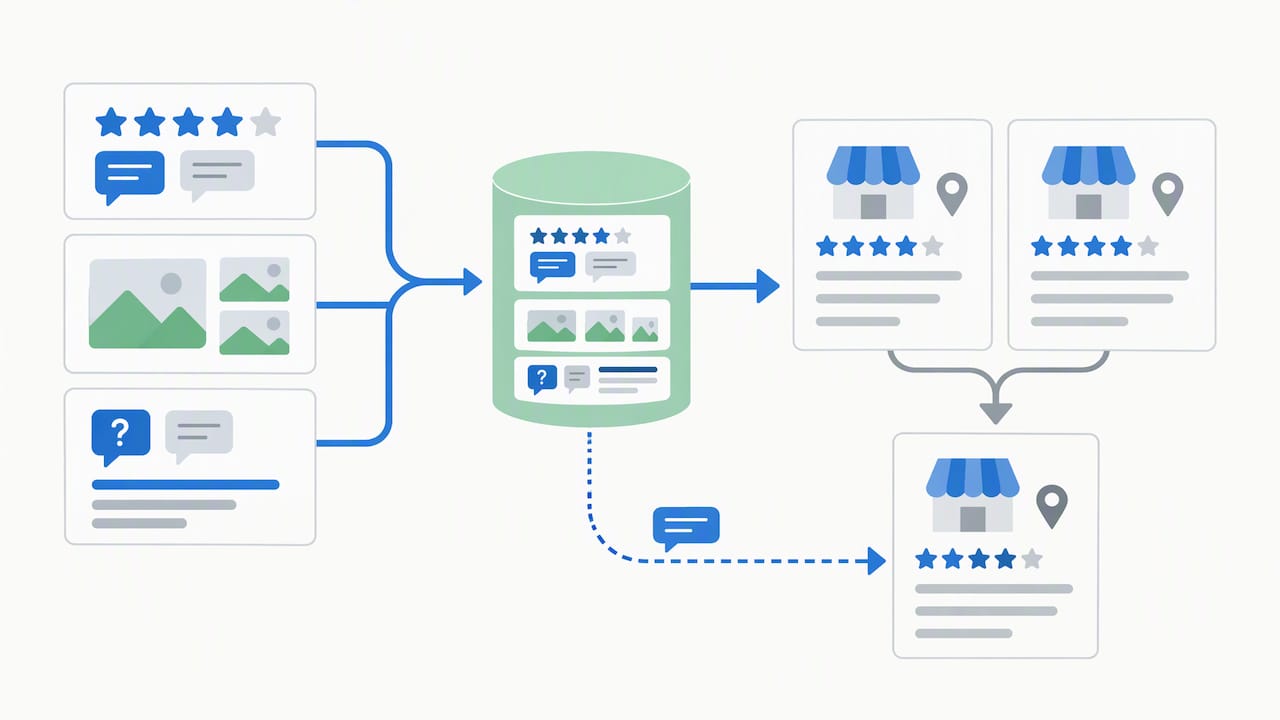
If you own a small business in Scottsdale and you’re spending money on Google Ads without a dedicated landing page or working conversion tracking, hire a local PPC manager before you spend another dollar. Webtechs, a Scottsdale digital marketing agency operating since 1997, builds and manages small-business PPC accounts with local market knowledge you won’t get from a generic national provider or a rushed DIY setup. The evidence for going local is straightforward: local agencies understand Scottsdale’s seasonal demand swings, its competitive service categories like home trades and hospitality, and how to structure a Google Business Profile alongside paid search so the two channels reinforce each other.
Your next move is simple:

  • Request a free PPC audit from Webtechs to see exactly where your current spend is leaking or where a new account should start.
  • Ask for a short discovery call before committing to any monthly retainer.

Key Takeaways

Small business PPC in Scottsdale works best when you start with tight Search campaigns, install real conversion tracking, and hire a local manager who understands the market’s seasonal swings.

Point Details
Start with Search Concentrate initial budget on one high-intent Search campaign before adding other types.
Track every conversion Set up both web form and call tracking before launch, or you can’t optimize spend.
Match ads to landing pages Dedicated landing pages that mirror ad copy convert far better than sending traffic to your homepage.
Wait on Performance Max Add it only after Search is profitable and you have enough conversion history for Smart Bidding to work.
Hire local expertise Webtechs has managed Scottsdale small-business PPC and SEO accounts since 1997, with transparent pricing and a free audit as the starting point.

Table of Contents

What Is Small Business PPC and How Does It Help You?

Pay-per-click, or PPC, is online advertising where you pay only when someone clicks your ad. It falls under the broader umbrella of search engine marketing (SEM), which also includes organic strategy. Businesses like it because it delivers targeted, measurable traffic instead of hoping an organic ranking eventually shows up.

  • Turns on fast, unlike SEO, which can take months to gain traction.
  • Lets you control exactly how much you spend daily.
  • Reports precisely which keyword, ad, and click led to a phone call or form fill.

Pro Tip: If your Google Business Profile is thin or your organic rankings are already strong for your top keywords, put new budget into PPC to capture the searches you’re not winning organically.

Why Does PPC Work Differently for Scottsdale Businesses?

Scottsdale is not a generic market, and your account structure shouldn’t treat it like one. Location targeting lets you set campaigns to a specific city, a radius around your storefront, or a cluster of zip codes, and pairing that with a well built Google Business Profile strengthens both your map pack visibility and your paid results.

Demand here moves in cycles. Snowbird season drives spikes for hospitality, home services, and medical spas from roughly October through April, while summer slows for some categories and heats up for others like pool repair and HVAC. Competitive categories, especially home trades, med spas, and restaurants, require tighter targeting because cost per click runs higher.

  • Expect a learning period before Google’s algorithm and your own optimizations produce stable results.
  • Budget for that ramp period rather than judging performance in week two.

Which PPC Campaign Types Should a Small Business Use?

Not every campaign type deserves your budget on day one. Here’s how to sequence them:

  1. Search campaigns should be your first investment. They capture people actively typing “emergency plumber Scottsdale” or “best Scottsdale hair salon,” which is the highest intent traffic you can buy. Most small businesses see the best early results by concentrating budget here before branching out.
  2. Local campaigns, tied to your Google Business Profile, drive phone calls and store visits directly from Google Maps and local search results. Pair this with a Local Services Ads setup if you’re in a service category Google supports.
  3. Retargeting and display bring back visitors who almost converted, protecting the spend you already put into getting them to your site the first time.
  4. Performance Max looks appealing because it runs across every Google surface automatically, but it requires meaningful conversion history to optimize well. Add it after Search is profitable, not as your starting point.

How Should a Small Business Set Up and Manage a PPC Campaign?

Getting the structure right upfront prevents months of wasted spend later, and understanding lead nurturing explained can help you convert PPC leads more effectively. Here’s the sequence that matters:

  1. Build tight ad groups around closely related keywords rather than one giant catch-all group. This keeps your ad copy relevant to what people actually searched.
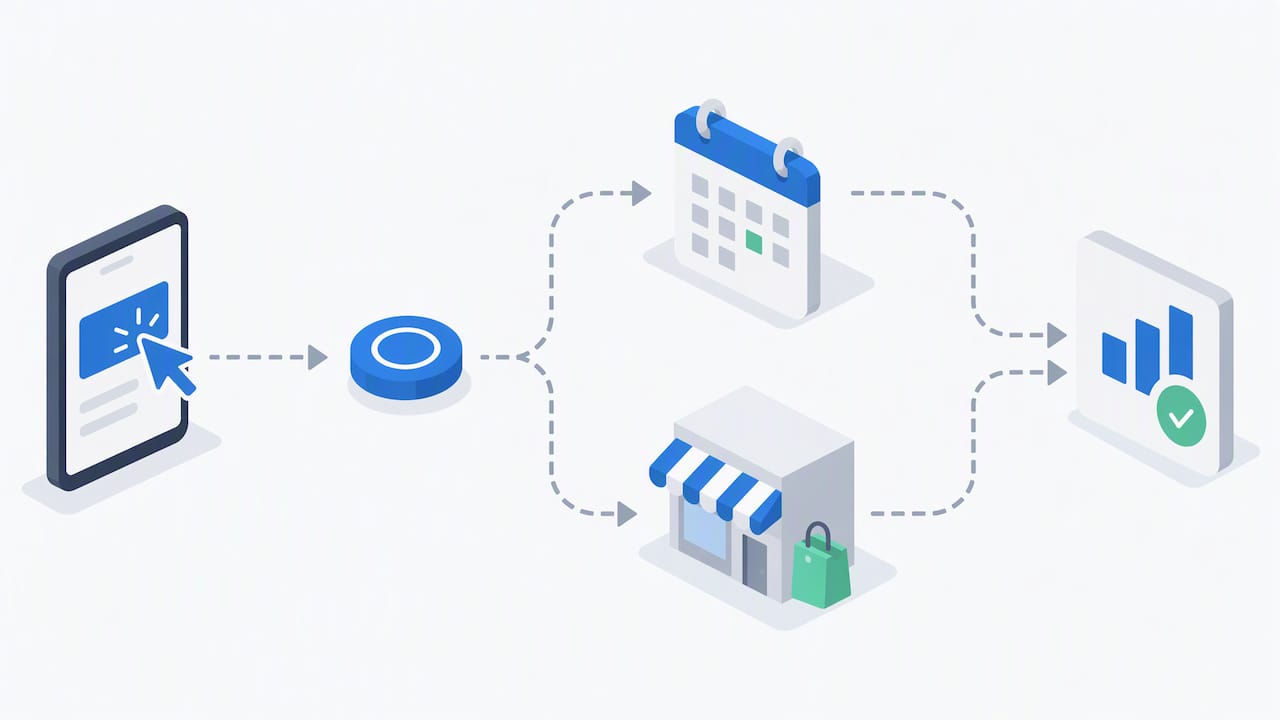
  2. Install conversion tracking for both web form submissions and phone calls before you launch anything. Without it, you have no way to know if your spend is producing customers.
  3. Send traffic to a dedicated landing page that matches your ad’s message word for word, not your homepage. Message match between ad and landing page is one of the biggest levers on conversion rate, and Webtechs’s own guide on improving website conversions covers this in more depth.
  4. Review your search terms report weekly and add negative keywords to block irrelevant clicks, then rotate in new ad variations monthly to test what copy actually pulls conversions.

Pro Tip: Ask whoever manages your account for direct login access to your Google Ads account, not just a monthly PDF. If you can’t log in and see your own data, you don’t actually control your campaign.

Good reporting shows cost per lead, which keywords converted, and what changed since last month, not just a spend total and a pat on the back.

Hands interacting with smartphone for PPC reporting

What Budget and Results Should You Expect?

A safe starting budget for most Scottsdale small businesses runs a modest amount a month, concentrated on one service area rather than spread thin across many. Concentrating a modest budget on a single tight, high-intent campaign produces cleaner data faster than trying to cover everything at once.

Watch three numbers:

  • Cost per lead — what you actually pay to generate one qualified contact.
  • Conversion rate — the percentage of clicks that turn into a call or form fill.
  • Return on ad spend (ROAS) — revenue generated against dollars spent.

Google Ads guidance for small businesses recommends setting your budget against your target cost per acquisition and your average customer value, not an arbitrary round number. Smart Bidding and automated strategies typically need sufficient conversion history before they optimize reliably. Until you hit that volume, manual bidding while you mine search-terms data works better than handing the wheel to an algorithm too early.

How Do You Choose the Right PPC Provider in Scottsdale?

Picking a provider is where most small businesses either win years of profitable growth or waste a year of ad spend on someone who never checks the account. Look for these criteria first:

  • Documented local experience in your specific industry, not just generic “we run ads” claims.
  • Working conversion tracking set up before your campaign launches, covering both calls and form fills.
  • The ability to build and test dedicated landing pages, not just manage the ad account.
  • Transparent, plain-language reporting you can read without a marketing degree.
  • A clear pricing model, whether that’s flat fee, percentage of spend, or hybrid.

Before signing anything, ask these questions directly:

  1. Can I see a live example of results you’ve generated for a business like mine?
  2. Will I have direct access to my own ad account and reporting dashboard?
  3. How often do you test new ad copy and review search terms?
  4. What’s the minimum contract length, and what happens if I want to leave?

Red flags include agencies that won’t share account access, can’t produce a single relevant case study, or push you straight into Performance Max before you have any conversion history.

Local Proof: What Webtechs Brings to a Scottsdale PPC Account

Webtechs has operated in Scottsdale since 1997, working with local businesses across service industries, retail, and hospitality on both SEO and paid campaigns. That history matters because Scottsdale’s competitive categories, home trades, salons, medical practices, don’t respond to a one-size-fits-all national playbook.

  • Full-service PPC management alongside web design, local SEO, and Google Business Profile optimization.
  • Transparent PPC management pricing so you know the fee structure before you commit.
  • Case study results documented across industries, including a roofing SEO case study and a hair salon SEO case study that show what sustained local optimization looks like over time.

A free PPC audit from Webtechs typically surfaces quick wins first, like missing conversion tracking or a mismatched landing page, then builds toward a prioritized roadmap for the next 90 days.

What Should You Know About PPC Contracts Before Signing?

Contract terms vary more between PPC agencies than most small business owners expect, and the fine print matters more than the pitch. Some agencies lock you into a 12-month agreement before you’ve seen a single month of results. Others run month-to-month, which puts more pressure on the agency to keep performing but gives you an easy exit if things aren’t working.

Diagram comparing PPC contract terms and billing structures

Read for a few specific terms. First, check the cancellation notice period, most reasonable agreements ask for 30 days written notice, not 90 or 120. Second, confirm who owns the account itself. Your Google Ads account, your conversion tracking setup, and your campaign history should belong to you, the business owner, not the agency. If an agency builds your account under their own manager ID and refuses to grant you admin access, walk away, because losing that agency later means losing your entire campaign history and optimization data.

Third, look at what’s actually included in the monthly fee versus what counts as a billable extra. Landing page builds, additional campaign types, and creative refreshes sometimes carry separate charges that aren’t obvious in the initial quote. Ask for a written scope of work, not just a verbal summary, so you know exactly what you’re paying for each month. A provider confident in their results won’t hesitate to put contract terms and deliverables in writing, and won’t need a long lock-in to keep your business.

DIY vs. Hiring an Agency: When Does Each Make Sense?

DIY makes sense if you’re testing a single keyword idea on a few hundred dollars a month, just to see if there’s demand before committing real budget. It gets riskier fast once you’re running multiple locations, tracking phone conversions alongside web leads, or trying to layer retargeting on top of Search.

Small business owner testing PPC keywords on smartphone

That complexity is where a professional account manager consistently outperforms a business owner learning Google Ads on nights and weekends. If your funnel involves more than one conversion type or your customer value is high enough that a wasted month actually hurts, request an audit and let someone who does this daily take a look before you commit more budget.

Ready to Fix or Launch Your PPC Campaign?

If you’ve read this far, you probably already suspect your current PPC setup has gaps, whether that’s missing conversion tracking, ads pointing to your homepage instead of a dedicated landing page, or a budget spread too thin across campaign types. Webtechs runs PPC management alongside web design and SEO for Scottsdale small businesses, which means your landing pages, tracking, and ad copy all get built by the same team instead of stitched together from three different vendors.

Webtechs

Take a look at past client work in the Webtechs portfolio to see the kind of results local businesses have gotten, then check the PPC management pricing breakdown so you know the real cost before you talk to anyone. When you’re ready, request a free PPC audit and get a straight answer on whether your account is set up to make you money.

Sources

0
Hands mapping website URLs for SEO migration
Written by webtechs

Site Migration SEO: A Local Checklist for Arizona Businesses

Hands mapping website URLs for SEO migration

Yes, you can migrate a website without losing your search rankings, but only if you treat the redirect map as sacred. The single biggest predictor of a clean migration is a complete one-to-one 301 redirect for every old URL, tested before launch and monitored closely afterward. Google’s own site-move documentation backs this up: permanent, server-side redirects and clean sitemaps are the foundation, and most ranking losses trace back to preventable errors rather than the move itself, according to Semrush’s migration research.

Before you touch anything, do this:

  • Snapshot your current traffic, rankings, and backlinks as a baseline.
  • Build a full old-to-new URL map, page by page.
  • Stand up a staging environment and test every redirect there first.
  • Confirm your rollback plan before you ever hit “go live.”

Key Takeaways

A successful site migration SEO strategy depends on complete redirect mapping, staging validation, and disciplined post-launch monitoring for at least 90 days.

Point Details
Map every URL first Build a one-to-one old-to-new redirect map before any development begins.
Remove staging noindex This single forgotten step causes the most catastrophic launch-day failures.
Keep redirects live long Maintain 301 redirects for at least 180 days; for domain changes, keeping them live for a year or longer is recommended.
Watch the first 90 days Check daily in week one, then weekly, then monthly through the first year.
Consider a local specialist Webtechs runs audits, URL mapping, staging tests, and 90-day monitoring for Arizona businesses.

Table of Contents

Pre-Migration Checklist for Website Redesign SEO

Every site migration SEO project lives or dies in the weeks before launch. Skip this phase and you’re gambling with years of organic equity.

Start with your benchmark data. Export Google Search Console reports for queries, top pages, clicks, and impressions going back at least three months. Pull GA4 sessions and your top landing pages by conversion value. This becomes your recovery yardstick later, and without it, you have no way to prove whether the migration helped or hurt.

Next comes the crawl. Run a full site inventory with a tool like Screaming Frog or CrawlRaven, then build a spreadsheet mapping every existing URL to its future home. Flag your highest-value pages, the ones ranking on page one or pulling in the bulk of your backlinks, and prioritize preserving their exact structure or redirecting them precisely.

Hands creating URL redirect spreadsheet

Set up staging with noindex tags applied site-wide, verify canonical tags point where they should, and click through every internal link. Back up your current site and database in full before development starts.

Finally, get your team aligned. Someone owns DNS, someone owns development, someone owns SEO validation, and everyone agrees on the cutover date and what triggers a rollback.

Pro Tip: Keep your redirect map in a shared spreadsheet, not a developer’s local file. When something breaks three weeks post-launch, you need that mapping accessible to everyone, not buried in someone’s downloads folder.

A technical SEO audit before migration catches structural issues that would otherwise surface as ranking drops after launch.

What Technical Elements Does Google Require for a Site Move?

Google’s guidance is specific, and ignoring it is where most migrations go wrong. Use server-side permanent redirects, either 301 or 308 status codes, for every single changed URL. Skip redirect chains entirely; a chain of three or four hops before landing on the final page wastes crawl budget and can dilute the signal Google passes through.

Verify ownership of both your old and new domains in Search Console. If you’re changing domains outright, file a Change of Address request, which forwards site signals for 180 days, though it requires you to own both properties and never replaces accurate redirects on its own.

  • Submit a fresh XML sitemap listing only your new, live URLs.
  • Confirm canonical tags reference the new site, not the old one.
  • Remove every noindex tag from staging before launch.
  • Make sure robots.txt isn’t blocking crawlers from reaching old URLs during the transition window, since Google needs to crawl them to follow your redirects.

Check your server capacity too. A migration often triggers a temporary spike in crawl activity as Google re-evaluates your entire site.

Launch-Day Steps to Protect Your Rankings

Launch in a low-traffic window, ideally overnight or a weekend morning for most Arizona small businesses. Deploy your redirects all at once if possible; for very large sites, phase the rollout in planned stages instead.

  1. Spot-check a sample of redirects immediately, confirming they return 301 status codes and land on the correct new page.
  2. Remove any remaining noindex tags from the live production site.
  3. Submit your new sitemap in Search Console and confirm robots.txt allows crawling.
  4. Verify GA4 is tracking sessions correctly, then test every form and checkout flow by hand.
  5. Run URL Inspection in Search Console on your five to ten most important pages.

Pro Tip: Set up rapid alerts for 404 spikes or sudden impression drops in the first 24 hours. Catching a broken redirect pattern on day one beats discovering it in a monthly report three weeks later.

How Long Does It Take to Recover Rankings After a Migration?

Most clean migrations stabilize within a few weeks, though larger or more complex moves can stretch longer. Check daily during week one, weekly through weeks two to four, then shift to monthly monitoring for up to a year, with extra attention paid to the first 90 days.

Track indexed page counts, impressions and clicks in Search Console, organic sessions in GA4, keyword positions for your top terms, backlink health, and Core Web Vitals scores. Compare each against your pre-migration baseline.

  • If traffic hasn’t recovered within four to eight weeks, that’s usually a technical issue, not a normal fluctuation.
  • Broken redirects, orphaned pages, or lingering indexation blocks are the most common culprits.
  • A full crawl audit at this stage usually surfaces the problem quickly.

Short-term dips are normal even in flawless migrations. What matters is the trend line, not any single week’s numbers.

Which Migration Type Poses the Biggest SEO Risk?

Domain changes carry the highest risk because they touch every URL simultaneously. File Change of Address when it applies, verify www and non-www variants, and plan to keep redirects live for well over a year.

SEO risk comparison by migration type diagram

Replatforming and redesigns get dangerous when teams change content and URL structure at the same time. Isolate the scope wherever you can, and if a full overhaul is unavoidable, prioritize exact one-to-one URL mapping over everything else.

HTTPS migrations need the same rigor: server-side 301s, updated sitemaps, canonical tags pointing to secure URLs, and a full mixed-content check. Consolidating multiple domains into one property should happen in phases, migrating one site at a time rather than all at once.

Mistakes That Cause Permanent Traffic Loss

The most catastrophic and common launch-day error is forgetting to remove staging noindex tags, a mistake that’s shown up repeatedly in Semrush’s audit findings as a top failure point. It silently tells Google not to index your entire new site.

  • Never mass-redirect everything to your homepage; map each URL individually or return a proper 410 for pages you’re intentionally removing.
  • Don’t block your old site with robots.txt after launch, since Google needs continued access to follow those 301s.
  • If rankings vanish, check canonical tags first, then confirm crawling isn’t blocked, then request reindexing on your priority pages.

Pro Tip: Bookmark your staging URL’s robots.txt and noindex status before launch, then check both again the moment you flip DNS. It takes thirty seconds and prevents the single most common disaster.

How WebTechs Runs SEO-Safe Migrations for Arizona Businesses

Webtechs handles migrations with a five-stage process: baseline audit, full URL mapping, staging validation, atomic redirect deployment, and 90 days of post-launch monitoring with client reporting.

Local results back it up. A Garden Nursery redesign produced a 353% jump in SEO performance, and a Roofing Company migration delivered a 1,072% increase.

Clients who ask the right questions upfront get better outcomes. Before you sign anything, ask about redirect testing methods, who owns the rollback decision, and what the 90-day monitoring report actually includes.

Should You Handle This Yourself or Call In a Specialist?

DIY works for small sites under 1,000 URLs when you have in-house development and a real rollback plan. Anything involving a domain change, a large site, or a stretched team calls for a specialist.

Ask any prospective agency about their migration history, how they test redirects, and their monitoring cadence. Factor in tool costs, consulting fees, and the revenue risk of even a short outage against the value of protecting your existing traffic.

Get a Migration Plan Built for Your Arizona Business

Webtechs is the practical alternative to gambling your rankings on a DIY migration or a generalist developer who’s never mapped a redirect chain before. Where most agencies hand you a redesign and hope your traffic survives, Webtechs builds the SEO safety net first: full baseline audit, complete URL mapping, staging validation, and 90 days of monitoring after launch, all before a single page goes live.

Webtechs

The service includes redirect implementation, launch-day support, and reporting that shows exactly what changed and why. Local results speak for themselves. A Roofing SEO client and businesses across the Scottsdale SEO portfolio have come through redesigns and migrations with measurable gains, not losses. Browse the full portfolio to see completed projects, then request a scoping call to get a redirect map and migration timeline built around your actual site, not a generic template.

Frequently Asked Questions

How long should I keep 301 redirects after a migration?
Keep them live for at least 180 days, matching the signal-forwarding window Google’s Change of Address tool uses, though many practitioners recommend a full year or longer for domain-level moves.

Will my rankings definitely drop after a website migration?
Not necessarily. Short-term fluctuation is common even in well-executed migrations, but permanent drops usually trace back to preventable technical errors like missing redirects or crawl blocks, not the migration itself.

Do I need to use Google’s Change of Address tool for a redesign?
Only if you’re changing domains. A redesign or replatform on the same domain doesn’t require it, but you still need accurate redirects if URLs change.

What’s the biggest mistake businesses make during a site migration seo project?
Forgetting to remove noindex tags from the staging environment before launch, which can leave your entire new site invisible to search engines.

Sources

0
Hands optimizing website images manually
Written by webtechs

Page Speed Optimization for Scottsdale Businesses

Hands optimizing website images manually

For most Scottsdale small businesses, Webtechs is the recommended local starting point. Request a free Core Web Vitals audit using PageSpeed Insights as the baseline, and ask for a written report before any work begins.

Here is what a solid free audit should include:

  • Baseline score from PageSpeed Insights (both mobile and desktop)
  • Core Web Vitals report covering LCP, CLS, and INP with current field data
  • Prioritized fix list with estimated impact per item
  • Expected turnaround stated upfront (typically 1–3 weeks for a focused engagement)

Three local options worth contacting for quotes:

  • Webtechs (recommended): full-service SEO and web agency with local Scottsdale experience, Core Web Vitals audits, WordPress expertise, and hosting options
  • Scottsdale WordPress specialist: best for sites built on WordPress needing plugin/theme cleanup and caching configuration
  • Scottsdale general-site specialist: best for non-WordPress CMS or custom-built sites needing server-side and CDN work

Key Takeaways

For Scottsdale small businesses, page speed optimization starts with a free Core Web Vitals audit, a prioritized fix list, and a provider who tests on mobile under real-world conditions.

Point Details
Start with a free audit Request a PageSpeed Insights baseline covering both mobile and desktop before any work begins.
Core Web Vitals are the target Aim for LCP under 2.5 seconds and INP under 200 ms, these are the metrics Google uses.
Mobile-first for Scottsdale Most local searches come from phones; always require throttled mobile testing in the proposal.
Require monitoring post-launch Speed degrades as plugins update and content grows — a one-off fix without monitoring won’t hold.
Webtechs is the local starting point Free diagnostic, Core Web Vitals audit, WordPress expertise, and hosting options for Scottsdale businesses.

Table of Contents

How do Scottsdale page speed providers compare?

Before you call anyone, a side-by-side look at what each type of local provider typically offers helps you ask the right questions.

Webtechs WordPress Specialist General-Site Specialist
Best for Small businesses wanting bundled SEO + speed + hosting WordPress sites needing plugin/theme cleanup Custom CMS or non-WordPress sites
Services included Audit, Core Web Vitals fixes, image optimization, caching, CDN, hosting, monitoring Plugin audit, caching plugin setup, image optimization, theme cleanup Server tuning, CDN, JS/CSS optimization, third-party script management
Pricing model Project-based or monthly retainer; free diagnostic available Project-based; quote after audit Project-based; quote after audit
Typical turnaround 1–3 weeks for initial fixes 1–2 weeks 2–4 weeks
Support & maintenance Ongoing retainer with monitoring options One-off fix or short retainer One-off fix
Local trust signals Google reviews, local case studies, client testimonials Google Places rating Google Places rating

Comparison chart of Scottsdale page speed providers

Quick pros and cons:

Webtechs:

  • Pros: one vendor handles speed, SEO, hosting, and content; local Scottsdale team; free diagnostic
  • Cons: broader scope means you pay for services you may not need immediately

WordPress specialist:

  • Pros: deep plugin/theme knowledge; fast turnaround on WordPress-specific issues
  • Cons: limited help if your bottleneck is server-side or CDN-related

General-site specialist:

  • Pros: strong on infrastructure and custom builds
  • Cons: less familiar with WordPress quirks; longer timelines

How to request a quote from any provider:

  1. Run your site through PageSpeed Insights and save the report as a PDF.
  2. Note your top three highest-traffic pages — those are the ones that matter most.
  3. Share CMS access details (WordPress admin or hosting panel) so the provider can audit plugins and server config.
  4. Ask for a written scope of work listing every fix, not just a promised score.

What does page speed optimization actually include?

A professional engagement covers more ground than most owners expect. The standard deliverables on a well-scoped project look like this:

  • Full performance audit (lab and field data)
  • Core Web Vitals tuning: LCP, CLS, and INP
  • Image compression and conversion to next-gen formats (WebP, AVIF)
  • Browser and server-side caching configuration
  • CDN implementation
  • JavaScript and CSS minification and deferral
  • Font optimization (subsetting, preloading)
  • Third-party script management (tag managers, chat widgets, analytics)
  • Server/hosting improvements and TTFB reduction
  • WordPress-specific fixes: plugin audit, theme cleanup, caching plugin configuration
  • Testing and monitoring setup
  • Final report with before/after metrics

Core Web Vitals defined:

Stat worth knowing: A healthy server response time (TTFB) sits under 200 ms. If your TTFB runs higher than that consistently, no amount of frontend work will fully fix your load time — the server bottleneck has to come first.

A typical Scottsdale small-business WordPress site, after a focused engagement, often sees LCP drop into the target zone under 2.5 seconds and mobile PageSpeed scores climb noticeably. Results vary by site complexity, hosting quality, and how many third-party scripts are running. Faster pages also convert better, which is the business case beyond the SEO benefit.

Measurement uses both synthetic tests (PageSpeed Insights, WebPageTest) and real-user data from the Chrome UX Report. Lab scores tell you what’s possible; field data tells you what real visitors actually experience. A good provider reports both.


How do you choose the right Scottsdale provider?

Work through this checklist before signing anything.

  1. Ask for a sample audit report from a previous client (redacted is fine). If they can’t produce one, walk away.
  2. Confirm they test mobile under throttled conditions, not just desktop on a fast connection. Real Scottsdale customers search on phones.
  3. Request before/after Core Web Vitals metrics from a comparable project, not just a PageSpeed score.
  4. Verify WordPress experience if your site runs on WordPress — ask specifically about caching plugins and plugin conflict resolution.
  5. Confirm monitoring is part of the plan. Speed degrades over time as plugins update and content grows. A one-off fix without monitoring is a short-term solution.
  6. Check Google Places ratings and recent reviews — look for mentions of communication and follow-through, not just technical skill.

Interview questions to ask on the sales call:

  • What is my current TTFB, and is it a bottleneck?
  • Will you test on a mid-tier mobile connection, or only on fast broadband?
  • What field data do you pull, and from which tool?
  • What does your monitoring setup look like after the initial fix?
  • What happens if scores drop three months after you finish?

Red flags:

  • Promising a “100% PageSpeed score” — chasing a perfect lab score often misses what real users experience
  • No mention of Core Web Vitals or field data in the proposal
  • Inability to explain the difference between LCP and TTFB
  • No maintenance or monitoring plan offered

Pro Tip: Ask every vendor: “What’s my TTFB right now?” A provider who can answer that in the first call has already done more homework than most.

Local trust signals that carry real weight: a verified Google Business Profile with recent reviews, a free diagnostic offer, and a written SLA covering response time if performance drops post-launch. Webtechs checks those boxes for Scottsdale businesses, and you can review local SEO work and results before committing.


How do you choose the right Scottsdale provider? — overview diagram

What Scottsdale businesses should prioritize first

Most Scottsdale small-business sites share the same pattern: a WordPress install, a page-builder theme, a handful of plugins that have never been audited, and images uploaded straight from a phone or camera. That combination alone accounts for the majority of slow load times.

Start with the quick wins. Image compression and conversion to WebP, enabling caching, and removing or replacing heavy plugins costs the least time and money and delivers the biggest LCP improvement. Many sites drop a full second off load time from image optimization alone.

The middle tier, CDN implementation and lazy-loading third-party scripts like chat widgets and social embeds, matters more than most owners realize. Those scripts can add noticeable delay to mobile load time, and mobile is where most local Scottsdale searches land. If your site targets customers in the Scottsdale area, assume the majority of your traffic arrives on a phone, not a desktop.

Infrastructure fixes, hosting upgrades, server-side caching at the edge, and DNS improvements, come last. They require more coordination and cost, but they’re unavoidable if TTFB is the root problem. Fix the frontend first, measure again, then decide whether the server needs attention.

One practical example: a Scottsdale service business that prioritized its contact and services pages over the homepage saw bounce rate fall and contact form submissions climb after a focused two-week engagement. The homepage looked great but drove almost no conversions. The pages that drove calls were the ones worth fixing first.

Speed is not a one-time project. Plan for periodic audits and ongoing monitoring, because every plugin update and new content block is a potential regression.


Webtechs handles page speed for Scottsdale businesses

Webtechs has worked with Scottsdale small businesses since 1997. For page speed, the engagement starts with a free diagnostic, includes a full Core Web Vitals audit, and delivers a prioritized fix list before any work begins.

Webtechs

What Webtechs delivers for site speed:

  • Free diagnostic with PageSpeed Insights baseline (mobile and desktop)
  • Core Web Vitals audit covering LCP, CLS, and INP
  • Image optimization, caching, CDN setup, and JS/CSS cleanup
  • WordPress-specific fixes: plugin audit, theme cleanup, caching plugin configuration
  • Hosting and managed hosting options for ongoing performance
  • Monitoring and retainer options so speed holds after launch

Local businesses can review past Scottsdale work in the portfolio before reaching out. The next step is straightforward: request a free audit, get the Core Web Vitals baseline in writing, and review the prioritized fix list before committing to a project scope.


Sources

0
Marketer preparing storefront signage
Written by webtechs

Multi-Location SEO: A Scalable Playbook for Businesses

Marketer preparing storefront signage

Multi-location SEO works when you run it as a system: one authoritative corporate domain with centralized data controls, plus unique local pages and a verified Google Business Profile for every physical storefront. That two-layer structure, brand hub plus local spokes, is what separates businesses that dominate local search in every market from those that barely show up in one.

SEO is evolving, not dying. The shift is toward authoritative, trust-based systems rather than keyword hacks, and multi-location businesses that build those systems now hold a compounding advantage.

Three actions to take this week:

  • Claim and verify a Google Business Profile for every physical location
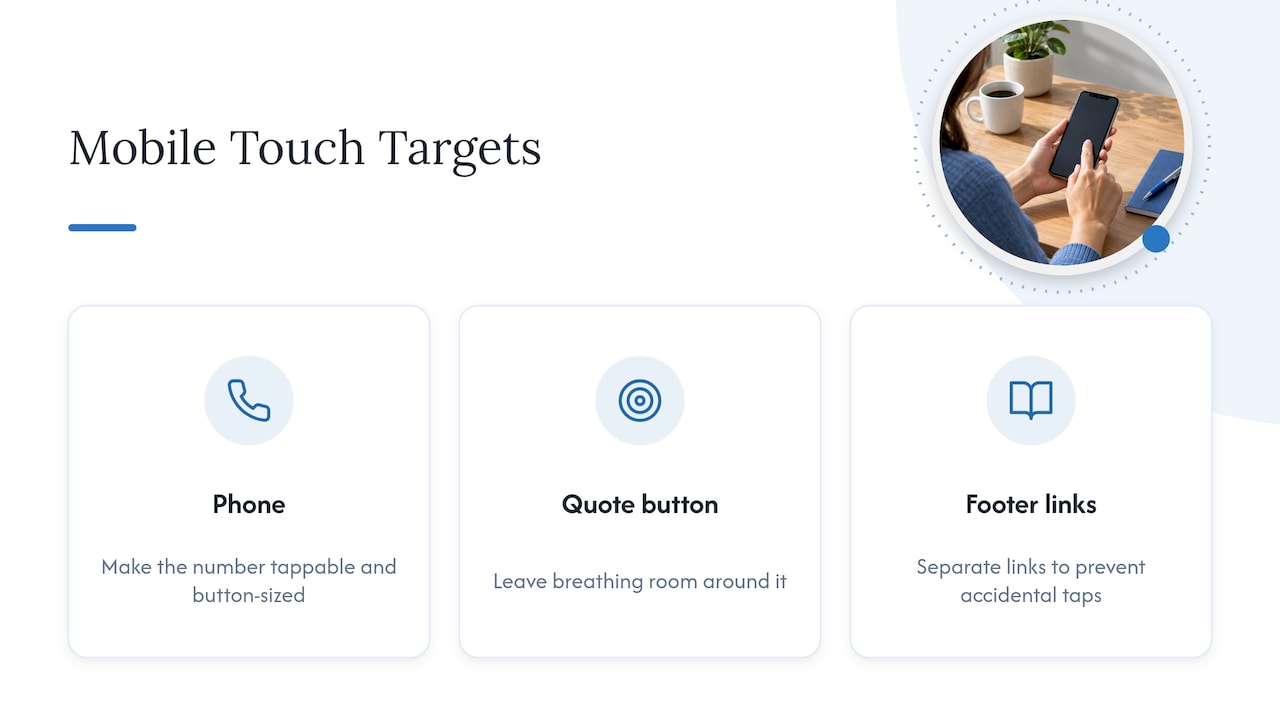
  • Publish modular location pages under one domain (e.g., yourdomain.com/locations/scottsdale)
  • Add UTMs and Location IDs to every GBP link so leads trace back to the right storefront
Dimension Hiring an agency Building in-house
Speed to launch Faster (platform access, existing templates) Slower (tool setup, training)
Cost structure Monthly retainer Salary + software
Data ownership Confirm in contract Full control
Best for 10+ locations, limited internal bandwidth 3–5 locations, strong marketing team

For Scottsdale businesses ready to hire, Webtechs (webtechs.net) has managed local SEO for small and mid-sized businesses since 1997 and handles the full stack: GBP management, location pages, citations, and per-location reporting. When evaluating any other local agency, check for documented multi-location case studies, bulk GBP capability, and a sample dashboard before signing.


Table of Contents

How do you choose the right multi-location SEO partner?

The build-vs.-hire decision usually comes down to two things: how many locations you manage and how much internal bandwidth you actually have. In-house management is viable for a small number of locations with a capable marketing coordinator. Beyond that scale, the operational complexity of bulk GBP management, citation syncing, and per-location reporting makes agency support worth the cost.

Ten questions to ask any agency before you sign:

  1. Can you show a case study with per-location traffic or ranking lifts?
  2. Which platform do you use for bulk GBP management?
  3. How do you handle GBP verification for new locations?
  4. Who owns the GBP listings if we part ways?
  5. What does your citation management process look like at scale?
  6. How do you prevent duplicate or ghost listings?
  7. Can I see a sample per-location dashboard?
  8. How do you tag GBP links for attribution?
  9. What’s your review acquisition process for individual locations?
  10. What’s your escalation path if a listing gets suspended?

Pro Tip: Ask for data ownership in writing before the contract is signed. Some agencies retain GBP access after a relationship ends, which can leave you locked out of your own listings.

Pricing varies by scope. A retainer covering GBP management, citation cleanup, and basic reporting for multiple locations typically starts in the range of a few hundred to a few thousand dollars per month, depending on service depth, review acquisition systems, and whether backlink work is included. Project-based engagements (initial audits, location page builds) are usually one-time fees. For cost-conscious SEO approaches that still produce measurable results, prioritize citation accuracy and GBP optimization before investing in content production.

Red flags to walk away from:

  • Promises of a #1 ranking within 30 days
  • Location pages that swap only the address and city name
  • No ability to show per-location reporting
  • Inconsistent NAP across their own agency directories
  • Ghost listings they haven’t addressed for existing clients

What does a scalable multi-location SEO rollout actually look like?

The franchise SEO playbook that works in 2026 is a systems problem first. Programmatic templates, a central data repository, and bulk GBP tools prevent the exponential complexity that kills manual programs past 10 locations.

Phased rollout:

  1. GBP verification (weeks 3–6): Claim and verify each profile. Use bulk verification via Google Business Profile Manager where eligible. Each location needs its own profile with accurate, distinct information.
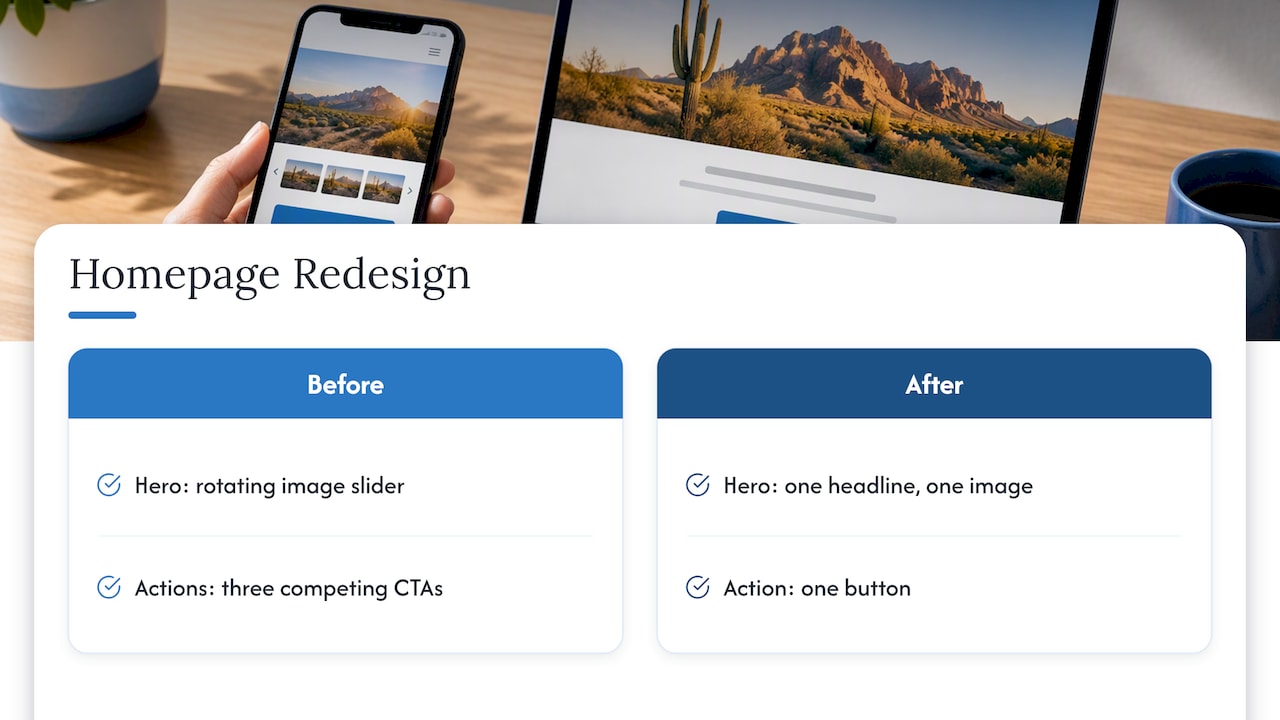
  2. Location pages (weeks 4–8): Publish under subfolders, not subdomains or microsites. Subfolders consolidate domain authority and prevent index fragmentation. Only create pages that map to real business assets, not every geographic keyword variation.
  3. Citations and reviews (weeks 6–10): Sync NAP data to aggregators (Data Axle, Neustar Localeze). Set up a review acquisition sequence per location. NAP consistency and fresh reviews are now central to AI-driven local visibility, not just traditional rankings.
  4. Local content and links (weeks 8–16): Add neighborhood proof points, local staff bios, and location-specific FAQs. Build local backlinks through chamber partnerships, local press, and community sponsorships.

Tools by function: GBP bulk management (Google Business Profile Manager, Yext), listing sync (Moz Local, BrightLocal), review management (Podium, Birdeye), call-tracking (CallRail), dashboards (Google Looker Studio with location-segmented views).

UTM template: Tag every GBP website link as utm_source=google&utm_medium=organic&utm_campaign=gbp&utm_content=location_[LocationID]. This ties every click and conversion to the correct storefront inside Google Analytics 4. UTMs and Location IDs are the difference between knowing which location drives revenue and guessing.

Timeline: A 10–50 location rollout typically reaches full GBP verification and location page publication by month three, with citation cleanup and review systems stable by month four. Enterprise programs (100+ locations) add two to three months for data governance and platform configuration.

Timeline infographic showing SEO rollout phases

Pro Tip: Avoid thin location pages by requiring five non-negotiable unique blocks in every template: a local staff bio, three location-specific testimonials, a neighborhood landmarks section, location-specific FAQs, and a unique service variant relevant to that market. Unique, localized content on each page is what keeps Google from treating them as doorways.


Webtechs brings Scottsdale businesses a proven local SEO system

Scottsdale businesses managing multiple locations need more than a vendor who knows SEO in the abstract. They need someone who understands the local market, can build the location-page infrastructure, and handles the operational details that most teams don’t have time for.

Webtechs

Webtechs has worked with small and mid-sized businesses in Scottsdale since 1997, covering the full multi-location stack: GBP optimization, modular location pages, citation management, review systems, and per-location reporting. Clients in service verticals like auto repair and hair salons have reported measurable gains in local search visibility and inbound leads. The garage door repair case study documents a 1,620% increase in organic traffic, a concrete example of what a well-executed local SEO system produces.

The approach follows the two-layer model: centralized data governance at the corporate level, with unique local content and GBP management at the location level. Every client gets per-location attribution so you can see which storefront is performing and where to invest next.

To get started, request a discovery audit or review the Webtechs portfolio to see relevant work. Onboarding typically begins within one to two weeks of a signed agreement.


Key Takeaways

Multi-location SEO requires one authoritative domain, verified GBPs for every location, unique local content, and attribution systems that tie every lead back to the correct storefront.

Point Details
Two-layer system Run one corporate domain plus unique local pages and a verified GBP per location.
GBP per location Every physical location needs its own Google Business Profile with distinct, accurate information.

Unique location pages Use modular templates with local staff, testimonials, and neighborhood content to avoid thin pages.
UTM attribution Tag GBP links with UTMs and Location IDs so every conversion traces back to the right storefront.
Webtechs Scottsdale-based agency managing the full multi-location stack since 1997, with documented client results.

Why the systems approach beats the campaign approach

Most multi-location SEO failures share the same root cause: someone treated it like a campaign instead of an infrastructure problem. They built ten location pages in a sprint, claimed the GBPs, and moved on. Six months later, half the listings have wrong hours, three have duplicate profiles, and nobody can tell which location is actually driving calls.

The businesses that get this right treat it the way a franchise operations team treats a store opening checklist. Every location gets the same verified setup, the same template with required unique blocks, the same UTM structure. Modern GBP profiles act as entity anchors for AI-driven search, which means a poorly maintained profile doesn’t just hurt rankings. It makes the location invisible to AI overviews and map features that increasingly drive foot traffic.

The tension worth naming: corporate teams want control, and local managers want flexibility. The fix isn’t choosing one. Lock down NAP data, GBP access credentials, and schema markup at the corporate level. Give local managers a defined lane: they can add testimonials, update local photos, and respond to reviews. That split prevents the data corruption that causes GBP suspensions while still producing the local authenticity that franchise SEO requires at scale.

One master data sheet, enforced quarterly, is the single most underrated governance tool in this entire system. Every address, phone number, and business category lives there first, then syncs outward. Without it, you’re patching inconsistencies forever.


Why the systems approach beats the campaign approach — overview diagram

Authoritative sources and further reading

The recommendations in this playbook draw from the following sources. Each one goes deeper on a specific pillar:

0
Businesswoman reviewing AI SEO reports at desk
Written by webtechs

AI Search Optimization for Business Owners: A Practical Guide

Businesswoman reviewing AI SEO reports at desk

AI search optimization, formally called Generative Engine Optimization (GEO), makes your brand more likely to be cited and recommended by generative AI platforms such as Google’s AI Overviews, ChatGPT, and Perplexity. The goal shifts from ranking on page one to being the source those AI systems quote when a buyer asks a question you should own.

Three checks to run right now:

  • Verify crawlability. Open your robots.txt file and confirm AI crawlers are not blocked. If Google can’t index a page, its AI Overviews won’t cite it either.
  • Test a live query. Type your core service question into ChatGPT, Perplexity, and Google’s AI Overviews. Note which brands appear and whether yours does.
  • Add one quotable credential. On your highest-traffic page, add a specific statistic with a source, or a named author with credentials. AI systems favor attributable, verifiable claims.

If your brand is invisible in those tests, an AI visibility audit is the right first move. Webtechs offers that audit as a starting point for Arizona businesses ready to close the gap.

Table of Contents

What does AI search optimization actually mean for your business?

GEO shifts the goal from classic organic ranking positions to citation frequency across generative AI platforms. Traditional SEO asks: “Can Google find and rank my page?” GEO asks: “Will an AI engine quote my page when a buyer asks a relevant question?”

The four platforms that matter most right now:

  • Google AI Overviews and Gemini pull from Google’s existing search index using a process called retrieval-augmented generation (RAG), which retrieves indexed pages and reviews their content to build grounded responses.
  • OpenAI’s ChatGPT (with Browse enabled) surfaces brand-owned and third-party content, with a strong bias toward authoritative, frequently cited sources.
  • Perplexity operates as a real-time research engine that cites sources inline, making it especially valuable for B2B buyers doing due diligence.
  • Anthropic’s Claude draws on trained knowledge and, in its connected modes, retrieves current web content with a preference for structured, clearly attributed material.

The good news: Google confirms that traditional SEO fundamentals remain the foundation for AI visibility. Crawlability, quality content, and domain authority are still what matter. GEO is not a separate discipline built on secret files or hacks. It is existing SEO done with AI citation patterns in mind.

Why AI citations change how buyers find and trust your brand

Infographic showing steps of AI search optimization process

When a buyer asks ChatGPT “Who are the best garage door repair companies in Scottsdale?” and your brand appears in the answer, something different happens compared to a traditional search result. The AI has already pre-qualified you. The buyer arrives with higher intent and lower skepticism than someone who clicked a blue link.

That dynamic changes marketing ROI calculations. AI answers often reduce raw click-through volume because the AI resolves part of the query without a click. But the buyers who do click after seeing an AI citation convert at a higher rate because the AI has already done the trust-building work.

Consider three industry patterns:

Local service businesses (HVAC, garage repair, roofing) benefit when AI engines cite them in “best in [city]” or “how to choose a [service]” queries. A citation in Perplexity’s answer to “top-rated roofers in Phoenix” functions like a word-of-mouth referral at scale.

B2B service providers (agencies, consultants, SaaS) gain when AI systems cite their published research, guides, or case studies in response to industry questions. A cited white paper positions the brand as the expert before a sales conversation starts.

Professional services (law, finance, healthcare) see AI citations influence which firms buyers shortlist. Being cited in a “what to look for in a [professional]” answer shapes the consideration set before the buyer ever visits a website.

The KPIs organizations track to measure this: brand mention share in AI responses, AI citation frequency by query cluster, and downstream conversion lift on pages that AI engines cite.

What technical foundations do you need to get right first?

Technical readiness is the prerequisite. An AI engine cannot cite a page it cannot access, parse, or trust. Here is the priority order, from highest to lowest impact:

  1. Indexability. Check robots.txt and meta-robots tags. Google’s RAG mechanism retrieves pages from its search index first, so a page blocked from indexing is invisible to AI Overviews by definition. Fix crawl blocks before anything else.
  2. Canonical clarity. Duplicate content confuses both traditional crawlers and AI systems. Set canonical tags correctly so the authoritative version of each page is unambiguous.
  3. Page performance and Core Web Vitals. Slow pages get crawled less frequently and rank lower, which reduces their probability of being retrieved for AI answers. Target a Largest Contentful Paint under 2.5 seconds.
  4. Server-side rendering for JavaScript frameworks. If your site uses React, Vue, or Angular without server-side rendering (SSR) or pre-rendering, crawlers may see a blank page. Switch to SSR or use a pre-rendering service so content is available in the initial HTML response.
  5. Accessible XML sitemaps. Submit a current sitemap in Google Search Console. It accelerates discovery of new and updated pages.

On structured data: Article, Organization, FAQ, and Author schema all help AI systems understand who wrote a piece, what it covers, and whether the source is credible. Google is explicit that no special schema is required specifically for AI features. Schema helps when it makes your content clearer to crawlers; it is not a magic AI citation trigger on its own.

Pro Tip: To confirm AI crawlers can actually reach your content, check your server access logs for user-agent strings like “Googlebot,” “GPTBot” (OpenAI), and “PerplexityBot.” If those agents are absent or blocked, no amount of content work will move your AI citation numbers.

How do you write content that AI systems actually quote?

The core principle: AI engines break a user’s prompt into related sub-queries and assemble answers from small, extractable passages. This is what researchers call query fan-out, and it means your content needs to be structured so individual paragraphs can stand alone as answers.

Four content patterns that increase extractability:

Short answer paragraphs under question headings. Place a 2–4 sentence direct answer immediately below any H2 or H3 that is phrased as a question. AI systems are trained to retrieve the passage closest to the question. If your answer is buried in paragraph six, it will be skipped.

Numbered steps for process content. Step-by-step formats are highly quotable because they are self-contained and scannable. A “how to” answer in five numbered steps is far more likely to be cited than the same information written as a narrative essay.

Named statistics with sources. AI systems favor attributable, verifiable claims. A sentence like “According to [Source], 44% of AI citations come from the first 30% of an article” is more likely to be quoted than “many citations come from early in the article.” Add the source inline.

Concise definitions. Every key term in your content should have a one-sentence definition somewhere on the page. AI engines frequently pull these when building overview answers.

To test your content, type your target question directly into ChatGPT, Perplexity, and Google’s AI Overviews. Note which sources appear and what passage they quote. Then compare those passages to your own content. If a competitor’s phrasing is cleaner or more direct, rewrite yours to match or beat it. Semrush recommends converting existing headings to question form and adding specific statistics as two of the highest-leverage quick wins.

Topical clustering matters here too. A single page rarely earns sustained AI citations. A cluster of interlinked pages covering a topic from multiple angles signals depth of expertise. For example, a blogging strategy that produces supporting articles around a core service page gives AI engines more passages to draw from and more evidence that your site is the authoritative source on that topic.

How do you build the off-site signals AI engines rely on?

AI systems favor reliable, independent sources when building answers. Brand-owned content alone rarely earns consistent citations. The external signal stack matters as much as on-site content quality.

  • Earned media and PR. A mention of your brand in an industry publication, a local news outlet, or a trade association’s website functions as a third-party endorsement. Research confirms AI search favors earned media and third-party authoritative sources over brand-owned content alone. Prioritize outreach to publications your buyers already read.
  • Bylined articles. Publishing under a named expert’s byline in external outlets builds author entity strength. When Claude or Perplexity encounters your expert’s name across multiple credible sources, that co-occurrence signals authority.
  • Directory and citation presence. Google Business Profile, industry directories, and local citations (especially for Arizona-based businesses) reinforce your Organization entity in Google’s knowledge graph. Keep NAP (name, address, phone) consistent across all listings.
  • Knowledge panel signals. Claim and populate your Google Knowledge Panel by verifying your Google Business Profile, adding structured Organization schema to your homepage, and linking your social profiles. A populated knowledge panel signals to AI systems that your brand entity is established and trustworthy.
  • Schema-based Author markup. Add Author schema to every article or guide, linking to a consistent author profile page. This connects bylined content to a verifiable entity, which strengthens the author’s credibility signal across AI systems.

The practical difference between backlinks and earned mentions in AI contexts: backlinks move PageRank; earned mentions move entity co-occurrence. Both matter, but for AI citation specifically, a brand mention in a relevant article, even without a link, contributes to the AI’s understanding of your brand’s authority in a topic area.

What does an agency-led GEO implementation look like?

Hands analyzing AI citations on smartphone at café table

A well-run GEO project follows four phases. Here is what each phase produces and what the client needs to provide.

Phase Agency Deliverable Client Input Needed Typical Timeline
Discovery & Audit AI visibility audit report, crawl analysis, citation gap map Search Console access, top 10 target queries, existing content inventory Weeks 1–2
Prioritization Roadmap Ranked backlog of technical fixes, content gaps, and PR targets Approval on priorities, KPI agreement Week 3
Implementation Sprints Technical fixes, content rewrites/additions, schema deployment, PR outreach Subject matter expert access, brand voice guidelines Weeks 4–6
Measurement & Iteration Monthly AI citation report, KPI dashboard, next-sprint recommendations Conversion data, lead source tracking Ongoing monthly

A few things that make or break each phase:

  • Audit phase: The audit must test actual queries on Google AI Overviews, ChatGPT, and Perplexity, not just run a standard crawl. Citation gap analysis (who is being cited instead of you, and why) is the most valuable output.
  • Implementation sprints: Small sites (under 50 pages) can complete core technical fixes and content updates in 4–6 weeks. Mid-size sites (50–500 pages) typically need 10–14 weeks before citation patterns shift measurably.
  • Measurement: Set a baseline before any changes go live. Without a pre-implementation snapshot of AI citation frequency, it is impossible to prove progress.

For budget-conscious businesses, cost-effective SEO strategies prioritize crawl fixes and content extractability first, since both have the highest return relative to effort.

What should you budget and how long does it take?

GEO projects typically take one of three shapes, and the right one depends on how much technical debt and content gap your site carries.

One-off audit ($500–$2,500 for most small business sites). Covers crawl analysis, AI citation testing across platforms, and a prioritized fix list. No implementation included. Best for businesses that have an in-house team to execute.

Project-based implementation ($3,000–$15,000+). Covers the audit plus technical fixes, content rewrites, schema deployment, and initial PR outreach. Timeline: 8–16 weeks. Site complexity and content volume are the primary cost drivers.

Ongoing monthly retainer ($1,000–$5,000/month for small to mid-size businesses). Covers continuous content production, PR/earned media outreach, measurement reporting, and iterative optimization. AI citation patterns shift as AI engines update their models, so ongoing work sustains visibility that a one-time project cannot.

Timeline expectations: most sites see measurable changes in AI citation frequency within 60–90 days of implementing crawl fixes and content improvements. PR-driven citation gains take longer, typically 3–6 months, because earned media requires relationship-building and publication lead times. Understanding what SEO fundamentally involves helps set realistic expectations before committing to a scope.

Primary cost drivers: site size and technical debt (a JavaScript-heavy site with crawl issues costs more to fix), content gap depth (how many pages need rewrites versus minor updates), and PR effort (national publications require more outreach than local Arizona outlets).

How do you measure whether GEO is working?

The KPIs for GEO are different from traditional SEO metrics, though they overlap.

Data analyst typing measuring AI SEO KPIs on laptop

AI citation count and share. Manually test 10–20 target queries across Google AI Overviews, ChatGPT, and Perplexity weekly. Track how often your brand appears and in what position within the AI answer. This is the most direct measure of GEO performance.

Brand mention growth. Use tools like Google Alerts, Semrush’s brand monitoring, or Mention to track how often your brand name appears in third-party content. Rising mention volume correlates with rising AI citation frequency.

Search Console generative AI report. Google Search Console includes a Generative AI performance report that shows impressions and clicks from AI-powered features. Check it monthly.

Traffic delta to cited pages. When a page starts appearing in AI answers, it often sees a shift in traffic quality, not just volume. Track conversion rate and session depth on pages that AI engines cite, not just raw sessions.

Assisted conversions. In GA4, set up a custom channel group for AI referral traffic (traffic from perplexity.ai, chatgpt.com, etc.) and track how often those sessions assist a conversion even when they are not the last touch.

Interpreting the data: a drop in organic click-through rate alongside a rise in direct traffic and branded search volume often signals that AI citations are driving awareness that converts through a different path. Do not judge GEO purely by clicks.

How do you choose the right AI SEO agency?

Not every agency claiming GEO expertise has the cross-functional capability the work actually requires. Here is a checklist to evaluate any provider:

  1. Technical SEO depth. Can they audit and fix crawlability, canonical issues, Core Web Vitals, and server-side rendering? Ask for a sample audit report.
  2. Structured data experience. Have they deployed Article, Author, Organization, and FAQ schema at scale? Ask for a live example.
  3. PR and earned media capability. Do they have relationships with relevant publications, or do they outsource PR entirely? AI citation work without earned media is incomplete.
  4. Demonstrable GEO case studies. Ask for specific examples: which queries did a client rank for in AI answers, and what changed to get there? Generic traffic graphs are not GEO proof.
  5. Cross-platform measurement. Do they test on Google AI Overviews, ChatGPT, and Perplexity, or only on Google? AI engines differ from one another, and optimizing for one platform does not guarantee visibility on others.

Interview questions worth asking:

  • “Show me a client whose brand now appears in AI answers for a competitive query. What specifically changed?”
  • “How do you measure AI citation frequency, and what tools do you use?”
  • “What is your process when an AI engine updates its model and citation patterns shift?”

Red flags to walk away from:

  • Guarantees of AI mentions. No agency can guarantee placement in a generative AI answer.
  • Pitching llms.txt as a primary strategy. Google explicitly warns against treating special AI-only files as a reliable tactic.
  • No measurement framework. If an agency cannot tell you how they will track AI citation changes before the project starts, they are guessing.

What results does real GEO-integrated SEO produce?

Webtechs has documented the outcomes of integrated SEO work across multiple industries. Two case studies illustrate the range:

Client Type Strategy Focus Documented Outcome
Music industry client Content depth, topical authority, earned citations a 4490% engagement increase
Garage door repair companies Local SEO, structured data, citation building a 1620% traffic increase

a 4490% engagement increase for a music industry client through content authority and citation-building strategy, documented by Webtechs.

Both results came from the same integrated approach: technical foundations first, then content structured for extractability, then off-site citation building. Neither was a one-time fix. The music client’s results reflect sustained content investment and earned media outreach. The garage door repair outcome reflects local citation consistency and structured data deployment, the exact signals that now feed local AI answers on Google.

These outcomes predate the current GEO era, but the underlying signals, crawlability, content authority, and earned citations, are precisely what AI systems now use to decide which brands to recommend.

Key Takeaways

GEO success requires combining technical SEO fundamentals with extractable content and earned third-party citations across Google AI Overviews, ChatGPT, Perplexity, and Claude.

Point Details
Fix crawlability first Blocked pages cannot appear in AI answers; audit robots.txt and canonical tags before any content work.
Structure content for extraction Place direct answers under question-style headings; AI engines pull short, self-contained passages.
Earned media drives citations Third-party brand mentions in authoritative sources carry more weight than brand-owned content alone.
Measure across all platforms Test target queries on Google AI Overviews, ChatGPT, and Perplexity separately; citation patterns differ by engine.
Webtechs delivers integrated GEO Webtechs audits, implements, and measures GEO for Arizona businesses, with documented outcomes of significant gains.

Why GEO demands an integrated agency, not a checklist

The framing I push back on most often is treating GEO as a one-time optimization pass. Run the audit, fix the robots.txt, add some FAQ schema, done. That thinking misunderstands what AI systems actually reward.

AI engines are not static. Google updates its AI Overviews logic. OpenAI changes how ChatGPT retrieves and weights sources. Perplexity adjusts its citation ranking. A brand that earns citations in January can lose them by April if a competitor publishes a better-structured guide or earns a mention in a publication the AI engine weights more heavily.

What sustains AI visibility is what researchers call Relevance Engineering: a cross-functional discipline where content strategy, technical SEO, and PR/earned media work in coordination, not in silos. A content team that publishes without technical oversight produces pages that AI crawlers cannot parse. A technical team that fixes crawl issues without content investment leaves nothing worth citing. A PR team that earns mentions without schema-based author markup misses the entity signal those mentions could generate.

Webtechs has operated at this intersection since 1997. The case study results above were not produced by a single tactic. They came from treating SEO as a system, and that same system now applies directly to GEO.

Webtechs handles your GEO audit and implementation from day one

Arizona businesses that want AI citation visibility have a concrete starting point: a GEO audit that tells you exactly where you stand and what to fix first.

Webtechs

Webtechs delivers a full AI visibility audit covering crawl access, content extractability, structured data gaps, and cross-platform citation testing across Google AI Overviews, ChatGPT, and Perplexity. From there, the engagement moves into a prioritized roadmap, implementation sprints (technical fixes, content rewrites, schema deployment), PR outreach to earn third-party citations, and monthly measurement reporting so you can see citation frequency change over time.

The audit deliverables include a crawl and indexability report, a citation gap analysis showing which competitors appear in AI answers for your target queries, and a ranked action list ordered by impact. No vague recommendations, no generic traffic reports.

Webtechs has been building search visibility for small and mid-sized businesses in Arizona since 1997. The documented results speak to what integrated, sustained SEO work produces. If you are ready to see where your brand stands in AI search today, request your GEO audit and get a clear picture of the gap and the path to close it.

Useful sources and platform guidance

These are the primary references worth bookmarking as you build or evaluate a GEO strategy:

  • Google Search Central: Optimizing your website for generative AI features — The official Google guide, published May 2026, covering what signals matter for AI Overviews and what tactics to avoid. Start here before any technical work.
  • Semrush: How to optimize for AI search results — Practical, step-by-step guidance on content structuring, platform testing, and measurement. Useful for both in-house teams and agency briefings.
  • ArXiv: Generative Engine Optimization — Academic research on how AI search systems favor earned media and structured, scannable content over volume-based approaches.
  • Matthew Bertram: What is a relevance engineer? — Explains the cross-functional discipline behind sustained AI visibility and why GEO cannot be assigned to a single person or team.
  • Microsoft Advertising: Optimizing your content for AI search answers — Microsoft’s perspective on content freshness, authority, and semantic clarity for AI-powered search surfaces including Copilot.
0
Small business owner reviewing analytics reports
Written by webtechs

Google Analytics Alternatives for Small Businesses

Businesswoman reviewing AI SEO reports at desk

For most small and mid-sized businesses, the right move is either a privacy-first cookieless tool you install in minutes or a managed migration handled by a local agency. Google Analytics alternatives worth acting on now:

  • WebTechs.Net — Scottsdale-based managed migration with integrated SEO reporting
  • Simple Analytics — cookieless cloud tool that captures visits blocked by consent rejections
  • Cloudflare Web Analytics — free, edge-based collection with near-zero performance impact
  • Matomo — self-hosted, open-source, used on 1.4 million+ websites worldwide
  • Sleek Analytics — privacy-first SaaS with a sub-1KB script and real-time dashboards

Pick a cookieless script if you want to self-serve. Contact a managed provider if you want the migration done right the first time.

Table of Contents

Key Takeaways

Privacy-first analytics tools give SMBs cleaner data, faster sites, and fewer consent headaches than GA4, with self-hosted options for full data control and cloud tools for zero maintenance.

Point Details
Cookieless tools recover lost traffic GA4 misses visits when users deny consent; cookieless tools capture those sessions without personal data.
Self-hosted vs. cloud tradeoff Matomo and Ninelytics give full data ownership but require server upkeep; Simple Analytics and Sleek do not.
Script size affects Core Web Vitals Lightweight scripts under 1KB reduce site bloat that can hurt your search rankings.
Free trials are common Most cloud privacy-first tools offer free trials; self-hosted open-source downloads are free.
Webtechs handles managed migrations For Scottsdale SMBs that want hands-off setup, Webtechs audits GA4, maps conversions, and deploys cookieless collection.

Why a Scottsdale SEO agency recommends privacy-first analytics

Most SMBs use only a fraction of Google Analytics’ features. The dashboards are dense, the event model changed significantly with GA4, and the consent requirements add friction that costs you real traffic data. A privacy-first approach cuts through all of that.

Self-hosted vs. cloud vs. edge: what actually matters for your business

Infographic comparing Google Analytics alternatives

Matomo and Ninelytics give you complete data ownership, which matters if you handle sensitive customer data or operate in a regulated industry. The catch: you own the server, the backups, and the security patches. For many SMBs, those hidden costs can exceed a cloud subscription if not planned carefully.

Hands typing on keyboard setting up analytics

Simple Analytics and Sleek sit at the other end. No server to manage, no cookies, no consent banners required in most contexts. Sleek’s sub-1KB script loads faster than GA4’s tracking code and includes Core Web Vitals monitoring out of the box. Cloudflare Web Analytics goes further still: its edge-based collection option requires no client-side JavaScript at all.

Migration checklist that actually works

Run your chosen tool in parallel with GA4 for 2–4 weeks before you cut over. Map every key event and conversion goal from GA4 to the new platform first. Then compare raw counts and attribution side by side. You will likely see lower total numbers in the cookieless tool. That is not a bug. Cookieless tools report observed events rather than modeled or sampled data, so the numbers are smaller but more accurate.

Common pitfalls: duplicate goal definitions, missed e-commerce parameters, and forgetting to carry over UTM campaign tracking. Fix those before you decommission GA4.

Pro Tip: A lightweight analytics script under 1KB can meaningfully improve your Largest Contentful Paint score, one of Google’s Core Web Vitals signals that directly affects search rankings.

Webtechs has run this process for Scottsdale clients across industries. A garden nursery client saw a 353% increase in organic traffic after integrated SEO and analytics work. A roofing client reached a 1,072% increase. Clean data tied to real goals drives those outcomes.

Webtechs manages your analytics migration in Scottsdale

Self-serve tools are real options. But if you do not have an in-house analyst, a managed migration removes the risk of misconfigured goals and lost conversion data.

Webtechs

Webtechs audits your current GA4 setup, maps your conversions, deploys a privacy-first cookieless collection layer in parallel, QAs the data, and hands off a clean dashboard tied to your SEO and marketing goals. Audits typically complete in 1–2 weeks; full migrations run 2–6 weeks depending on e-commerce complexity. You get Core Web Vitals monitoring, event mapping, and reporting that connects traffic to revenue, not just pageviews.

See our professional web design and analytics services or review our pricing to scope your project.

Useful sources and further reading

The fastest path to implementation depends on which route you choose: vendor documentation for cloud tools, Matomo’s install guides for self-hosted, and Webtechs’ case studies for managed.

“My primary reason to use Matomo is to get the unsampled data… it provides many other benefits over GA like full ownership of the analytics data.” — Matomo user, via Matomo.org

  • Cloud cookieless: Simple Analytics documentation and Sleek Analytics blog
  • Edge/server-side: Cloudflare Web Analytics
  • Self-hosted: Matomo open-source install guide and Ninelytics
  • Local managed option: Webtechs Scottsdale SEO services and client case studies
  • Local provider: Aurora Analytics — a local listing currently building out its public site
  1. Start with vendor docs if you are self-serving a cloud tool.
  2. Read Matomo’s self-hosting guide before committing to open-source.
  3. Contact Webtechs if you want a managed migration with measurable SEO outcomes.

Comparison: top Google Analytics alternatives for SMBs

Tool Best for Privacy model Hosting Script size / performance Pricing / free trial Google reviews
WebTechs.Net SMBs wanting managed migration + SEO integration Agency-managed, privacy-first deployment Managed (agency) Optimized per client setup Custom retainer; contact for quote 4.8★ (19)
Simple Analytics Minimal cookieless cloud with no consent complexity Cookieless, no PII Cloud SaaS Lightweight Paid plans; free trial
Cloudflare Web Analytics Free, near-zero performance impact No client-side state, no cookies Edge/server-side Minimal to none Free
Matomo Full data ownership, regulated industries Self-hosted, no third-party sharing Self-hosted or cloud Standard Free (self-hosted); cloud plans available
Sleek Analytics Real-time dashboards + revenue attribution Cookieless, privacy-by-design Cloud SaaS Under 1KB Paid plans; free trial available
Ninelytics Technical teams wanting open-source self-hosted Cookieless, no fingerprinting Self-hosted Lightweight Free (open-source)
Aurora Analytics Local businesses seeking a small regional vendor Not publicly detailed Not publicly listed Not publicly listed Not publicly listed
0
Woman comparing WordPress and Wix on laptops at home office
Written by webtechs

WordPress vs Wix for SMBs: Which Platform Wins?

Woman comparing WordPress and Wix on laptops at home office

For small-to-mid-sized businesses that need custom web design and professional SEO, WordPress is the stronger long-term platform. Wix wins on speed and simplicity. WordPress wins on control, SEO depth, and scalability. That tradeoff defines almost every decision in this comparison.

Here is the short version:

  • Quick launch, low maintenance, no technical staff → Wix gets you live fast with hosting, security, and updates handled for you
  • Custom design, competitive SEO, city landing pages, or complex features → WordPress (self-hosted .org) is the right foundation
  • Core tradeoff: Wix trades control for convenience; WordPress trades convenience for control

SEO plugins like Rank Math and Yoast exist only on WordPress, and that gap matters the moment you start competing for real keywords. Webtechs has built and migrated WordPress sites for Arizona SMBs since 1997, and the pattern is consistent: businesses that start on Wix eventually need what only WordPress provides.


Table of Contents

How do WordPress and Wix compare for small businesses?

Dimension Wix WordPress (.org)
Best for Fast, low-maintenance local service sites SEO-led, content-heavy, fully owned sites
SEO capability Solid basics; limited technical depth Deep control: URLs, schema, caching, redirects
Scalability & customization Good for small sites; editor slows at scale Effectively unlimited with plugins and custom code
Cost (entry) Hosting from ~$5–$10/mo + plugins/themes
Maintenance responsibility Platform handles it Owner or agency handles updates, backups, security
Time to launch Hours to days Days to weeks (more with custom design)
Migration difficulty Moderate; SEO risk if redirects are mishandled Easy to migrate TO; hard to leave
Ecommerce support Wix Stores built-in; fast for small catalogs WooCommerce; scales to large, complex stores

Both platforms now include AI-assisted site creation, but that is table stakes, not a tiebreaker. The real decision is ownership versus convenience.

Wix suits non-technical owners and agencies doing quick-turnaround brochure sites. WordPress suits agencies and businesses building content engines, running local SEO campaigns across multiple cities, or requiring custom integrations.

Two men discussing WordPress and Wix at coworking space


Infographic comparing WordPress and Wix features for SMBs

Why WordPress usually wins for competitive SEO

WordPress provides deeper technical SEO controls that matter once you are competing for real keywords. Wix covers the basics well enough for a single-location business with a handful of pages, but it hits a ceiling.

The specific controls that separate them:

  • URL structure: WordPress lets you define clean, keyword-rich permalinks. Wix gives you less flexibility.
  • Redirects: WordPress handles 301s at the server or plugin level. Wix manages them through its dashboard, with less granular control.
  • Schema markup: Rank Math and Yoast both generate structured data automatically and let you customize it per post type. Wix has basic schema but no equivalent plugin depth.
  • XML sitemaps and robots.txt: Both platforms generate sitemaps, but WordPress gives you full robots.txt editing and sitemap customization through plugins.
  • Server-level caching and CDN: On self-hosted WordPress, you control caching via plugins like WP Rocket or W3 Total Cache, and you can layer in a CDN like Cloudflare. Wix manages performance for you, which means you cannot tune it.

A practical example: a multi-location plumbing company in Arizona wants individual landing pages for Phoenix, Scottsdale, Tempe, and Mesa. On WordPress, each page gets a clean URL, its own schema, and a unique internal linking structure. On Wix, the structure is more constrained, and blogging for SEO at that scale becomes harder to manage cleanly.

Pro Tip: Set up a staging environment before any major WordPress SEO change. Test redirect maps, schema output, and Core Web Vitals on staging first. Pushing untested changes to a live site that drives revenue is the most common avoidable mistake.


When do businesses outgrow Wix?

Managed platforms reduce maintenance but introduce platform lock-in; self-hosted WordPress gives you full data ownership and migration control. That distinction becomes real the moment a business wants to move.

On Wix, your content, database, and design live inside a closed system. You can export some content, but you cannot export your design or templates. On WordPress.org, you own the files, the database, and the hosting relationship outright.

Three scenarios where WordPress makes more sense:

  1. Growing content engine: A business publishing 50+ SEO landing pages needs WordPress’s URL control, taxonomy structure, and caching options.
  2. Custom integrations: Membership systems, booking platforms with custom logic, or CRM integrations almost always require WordPress’s plugin ecosystem or custom development.
  3. Ecommerce at scale: Wix Stores works well for small catalogs. Once the store becomes the primary revenue engine, WooCommerce’s flexibility and payment flow control pull ahead.

A practical signal: if your organic traffic is driving meaningful revenue and you are hitting feature gaps or SEO ceilings, that is the inflection point. Plan the migration before the gaps start costing you rankings. Webtechs’s website hosting for small business resource covers what to look for in a WordPress host once you make that call.


What does a WordPress or Wix build actually cost?

Wix bundles hosting under predictable monthly plans; WordPress.org is free software but requires paid hosting and likely paid plugins or themes. Neither is inherently cheaper once you factor in the full 12–36 month picture.

Cost category Wix (typical range) WordPress self-hosted (typical range)
Platform/hosting Plans including hosting with a monthly fee Hosting with separate monthly fees
Premium theme Included in plan
SEO plugin Limited built-in tools $0 (Rank Math free) to ~$99/yr (premium)
Ecommerce add-ons Included at Core+ tier WooCommerce free; extensions vary
Agency build fee Varies Varies; see web design pricing
Ongoing maintenance Handled by platform Owner or agency (budget $50–$200/mo managed)

Ongoing maintenance tasks that someone must own on WordPress:

  • Core, theme, and plugin updates (monthly minimum)
  • Offsite backups and restore testing
  • Security scans and malware monitoring
  • Plugin compatibility testing after major WordPress releases
  • Uptime monitoring

Hidden costs appear most often in migration work, premium form or booking plugins, and developer time for custom integrations. Wix looks cheaper at month one; WordPress often looks cheaper at month 24 once you account for what Wix’s app marketplace charges for features WordPress handles with free plugins.


How to migrate from Wix to WordPress without losing rankings

Migration is common, but it carries real SEO risk if redirects and structured data are mishandled. Done carefully, most sites recover rankings within 60–90 days.

  1. Audit all URLs and content — export your Wix sitemap and document every live URL before touching anything
  2. Map 301 redirects — every old Wix URL must redirect to its WordPress equivalent; missing redirects are the single biggest ranking killer
  3. Export media — download all images and files; Wix does not transfer them automatically
  4. Rebuild templates on WordPress — recreate page designs using your chosen theme and page builder; do not rush this step
  5. Set up hosting and CDN — choose a managed WordPress host and configure a CDN before going live
  6. Migrate and test on staging — run the full site on a staging domain; check all redirects, forms, and schema output
  7. Run pre-launch SEO checks — verify sitemap submission, canonical tags, robots.txt, and structured data with Google Search Console
  8. Cut over and monitor — flip DNS, submit the new sitemap, and track rankings and crawl errors daily for the first 30 days

Timeline: a 10–20 page service site typically takes 3–5 weeks with an agency. A 50+ page content site runs 6–10 weeks. Agency effort concentrates in redirect mapping, template rebuild, and post-launch monitoring. Webtechs handles the full process through its website migration service.


What questions should you ask before hiring a web design agency?

Start with your own situation before you evaluate anyone else.

  • Do you need custom database features or complex booking logic?
  • How many SEO landing pages will you publish in the next 12 months?
  • How much of your revenue depends on organic search traffic today?

Then ask the agency:

  • Can you show documented traffic or ranking improvements from past WordPress projects?
  • What does your migration process look like, and how do you handle redirect mapping?
  • Who manages hosting, backups, and updates after launch?
  • What is your uptime guarantee and backup frequency?

Red flags to watch for:

  • No documented migration process or case studies to share
  • Vague SEO reporting (“we improved your rankings”) with no data
  • Unwillingness to discuss hosting and maintenance responsibilities upfront
  • Recommending a platform without asking about your content and SEO goals first

Trust signals worth requesting: client testimonials with specific traffic numbers, a sample migration checklist, and a hosting and backup plan in writing.


How Webtechs approaches WordPress for Arizona SMBs

Webtechs has worked with small and mid-sized businesses across Arizona since 1997, and WordPress is the platform the agency recommends for most clients that need custom design and serious SEO.

Services Webtechs provides for WordPress projects:

  • Custom WordPress design and development
  • Managed hosting with automated updates and offsite backups
  • On-site and off-site SEO retainers, including local SEO and Google Maps optimization
  • Full Wix-to-WordPress migration, including redirect mapping and post-launch monitoring
  • SEO content writing for city landing pages and blog campaigns

The agency removes the maintenance burden that makes WordPress feel risky for non-technical owners. Clients get WordPress’s control advantages without managing plugin updates or security patches themselves. Staging workflows mean changes are tested before they touch the live site.

For businesses that genuinely need only a fast, low-maintenance brochure site, Webtechs will say so. The goal is the right platform for your situation, not the most complex one.


What should you do in the next 30 days?

WordPress is the right long-term foundation for most Arizona SMBs that need custom design and competitive SEO. If you need to be live this week and have no SEO ambitions yet, Wix is a reasonable starting point. Just plan the migration before you need it.

Immediate next steps:

  • If you are starting fresh: Decide whether speed or SEO control is your priority, then choose accordingly
  • If you are on Wix and hitting limits: Audit your current URLs and traffic before starting a migration
  • If you are evaluating agencies: Request a migration checklist and documented SEO results before signing anything

Migration is manageable with the right checklist and an agency that has done it before.


Key Takeaways

For most U.S. SMBs that need custom design and professional SEO, WordPress delivers more long-term value than Wix, provided someone handles the maintenance.

Point Details
Platform verdict WordPress wins for SEO and scale; Wix wins for fast, low-maintenance launches.
SEO ceiling Rank Math and Yoast give WordPress full schema, redirect, and URL control that Wix cannot match.
Ownership risk Wix locks your data in a closed platform; WordPress.org gives you full file and database ownership.
Real cost window WordPress often costs less at 24 months once Wix app fees and platform limits are factored in.
Webtechs Webtechs builds and migrates WordPress sites for Arizona SMBs, handling hosting, SEO, and maintenance.

The platform choice most business owners get wrong

Most business owners frame this as a technical decision. It is actually a business decision about how much organic traffic you plan to earn over the next three years.

Wix is not a bad platform. For a local business that wants a clean site, a contact form, and no technical headaches, it does exactly what it promises. The problem is that many owners pick Wix for the wrong reason: they are avoiding WordPress’s learning curve, not evaluating their actual SEO needs.

The learning curve argument is mostly irrelevant once you hire an agency. G2 reviews consistently show that WordPress’s flexibility scores higher among users who have professional support. The maintenance burden disappears when a competent agency handles it. What remains is pure upside: full ownership, no platform ceiling, and SEO tools that Wix simply does not offer at the same depth.

Webtechs has been making this case since 1997. The businesses that invested in WordPress early consistently outrank the ones that stayed on convenience platforms. If you want a straight assessment of where your current site stands, reach out for an audit.


Ready to build or migrate your WordPress site?

Webtechs builds custom WordPress websites for Arizona SMBs that need more than a template. From initial design through managed hosting, SEO retainers, and full Wix-to-WordPress migrations, the agency handles every technical layer so you can focus on running your business. Every project includes a documented migration or build plan, redirect mapping, and post-launch monitoring.

Webtechs

Browse the Webtechs portfolio to see completed projects, or contact the team to book a discovery call and get a plain-language assessment of which platform fits your goals.


Useful sources and further reading

  • Wix vs WordPress: I Built the Same Site on Both — Emergent; hands-on build comparison covering SEO, ecommerce, and ownership
  • WordPress vs. Wix: What’s the Best Website Creation Solution for You? — CNET; covers managed vs self-hosted tradeoffs and migration patterns
  • Wix vs. WordPress — G2 Learn; user review aggregates on flexibility and ease of use
  • Wix vs WordPress Comparison — Forbes Advisor; cost modeling and plan breakdowns
  • Wix vs WordPress — Zapier; time-to-launch and ease-of-use perspective
  • Website Migration Service — Webtechs; full Wix-to-WordPress migration process
  • Best Website Hosting for Small Business — Webtechs; hosting evaluation guide for WordPress
  • Does Blogging Help SEO? — Webtechs; why WordPress is the stronger content engine for long-term rankings
  • SEO Content Writing Services — Webtechs; content production for WordPress SEO campaigns
0
Small business owner managing online reviews on laptop
Written by webtechs

Get More Google Reviews: A Local Guide for Small Businesses

Small business owner managing online reviews on laptop

The fastest way to get more Google reviews is to ask every customer within hours of service using a direct review link and one automated follow-up. That single habit, done consistently, outperforms any software or agency tactic you can layer on top.

Three things to do in the next 24–72 hours:

  • Create your Google review link. In your Google Business Profile, select “Read Reviews,” then “Get more reviews” to copy your direct link or download a QR code.
  • Ask at the point of service. Train staff to say it out loud: “If you have a second, a Google review really helps us.” Hand over the link immediately.
  • Set one automated follow-up. If the customer doesn’t respond, a single reminder a few days later often significantly increases your conversion rate.

Which provider should you hire? If you want a local Scottsdale agency to handle local SEO, Google Maps marketing, and review workflows together, Webtechs is the call. If you want a self-serve automation tool you can launch this week, Get More Reviews is built for that.


Table of Contents

Which provider should you choose: Webtechs or Get More Reviews?

Feature WebTechs.Net Get More Reviews
Best for Full-service local SEO + review strategy Automation-first, self-serve review collection
Channels supported Email, SMS, QR code, Google Maps SMS, email, QR code, receipt integrations
Automation features Managed campaigns, workflow setup Bulk requests, reminders, AI auto-replies
Integrations POS, CRM, scheduling (custom per client) POS, CRM, scheduling software
Pricing / free trial Project and retainer-based; local SEO pricing varies Free trial available; subscription tiers
Onboarding / support Hands-on onboarding, dedicated account contact Self-serve setup, platform support
Multi-location scalability Yes, managed across locations Yes, built for multi-location teams
Google reviews 4.8★ (19 reviews) Not publicly listed

Infographic showing steps to get more Google reviews

Webtechs brings a local Scottsdale presence and a track record across contracting, HVAC, roofing, and cleaning verticals. The agency handles the strategy layer that a standalone tool can’t: site improvements, Scottsdale SEO, and Google Maps optimization alongside review collection. Get More Reviews is the right pick if you want to launch a review program yourself this week, with staff gamification badges and AI reply features included in the platform.

Questions to ask either provider before signing:

  • Who owns the customer data and review history if we cancel?
  • Does your system comply with Google’s no-gating and no-incentive policies?
  • Which specific integrations do you support for our POS or scheduling software?
  • How do you handle negative reviews in the workflow?

How to get more Google reviews this week

Google makes this straightforward. In your Business Profile Manager, go to “Read Reviews,” then click “Get more reviews.” Copy the link or download the QR code directly.
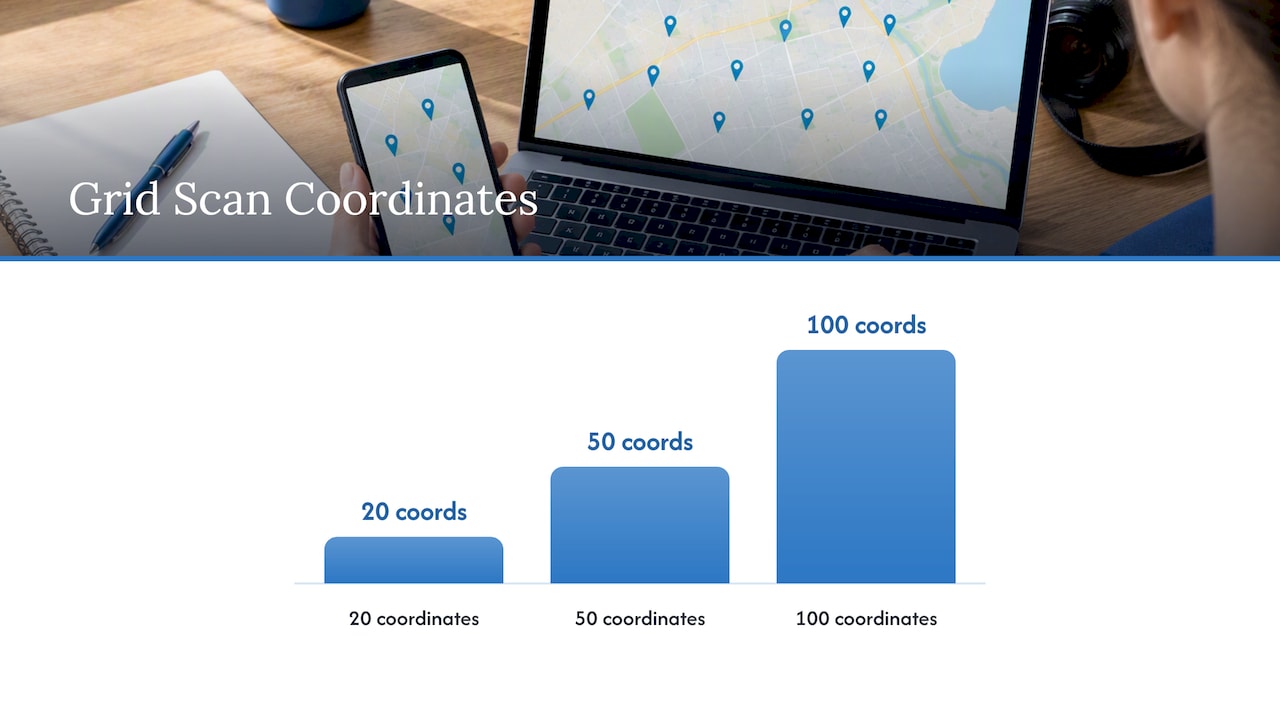
Customer scanning Google review QR code on receipt

Shorten the URL with Bitly or a custom short domain so it fits in an SMS message. A link like bit.ly/YourBusinessReview is far easier to share than a 90-character Google URL.

Step 2: Place the QR code everywhere customers finish their experience

Print it on receipts, table tents, invoices, and exit signage. Google’s guidance specifically lists receipts and in-store signage as ideal placements. For service businesses, laminate a small card and hand it over at job completion.

Step 3: Use these message templates

SMS (under 160 characters):

Hi [First Name], thanks for choosing [Business Name]! Mind leaving us a quick Google review? It helps a lot: [short link]

Email subject: “Quick favor, [First Name]?”

Hi [First Name], we really enjoyed working with you on [job/service]. If you have two minutes, a Google review means the world to us and helps other [city] residents find us. [Review link button]

Staff script (in person):
Pro Tip: Ask within 2–6 hours of service completion. Conversion rates for a single request run 15–25%; a follow-up sent 3–5 days later often doubles that. After that window, response rates drop sharply.


When does automation help, and how do you keep it personal?

Automation solves the consistency problem. A plumber who remembers to ask half the time will always trail a competitor whose CRM fires a text within two hours of every closed job. Appointment-based businesses (salons, dental offices, HVAC companies) benefit most from a post-appointment trigger. POS-integrated systems work well for retail and restaurants. Delivery-completion triggers suit e-commerce and logistics.

The catch: automated messages that feel like mass blasts get ignored or marked as spam. Every request should include the customer’s first name, a reference to the specific job or visit, and a real person’s sign-off, not “The Team.” That single change lifts response rates meaningfully.

Integrations to verify before buying any tool:

  • POS system (Square, Toast, Clover, Lightspeed)
  • CRM (HubSpot, Salesforce, Jobber, ServiceTitan)
  • Scheduling software (Acuity, Calendly, Jane App)
  • Invoicing tools (QuickBooks, FreshBooks)

Ask the vendor for a live demo of the specific integration you need, not a screenshot.


How to respond to reviews and turn negatives into trust

Responding to every review signals to Google that your profile is active. It also signals to every future customer reading those reviews that you actually care.

Positive review reply template:
Negative review reply template:
Escalation flow:

  1. Post a public reply within 24 hours acknowledging the issue.
  2. Reach out privately by phone or email to resolve it.
  3. Once resolved, ask the customer if they’d be willing to update their review.
  4. Never pressure or incentivize a review update.

Keep public replies short and professional. Avoid restating the complaint in detail or getting defensive. A calm, solution-focused response often impresses future readers more than the negative review itself damages you.


Google’s review policies: what you can and can’t do

Google’s rules are clear, and violating them can get reviews removed or your profile flagged.

Allowed:

  • Asking any customer for a review
  • Sharing a direct review link or QR code
  • Responding to reviews publicly
  • Using natural, keyword-rich language in your replies

Not allowed:

  • Offering discounts, gifts, or any incentive in exchange for a review
  • Review gating: routing only happy customers to Google while sending unhappy ones to a private form
  • Buying reviews or posting fake reviews from any account
  • Asking customers to include specific keywords or your brand name in their review

Pro Tip: When reaching out to older customers you haven’t asked yet, send requests in small weekly batches rather than one large blast. Sudden spikes in review volume can trigger Google’s spam filters and cause legitimate reviews to be held or removed.


Pricing, timeline, and realistic goals

Most businesses see their first automated reviews within days of launching a request workflow. A consistent monthly increase becomes visible in 4–6 weeks. The compound effect on local search rankings typically takes 3–6 months of steady volume.

Timeframe What to expect
Days 1–6 First reviews from direct asks and automated requests
Weeks 4–6 Visible upward trend in monthly review count
Months 3–6 Measurable improvement in local search prominence

Cost comparison:

  • Free / manual: Direct asks, QR codes, email templates. Zero cost, but inconsistent without a system.
  • Paid automation tools: Get More Reviews offers a free trial; paid tiers vary by volume and features.
  • Agency-managed: Webtechs bundles review strategy into broader local SEO retainers. See local SEO cost for current pricing ranges.

A free trial from an automation tool is worth running for 30 days to benchmark your baseline conversion rate before committing to a paid plan or agency.


Why Webtechs delivers for Scottsdale businesses

Webtechs has operated in Scottsdale since 1997, with verified local expertise across SEO, Google Maps marketing, content writing, and industry-specific campaigns for contractors, HVAC companies, roofers, plumbers, and cleaning services.

Case study results include a 353% traffic increase for a local garden nursery and a 1,620% increase for a garage door repair company, both driven by combined local SEO and reputation improvements.

What Webtechs will ask for in onboarding:

  • Access to your Google Business Profile
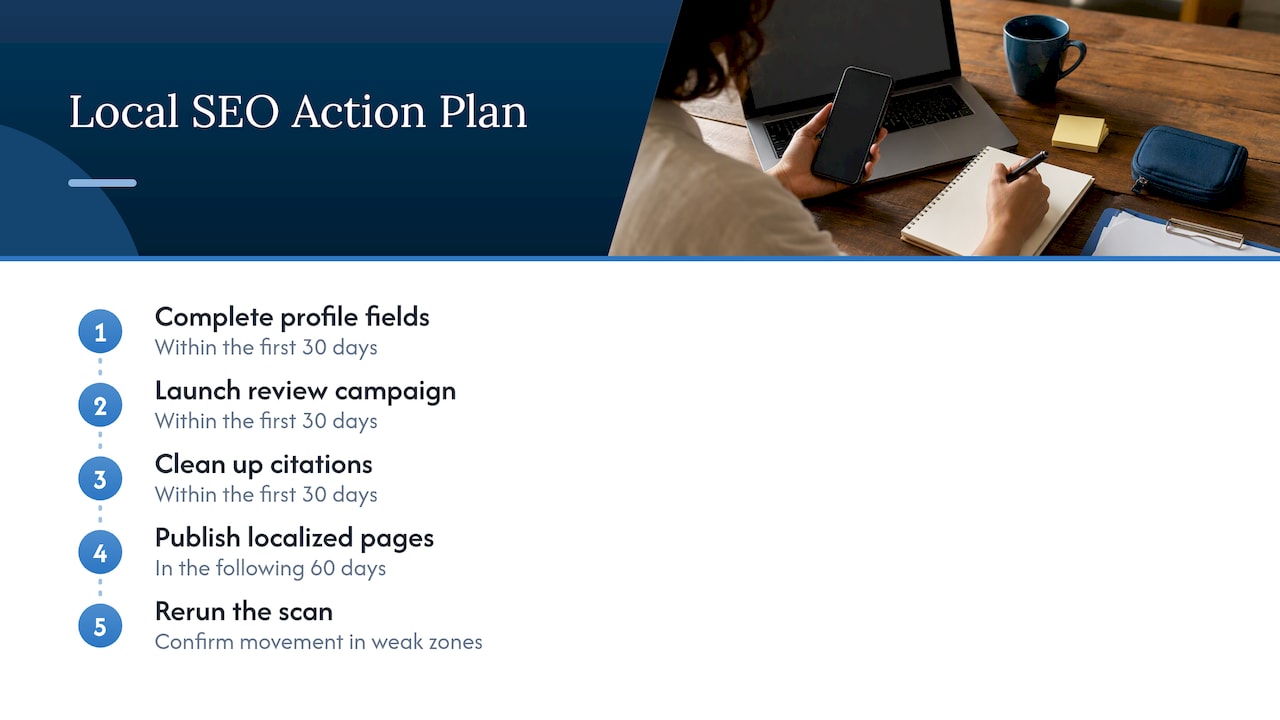
  • Current review count and average rating baseline
  • List of services and service areas
  • CRM or scheduling tool in use
  • Any existing review request process

Key Takeaways

Asking every customer within 2–6 hours of service, with one follow-up reminder, is the single most effective system for growing Google reviews consistently.

Point Details
Ask timing matters Send review requests within 2–6 hours; a follow-up at 3–5 days often doubles conversion rate.
Free tactics work A direct link, QR code, and staff script cost nothing and deliver results immediately.
Automation needs personalization Include the customer’s name and job reference; generic blasts underperform.
Results compound over time Expect first reviews within days, visible trends in 4–6 weeks, and ranking gains in 3–6 months.
Webtechs for full-service Scottsdale businesses wanting SEO, Maps, and review strategy managed together should contact Webtechs.

The part most businesses get wrong about review growth

Most small business owners treat review collection as a campaign: they set something up, get a burst of reviews, then stop. Six months later the profile looks stale and the ranking slips. Google’s algorithm weights recency heavily, and a profile that collected 40 reviews in March but nothing since looks less authoritative than a competitor with 20 reviews spread evenly across the year.

The businesses that consistently rank well in Scottsdale’s local results aren’t doing anything exotic. They ask every customer, respond to every review, and never let the habit lapse. That’s the whole system. The tools and agencies just make it easier to sustain.


Webtechs can build your review growth system for you

If running a review program yourself sounds like one more thing on an already full plate, Webtechs handles it as part of a broader local SEO strategy built specifically for Scottsdale service businesses. The agency sets up review-collection workflows, manages Google Maps optimization, and handles the ongoing work that keeps your profile active and ranking.

Webtechs

Services relevant to review growth include local SEO, Google Maps marketing, content writing, and reputation workflow setup. All customer data stays yours. Webtechs operates under Google’s compliance guidelines on every campaign it runs.

See the Webtechs portfolio for before-and-after results across local service verticals, or reach out directly to book a free consultation and get a baseline audit of your current Google Business Profile.


Sources and further reading

  • Tips to get more reviews — Google Business Profile Help: Google’s official policy on asking for reviews, prohibited behaviors, and incentive rules.

  • Create a Google link or QR code to request reviews: Step-by-step instructions for generating your review link and QR code from Business Profile Manager.

  • How to Get More Google Reviews: 2026 Guide — Plaudit: Timing benchmarks, conversion rate guidance, and follow-up best practices.
  • WebTechs.Net Phoenix SEO: Webtechs’s local SEO and Google Maps marketing services for Scottsdale and the surrounding area.
  • Get More Reviews: Automation-first review platform with free trial; review the feature set and pricing before committing.

This article is general information for educational purposes. Consult Google’s current Business Profile policy pages and, for large-scale campaigns, a qualified digital marketing professional before launching any review program.
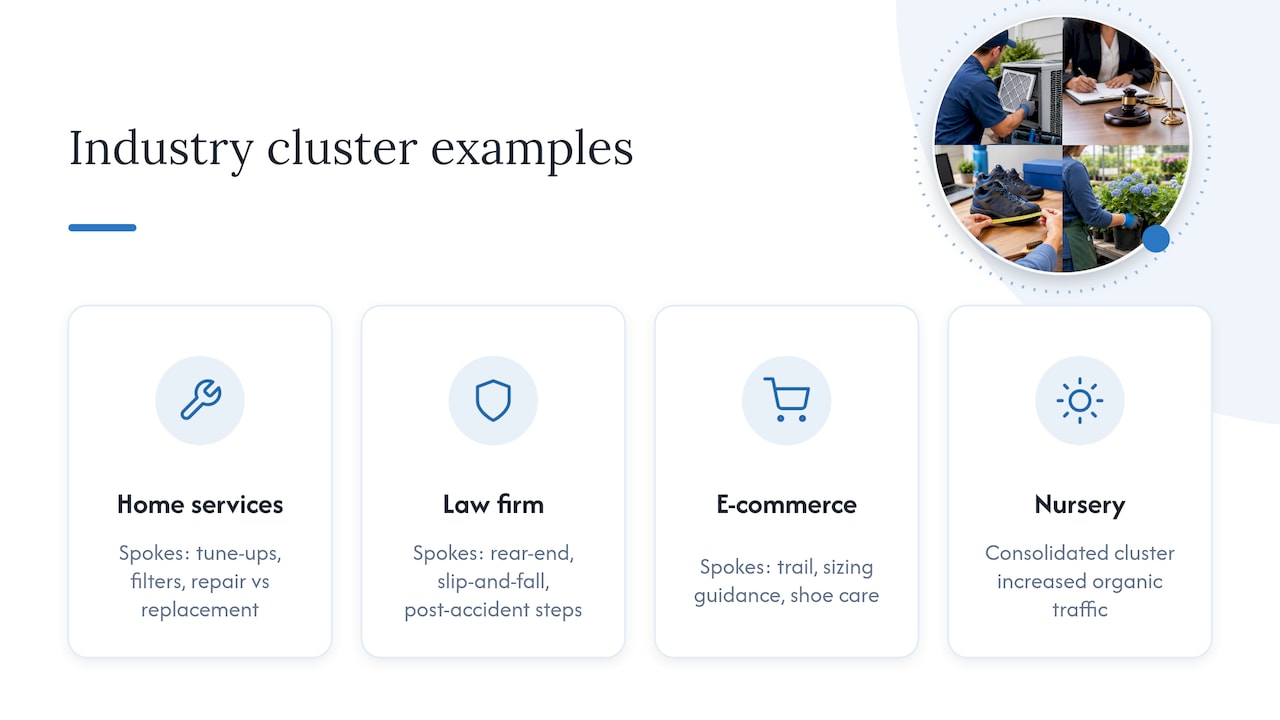
0
Businesswoman planning Google Local Services Ads setup
Written by webtechs

Google Local Services Ads: Setup & Optimization Guide

Businesswoman planning Google Local Services Ads setup

Google Local Services Ads (LSAs) are pay-per-lead search ads that place eligible service businesses at the very top of Google Search, above both standard paid ads and organic results, and let you pay only when a customer contacts you by call, message, or booking request. If you’re a local service provider in Scottsdale or anywhere in the U.S., the fastest next step is to confirm your eligibility right now.

Your immediate checklist:

  • Check whether your service category and ZIP code qualify at Google’s LSA product page
  • Gather your business license(s), insurance certificates, and owner/technician ID
  • Create or claim your Local Services account at the Google Local Services sign-up portal
  • Contact Webtechs if you want expert setup support from a Scottsdale-based digital marketing team

Pro Tip: Scan your documents before you start the application. Google frequently requests category-specific and state-specific licenses, and uploading clear digital copies from the start cuts verification time significantly.

Table of Contents

How do Google Local Services Ads work?

LSAs appear at the top of Google Search results, above traditional paid ads and organic listings. In some queries, they also surface in Google Maps and within the Local Services pack. That placement is prime real estate for any local service business.

How customers reach you through an LSA:

  • Phone calls: The most common lead type; Google displays a tracking number that forwards to your line
  • Messages: Customers send a text-style inquiry directly from the listing
  • Booking requests: Available in select markets and categories; customers schedule directly through the ad

Billing is straightforward: you pay per lead, not per click. A charge triggers when a qualified customer contacts you through the listing. Pre-badge ads let you start collecting leads while verification is still in progress, but those listings rank below fully verified profiles, so lead quality can be lower early on.

One thing that surprises many business owners: Google automates keyword selection and ad text for LSAs. You don’t write copy or build keyword lists the way you do in Google Ads Search campaigns. That simplicity speeds up setup but reduces creative control, which is why running LSAs alongside Search campaigns often produces better overall coverage.

Infographic showing Local Services Ads setup steps

Who qualifies for Google Local Services Ads?

Eligibility depends on your service category and location. Google has expanded LSAs to over 70 business types, covering verticals from home services and legal to healthcare and financial advising. The fastest way to confirm your eligibility is to check by ZIP code and category directly in the sign-up flow.

Core verification requirements:

  • Business identity: Legal business name, address, and contact information
  • Licenses: Category- and state-specific licenses (a plumber in Arizona faces different requirements than a locksmith in Texas)
  • Insurance: General liability and, in some categories, workers’ compensation
  • Background checks: Required for owners and technicians in most home-service and care categories
Verification Item Who It Applies To Common Delay Cause
Business license All categories Wrong document format or expired license
Insurance certificate Most categories Missing policy dates or coverage amounts
Owner background check Home services, care Name mismatch or incomplete ID
Technician background check Field-service categories Incomplete employee list submitted

Verification typically takes a few days to a few weeks depending on category complexity and how quickly you upload complete documentation. Missing a single document is the most common delay trigger. If volume becomes unmanageable at any point, you can pause or cancel your ads directly from the LSA dashboard without losing your profile or review history.
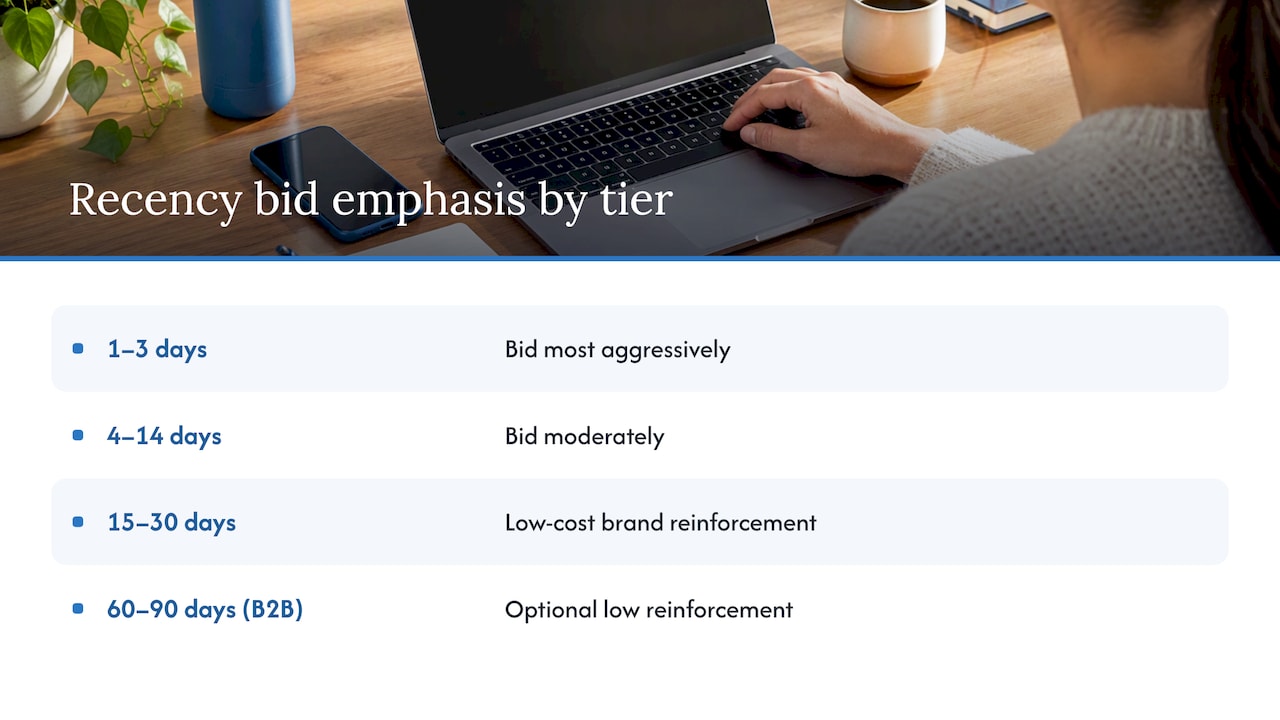
How do you set up a Local Services Ads account?

  1. Sign in or create a Google account linked to your business and navigate to the Local Services Ads sign-up portal.
  2. Claim or create your business profile. If your business already has a Google Business Profile, you can connect it to pull in existing reviews and information.
  3. Select your service category. Choose the category that most accurately describes your primary service. This determines which verification documents Google will request.
  4. Define your service area. Set the ZIP codes or cities you actually serve, not the widest possible radius. Tight, accurate service areas reduce irrelevant leads.
  5. List your services offered. Be specific. “Water heater installation” converts better than “plumbing” because it matches high-intent queries.
  6. Set your business hours. Google uses these to determine when your ad is eligible to show and when leads can reach you.
  7. Upload photos and write your business bio. A complete profile with photos and a clear bio performs better than a bare-bones listing.
  8. Upload verification documents. Licenses, insurance certificates, and ID as required by your category.
  9. Set your weekly budget. Google will pace spending to stay within your target; you can adjust at any time.
  10. Request pre-badge ads if you want leads to start flowing before full verification completes. Understand that pre-badge listings rank below verified ones.

Pro Tip: Map your service area to the ZIP codes where you actually want to work, not the broadest area you could theoretically reach. Scottsdale contractors who tighten their radius to their core neighborhoods consistently report fewer wasted leads and better close rates.

What are the Google Guaranteed and Google Screened badges?

Overhead view of hands typing LSA account setup

The badge your business earns depends on your category. Both signal to consumers that Google has vetted the business, but they apply to different verticals.

Badge Categories What Google Checks Consumer Guarantee
Google Guaranteed Home services (HVAC, plumbing, electrical, etc.) License, insurance, background check Google may reimburse customers for unsatisfactory work (up to a lifetime cap)
Google Screened Professional services (law, financial advising, real estate) License, background check No financial guarantee; signals professional vetting
License Verified Healthcare and select other categories License only Confirms licensure; no financial backstop

Badge status directly affects ad ranking. Fully verified providers with a Google Guaranteed or Google Screened badge appear above pre-badge listings. If your verification stalls, check the status in your LSA dashboard, confirm all documents are in the correct format (PDF or clear image), and use the Google Support help center to escalate if the review has been pending longer than two weeks.

Common verification troubleshooting:

  • Expired license or insurance: upload a current certificate immediately
  • Name mismatch between ID and business registration: provide both documents together with a note
  • Background check delay: confirm the correct legal name and date of birth were submitted for each person

How does LSA billing work, and how do you dispute a lead?

Charges appear in your LSA dashboard after a lead is received. Google bills against a prepaid balance or a linked payment method, depending on your account setup.

Lead Status What It Means Action Required
New Lead received, not yet reviewed Review and respond promptly
Booked You marked the lead as a job No dispute needed
Archived Lead closed without booking Evaluate for dispute eligibility
Disputed Credit request submitted Track outcome in dashboard

To dispute an invalid lead:

  1. Open the lead in your LSA dashboard within the dispute window (commonly within 60 days of the charge).
  2. Select the reason: wrong number, spam, out-of-service-area request, or duplicate.
  3. Add notes documenting why the lead is invalid. Specific notes improve dispute success rates.
  4. Submit and monitor the outcome in the dashboard.

To pause or cancel your ads: Go to your LSA dashboard, select your profile, and toggle the ad status to “Paused” or submit a cancellation request. Pausing preserves your profile, reviews, and ranking history. Canceling removes your ads from rotation but does not delete your account data.

What optimization tactics actually move the needle for LSAs?

Woman managing and optimizing Local Services Ads leads

Responsiveness is a direct ranking signal in LSA. Google favors businesses that respond to leads quickly, and top performers treat every new lead notification like an inbound call from a ready-to-buy customer.

Prioritized optimization checklist:

  • Reviews first. Review count and recency are visible on your LSA listing. Review velocity directly influences click-through and conversion rates. Ask every satisfied customer for a Google review immediately after the job.
  • Respond within minutes. Set up the Local Services Ads mobile app and enable push notifications. A simple CRM or call-routing tool like Valiz can help you route and log leads without missing one.
  • Complete every profile field. Partial profiles rank lower. Photos, bio, services list, and hours should all be filled in.
  • Audit your service area monthly. If you’re getting leads from ZIP codes you don’t serve, tighten the area. Irrelevant leads waste budget and hurt your response rate.
  • Connect a CRM or call-tracking tool. Tracking which LSA leads convert to paid jobs is the only way to calculate real ROI and decide when to shift budget to local SEO or other channels.

Pro Tip: When you receive an irrelevant lead, dispute it rather than ignoring it. Ignoring lowers your response rate, which hurts ranking. Disputing keeps your metrics clean and recovers the spend.

What commonly goes wrong with Local Services Ads?

Most LSA problems trace back to a handful of fixable mistakes.

  • Incomplete profile: Any blank field is a ranking disadvantage. Fill everything in before your ads go live.
  • Inaccurate service area: Too wide means irrelevant leads; too narrow means missed opportunities. Match it to where you actually want to work.
  • Slow lead response: Even a 30-minute delay can cost you the job. Google tracks response time and adjusts ranking accordingly.
  • Failing to collect reviews: A listing with few reviews loses to a competitor with many, even if your service is better.
  • Missing the dispute window: Disputes must be filed within the specified timeframe, commonly 60 days. Set a calendar reminder to review leads weekly.
  • Misunderstanding the billing trigger: You’re charged when a customer contacts you, not when they book. Reviewing leads promptly and disputing invalid ones is how you control actual cost per acquisition.

If verification stalls or lead quality stays poor after profile fixes, contact Google Support directly. When the volume of leads, disputes, and profile management exceeds what you can handle alongside running your business, that’s the clearest signal to bring in an agency.

Key Takeaways

Google Local Services Ads deliver the highest-visibility placement on Google Search for eligible service businesses, and the return depends almost entirely on how well the profile is set up and maintained.

Point Details
Prime placement LSAs appear above standard paid ads and organic results on Google Search.
Pay-per-lead billing You’re charged only when a qualified customer contacts you, not per click.
Badge matters Google Guaranteed and Google Screened badges improve ranking and consumer trust.
Dispute within 60 days Invalid leads must be disputed within the timeframe Google specifies, commonly 60 days.
Webtechs handles setup Webtechs provides LSA account setup, verification support, and ongoing lead management for Scottsdale businesses.

When do LSAs work best, and when should you hire help?

LSAs produce the strongest return for businesses in high-intent service categories where customers need someone fast: HVAC, plumbing, electrical, legal, and similar verticals where the searcher is ready to book, not browse. The pay-per-lead model rewards businesses that respond quickly and maintain strong review profiles. If you can answer the phone within minutes and ask every customer for a review, LSAs will work for you.

The case for hiring an agency gets stronger when any of these apply: you’re spending more time managing leads than doing the work, your verification has stalled and you’re not sure why, or your cost per acquired customer keeps climbing without a clear reason.

What to look for in an LSA agency:

  • Documented experience with LSA verification for your specific category
  • A clear process for lead tracking and dispute management
  • Local market knowledge (a Scottsdale agency understands the competitive dynamics here)
  • Transparent reporting that ties LSA spend to actual booked jobs, not just lead volume

Webtechs can manage your LSA setup and ongoing campaigns

Webtechs has been helping Scottsdale-area service businesses build and maintain their digital presence since 1997. For LSA campaigns specifically, the team handles the parts that most business owners find time-consuming: account setup, document preparation, verification follow-up, review-generation strategy, and lead-tracking integration.

Webtechs

The onboarding process is straightforward: a free consultation to assess your category and eligibility, document preparation guidance, full profile setup, verification support until your badge is active, and ongoing reporting that shows exactly what each lead costs and which ones convert. You can see the results Webtechs delivers across service verticals in the client testimonials and portfolio. If you’re ready to get your LSA profile live and generating leads, reach out to Webtechs for a free consultation.

Useful sources for deeper reading

  • Getting started with Local Services Ads (Google Support): The official U.S. setup guide covering eligibility, verification steps, and billing basics.
  • Local Services Ads overview (Google Support): Explains what appears on your ad, how badges work, and how profile information is used.
  • Google Local Services Ads product page: Official landing page with eligible categories, badge information, and sign-up options.
  • Google Ads vs. Local Services Ads for small business (Google): Google’s own comparison of LSAs and Search campaigns, useful for deciding how to allocate budget.
  • Google Local Services Ads vs. Search Ads (Search Engine Land): Practitioner analysis of the tradeoffs between LSAs and Search campaigns, including responsiveness as a ranking factor.
  • Google Local Services Ads Explained (Hibu): Business-audience overview of placement, lead types, and how LSAs compare to other local advertising options.
  • Local Services Ads for Developers (Google): Technical reference for businesses or agencies managing LSA accounts programmatically.
0
Businesswoman reviewing SEO audit report in office
Written by webtechs

Technical SEO Audit for Businesses: 2026 Guide

Businesswoman reviewing SEO audit report in office

A technical SEO audit is an infrastructure-level inspection that confirms search engines and AI crawlers can discover, render, index, and trust every page on your site. Here is what you get from a complete audit:

  • Prioritized roadmap ranked by impact × effort, so your team fixes what moves rankings first
  • Crawl and indexation findings: blocked pages, sitemap mismatches, redirect chains, index bloat
  • Core Web Vitals results: LCP, INP, and CLS measured against Google’s 2026 field-data thresholds
  • AI-crawler readiness check: whether PerplexityBot, ChatGPT-User, and Anthropic-AI can access and cite your content
  • On-page review: title tags, headings, duplicate content, schema, and URL structure
  • Remediation steps with code snippets or configuration changes and verification procedures

Who should run this? A small site owner can work through a structured checklist in-house. A mid-size or enterprise site almost always benefits from a vendor audit because log file analysis, sampling strategy, and fix validation require dedicated tooling and time. Either way, the first step is the same: run a full crawl and pull your Google Search Console coverage report before touching anything else.


Table of Contents

What does a technical SEO audit actually cover?

A complete audit spans six core areas. Use this checklist to scope your own audit or compare vendor proposals line by line.

Audit Area Specific Checks Quick Win or Deep Work?
Crawling & Indexation robots.txt rules, XML sitemap validity and submission, crawl errors in GSC, noindex tags, orphan pages, index bloat Mix: robots.txt fix is quick; orphan cleanup is deep
Site Architecture & Redirects Redirect chains (max 2 hops), canonicalization conflicts, URL structure Mix: chain fixes are quick; architecture overhaul is deep
Page Speed & Core Web Vitals LCP under 2.5 seconds, INP failures, CLS issues, mobile rendering problems, render-blocking resources Mix: image compression is quick; JS refactoring is deep
Mobile & UX Mobile-friendly rendering, responsive design, tap target sizing, viewport configuration Usually quick unless a full redesign is needed
Schema & Structured Data JSON-LD implementation, required properties per type (Product, Article, FAQ, LocalBusiness), rich result eligibility Quick to add; deep to audit at scale
Security & Trust HTTPS site-wide, valid SSL, HSTS header, no mixed content, Content-Security-Policy Quick to verify; certificate issues need immediate action
AI Readiness (2026) llms.txt configuration, AI bot user-agent access (PerplexityBot, ChatGPT-User, GoogleOther, Anthropic-AI), schema coverage for entity citability, authority signals New area; varies by site complexity

Technical audits that skip AI checks are incomplete in 2026 because AI engines increasingly pull and cite site content directly. The AI readiness section is no longer optional.

Defining your sample page set: For most sites, audit the homepage, your top five converting product or service pages, your three highest-traffic blog posts, and one category or archive page. That sample surfaces roughly 80% of systemic issues without requiring a full manual review of every URL.

Infographic illustrating SEO audit workflow steps

Pro Tip: robots.txt and sitemap mismatches are among the most common causes of indexation problems. Check both files immediately after any site migration, CMS update, or hosting change — staging configurations deployed to production have wiped sites from Google in as few as four days.


What will you actually find, and how do you prioritize fixes?

Most audits surface the same core issues. Knowing how to rank them before you start saves weeks of wasted effort.

Common findings across site types:

  • Crawl blocks from misconfigured robots.txt or accidental noindex tags on production
  • Sitemap/index discrepancies (pages in the sitemap returning 4xx, or indexable pages missing from the sitemap entirely)
  • Redirect chains longer than two hops, adding latency and burning crawl budget
  • Duplicate or near-duplicate content without canonical tags
  • LCP failures caused by unoptimized hero images or render-blocking CSS
  • INP failures from third-party scripts (analytics, chat widgets, session recorders)
  • Mobile rendering issues on embedded tables or video elements
  • Missing or malformed schema markup on key pages
  • Insecure assets (HTTP resources loaded on HTTPS pages)
  • AI crawler blocks, often unintentional: a significant portion of sites block at least one AI crawler without realizing it

The impact × effort matrix:

Priority Impact Effort Action
Fix immediately High Low Crawl blocks, noindex errors, broken sitemaps
Schedule on roadmap High High Core Web Vitals overhaul, JS rendering fixes, site architecture
Batch when convenient Low Low Meta description updates, alt text gaps, minor redirect consolidation
Defer Low High Full URL restructure, hreflang implementation on small sites

Fix crawl and indexation issues before anything else. If Google cannot discover your pages, speed tuning and content work have no surface to act on.

Pro Tip: Server-level throttling and code inefficiencies produce nearly identical symptoms in PageSpeed Insights but require completely different fixes. Before escalating a slow LCP to your dev team, check whether the issue is a hosting response time problem (Time to First Byte above 600ms) or a front-end asset problem. GSC’s Core Web Vitals report and a server response time test in WebPageTest will separate them in under ten minutes.

Pages with LCP under 2.5 seconds consistently correlate with better ranking and engagement in field data. That threshold is the single most actionable number in a speed audit.


How is a professional audit actually performed?

The audit workflow runs in one direction: crawl → render → measure → analyze → prioritize → report. Skipping steps or running them out of order produces findings that contradict each other.

Over-shoulder of man typing during SEO audit

Tools and data sources for a 2026 audit:

A professional audit pulls from multiple sources simultaneously. Site crawlers (Screaming Frog, Sitebulb, or similar) map structure and surface on-page issues. Google Search Console provides real indexation data, coverage errors, and field Core Web Vitals. Bing Webmaster Tools catches indexation gaps that GSC misses. PageSpeed Insights and Chrome UX Report supply lab and field performance data. Log file analysis is the only reliable way to confirm how bots actually crawl your site; pair it with crawl simulations and GSC data to identify gaps between expected and actual bot behavior.

Field Core Web Vitals from the Chrome UX Report should be monitored monthly. Lab tools like PageSpeed Insights diagnose root causes, but field data is what Google actually uses for ranking. Prioritize fixes based on field data, not lab scores alone.

Sampling strategy for large sites:

For sites with thousands of pages, a mixed methodology works best. Run an automated site-wide crawl to catch systemic issues, then apply focused manual checks to a representative sample: homepage, top-converting pages, highest-traffic content, and a random sample of category and product pages. Combining crawlers, GSC data, and server log analysis at scale is the only way to validate that bot behavior matches your intent.

The 2026 AI-crawler readiness check:

This is the newest addition to a standard audit. Verify that llms.txt (or equivalent signals) does not block major AI crawlers. Check user-agent access for PerplexityBot, ChatGPT-User, GoogleOther, and Anthropic-AI individually, since a robots.txt rule blocking one does not necessarily block others. Review schema coverage for entity-rich pages: do your key pages carry the markup that lets an AI answer engine identify your business, products, or expertise? Finally, assess content citability: are authority signals (author credentials, About page, E-E-A-T signals) visible and linked? LLMs can assist with drafting remediation suggestions and summarizing findings, but they cannot replace a crawler plus field data for the actual audit.

Webtechs has applied this methodology across Arizona small and mid-sized businesses, with documented results including a 4,490% increase in organic traffic for one client after technical and content work were sequenced correctly.


What should the audit report contain?

A quality audit report is not a list of issues. It is a prioritized implementation plan with enough detail that a developer or in-house team can act without a follow-up call.

Sample report contents:

  • Executive summary: one-page TL;DR with the top five findings and their estimated traffic impact
  • Prioritized impact × effort roadmap: every issue ranked, with estimated hours attached so you can budget
  • Full issue inventory: each finding listed with the affected URLs, a description of the problem, and a remediation step (including code snippets or configuration examples where applicable)
  • Verification steps: how to confirm each fix worked (GSC re-index request, crawl re-run, field data re-check)
  • AI-readiness score: bot accessibility rating, schema coverage percentage, and citability assessment
  • Follow-up plan: a 30/60/90-day monitoring schedule with the KPIs to track

KPIs to track after implementation:

  • Pages indexed (GSC Coverage report, before and after)
  • Crawl errors resolved (zero target in GSC)
  • LCP, INP, and CLS improvements in field data (Chrome UX Report)
  • Mobile usability errors (GSC Mobile Usability report)
  • Schema validation score (Google Rich Results Test)
  • AI-crawler access confirmed for all four major bots

Handoff materials should include CSV or Google Sheets exports of the full issue list, annotated screenshots of critical findings, and a prioritized implementation backlog with estimated hours per task. Vendors who do not supply estimated hours or clear acceptance criteria are harder to budget for and manage. Ask for them upfront.


How long does an audit take, and what does it cost?

Timeline and price both scale with site complexity, not just page count.

Site Size Pages Typical Timeline Typical Price Range
Small business site Small sites About two weeks Lower-cost range
Mid-size site Mid-sized sites 2–4 weeks Moderate price range
Enterprise / complex Large sites 4+ weeks + ongoing monitoring Higher price range

These ranges cover audit-only engagements. Audit plus implementation retainers run higher and vary by scope.

What pushes cost up:

  • JavaScript-heavy or headless CMS architectures that require rendering analysis
  • Log file analysis (requires server access and processing time)
  • Multilingual or multi-regional sites with hreflang complexity
  • Bespoke AI-readiness testing beyond standard bot checks
  • Large e-commerce catalogs with faceted navigation and duplicate URL patterns

Procurement guidance: Fixed-price audit proposals are easier to budget and compare. A good statement of work specifies scope (pages, page types, audit areas), assumptions (access to GSC, server logs, staging environment), exclusions, deliverable format, timeline, and acceptance criteria. Time-and-materials arrangements work for enterprise sites where scope is genuinely unknown, but require a not-to-exceed cap and weekly check-ins.

Technical audits are foundational and should precede content and backlink work. Paying for link building before fixing crawl issues is spending money on a leaky bucket.


How do you evaluate an audit provider before hiring?

Questions to ask every vendor

  • What is your audit methodology and in what order do you run checks?
  • Which tools do you use, and do you include log file analysis?
  • How do you handle AI-crawler readiness checks in 2026?
  • What CMS platforms have you audited, and do you have experience with ours?
  • How do you validate that fixes actually worked after implementation?
  • Can you share a sample deliverable or a redacted report from a similar site?
  • What post-audit support do you offer: consulting, implementation help, or training?

Red flags to watch for

  • Generic reports with no site-specific URLs or examples
  • No sample deliverable available before you sign
  • No verification or re-crawl plan included in the scope
  • Promises of ranking improvements within a specific timeframe
  • No mention of AI-crawler checks or Core Web Vitals field data
  • Pricing with no itemized scope or acceptance criteria

Pro Tip: Ask for the prioritized roadmap format before you hire. If a vendor cannot show you how they rank findings by impact and effort with estimated hours, their report will be a list, not a plan. A list does not tell your developer what to build first.


Backlink analysis sits at the boundary between technical and off-page SEO, but it belongs in a complete site audit. A toxic or thin backlink profile can suppress rankings even when the technical infrastructure is clean.

A backlink audit identifies links from spammy, irrelevant, or penalized domains and flags patterns that could trigger a manual action: excessive reciprocal linking, paid links without the nofollow or sponsored attribute, or a sudden spike in low-quality links from a negative SEO attack. The output is a disavow file ready for Google Search Console submission, plus a list of high-authority domains worth pursuing for legitimate link building.

Pair the backlink review with an internal link audit. Pages with strong external authority but few internal links pointing to them are leaving ranking potential on the table. Redistributing internal links from high-PageRank pages to underperforming ones is one of the fastest wins an audit can surface.


How does competitive analysis fit into keyword mapping?

Keyword mapping connects each target keyword to a specific page on your site. Without it, multiple pages compete for the same query (keyword cannibalization), or high-value queries have no dedicated page at all.

Competitive analysis shows which pages your closest competitors rank for that you do not, and which of your pages rank on page two or three for queries where a competitor holds position one. That gap list becomes a prioritized content and optimization roadmap. For Arizona businesses, local competitive analysis also surfaces which competitors dominate Google Maps results and what on-page signals their top-ranking pages share.

The keyword-to-page map is a deliverable that should accompany every audit. It tells you not just what is broken, but what to build next.


What qualifications should an audit provider have?

Credentials matter less than documented outcomes. Look for a provider who can show you before-and-after GSC data, specific findings from past audits, and a clear explanation of how those findings were prioritized and fixed.

Relevant qualifications include hands-on experience with your CMS (WordPress, Shopify, custom builds), familiarity with Google Search Console and Bing Webmaster Tools at an advanced level, and a working knowledge of Core Web Vitals field data interpretation. For 2026, add AI-crawler readiness to that list. A provider who has never heard of llms.txt or PerplexityBot is working from an outdated checklist.

Reputation signals worth checking: published SEO case studies with measurable outcomes, client testimonials that reference specific results, and a portfolio that includes sites in your industry or of similar complexity.


Key questions to ask vendors before you hire

Beyond methodology, ask about communication and support:

  • How often will you provide status updates during the audit?
  • Who is the point of contact, and what is the typical response time?
  • What happens if you find issues outside the original scope?
  • Do you offer a post-audit consulting call to walk through the roadmap?
  • Can you assist with implementation, or is the report the final deliverable?
  • What does ongoing monitoring look like after the initial audit?

The answers reveal whether you are buying a report or a working relationship. For small businesses in Arizona without an in-house SEO team, post-audit support is often as valuable as the audit itself.


Red flags that should stop you from signing

A few specific patterns signal a vendor who will waste your budget:

  • No sample report: any professional auditor has a redacted example. Refusing to share one means the deliverable is not worth showing.
  • Guaranteed rankings: no audit provider can guarantee a position. Google’s algorithm is not a contract.
  • One-size-fits-all pricing: a 15-page local business site and a 10,000-page e-commerce catalog are not the same audit. Flat pricing with no scope definition means one of you is getting a bad deal.
  • No post-fix verification: an audit that ends at the report stage with no plan to confirm fixes worked is an incomplete service.
  • Ignoring AI readiness: in 2026, skipping AI-crawler checks is the equivalent of skipping mobile usability checks in 2019.

In-house audits vs. agency audits: what is the real difference?

An in-house audit is faster to start and cheaper in direct cost. Your team knows the site architecture, has access to all credentials, and can move from finding to fix without a handoff. The limitation is objectivity and tooling depth. Internal teams often miss issues they introduced themselves, and few small businesses maintain licenses for professional crawlers, log analyzers, and field data platforms simultaneously.

An agency audit brings an outside perspective, a structured methodology, and dedicated tooling. The tradeoff is time (onboarding, access provisioning, communication cycles) and cost. For a site that has never been audited, or after a major migration, the outside perspective almost always surfaces issues the internal team missed.

The practical answer for most Arizona small businesses: run a lightweight in-house check quarterly using Google Search Console and PageSpeed Insights, and commission a full agency audit annually or after any significant site change. The SEO for Dummies guide from Webtechs covers the basics for owners who want to handle routine monitoring themselves.


What support should you expect after the audit?

The report is the beginning, not the end. Post-audit support options vary by vendor:

  • Consulting calls: a walkthrough of the roadmap with your developer or marketing team, answering implementation questions
  • Implementation assistance: the vendor makes the fixes directly (common for smaller sites or when the client lacks technical resources)
  • Training: teaching your in-house team to run recurring checks, interpret GSC data, and maintain the technical baseline
  • Ongoing monitoring retainers: scheduled re-crawls, monthly Core Web Vitals reviews, and regression alerts after deploys

For businesses without a dedicated developer, implementation help is worth budgeting for. A prioritized roadmap sitting in a Google Sheet for six months produces zero ranking improvement.


Key Takeaways

A technical SEO audit is only as valuable as the prioritized roadmap it produces: fix crawl and indexation issues first, then speed, then on-page and AI readiness, in that order.

Point Details
Crawl and index first Fix robots.txt errors, sitemap mismatches, and noindex issues before any other optimization.
Use impact × effort ranking Attach estimated hours to every finding so your team knows what to build first.
Add AI-readiness checks Verify llms.txt, AI bot access, schema coverage, and citability signals for 2026 audits.
Demand a verification plan Any audit without a re-crawl and field data re-check after fixes is an incomplete service.
Webtechs delivers full-scope audits Webtechs provides prioritized roadmaps, AI-readiness checks, and documented case studies for Arizona businesses.

Why the audit always comes first

The conventional wisdom in SEO is to work on everything simultaneously: publish content, build links, fix technical issues, and hope the combined effort moves rankings. That approach is expensive and slow. The reason is straightforward: content and links cannot compensate for a site that search engines cannot crawl or render correctly. Fixing the foundation first means every subsequent dollar spent on content or outreach works on a site that is actually visible.

What gets underestimated is how often the audit surfaces issues that were introduced by well-intentioned changes. A CMS update that accidentally adds a noindex tag to a category template. A CDN configuration that blocks Googlebot from rendering JavaScript. A redirect chain that grew one hop at a time over three years. None of these show up in analytics until rankings drop, and by then the damage is done.

The 2026 addition of AI-crawler readiness is not a trend to monitor. It is a present-day gap. Sites that block PerplexityBot or lack entity-rich schema are already missing citation opportunities in AI answer engines. That gap will widen, not close, as AI-driven search grows.

For Arizona businesses competing in local and regional markets, the audit is also the fastest way to identify why a competitor outranks you on a specific query. The answer is almost always structural, not a content quality gap.


Webtechs audits Arizona businesses with a 2026-ready process

Webtechs has worked with Arizona small and mid-sized businesses since 1997, and every engagement starts with a structured technical audit before any content or link work begins. The audit covers all six core areas above, including the 2026 AI-crawler readiness checks, and delivers a prioritized impact × effort roadmap with estimated hours so you know exactly what to fix and in what order.

Webtechs

The results speak for themselves. One client saw a 353% increase in organic traffic after Webtechs identified and resolved foundational crawl and indexation issues that had been suppressing rankings for years. Every new client receives a sample report format before signing, a clear timeline, and a post-audit consulting call to walk through the roadmap with your team.

Ready to see what is holding your site back? Request a proposal or review Webtechs’s portfolio of past work to confirm the fit before you commit.


These resources are worth bookmarking alongside your vendor evaluation checklist.

Keep your audit checklist and vendor evaluation criteria in the same document. When you solicit proposals, share the checklist with each vendor and ask them to confirm which items they cover. Any vendor who cannot map their deliverables to a standard checklist is working without a structured methodology.

  • Moz Technical SEO Audit Checklist: includes a downloadable spreadsheet and covers crawl-first sequencing; useful for structuring an in-house audit or evaluating vendor scope
  • Rankeo 45-Point Technical SEO Checklist (2026): the most current checklist for AI-readiness checks, including llms.txt and AI bot user-agent verification
  • QuickSEO Complete SEO Audit Checklist (2026): strong on Core Web Vitals field data prioritization and the sequencing of technical before content work
  • Semrush On-Page SEO Checklist: covers on-page optimization factors including title tag length, meta descriptions, and heading structure
  • Similarweb On-Page SEO Guide (2026): explains why technical audits must precede content audits and provides a sequencing framework
  • Seobility 50-Point SEO Audit Checklist: covers all four pillars (technical, on-page, content, backlinks) with a structured framework grounded in Google’s SEO Starter Guide
  • Google Search Console: the primary source for indexation data, Core Web Vitals field data, and mobile usability errors; free and authoritative
  • Google PageSpeed Insights: lab-based Core Web Vitals measurement with specific remediation suggestions; use alongside Chrome UX Report for field data
0
1 2 3