Service business owner adjusting coverage area
Written by webtechs

Fix These 3 Scottsdale Service-Area SEO Problems to Get Calls in Weeks

Service business owner adjusting coverage area

Every Scottsdale service-area business needs three things locked down at once: a correctly configured Google Business Profile in service-area mode, a set of unique service area pages for each city you actually serve, and consistent review and citation signals feeding Google Maps. Get those three right and you should see more calls, more direction requests, and more impressions on city-specific searches powered by AI for SEO within weeks. Skip any one of them, and the other two won’t carry you. The fastest next move is a straight audit of your GBP settings and your top service area pages, either yourself or through a Scottsdale-focused review with a local agency.


TL;DR:

  • Claim and verify your Google Business Profile, set accurate service areas by city or ZIP code, and keep hours current to optimize local search visibility.
  • Create unique, city-specific service area pages with distinct content, local details, and schema markup to differentiate them from competitors and avoid filtering.
  • Prioritize reviews, citation consistency, and local signals like photos and attributes to improve prominence when proximity is limited for service-area businesses.
  • Ensure your website’s technical SEO, including schema, mobile speed, and internal links, aligns with your local pages to reinforce ranking efforts.
  • Expect GBP adjustments within weeks and page ranking changes over several months, measuring progress through calls, directions, impressions, and conversions.

Webtechs
Strengthen Your Local Search Visibility
WebTechs helps small businesses improve online visibility through tailored web design and advanced SEO strategies.

Explore WebTechs

Table of Contents

How to Set Up Google Business Profile for Service Area Businesses

Google draws a hard line between a storefront business and a service-area business (SAB), and that distinction changes what you should show on your profile. If customers never visit your location, you should hide your address and switch to service-area mode. A plumber working out of a garage in north Scottsdale gains nothing by displaying that address, and it can actually confuse Google about where to rank you.

Google’s own guidance says service-area businesses should generally keep their service areas within a reasonable driving time from their base location of their base location. That’s not a suggestion to test the edges. A Scottsdale HVAC company listing coverage from Flagstaff to Tucson looks implausible to Google and to searchers, and it dilutes your relevance in the areas that actually matter.

Pro Tip: List service areas by city or ZIP code, not by radius miles. “Scottsdale, Paradise Valley, Fountain Hills” reads clearer to both Google and customers than a 25-mile circle nobody can visualize.

The setup checklist that actually moves the needle:

  • Claim and verify your listing through Google’s postcard or phone verification.
  • Set one accurate primary category (not a grab-bag of five).
  • Add every city and ZIP code you genuinely service, and remove ones you don’t.
  • Turn on booking links or a direct scheduling URL if your software supports it.
  • Keep hours current, especially around holidays and emergency availability.

For a roofer covering Old Town, Arcadia, and Cave Creek, city-by-city listing beats a blanket radius every time. It’s also the foundation everything else in this guide depends on.

Building Service Area Pages That Actually Rank

Service area pages let a business without a storefront rank for “[city] + service” searches, but Google treats near-identical pages swapped only by city name as doorway pages, and doorway pages get filtered out of rankings fast. The fix is real differentiation, not more pages.

  1. Use a clean URL pattern. Something like /scottsdale-ac-repair/ or /paradise-valley-plumbing/ beats a query-string mess.
  2. Write a unique H1 and title for each page. “AC Repair in Scottsdale, AZ” and “AC Repair in Fountain Hills, AZ” need different supporting content, not just a different headline.
  3. Add local specifics that couldn’t apply to any other city. Mention actual neighborhoods, a nearby landmark, permit quirks specific to that municipality, or a job you completed there.
  4. Build a tailored FAQ block per page addressing questions unique to that service area, not a copy-pasted generic list.
  5. Add LocalBusiness or Service schema markup so Google can parse the service, the area, and your business entity cleanly.
  6. Include a click-to-call button, a booking widget, and at least one localized testimonial or trust signal.

If your actual coverage area includes five small, adjacent towns with nothing distinct to say about each, group them into one well-written regional page instead of forcing five thin ones. Search Engine Land’s guidance is blunt about this: unique and helpful beats numerous and thin every time.

Pro Tip: Link directly from your Google Business Profile to the exact service area page for that city, not your homepage. A Search Engine Land analysis found that direct linking to the matching page performs better than routing everyone to a generic landing page.

Maps-First Tactics: Reviews, Citations, and Local Signals

Ranking in the local pack comes down to three factors Google weighs constantly: proximity, relevance, and prominence. A service-area business without a storefront address has a structural handicap on proximity, so BrightLocal’s research points to reviews and citation consistency as the levers that close that gap.

Reviews need a systematic approach. It is best to ask for them soon after job completion while the experience is fresh. Respond promptly to negative reviews, ideally within a few days, acknowledging the complaint and moving the conversation offline, acknowledge the specific complaint by name, and move the conversation offline with a phone number or email. Never argue in public. A calm, specific response to a one-star review often does more for prospective customers than a dozen five-star reviews with no owner engagement at all.

Beyond reviews, prioritize:

  • Citation consistency across directories, meaning your business name, phone number, and service area list match everywhere, from the Better Business Bureau to trade-specific directories like Angi or HomeAdvisor.
  • Weekly GBP posts highlighting completed jobs, seasonal offers, or service updates.
  • Photo uploads showing real crews and real completed work, not stock imagery.
  • Attributes like “licensed,” “insured,” or “free estimates” filled in completely, since these show up in filtered searches.

Combining these consistently is what actually narrows the gap between a storefront competitor and a service-area business with no fixed address.

Technical SEO That Backs Up Your Local Pages

Your website’s technical foundation either reinforces your GBP work or quietly undermines it. Start with schema: LocalBusiness or Service schema markup on every service area page tells Google exactly what you offer and where, and it needs to match your name, address, and phone number exactly across your site and every directory listing.

Beyond schema, a few checks matter more than most owners realize:

  • Mobile page speed. Most local searches happen on a phone in a moment of urgency, and a slow-loading page loses that customer to the next listing.
  • Canonical tags so Google doesn’t index duplicate versions of the same service area page.
  • Crawlable internal links running from your homepage or service hub down to each service area page, then down again to a booking or contact page.
  • FAQ schema on service area pages, tuned to how people actually talk when they search by voice, like “who fixes water heaters near me tonight.”

BrightLocal’s data on service-area configuration reinforces a simple point: the technical layer and the GBP layer aren’t separate projects. They’re the same project viewed from two angles, and neglecting either one shows up as a ranking ceiling you can’t explain.

What to Expect: Timelines, Costs, and Measuring Progress

What to Expect: Timelines, Costs, and Measuring Progress — overview diagram

Set your expectations against real timelines, not agency promises. GBP fixes, like correcting categories or adding service areas, can show up in search within a couple of weeks. Service area page indexing and ranking movement typically takes two to six months. Consistent lead growth from organic search usually takes three to nine months to stabilize, since GBP work and content compound over time rather than spike overnight.

Track these numbers monthly:

  1. GBP actions — calls, direction requests, and website clicks from your profile.
  2. Impressions for city-specific queries in Google Search Console, which shows whether your service area pages are actually being served for the searches you targeted.
  3. Organic clicks and conversions from each service area page specifically, not just site-wide totals.
  4. Cost per lead, calculated against whatever you’re paying an agency or spending on tools.

Pricing varies by scope. A one-off service area page build runs differently than an ongoing monthly retainer covering GBP management, content, and citation work. When comparing proposals, watch for red flags: vague deliverables, no reporting cadence, or anyone promising a guaranteed number one ranking. No legitimate provider controls Google’s algorithm that precisely.

A Local Marketer’s Take on Scottsdale Neighborhood Priorities

Not every Scottsdale neighborhood delivers the same lead value, and treating them identically wastes budget. Old Town tends to produce retail-adjacent leads, quick, transactional jobs where speed and same-day availability matter more than a long sales pitch. North Scottsdale skews toward higher-ticket residential work, custom homes, larger HVAC systems, premium finishes, where credentials, licensing, and portfolio quality carry more weight than how fast you can show up.

That split should shape your messaging, not just your service area list. An emergency plumbing page for Old Town should lead with “available now” and a phone number above the fold. A remodel-adjacent page for North Scottsdale should lead with completed project photos and years in business. A short blog post on a local event, like a Scottsdale Arts Festival vendor prep guide for an electrician, converts better than another generic “why choose us” page, because it proves you actually operate here.

— Brett

How Webtechs Helps Scottsdale Service Businesses Get Found

Webtechs is the alternative to guessing your way through GBP settings and hoping a generic SEO template ranks in Scottsdale. The agency offers a full range of services including Google Business Profile auditing, service area page creation, local content, conversion-focused web design, and monthly reporting that ties back to calls and leads, not just traffic numbers.

Webtechs

A local audit typically starts with your GBP configuration, checks your existing service area pages against uniqueness standards search engines enforce, and reviews your citation consistency across directories. Owners usually walk away with a prioritized fix list within days, not weeks. You can see examples of past local work in the Webtechs portfolio, and if you’re also due for a website refresh alongside the SEO work, the Scottsdale website design services cover that too. If you’re ready to see where your GBP and service area pages currently stand, request a Scottsdale-focused audit and get a straight answer on what to fix first.

Sources

0
Search result with review rating stars
Written by webtechs

Get Stars in Scottsdale: Schema for Reviews & Local Shortlist

Search result with review rating stars

For most Scottsdale businesses with multiple customer reviews, the fastest fix is adding AggregateRating schema to the pages that carry those reviews. Do it yourself if you have a developer on staff or a CMS plugin; hire Schema App for sitewide automation, or WebTechs.Net for hands-on local implementation and monitoring. Either way, treat schema for reviews as a click-through booster, not a ranking shortcut.


TL;DR:

  • Proper implementation of AggregateRating schema requires at least five genuine reviews on a page to qualify for star-rich snippets in search results.
  • Use JSON-LD formatted data embedded correctly in HTML, and verify markup with Google’s Rich Results Test before deployment.
  • Avoid inauthentic practices like applying schema without visible reviews, falsely inflating review counts, or using ineligible page types to prevent manual actions.
  • Automation platforms are ideal for managing schema across multiple pages or locations, especially at scale, while hands-on coding suits small, local pages.
  • Review schema impacts click-through rates significantly but does not directly improve organic ranking positions beyond that.

Table of Contents

What Is Schema for Reviews, and Which Type Do You Need?

“Schema for reviews” is the shorthand marketers use, but the actual technical term is review structured data, or more specifically, the Review and AggregateRating types defined by Schema. Both let Google understand that the stars and numbers on your page represent genuine customer feedback rather than decorative text.

Most Scottsdale business owners searching for this topic want one thing: the gold stars that show up under a listing in search results. Getting those stars requires structured data for reviews formatted as JSON-LD and embedded correctly on eligible pages. Get the type wrong, and Google either ignores your markup or, worse, flags it during a manual review.

Scottsdale Providers: Ratings, Review Counts, and What Each Does Best

If you’re comparing who can actually get this done for you, two names come up consistently in the Scottsdale market: Schema App and WebTechs.Net. They solve different problems.

Provider Google Places Rating Number of Reviews Primary Service Focus / Standout
Webtechs 4.8★ 19 reviews Hands-on local implementation, monitoring, and Scottsdale SEO expertise
Schema App 4.7★ 26 reviews Automated schema deployment and governance at scale
  • WebTechs.Net fits hands-on local businesses that want someone to write the JSON-LD, deploy it, and watch for errors after launch, without needing an in-house developer.
  • Schema App fits companies managing schema across hundreds or thousands of pages, where manual tagging isn’t realistic and a centralized platform keeps rating values and review counts synced automatically.
  • A single-location Scottsdale retailer with many reviews on one page has a very different problem than a multi-location franchise managing schema across many location pages. Match the provider to that scale, not to the brand name you recognize.

If you’re evaluating either option, ask for a sample JSON-LD output before signing anything, and request a quick audit of your current pages to see whether you’re even eligible for AggregateRating yet. A provider that can’t show you a real markup example in the first conversation probably isn’t the right fit.

How Do You Choose the Right Review Schema Type and Deploy It Safely?

Start with the type. Review schema represents a single opinion, one person, one rating, one piece of text. AggregateRating represents the collective average across many reviews, and it’s what actually produces the star rich snippet most businesses want. If you have five or more genuine reviews on a page, AggregateRating is almost always the right call.

For AggregateRating to qualify for rich results, you need itemReviewed.name, ratingValue, and either ratingCount or reviewCount, according to Semrush’s review schema guidance. Use reviewCount when the reviews include written text and ratingCount when you’re only pulling in numeric scores. bestRating and worstRating are recommended, especially if your scale isn’t the standard 1 to 5.

A minimal AggregateRating block looks like this:

{
  "@context": "https://schema.org",
  "@type": "LocalBusiness",
  "name": "Desert Ridge Landscaping",
  "aggregateRating": {
    "@type": "AggregateRating",
    "ratingValue": "4.8",
    "reviewCount": "42"
  }
}

A single Review, nested where it makes sense, looks like this:

{
  "@type": "Review",
  "author": { "@type": "Person", "name": "Maria T." },
  "reviewRating": {
    "@type": "Rating",
    "ratingValue": "5",
    "bestRating": "5"
  },
  "reviewBody": "Fast quote, showed up on time, yard looks great."
}

For deployment, you have four real paths: hand-coding the JSON-LD directly into your HTML, using a CMS plugin (WordPress and most builders have review schema add-ons), injecting it through Google Tag Manager, or using a governance platform like Schema App for automated, sitewide management. Manual coding works for a handful of pages. Tag Manager is a decent middle ground but harder to audit later. Automation platforms win once you’re managing schema across dozens of location or product pages.

Nest Review or AggregateRating inside Product markup for e-commerce listings, or inside LocalBusiness markup for service pages, restaurants, and storefronts, following the structure Schema.org documents.

Pro Tip: Never hardcode a review count that’s higher than what’s actually visible on the page. Google’s crawlers compare the two, and a mismatch is one of the fastest ways to lose your rich snippet.

How Do You Choose the Right Review Schema Type and Deploy It Safely? — overview diagram

How Do You Test Review Schema and Fix Common Errors?

Run every new deployment through Google’s Rich Results Test first, then check Search Console’s structured data reports a few days later to confirm Google actually indexed it without flagging errors. Do a live URL inspection on at least one production page before calling it done.

The mistakes that repeatedly break review schema:

  1. Missing required fields, usually ratingCount or reviewCount left out entirely.
  2. Schema values that don’t match the visible page content, like a page showing “4.6 stars” while the markup says “4.9.”
  3. Using a 1 to 10 scale without declaring bestRating and worstRating, which confuses Google’s parser.
  4. Applying review schema to a page with no visible customer reviews at all, an ineligible-page violation.
  5. Publishing self-written or incentivized “testimonials” formatted as if they were verified customer reviews.

Google’s structured data documentation is explicit that mismatched or inauthentic markup can trigger removal of your rich snippet entirely, not just a warning. After rollout, validate again at seven days and again at 30 days, since eligibility checks aren’t always instant.

What Impact Should You Expect, and How Fast?

Google Business Profile ratings can take up to two weeks to update across Search and Maps after a new review comes in, and that same lag applies to how quickly aggregated schema changes reflect in search results. Google also filters out spam and unverified reviews before averaging, so a sudden spike in five-star reviews won’t always move your visible score immediately.

The bigger mindset shift: review schema is a click-through lever, not a ranking lever. Google doesn’t treat star counts as a direct organic ranking factor, but a listing with visible stars in the results consistently pulls more clicks than one without.

Track these after rollout:

  • SERP impressions for pages with new schema
  • Click-through rate specifically on rich-result listings
  • Organic clicks and time-on-page
  • Rich result appearance rate in Search Console
  • Conversions attributed to organic search sessions

A simple before/after comparison, two weeks pre-launch versus two weeks post-launch on the same set of pages, gives you a rough read on the CTR lift without needing a formal split test.

Why Trust This Guide: Local Experience and Practitioner Proof

This provider has worked with small and mid-size businesses on web design and SEO for many years, long enough to have watched structured data evolve from an experimental tag into a standard local SEO requirement. That local specialization shows up directly in how review schema gets applied for service businesses, retailers, and multi-location clients across the Phoenix metro.

A few resources worth bookmarking if you’re doing this yourself:

How Do You Handle Negative Reviews in Schema Markup?

You don’t get to cherry-pick. AggregateRating schema has to reflect your true average, one-star reviews included. Filtering out negative feedback before calculating ratingValue is exactly the kind of mismatch that Google’s guidance warns can trigger removal of your rich snippet.

That said, a low average doesn’t mean you should hide schema altogether. A 3.9-star rating with 60 reviews is often more persuasive to a searcher than no visible rating at all, because it reads as authentic. What matters more is addressing the negative reviews themselves: respond publicly, resolve what you can, and let your review volume grow organically so a handful of bad experiences don’t dominate the average.

If you’re using individual Review markup rather than aggregated data, there’s no obligation to feature every single review as a highlighted Review object. You can showcase a representative sample in visible content while still reporting the honest aggregate in your schema. Just make sure the aggregate number itself is never quietly inflated. Schema.org’s own properties, including positiveNotes and negativeNotes, exist specifically so businesses can present balanced feedback (pros and cons) rather than pretending every review was glowing.

One thing to avoid entirely: removing schema from a page the moment your rating dips, then re-adding it once it recovers. That pattern is easy for Google to notice and looks like manipulation even when the intent was defensive.

How Do You Handle Negative Reviews in Schema Markup? — overview diagram

What Other Schema.org Review Types Exist Beyond Review and AggregateRating?

Review and AggregateRating cover most business use cases, but Schema.org defines review-adjacent properties for other content types too, and mixing them up is a common source of confusion.

CreativeWork reviews apply when you’re reviewing a book, a movie, a piece of music, or similar media rather than a business or product. A Scottsdale bookstore reviewing titles on its blog would use CreativeWork as the itemReviewed, not LocalBusiness.

Event reviews apply to things like concerts, festivals, or classes, situations where the “product” being rated is time-bound and doesn’t exist as a permanent listing. A Scottsdale event venue rating past performances would nest reviews under an Event type.

UserReview, a subtype Schema.org documents alongside the standard Review type, is meant specifically for reviews submitted directly by end users rather than professional critics, useful if you’re distinguishing between staff-written editorial reviews and customer-submitted ones on the same site.

The practical takeaway: match itemReviewed to what’s actually being reviewed. A landscaping company reviewing its own completed projects should use Service or LocalBusiness, not Product. Getting this wrong doesn’t always break the rich snippet, but it does make your structured data harder for Google to parse confidently, which increases the odds it gets ignored rather than displayed.

What’s New in Schema.org Standards for Reviews?

Schema.org’s vocabulary for reviews hasn’t changed dramatically in structure, but the property set continues to expand toward more nuanced, aspect-based feedback rather than a single flat number.

The reviewAspect property lets you attach a rating to a specific attribute of a business or product rather than an overall score, so a Scottsdale restaurant could theoretically mark up separate satisfaction scores for food, service, and ambiance. Few businesses use this yet, but it signals where structured data is heading: more granular, more specific, less reliant on one aggregate number.

positiveNotes and negativeNotes, both documented properties on the Review type, give businesses a structured way to summarize pros and cons directly in markup rather than burying that nuance in free text. This matters more now that AI-driven answer engines are pulling structured summaries directly into generated responses rather than just displaying blue links. A growing body of guidance on answer engine optimization points to structured, well-labeled data as one of the clearest ways to get pulled into those AI-generated summaries in the first place.

None of this changes the core mandatory fields. ratingValue, ratingCount or reviewCount, and itemReviewed.name remain the baseline. The newer properties are additive, useful for businesses that want to stand out with richer detail, not required for basic eligibility.

What Common Mistakes Trigger Manual Actions From Google?

Manual actions against structured data are rare compared to algorithmic filtering, but they happen, and they’re almost always tied to a pattern of deception rather than a one-time honest error.

The clearest violation is marking up reviews that don’t exist on the page at all, sometimes called “invisible” schema, where a business tags a 4.9-star AggregateRating with zero visible reviews anywhere on the site. Google’s documentation treats this as inauthentic markup, and it’s grounds for removing rich results across the entire domain, not just the offending page.

Self-written testimonials formatted as verified customer reviews are another repeat offender. If your team wrote the “customer” quote, it’s not a review, and marking it up as Review schema misrepresents its source.

Applying AggregateRating schema sitewide through a template, so every page on your site claims the same “4.8 stars, 200 reviews” regardless of whether that page has anything to do with reviews, is a frequent enterprise-scale mistake that automation tools can accidentally cause if not configured carefully.

The fix in all three cases is the same: strip the schema, publish real reviews on the page first, then re-add markup that reflects what a visitor can actually see and verify.

What Do Review Schema Examples Look Like Across Industries?

A Scottsdale med spa reviewing individual treatments nests Review objects under a Service type, often using reviewAspect for separate comfort and results ratings. A local auto repair shop typically runs a straightforward AggregateRating tied to LocalBusiness, pulling numeric scores directly from Google Business Profile data.

Restaurants frequently combine both: AggregateRating for the overall star display in search, plus individual Review objects highlighting specific dishes or service experiences in visible content. E-commerce retailers nest reviews inside Product schema, which is why product listings often show stars directly in shopping results, distinct from the LocalBusiness stars a service company would show.

Professional services, law firms, accountants, consultants, tend to rely almost entirely on AggregateRating with minimal individual Review markup, since client confidentiality often limits how much detail can appear in a public testimonial.

The Local Provider Shortlist Beats Generic Schema Advice

Most schema guides treat review markup as a universal checklist: add these five properties, run one validator, done. That advice isn’t wrong, but it skips the actual decision Scottsdale business owners face, which is whether to spend a Saturday hand-coding JSON-LD or hand it to someone who does this daily.

The overrated part of this whole topic is the obsession with ranking impact. Schema for reviews earns its keep through click-through rate, not through moving you up the results page, and business owners who chase it expecting a ranking bump usually walk away disappointed and blame the wrong culprit.

What actually deserves priority: get your review volume up first, verify visible content matches your markup exactly, and only then worry about advanced properties like reviewAspect. A business with 12 honest reviews and clean AggregateRating markup will outperform one with inflated numbers and a mismatch flag every time Google audits it.

Get Your Review Schema Implemented the Right Way

This provider has been building and fixing structured data for local businesses for many years, and review schema is one of the most common fixes made on client sites, usually because a previous developer either skipped it or applied it incorrectly.

Webtechs

The package works in three stages: an audit of your current pages to see what’s eligible for AggregateRating, hands-on implementation of the JSON-LD itself, and ongoing monitoring so a Google update or a site change doesn’t quietly break your rich snippets months later. Most clients come out of the audit stage with a clear list of which pages qualify and which need more reviews first, before a single line of code gets written.

If you want to see the kind of local work this looks like in practice, check our portfolio or reach out through our Scottsdale SEO services page to request a review schema audit for your site.

Sources

0
Analyst reviewing PPC search-term performance
Written by webtechs

Scottsdale PPC: When Broad Match Beats Phrase Match (15–30% Rule)

Analyst reviewing PPC search-term performance

If your Google Ads account has solid conversion tracking and Smart Bidding turned on, broad match paired with Target CPA or Target ROAS is the stronger play for discovery. If your tracking is thin or your budget can’t absorb a few weeks of learning, stick with phrase or exact match for control. Start by auditing your conversion tags this week before touching match types.


TL;DR:

  • Broad match paired with Target CPA or Target ROAS requires strong conversion tracking and regular search-term management to be effective.
  • Less than 15 to 30 conversions monthly, poor tracking quality, or lack of weekly oversight make broad match riskier and better suited for phrase or exact match.
  • Search intent now guides match types more than shared words, with broad match casting the widest net and phrase match being more flexible but still controlled by negative keywords.
  • Management costs include weekly review of search terms, negative keyword sculpting, and landing page optimization, with results typically observable within six weeks.
  • Agencies should include comprehensive audits, clear scope, and performance tracking in their proposals, as well as understand that broad match needs ongoing discipline for success.

Table of Contents

Broad Match vs Phrase Match in Scottsdale: Local Agencies Who Can Set This Up

Getting broad match and Smart Bidding to work together isn’t a settings toggle. It takes someone watching search-term reports weekly, sculpting negatives, and knowing when a “discovery” keyword has earned a promotion to your core campaign. That’s the part most Scottsdale advertisers underestimate, and it’s why a lot of small business owners end up hiring it out rather than white-knuckling it in-house.

WebTechs.Net is a Scottsdale digital marketing agency that manages PPC accounts alongside its SEO and web design work, and it’s a name that comes up when local business owners search for hands-on Google Ads help.

Provider Google Reviews Core Services Best For
Webtechs 4.8★ (19 reviews) PPC management, SEO (on-site and off-site), local SEO, Google Maps marketing, conversion tracking, landing page work Scottsdale small to mid-sized businesses that need local PPC management paired with conversion-tracking setup

WebTechs.Net’s PPC work sits inside a broader local SEO and web design practice, which matters more than it sounds. An agency that only touches your ad account has no visibility into whether your landing page is actually converting the clicks broad match sends it. WebTechs.Net builds and audits the landing pages, wires up call tracking, and manages the campaigns, so the conversion signal feeding Smart Bidding is built by the same team optimizing against it.

If you’re evaluating whether to hire out this work, here’s what a reasonable engagement looks like:

  • A free initial audit of your current account structure, match types, and conversion tracking setup.
  • A proposal that separates discovery spend from proven, performance-driving keywords.
  • Monthly reporting that shows search-term trends, not just impressions and clicks.
  • A clear plan for call tracking if your business runs on phone leads rather than form fills.

Ask for all four before you sign anything. An agency that skips the tracking audit is planning to run broad match blind.

How Do You Decide Between Broad and Phrase Match?

The decision isn’t really “broad vs phrase match” in the abstract. It’s whether your account has the conversion data and bidding setup to make broad match safe. Here’s the framework, whether you’re running this yourself or vetting an agency to run it for you.

Decision criteria that actually matter:

  1. Conversion volume. If you’re logging fewer than roughly 15 to 30 conversions a month, Smart Bidding doesn’t have enough signal to bid well on broad match’s wider net. Stick with phrase or exact until volume builds.
  2. Tracking quality. Enhanced Conversions and call tracking need to be live before broad match, not after. Garbage conversion data makes automated bidding worse, not better.
  3. Budget allocation. Most practitioners suggest putting 15 to 30 percent of incremental search budget into an isolated broad match discovery campaign, keeping it separate from your proven performance campaigns.
  4. Management capacity. Someone has to review search terms weekly. If nobody on your team (or your agency) is doing that, broad match will drift toward irrelevant traffic fast.

Questions worth asking any agency before you hand them your account:

  • How do you decide when a broad match keyword graduates into a performance campaign?
  • What’s your negative keyword review cadence, weekly or monthly?
  • Are you running broad match on Smart Bidding, or manual CPC?
  • How do you tie call leads back to specific keywords and ad groups?

Pro Tip: If an agency says broad match works fine on manual CPC, that’s a red flag, not a shortcut. Google Ads’ own guidance treats broad match as something to run only with automated bidding, because it needs per-auction adjustments manual bidding can’t make.

Other red flags: no mention of negative keywords at all, no call tracking for a lead-gen business, and vague answers about reporting cadence. A sample escalation path looks like this: launch broad match in a discovery campaign at 20% of budget, watch search terms for two to three weeks, promote converting queries into an exact match performance campaign, and prune the rest as negatives.

How Do You Decide Between Broad and Phrase Match? — overview diagram

What’s the Real Difference Between Broad and Phrase Match Today?

Neither match type works the way it did five years ago. Google Ads now matches on meaning, not literal strings, for all three match types, including exact match. That single fact changes how you should think about broad vs exact match and phrase match vs exact match alike.

Broad match casts the widest net. It shows your ad for searches related to your keyword’s meaning, even without any shared words. A keyword like “running shoes” can trigger on “best sneakers for marathon training.” That’s powerful for discovery and dangerous without Smart Bidding steering the wheel.

Phrase match sits in the middle. It requires your keyword’s core meaning to be present, but it’s no longer strict about word order or exact phrasing. Google retired the broad match modifier (BMM) in 2021, and legacy BMM keywords quietly started behaving like phrase match. If you were running “+running +shoes” keywords, they’ve functioned as phrase match for a few years now, whether you noticed or not.

Exact match stays narrowest, but even it now allows for close variants, plurals, and rewordings with the same intent.

A concrete example: a phrase match keyword like “Scottsdale HVAC repair” can now trigger on “who fixes HVAC systems in Scottsdale” because Google reads the intent behind the phrase, not just its words. That’s a meaningful shift from how phrase match explained itself back in 2019.

Guardrails that still matter regardless of match type: review search terms weekly, add negatives for irrelevant categories (job seekers, DIY searchers, competitor brand names), and never launch broad match without Smart Bidding already active on the campaign, a point Search Engine Land’s analysis backs up with real account data showing conversion gains alongside rising negative-keyword workload.

What Does a Scottsdale PPC Provider Typically Cost?

Local PPC management in the Scottsdale market generally runs as a monthly retainer rather than a flat project fee, since campaigns need ongoing bid, keyword, and negative keyword adjustments. Retainers for small to mid-sized businesses commonly scale with ad spend and account complexity, a single-location service business managing a few thousand dollars in monthly ad spend sits at a different management tier than a multi-location retailer running six figures annually.

What you’re really paying for is the weekly discipline broad match requires: search-term reviews, negative keyword sculpting, landing page testing, and Smart Bidding target adjustments as conversion data accumulates. An agency charging a flat low fee regardless of spend or complexity is usually not doing that weekly work, they’re checking the account monthly at best.

When you request a proposal, ask for the fee structure to be tied explicitly to scope: number of campaigns, whether call tracking and landing page work are included, and what reporting cadence you get for that price. A proposal that quotes one number with no scope breakdown is hard to evaluate against a competing bid, and it’s a sign the agency hasn’t thought through what your account actually needs.

What Does a Scottsdale PPC Provider Typically Cost? — overview diagram

How Long Until You See Results From a New Match-Type Strategy?

Phrase and exact match campaigns that are already stable tend to show clean performance data within the first one to two weeks, since you’re working with a narrower, already-vetted keyword set. There’s less for Smart Bidding to learn.

Broad match behaves differently. Smart Bidding needs a learning period of several weeks to gather enough conversion signal before its bidding stabilizes. During that stretch, expect noisier results: some search terms that clearly don’t fit, cost per conversion that swings around, and a real temptation to panic and shut it off after day five. Resist that. The 15 to 30 percent budget allocation recommended for discovery campaigns exists precisely so a rough first two weeks doesn’t blow your whole monthly spend.

By week four to six, a well-managed broad match campaign should show which search terms are converting reliably. That’s when you promote those terms into your performance campaign and start pruning the rest as negatives. If you’re not seeing that separation emerge by six weeks, the account isn’t being managed with enough negative keyword discipline, or your conversion volume is too low for Smart Bidding to have learned anything useful yet.

How WebTechs.Net Applies This for Scottsdale Clients

The hybrid model works: a small, isolated broad match campaign running on Smart Bidding for discovery, paired with a phrase and exact match campaign carrying the keywords already proven to convert. WebTechs.Net has run this structure across local SEO and PPC case studies for Scottsdale service businesses, watching search terms weekly rather than checking in once a month.

The transition from discovery to performance isn’t automatic. It’s a manual review: a search term earns three or more clean conversions before it graduates into the tighter campaign, and anything irrelevant gets added as a negative the same week it shows up. That discipline, more than any single match-type setting, is what separates accounts that scale from accounts that stall.

Get a Free PPC Audit From a Scottsdale-Based Team

Webtechs is the alternative to guessing your way through match types alone. Instead of piecing together Smart Bidding settings and negative keyword lists on nights and weekends, you get a Scottsdale-based team that already runs this exact discovery-to-performance structure for local businesses.

Webtechs

Webtechs handles PPC management, conversion tracking setup, call tracking, and landing page optimization under one roof, so the conversion data feeding your Smart Bidding campaigns is built by the same people managing the bids. That matters more than most advertisers realize: an agency that only touches your ad account has no way to fix a landing page that’s leaking conversions before they ever reach Google’s bidding algorithm. Local knowledge also speeds things up. A Scottsdale-based team already understands the seasonal demand swings and competitive landscape specific to this market, which means less time spent explaining your business and more time spent testing keywords.

Request a free audit and portfolio review to see exactly where your current account stands before you commit to a new match-type strategy.

Sources

0
Written by webtechs

Scottsdale Video SEO That Works: Transcripts, Schema, One Watch Page

Local service professional recording a video walkthrough

Video SEO for business means structuring your video content, metadata, and hosting so search engines and AI models can index and rank it, the same way they rank a webpage. The single highest-impact move is publishing a watch page with a stable thumbnail, a human-verified transcript, and VideoObject markup, since that combination is what actually gets Scottsdale service businesses found in Google Search, Video mode, and AI-generated answers.


TL;DR:

  • A stable thumbnail, human-verified transcript, and VideoObject schema are essential for indexing and ranking videos on Google and AI platforms.
  • Creating individual watch pages with proper metadata and avoiding JavaScript hurdles improves video discoverability and indexing.
  • Including location-specific keywords and embedding videos on local service pages boosts relevance for Scottsdale-based searches.
  • Hosting videos on YouTube enhances reach, but embedding them on your own site with schema allows better control over conversions and structured data.
  • Proper measurement using Google Search Console and YouTube Analytics is crucial for tracking video performance and adjusting your local SEO strategy accordingly.

Table of Contents

Why video SEO matters for Scottsdale businesses

Google surfaces video in more places than most business owners realize: standard Search results, the dedicated Video tab, Discover feeds, and increasingly, AI-generated summaries that pull from indexed transcripts rather than the video file itself. A landscaper in north Scottsdale who embeds a 90-second job walkthrough on their “Desert Landscaping” service page isn’t just adding content. They’re giving Google a text-rich asset tied to a location and service, which is exactly what Google’s own video guidance says increases eligibility for rich results.

The payoff shows up in three places:

  • More qualified sessions — visitors who watch a video before contacting you convert at a different rate than cold traffic.
  • Longer time-on-site, a signal Google associates with page relevance.
  • Better lead quality, since video pre-sells the visitor on your process before they call.

None of that happens if the video sits unindexed on a page with no supporting text.

Local execution: DIY, hire, or hybrid?

Some of this you can do this week. Some of it needs a professional, and it’s worth knowing the line before you start.

What a small team can handle in-house (1 to 2 weeks):

  • Writing and correcting an auto-generated transcript by hand
  • Adding a keyworded title, description, and file name
  • Building basic VideoObject schema using a template

What usually needs a hire (2 to 4 weeks for full rollout):

  • Professional filming and editing
  • Full schema implementation across a video library
  • Analytics setup that ties video engagement to leads, not just views

Budgets vary widely, but a single well-produced watch page with schema and transcription tends to run as a project fee. Ongoing video SEO (new videos monthly, schema maintenance, performance tracking) fits better as a retainer alongside broader SEO work. When you’re vetting a vendor, ask directly: Who writes the transcript, and is it human-verified? Do you implement VideoObject schema, or just upload to YouTube and call it done? Where does the video actually live? If a vendor can’t answer the schema question specifically, that’s a red flag. No transcript plan and no structured data means you’re paying for a video, not video SEO.

Pro Tip: Pull the exact phrases customers use on sales calls or in support tickets and build those into your video title and transcript. Real customer language almost always outperforms generic marketing copy for search intent match.

Webtechs builds this way for Scottsdale clients from the start, pairing production with schema and transcript work rather than treating video as an afterthought bolted onto a website.

Video schema (VideoObject) and structured data essentials

VideoObject is the structured data type that tells Google what your video actually is, not just where it sits on a page. Get the core properties right and you’re eligible for thumbnails, key moments, and richer placement in search results.

The essentials: name, description, thumbnailUrl, uploadDate, and either contentUrl or embedUrl. That last choice matters more than most people realize. Supplying contentUrl, the direct link to your video file, gives you more control over where clicks land, which matters when you want traffic hitting your own watch page instead of a third-party platform.

Beyond the basics, Schema lists properties like duration and interactionStatistic that add depth search engines can use. For businesses that want key moments to appear in results (jumping to “pricing” or “before and after” inside a long video), nested types like Clip or SeekToAction handle that.

Here’s what a minimal but functional VideoObject looks like conceptually:

Property Purpose Required?
name Video title Yes
description Summary text Yes
thumbnailUrl Preview image Yes
contentUrl or embedUrl Where the video lives Yes
uploadDate Publish date Yes
duration Length Recommended
transcript Full text of spoken content Strongly recommended

Skipping schema entirely doesn’t disqualify a video from ranking, but it removes most of the shortcuts to richer visibility.

Video sitemaps and watch page requirements

A watch page is the actual page your video lives on, and Google needs to be able to crawl and index that page independently of the video file itself. If your watch page is buried behind JavaScript that hides content until user interaction, or if it redirects before the video loads, indexing gets unreliable fast.

The core requirements, per Google’s video best practices, come down to a short list:

  • The watch page must be indexable, meaning no noindex tag and no accidental block in robots.txt.
  • Thumbnail and media URLs need to stay stable. Swapping thumbnail images or moving video files breaks the connection Google built between the schema and the asset.
  • A video sitemap helps Google discover videos it might otherwise miss, especially on larger sites with dozens of watch pages.

For a Scottsdale HVAC company with fifteen service-area pages, each carrying a short video, a video sitemap listing every watch page URL alongside its VideoObject data speeds up discovery considerably compared to hoping organic crawling finds everything. It’s a small technical file, but it’s the difference between Google finding your video next week or next quarter.

Thumbnail and metadata best practices

Your thumbnail is the first impression, and it needs to stay consistent once it’s set. A stable, high-contrast thumbnail with a real frame from the video (not a generic stock graphic) performs better in click-through than a blurry auto-generated frame Google grabs on its own.

Titles and descriptions carry more weight than most business owners assume. A title like “Pool Resurfacing Scottsdale AZ, Before and After” does two jobs at once: it tells a human what they’re about to watch, and it gives search engines a geographic and service anchor. Descriptions should expand on that, front-loading the key details in the first two sentences since that’s often what gets pulled into search snippets.

Key moments deserve specific attention. If a five-minute video covers pricing at the two-minute mark and a live demo at three-thirty, tagging those with Clip or SeekToAction markup lets viewers jump straight there from the search result. That’s a meaningful advantage for service businesses whose videos run long, since most viewers won’t watch start to finish. They’ll search for the moment they care about.

A few habits worth adopting immediately:

  • Match the thumbnail to the actual content, not an unrelated intro frame.
  • Front-load the service and location in the title within the first 60 characters.
  • Write descriptions that read like a real summary, not a keyword list.
  • Tag at least two to three key moments in any video over three minutes.

Skipping metadata doesn’t just cost you rankings. It costs you the click even when you do rank, since a vague title next to three specific competitor titles rarely wins.

Hosting and distribution tradeoffs

Where you host a video changes what you get out of it. YouTube offers the biggest discovery surface, since it’s the second-largest search engine in the country and Google frequently pulls YouTube results directly into Search. But YouTube also keeps the viewer, and the data, on Google’s platform rather than yours.

Self-hosting or using a professional video host puts the watch page and the schema entirely under your control, which matters for conversion tracking and for keeping visitors on your own site long enough to convert. The tradeoff is discoverability. A brand-new watch page on a small business site starts with zero audience, while a YouTube upload taps into existing search traffic almost immediately.

The most effective approach for most local businesses is a hybrid one: upload to YouTube for reach, then embed that same video (or a self-hosted version) on your own service or location pages with full VideoObject schema attached. YouTube handles top-of-funnel discovery. Your own watch page captures the conversion and keeps the structured data in your control.

Hybrid video distribution workflow from YouTube to website

For a Scottsdale plumbing company, that might look like a YouTube channel covering common repair questions, with the highest-converting videos also embedded directly on service pages like “Water Heater Repair Scottsdale.” Split the job by strength: visibility to YouTube, conversion to the website.

How to measure video SEO performance

Two tools do almost all the measurement work here, and they answer different questions.

Google Search Console tells you how your watch pages perform in organic search: impressions, clicks, average position, and whether Google is even indexing the page with video rich results attached. Check the “Video results” report under the Search Appearance filters. If a watch page shows zero video impressions weeks after publishing, that’s a signal something in the schema or indexing chain is broken.

YouTube Analytics tells a different story: watch time, audience retention curves, and where viewers drop off. A steep drop at the fifteen-second mark usually means the hook is weak, not that the topic is wrong. Retention data like this is something Search Console can’t give you, since it only sees the search side, not viewer behavior once they click play.

Track these numbers monthly rather than daily. Video SEO moves slower than paid ads, and single-day fluctuations rarely mean anything. What matters is the trend across four to six weeks: rising impressions in Search Console, stable or improving retention in YouTube Analytics, and eventually, an uptick in contact form submissions or calls that you can trace back to a video-heavy landing page. If you’re not already tying video engagement to lead source in your CRM, that’s the gap to close first, since view counts alone don’t tell you whether video SEO is actually growing the business.

How to measure video SEO performance — overview diagram

Local SEO strategies for video in Scottsdale

Generic video SEO advice ignores geography, and that’s a mistake for a business competing in a specific metro. Geo-tagging your video files and including location data in your metadata gives search engines another signal tying your content to Scottsdale specifically, not just “Arizona” or “Phoenix metro” broadly.

Practical steps that make a real difference locally:

  • Include “Scottsdale” or the specific neighborhood (Old Town, McCormick Ranch, DC Ranch) in the video title and first sentence of the description.
  • Embed the video on the matching local landing page, not just a general “our videos” gallery page.
  • Reference recognizable local landmarks or service areas in the spoken content itself, since that language often ends up in the transcript verbatim.
  • Add your business’s LocalBusiness schema alongside the VideoObject on the same page, reinforcing the geographic connection.

A pool builder serving both Scottsdale and Paradise Valley benefits from separate videos, or at minimum separate watch pages, for each area rather than one generic video stretched across every location page. Search engines reward specificity, and so do customers scanning results for a business that clearly knows their neighborhood.

Optimizing video for mobile viewers

Most local searches in Scottsdale, especially “near me” service queries, happen on a phone. That changes what “optimized” means for video. A video that looks great on a desktop monitor but takes eight seconds to load on a cellular connection loses viewers before it ever gets watched, and that abandonment can hurt engagement signals that feed back into ranking.

A few mobile-specific fixes matter more than people expect:

  • Keep file sizes compressed without sacrificing thumbnail clarity, since a heavy file stalls load time on mobile data.
  • Design for vertical or square viewing when the video will circulate on social platforms, but keep a horizontal version on the actual watch page for a cleaner desktop and mobile-web experience.
  • Front-load the value in the first ten seconds. Mobile viewers scroll fast, and a slow intro loses them before the message lands.
  • Make sure captions are legible on a small screen, since many mobile viewers watch with sound off in public settings.

Page speed on the watch page itself matters just as much as the video file. A bloated page that takes six seconds to load will bury even a perfectly optimized video, because most mobile visitors won’t wait around for it to appear.

Integrating video SEO with your broader local strategy

Video SEO doesn’t work well as a standalone project. It works best woven into the SEO your business is already doing on service pages, location pages, and blog content. A broader content strategy that treats video as one format among several, rather than a separate initiative, tends to produce stronger results than a video uploaded in isolation and never connected to anything else on the site.

The most direct integration point is embedding videos on the exact local landing pages they support. A “Roof Repair Scottsdale” service page with a 60-second walkthrough embedded above the fold, paired with matching VideoObject and LocalBusiness schema, reinforces every signal on that page at once: text, video, and structured data all pointing at the same service and the same location.

This also solves a real content gap for a lot of small business sites. Service pages built years ago and never updated often read thin, a few paragraphs and a contact form. Adding a well-optimized video with a full transcript effectively doubles the indexable text on that page, since the transcript itself becomes crawlable content search engines can match against queries. It’s a practical way to strengthen an aging page without a full rewrite, and it works especially well for businesses following a local SEO checklist that already flags thin content as a weak point.

What separates working video SEO from wasted production budget

Most video SEO advice treats transcripts as an accessibility afterthought. That’s backwards. A human-verified transcript is closer to the foundation than a nice-to-have, since AI-driven search increasingly reads text, not pixels, and an auto-generated transcript full of misheard brand names or technical terms actively degrades how that content gets indexed.

The gap between businesses that see real traffic from video and those that don’t usually isn’t production quality. It’s the unglamorous back half: schema, transcripts, and a watch page built to be found rather than just watched. Webtechs has seen that pattern play out directly in client work, including SEO programs behind a 1220% traffic increase for an RV insurance client and a 4490% increase for a music industry client, both built on the same principle: structured, text-rich content search engines can actually parse.

Upload-only strategies chase views. Structured strategies build an asset that keeps working in search long after the upload date.

— Brett

Get your Scottsdale business found with professional video SEO

Webtechs is the alternative to hiring a video production company and an SEO agency separately for Scottsdale businesses. One team handles the filming, the transcript, and the schema, so nothing gets lost in the handoff between “who shot this” and “who’s supposed to make it rank.”

Webtechs

That combination is what shows up in results like the 4490% traffic increase for a music industry client and the case studies covering garage door repair and other Scottsdale-area service businesses. Webtechs handles website video production, watch page delivery, VideoObject implementation, transcript writing, and the ongoing SEO work that keeps a video ranking months after publish. Most clients see initial indexing and early Search Console visibility within four to six weeks of a properly optimized watch page going live.

If you want to see how this actually looks before committing to anything, browse the Webtechs portfolio or reach out directly to talk through a plan for your service pages and video content.

Sources

0
Analyst reviewing internal link pathways
Written by webtechs

1,620% Proof: Scottsdale Internal Linking Strategy That Works

Analyst reviewing internal link pathways

An internal linking strategy is a prioritized plan for connecting your site’s pages so search crawlers and link authority reach the pages that matter most to your business. The highest-impact first move isn’t writing more content. It’s mapping your current architecture, finding orphan pages with zero internal links pointing to them, and fixing that gap before you touch anything else.


TL;DR:

  • Internal links that are contextual and placed within relevant content carry more SEO value than footer or sidebar links, which are weaker signals.
  • Ensuring all important pages are within three clicks from the homepage improves crawlability and indexation, especially for high-value content.
  • Conducting a full site crawl quarterly helps identify orphan pages, broken links, and excessive crawl depth that hinder search engine discovery.
  • Linking from high-authority pages to target pages distributes ranking power more effectively than relying solely on low-traffic pages.
  • For local Scottsdale businesses, creating hub pages and linking location and service pages separately prevents keyword cannibalization and boosts local SEO visibility.

Table of Contents

An internal link is any hyperlink pointing from one page on your domain to another page on that same domain. It does two jobs at once: it helps visitors find related content, and it gives search engines a path to discover and understand your pages. Not every internal link carries the same weight, though, and confusing the types is where a lot of internal linking best practices go sideways.

The main categories you’ll work with:

  • Contextual (in-text) links: placed inside body copy, pointing to genuinely related content. These carry the most SEO value.
  • Navigational links: main menu items and category links that define site structure.
  • Breadcrumbs: the trail showing a page’s location in your hierarchy (Home > Services > SEO).
  • Footer and sidebar links: repeated on every page, useful for utility pages but weak signals for topical relevance.
  • Related-post widgets: auto-generated suggestions, often based on tags or categories rather than editorial judgment.

The quick tell: a contextual link sits inside a sentence because it earns its place there. A template link shows up on every page regardless of relevance, which is exactly why Google and users treat them differently.

Why Internal Linking Determines What Gets Indexed

Search crawlers discover new pages primarily by following links. A page with no internal links pointing to it, an orphan page, can sit unindexed for months even if the content is excellent. Google’s own Search Central guidance recommends cross-referencing your own content and making sure every important page has at least one internal link pointing to it.

Internal links also distribute authority. When a high-authority page links to a newer or weaker one, some of that ranking power flows through. This is why linking exclusively from your homepage footer does far less than linking from a page that already ranks well and earns backlinks.

Statistic Callout: Keep every important page within three clicks of your homepage. Beyond that depth, crawl frequency drops and users rarely bother navigating that deep. For long-form content, aim for 3 to 5 contextual internal links per article to balance SEO value against a cluttered reading experience.

There’s a user-experience payoff too. Visitors who find a relevant next page stay longer, view more pages per session, and bounce less, all signals that correlate with better rankings even when they aren’t direct ranking factors themselves.

  • Crawlers follow links to find new and updated pages
  • Authority flows from strong pages to pages you’re trying to rank
  • Shallow crawl depth (three clicks or fewer) keeps pages discoverable
  • Lower bounce rates and longer sessions often follow good contextual linking

How Do You Build an Internal Linking Strategy Step by Step?

Start with a map, not a list of links to add. You need to know what you have before deciding where authority should flow.

  1. Map your architecture. Pull a full URL list (a Screaming Frog crawl or your XML sitemap works) and note crawl depth for every page. Anything sitting four or more clicks from your homepage needs attention.
  2. Identify pillar and cluster pages. A pillar page covers a broad topic; cluster pages cover subtopics underneath it. Organizing content this way and cross-linking between related clusters keeps authority flowing without locking pages into rigid silos.
  3. Find your power pages. Check which pages attract the most external backlinks or organic traffic, then add links from those pages to the pages you actually want to rank. One link from a page with real backlink equity often outperforms five links from low-traffic pages.
  4. Write anchor text with intent. Anchor text should be descriptive and varied; never reuse identical anchor text pointing at two different URLs. “Our SEO services” and “local SEO for Scottsdale businesses” pointing to different pages tells both users and Google exactly what each destination covers.
  5. Place links where they’ll be seen and followed. Favor contextual placement over decorative sidebar widgets, and don’t overload a page past 5 to 6 contextual links unless the content genuinely supports it.

Pro Tip: Search engines and readers tend to weight the first link on a page more heavily than repeat links later on. If you’ve got a cornerstone page you want to push, work its link into the first third of your article instead of burying it near the footer.

Stop adding links once every relevant idea in the piece has a natural connection. Forcing a sixth or seventh link into a paragraph that doesn’t need it dilutes the value of the ones that actually matter.

Run this checklist quarterly if your site publishes often, and at minimum twice a year otherwise, a cadence that matches what Semrush recommends for avoiding link rot and orphan pages before they pile up.

  • Crawl the full site with Screaming Frog and export the “Inlinks” report to spot orphan pages with zero internal links
  • Filter for 3xx and 4xx status codes to catch broken internal links and multi-hop redirect chains
  • Check crawl depth column for anything sitting beyond three clicks from the homepage
  • Review anchor text distribution to catch duplicate anchors pointing at different URLs
  • Confirm links use rel="dofollow" by default; nofollowed internal links pass no equity
  • Test mobile templates separately since collapsed menus sometimes drop links that display on desktop
Audit Check Tool What to Fix
Orphan pages Screaming Frog crawl Add contextual links from related pillar/cluster pages
Broken internal links Screaming Frog, Google Search Console Update or remove dead links
Redirect chains Screaming Frog Point links directly at the final URL
Crawl depth Screaming Frog site structure view Add links from shallower pages to pull depth down
Anchor duplication Semrush internal link report Rewrite anchors to be unique and descriptive

Which Tools Actually Help With Internal Linking?

Each tool in your stack does a different job, and mixing them up wastes time. Google Search Console tells you what’s indexed and how pages are performing in search, but it won’t show you your link graph. Screaming Frog crawls your site and visualizes structure, revealing orphan pages and crawl depth issues in one export. Semrush’s internal link reports go a step further by flagging which pages have the strongest backlink profiles, so you know exactly where to source new contextual links from.

  • Google Search Console: monitor indexing status and coverage errors
  • Screaming Frog: crawl, visualize structure, export orphan-page reports
  • Semrush: identify high-authority “power pages” for link sourcing

Running a basic Screaming Frog crawl against your XML sitemap takes minutes and immediately surfaces any page with zero inbound internal links. That single report often does more for a website’s SEO internal links than a week of manual link hunting.

Be careful with automation, though. Plugins that auto-insert internal links based on keyword matching can generate repetitive, spammy anchor text and links that serve no real user purpose. Tools like the automation workflows some agencies use work best as suggestion engines, flagging opportunities for a human editor to approve, not as a set-and-forget replacement for editorial judgment. The contextual placement approach that outperforms blind automation still requires someone reading the sentence before the link goes in.

Internal Linking for Scottsdale Service and Location Pages

Multi-location and multi-service businesses in Scottsdale run into a specific trap: service pages and location pages that read almost identically, which confuses both users and Google about which page should rank for what. The fix is a local hub page, one page that clusters your neighborhood or service-area content and funnels links toward booking or contact pages, rather than letting every location page compete for the same keywords.

  • Link each service page to its specific location variant instead of a generic “our services” page
  • Build one hub page per major service category that links out to individual location pages
  • Route links toward pages that support Google Maps visibility and review capture, since local link building and Maps performance are tightly connected
  • Avoid linking two pages that target near-identical keywords, since that just splits ranking signals between them

Pro Tip: If you serve multiple Scottsdale neighborhoods with the same service, write one authoritative page per service and link location-specific pages back to it, rather than duplicating the same 800 words across five URLs.

How Long Until Internal Linking Changes Show Up in Rankings?

Indexing changes fast. After adding or fixing internal links, Google Search Console typically shows crawl and indexing shifts within days to a couple of weeks. Ranking movement takes longer, usually somewhere between a few weeks and a few months, depending on competition and how authoritative the linking pages already were.

Track these metrics before and after any linking update:

  • Indexed page count in Google Search Console’s coverage report
  • Impressions and average position for the specific pages you linked to
  • Organic traffic to target pages, measured over a 30 to 60 day window
  • Crawl errors and crawl frequency in the Search Console crawl stats report
  • Total inbound internal link count per page, tracked through your Screaming Frog exports

Statistic Callout: Because pages within three clicks of the homepage get crawled more efficiently, one of the fastest ways to see a measurable indexing bump is simply pulling a deep, valuable page up the architecture rather than waiting for new backlinks to accumulate. Treat every linking change as a test: make one batch of updates, wait a few weeks, then check the numbers before making the next round.

Why Local Case Proof Beats Generic Advice

Why Local Case Proof Beats Generic Advice — overview diagram

Most internal linking guides read the same because they’re written for anyone’s website, not a specific one. Scottsdale businesses selling landscaping, dental care, or home services don’t have the same architecture problems as a national SaaS blog, and applying identical rules to both usually wastes effort.

Brett has spent years applying this playbook against real Scottsdale sites at Webtechs, and the pattern repeats: the biggest wins rarely come from writing more content. They come from fixing what’s already there, an orphaned service page nobody linked to in two years, a location page competing against its own sibling for the same search term, a cornerstone page buried six clicks deep. Webtechs’ work across local SEO case studies reflects that same principle applied to different industries with different constraints. Read enough of these audits and you stop trusting generic checklists and start trusting the crawl data in front of you.

How Webtechs Builds and Maintains Your Internal Linking Strategy

Webtechs is the alternative to guessing your way through link placement. For Scottsdale businesses, that means a real technical audit, actual crawl data, and a content hub structure built around the service and location pages that drive revenue, not a generic template applied to every client the same way.

Webtechs

The work breaks down into three pieces: a full technical audit that catches orphan pages and broken links before they cost you rankings, content hub creation that groups your service pages under pillar topics instead of letting them compete with each other, and the ongoing fixes that keep crawl depth low as your site grows. Businesses that have gone through this process show up in Webtechs’ client testimonials, including results like the garage door repair case study showing a 1,620% traffic increase after structural fixes like these.

If your site has pages that never show up in search, or you’re not sure how deep your important content sits in your own architecture, start with a look at Webtechs’ portfolio and request an audit to see exactly where your linking structure is losing you rankings.

Sources

0
Hands adjusting network cables in office
Written by webtechs

30/90/180 Day Plan: Run PPC First, Build SEO for Scottsdale Small Businesses

Hands adjusting network cables in office

For most Scottsdale small businesses, don’t pick one and abandon the other. Run a lean PPC test now to buy speed and validate what messaging actually converts, while building SEO in parallel because it compounds into a lasting asset PPC never becomes. Speed versus durability is the real trade-off, especially as AI Overviews reshape both channels in 2026. Below is the 30/90/180 day plan to act on it.


TL;DR:

  • Running a quick, targeted PPC test can provide immediate conversion data to inform long-term SEO content strategies.
  • PPC offers rapid results and precise targeting but is less sustainable, while SEO builds lasting traffic with slower initial progress.
  • Combining PPC and SEO can maximize visibility while controlling costs, especially as AI-driven search features reduce available click opportunities.
  • A 30/90/180-day plan involves launching PPC, optimizing local SEO, and continuously rebalancing budgets based on performance metrics.
  • Hiring an integrated agency like Webtechs simplifies coordination and ensures PPC data directly supports organic growth efforts.

Table of Contents

PPC vs SEO: Side-by-Side on the Metrics That Matter

The two channels solve different problems, and confusing them is how budgets get wasted. PPC buys placement; SEO earns it. That distinction shapes everything else, from how fast you see results to how much you depend on the platform staying on.

Here’s how they stack up on the dimensions that actually drive a decision:

  • Speed of results: PPC can send traffic within hours of launch. SEO typically needs several months before rankings move meaningfully, often longer in competitive local categories.
  • Cost model: PPC runs on cost-per-click, so you pay for every visit regardless of outcome. SEO involves upfront work (technical fixes, content, local pages) and ongoing effort, but clicks themselves are free once you rank.
  • Targeting and control: PPC lets you dial in keywords, geography, device, and even time of day with precision. SEO targets intent more broadly and gives you less granular control over who sees what.
  • Sustainability: SEO builds equity that keeps working after you stop actively investing. PPC traffic disappears the moment you pause spending, a point Search Engine Journal makes clearly when weighing the two for a real budget.
  • Measurement: PPC gives clean, near-instant attribution through conversion tracking. SEO’s attribution is messier and takes longer to show a clear signal.

Neither channel wins outright. Neil Patel frames it correctly: PPC is the sprint, SEO is the asset you keep after the sprint ends.

When PPC Is the Right Call Right Now

PPC earns its cost in three specific situations: you’re launching something new and need visibility immediately, you have an urgent lead gap this month, or you’re competing for commercial keywords where organic rankings would take a year to crack. A Scottsdale HVAC company needing calls this week during a heat wave has no business waiting on SEO to kick in.

Here’s a lean 30-day PPC test that won’t burn your budget:

  1. Pick a tight, geo-targeted keyword set. Ten to twenty terms is plenty for a first test.
  2. Write two or three ad variations and let them compete for two weeks.
  3. Send all traffic to one focused landing page with conversion tracking installed before launch, not after.
  4. Run until you hit a meaningful sample of conversions, often 10 to 30 depending on how much your results vary, then decide whether to scale or kill it.

Layer in negative keywords early, cap ad frequency so you’re not paying to annoy the same person five times a day, and check your PPC setup with local guidance before you scale spend past the test budget.

Pro Tip: Set your conversion tracking before you spend a single dollar. Half the “PPC didn’t work” stories from small business owners are actually broken tracking, not a bad campaign.

Hands setting up conversion tracking cables

When SEO Should Be Your Main Investment

SEO wins when you’re playing a longer game: building a pipeline of leads that doesn’t dry up the moment you stop paying, ranking for the informational searches that build trust before someone even wants to buy, or capturing local search intent from people typing “near me” in Scottsdale. If your business depends on repeat local search visibility, SEO is not optional. It’s the foundation.

Set realistic expectations by milestone:

  • 3 months: Technical issues fixed, Google Business Profile fully optimized, first local landing pages published. Rankings may barely move yet.

  • 6 months: Early keyword movement, some long-tail terms ranking, first organic leads trickling in.
  • 12 months: Meaningful organic traffic, multiple page-one rankings for target terms, leads that arrive without ad spend attached.

Prioritize technical fixes first (site speed, mobile usability, crawlability), then build three to five locally focused pages, then push a steady review-generation program. WebTechs.Net’s local SEO work has consistently shown that these fundamentals produce measurable visibility gains within that first 90-day window when they’re executed in order, not all at once.

How PPC and SEO Actually Work Together

The smartest small businesses don’t treat these as competing budgets. They treat PPC as a research tool that makes SEO smarter, and SEO as the place where PPC’s best-performing ideas go to live permanently.

  1. Run PPC ads on your target keywords first and track which ad copy and landing pages convert best.
  2. Take the winning messaging and keyword themes and build them directly into SEO content, since you’re no longer guessing what resonates.
  3. Set one shared KPI dashboard, not two. Backlinko recommends unifying reporting around blended customer acquisition cost and revenue per search result page, so paid and organic aren’t fighting over credit for the same conversion.
  4. Test cross-channel: launch a PPC campaign on a new landing page, let it prove the concept, then build supporting organic content once you know the page converts.

AI Overviews and other new SERP features are shrinking the number of clicks available on any given search, which is exactly why Search Engine Land argues the SEO vs. PPC debate is effectively over. Businesses running both channels together are simply capturing more of a shrinking pie than businesses picking one and hoping.

What This Actually Costs (and a Simple Way to Model ROI)

Budgeting for either channel without a benchmark is how owners overspend on PPC or underfund SEO into irrelevance. Cost-per-click has been climbing across most industries for several years running, which makes waste control non-negotiable rather than a nice-to-have.

  • PPC: Pay per click, scales with spend, stops the instant you stop paying.
  • SEO: Typically a monthly retainer or project fee, front-loaded effort, but clicks are free once rankings hold.
  • A simple model: if PPC costs you $8 per click and converts at 5%, you’re paying roughly $160 per lead. If SEO, after a $1,500 monthly retainer, starts producing 20 organic leads a month by month six, your cost per lead drops toward $75, and it keeps dropping as rankings hold.

If funds are tight, don’t split evenly. Put enough into PPC to gather real conversion data fast, then shift the majority toward SEO once you know which messaging and pages actually convert. Check current SEO pricing context for Scottsdale before setting your retainer budget.

Your 30/90/180-Day Action Plan for Scottsdale

  1. Days 1 to 30: Launch a small, geo-targeted PPC test. Verify conversion tracking is firing correctly. Clean up your Google Business Profile, hours, categories, photos, all of it.
  2. Days 31 to 90: Scale whichever PPC campaigns are converting and pause the rest. Publish your first local-focused landing pages. Start actively requesting reviews from recent customers.
  3. Days 91 to 180: Build a real content calendar around the keyword themes PPC validated. Start local outreach for links and citations. Calculate your blended customer acquisition cost across both channels and rebalance budget toward whichever is performing.

Pro Tip: Review your blended CAC monthly, not quarterly. A campaign that looked fine in month one can quietly go underwater by month three if you’re not checking.

What Local Agency Experience Actually Shows

Running SEO and PPC side by side for Scottsdale clients tends to surface the same pattern: the businesses that treat both channels as one budget, not two competing ones, see faster payback on ad spend and steadier organic growth behind it. That’s the case in categories from home services to retail. DIY makes sense if you have the time to manage tracking, bidding, and content weekly. Hiring an agency makes more sense once you’re managing both channels and a business at the same time. Webtechs has run that blended playbook for Scottsdale clients since 1997.

Diagram comparing combined SEO and PPC budget impact

An Editorial Take on the Speed vs. Sustainability Trade-Off

The mistake I see most often isn’t choosing PPC over SEO or vice versa. It’s treating the decision as permanent when it should be sequential: PPC first to buy speed and real conversion data, SEO right behind it to convert that data into something durable. Businesses that wait for “enough budget to do SEO properly” usually mean they never start, and the ones that run PPC forever without ever building organic equity are renting visibility they’ll lose the day cash flow gets tight.

Get Both Channels Running the Right Way in Scottsdale

Webtechs is the practical alternative to piecing together a PPC freelancer and a separate SEO contractor and hoping they talk to each other. One team manages both, so your paid test data actually feeds your organic content plan instead of living in two disconnected dashboards.

Webtechs

Since 1997, Webtechs has built and managed integrated SEO and PPC campaigns for small and mid-sized businesses across Scottsdale, from web design through ongoing search management. That means your landing pages, your ad campaigns, and your organic content all get built to work together from day one, not stitched together after the fact. If you want to see what that looks like before committing to anything, browse the Webtechs portfolio for examples of past client work, then book a quick assessment to find out whether PPC, SEO, or a blend of both fits your current budget and timeline.

Sources

0
Hands connecting network cable in server rack
Written by webtechs

Does an SSL Certificate Actually Help Your SEO?

Hands connecting network cable in server rack

Yes, but not the way most Scottsdale business owners think. HTTPS is a confirmed Google ranking signal, but Google itself calls it lightweight, a tiebreaker between two otherwise similar pages, not a boost that outranks a competitor with better content. The bigger win is what HTTPS does around SEO: it stops Chrome from scaring off visitors, protects your conversion rate, and unlocks faster page-loading protocols that do affect rankings indirectly.

If your site is still on HTTP, here’s what to do this week:

  • Get a certificate installed (free options work fine)
  • Plan a clean, single-hop migration instead of a rushed one
  • Update Search Console once the switch is live

Pro Tip: Don’t wait for a slow rankings drop to force your hand. Chrome already flags plain HTTP pages, and that “Not secure” warning costs you visitors before Google ever recalculates your position.

Key Takeaways

A clean HTTPS migration protects your rankings and conversions more than any certificate type or price point ever will.

Point Details
HTTPS is a tiebreaker It won’t outrank better content, but it can edge out an equally strong competitor.
Certificate type doesn’t matter for SEO A free Let’s Encrypt DV certificate performs identically to a paid EV certificate in search results.
Migration order matters most Install, redirect, update internal links and Search Console, fix mixed content, then enable HSTS last.
Expect a short stabilization window Rankings typically settle within a few weeks after a clean switch.
Get local help when the site is complex Webtechs handles redirect logic and mixed content cleanup for Scottsdale sites during migration.

Where to Verify Your HTTPS Setup

  • Read Google’s own HTTPS ranking signal announcement for the source policy.
  • Test your configuration with Qualys SSL Labs and issue free certificates through Let’s Encrypt.
  • Review the local Arizona migration checklist for a step-by-step reference.

Table of Contents

How HTTPS Affects SEO, Trust, and Site Speed

Google confirmed HTTPS as a ranking factor back in August 2014, and more than a decade later, the company’s position hasn’t changed much: it’s a lightweight signal, useful as a tiebreaker, not a lever that moves you from page two to page one. If your competitor down the road in Old Town Scottsdale outranks you, it’s their content and backlinks doing the work, not their padlock icon.

Where HTTPS earns its keep is everywhere around the ranking algorithm.

Browser trust hits conversions directly. Chrome has flagged HTTP pages as “Not secure” since 2018, and recent updates push Chrome to attempt HTTPS connections first, meaning unsecured sites face more friction with every visit. A shopper who sees that warning on your contact form doesn’t file a bug report. They just leave.

Performance is the real SEO connection. HTTPS is required to run HTTP/2 and HTTP/3, both of which load pages faster than legacy HTTP/1.1. Faster loading feeds directly into Core Web Vitals, which is a documented ranking factor. So the chain looks like this: HTTPS enables modern protocols, protocols improve speed, speed improves Core Web Vitals scores, and that’s where you get real ranking movement, not from the certificate itself.

Diagram of HTTPS improving protocols and SEO speed

One more practical detail: switching to HTTPS preserves referral data in Google Analytics that gets stripped or misattributed when traffic bounces between insecure protocols. If you’ve ever wondered why your analytics show a mysterious spike in “direct” traffic, a broken HTTP to HTTPS handoff is a common culprit.

Certificate Types, Costs, and Who Provides Them

You don’t need the most expensive certificate on the shelf. For SEO purposes, they’re all equal. Here’s what separates them:

  • Domain Validation (DV): Confirms you control the domain. Fast to issue, often automated, and completely sufficient for ranking purposes.
  • Organization Validation (OV): Verifies your business is real and registered. Adds a layer of vetting that shows up in certificate details, not in search results.
  • Extended Validation (EV): The old “green bar” certificate. More paperwork, more cost, no ranking advantage over DV.
  • Wildcard: Covers a domain and all its subdomains (like blog.yoursite.com and shop.yoursite.com) with one certificate.
  • SAN (Subject Alternative Name): Covers multiple distinct domains under a single certificate, useful if you run several related sites.

A free Let’s Encrypt DV certificate delivers the same SEO effect as a $200 EV certificate. Paid certificates buy you extended vetting and, in some cases, a little extra visitor confidence, not better rankings. Most hosting providers now auto-issue and auto-renew Let’s Encrypt certificates for free, which is genuinely the easiest path for a small business site with no dedicated IT staff. If you’re picking a host, look at options with built-in SSL automation so you never have to think about renewal dates again. If you do need a wildcard or SAN certificate, expect to configure renewal manually unless your host supports automated wildcard issuance.

How to Migrate to HTTPS Without Losing Rankings

A messy HTTPS switch is where most of the actual SEO damage happens, not the absence of a certificate itself. Follow this order and don’t skip steps to save time.

  1. Install and test the certificate first. Confirm HTTPS loads correctly on every page before you touch a single redirect.
  2. Set up single-hop 301 redirects. Every HTTP URL should redirect directly to its exact HTTPS equivalent. No chains through an intermediate URL.
  3. Update internal links across the site. Every link in your navigation, footer, blog posts, and templates should point to the HTTPS version. This is also the right time to review your internal linking structure since search engines follow those links to understand your site.
  4. Fix canonical tags and the XML sitemap. Canonicals need to point to HTTPS URLs, and your sitemap should list HTTPS addresses only.
  5. Add the HTTPS property in Google Search Console and submit the updated sitemap so Google recrawls the new version.
  6. Hunt down mixed content. Search your templates, theme files, and database for hardcoded HTTP references to images, scripts, and stylesheets.
  7. Test every page type manually. Homepage, service pages, blog posts, contact forms. Don’t assume one clean test means the whole site is clean.
  8. Enable HSTS last, and only after monitoring for several days. Turning on HSTS too early before every subdomain responds correctly over HTTPS can lock out visitors and cause real recovery headaches.

Pro Tip: Keep a spreadsheet of every URL on your site before you start. It sounds tedious, but it’s the fastest way to confirm nothing got missed once redirects go live.

Common Migration Mistakes and How to Fix Them

Most HTTPS problems trace back to five recurring issues, and all of them are fixable in an afternoon if you know where to look.

  • Mixed content warnings. An image or script still loading over HTTP breaks the padlock. Use your browser’s developer console to spot the exact file causing it.
  • Redirect chains. HTTP to an old HTTPS URL to the final HTTPS URL wastes crawl budget and slows page loads. Point every redirect straight to its destination.
  • Expired or mismatched certificates. A certificate that doesn’t cover a subdomain (like www versus non www) throws browser errors that tank trust instantly.
  • Duplicate indexing. If Google indexes both your HTTP and HTTPS versions, you’re splitting ranking signals between two URLs that should be one.
  • Ignoring Search Console after the fact. Crawl errors and indexing issues show up there first, often days before you’d notice a traffic dip elsewhere.

Search engines generally need four to six weeks to fully re-index and stabilize rankings after a clean migration, so don’t panic over a small dip in week one. If problems persist past that window, something on this list is usually the reason.

Tools and Tests to Confirm Your Setup Is Clean

Run your domain through Qualys SSL Labs and aim for a grade of A or A+. The report flags weak cipher suites, certificate chain problems, and expiration dates you’d otherwise miss.

Beyond that:

  • Use a site crawler to scan every page for leftover HTTP references and broken redirects.
  • Load your site in an incognito browser window to catch first-visit mixed content warnings.
  • Test from a second device or network to catch caching issues masking a real problem.
  • Set a calendar reminder or automated alert for certificate expiration, even with auto-renewal enabled.

Why We Prioritize HTTPS First for Every Scottsdale Client

Every migration Webtechs handles starts with SSL because it’s the one step that, done wrong, undoes months of SEO work in a weekend. A local retailer moving to HTTPS without fixing internal links usually sees a short traffic dip before recovery, exactly the pattern you’d expect from a rushed job. If your host already auto-manages SSL and your site is simple, you may not need help. If you’re running a multi-page site with a shopping cart or booking system, that’s when a second set of eyes prevents a mistake you won’t spot until rankings already slipped.

How Webtechs Handles Your SSL Migration

Webtechs is the direct alternative to guessing your way through an HTTPS switch alone, we handle the redirect logic, canonical updates, and mixed content cleanup so nothing gets missed between your old site and the new one.

Webtechs

Scottsdale businesses come to us after a DIY migration went sideways almost as often as they come to us before one starts. We run a local SEO audit alongside every migration, checking your Google Business Profile and directory listings so your rankings don’t take a hit from a broken redirect or a forgotten sitemap update. If you’re planning a redesign at the same time as your SSL switch, our website design team coordinates both so you’re not fixing the same links twice. Reach out for a migration review and we’ll tell you exactly what your site needs before you touch a single setting.
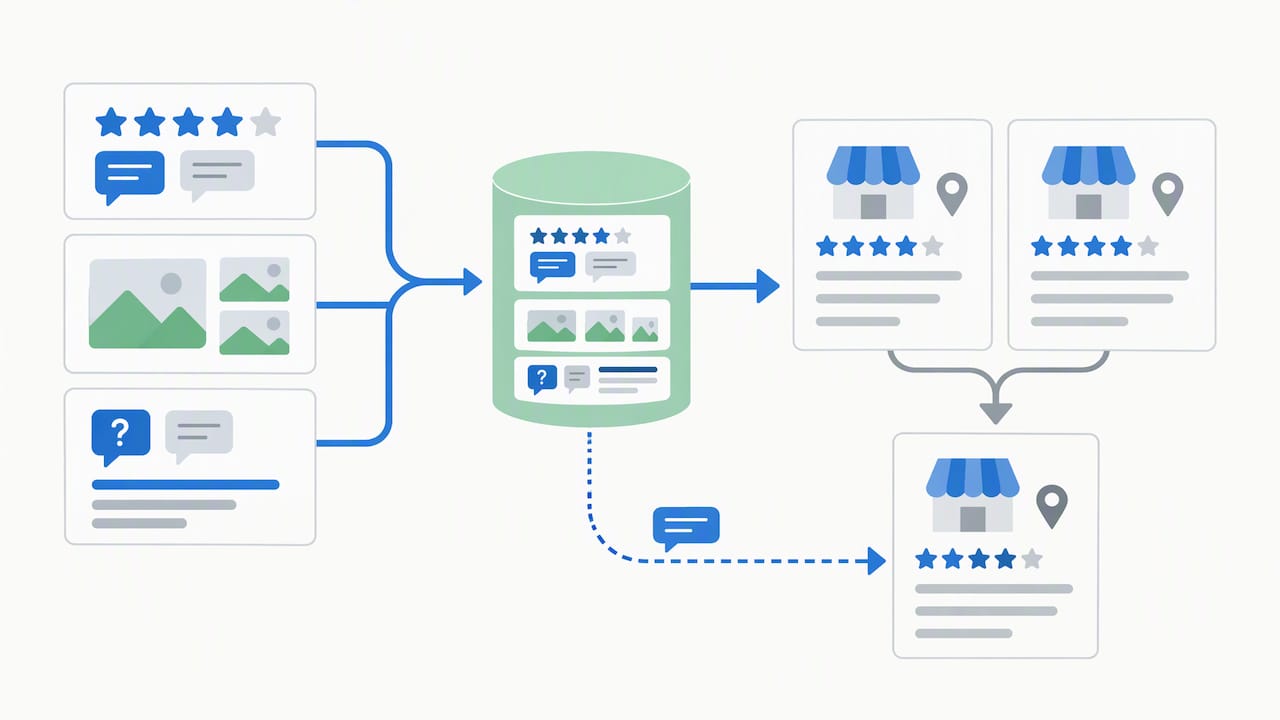
Sources

0
Small business owner planning digital PPC campaign
Written by webtechs

Small Business PPC in Scottsdale: Who to Hire and Why

Small business owner planning digital PPC campaign

If you own a small business in Scottsdale and you’re spending money on Google Ads without a dedicated landing page or working conversion tracking, hire a local PPC manager before you spend another dollar. Webtechs, a Scottsdale digital marketing agency operating since 1997, builds and manages small-business PPC accounts with local market knowledge you won’t get from a generic national provider or a rushed DIY setup. The evidence for going local is straightforward: local agencies understand Scottsdale’s seasonal demand swings, its competitive service categories like home trades and hospitality, and how to structure a Google Business Profile alongside paid search so the two channels reinforce each other.

Your next move is simple:

  • Request a free PPC audit from Webtechs to see exactly where your current spend is leaking or where a new account should start.
  • Ask for a short discovery call before committing to any monthly retainer.

Key Takeaways

Small business PPC in Scottsdale works best when you start with tight Search campaigns, install real conversion tracking, and hire a local manager who understands the market’s seasonal swings.

Point Details
Start with Search Concentrate initial budget on one high-intent Search campaign before adding other types.
Track every conversion Set up both web form and call tracking before launch, or you can’t optimize spend.
Match ads to landing pages Dedicated landing pages that mirror ad copy convert far better than sending traffic to your homepage.
Wait on Performance Max Add it only after Search is profitable and you have enough conversion history for Smart Bidding to work.
Hire local expertise Webtechs has managed Scottsdale small-business PPC and SEO accounts since 1997, with transparent pricing and a free audit as the starting point.

Table of Contents

What Is Small Business PPC and How Does It Help You?

Pay-per-click, or PPC, is online advertising where you pay only when someone clicks your ad. It falls under the broader umbrella of search engine marketing (SEM), which also includes organic strategy. Businesses like it because it delivers targeted, measurable traffic instead of hoping an organic ranking eventually shows up.

  • Turns on fast, unlike SEO, which can take months to gain traction.
  • Lets you control exactly how much you spend daily.
  • Reports precisely which keyword, ad, and click led to a phone call or form fill.

Pro Tip: If your Google Business Profile is thin or your organic rankings are already strong for your top keywords, put new budget into PPC to capture the searches you’re not winning organically.

Why Does PPC Work Differently for Scottsdale Businesses?

Scottsdale is not a generic market, and your account structure shouldn’t treat it like one. Location targeting lets you set campaigns to a specific city, a radius around your storefront, or a cluster of zip codes, and pairing that with a well built Google Business Profile strengthens both your map pack visibility and your paid results.
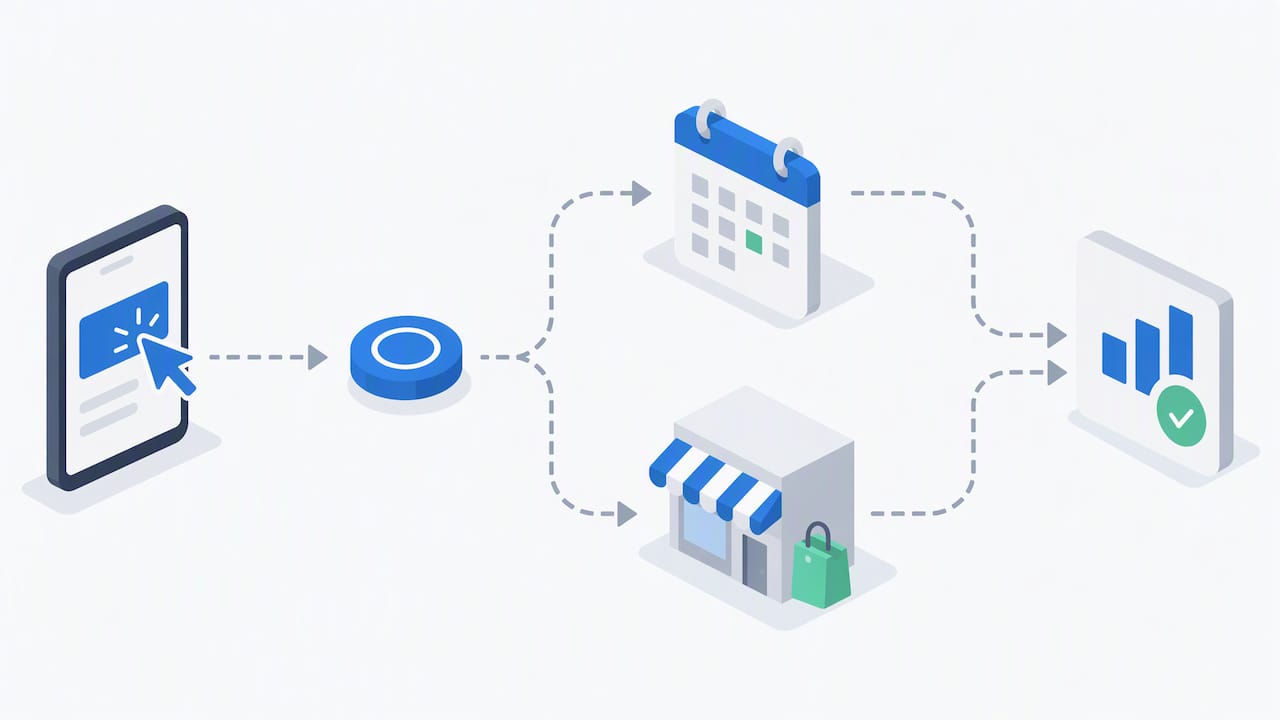
Demand here moves in cycles. Snowbird season drives spikes for hospitality, home services, and medical spas from roughly October through April, while summer slows for some categories and heats up for others like pool repair and HVAC. Competitive categories, especially home trades, med spas, and restaurants, require tighter targeting because cost per click runs higher.

  • Expect a learning period before Google’s algorithm and your own optimizations produce stable results.
  • Budget for that ramp period rather than judging performance in week two.

Which PPC Campaign Types Should a Small Business Use?

Not every campaign type deserves your budget on day one. Here’s how to sequence them:

  1. Search campaigns should be your first investment. They capture people actively typing “emergency plumber Scottsdale” or “best Scottsdale hair salon,” which is the highest intent traffic you can buy. Most small businesses see the best early results by concentrating budget here before branching out.
  2. Local campaigns, tied to your Google Business Profile, drive phone calls and store visits directly from Google Maps and local search results. Pair this with a Local Services Ads setup if you’re in a service category Google supports.
  3. Retargeting and display bring back visitors who almost converted, protecting the spend you already put into getting them to your site the first time.
  4. Performance Max looks appealing because it runs across every Google surface automatically, but it requires meaningful conversion history to optimize well. Add it after Search is profitable, not as your starting point.

How Should a Small Business Set Up and Manage a PPC Campaign?

Getting the structure right upfront prevents months of wasted spend later, and understanding lead nurturing explained can help you convert PPC leads more effectively. Here’s the sequence that matters:

  1. Build tight ad groups around closely related keywords rather than one giant catch-all group. This keeps your ad copy relevant to what people actually searched.
  2. Install conversion tracking for both web form submissions and phone calls before you launch anything. Without it, you have no way to know if your spend is producing customers.
  3. Send traffic to a dedicated landing page that matches your ad’s message word for word, not your homepage. Message match between ad and landing page is one of the biggest levers on conversion rate, and Webtechs’s own guide on improving website conversions covers this in more depth.
  4. Review your search terms report weekly and add negative keywords to block irrelevant clicks, then rotate in new ad variations monthly to test what copy actually pulls conversions.

Pro Tip: Ask whoever manages your account for direct login access to your Google Ads account, not just a monthly PDF. If you can’t log in and see your own data, you don’t actually control your campaign.

Good reporting shows cost per lead, which keywords converted, and what changed since last month, not just a spend total and a pat on the back.

Hands interacting with smartphone for PPC reporting

What Budget and Results Should You Expect?

A safe starting budget for most Scottsdale small businesses runs a modest amount a month, concentrated on one service area rather than spread thin across many. Concentrating a modest budget on a single tight, high-intent campaign produces cleaner data faster than trying to cover everything at once.

Watch three numbers:

  • Cost per lead — what you actually pay to generate one qualified contact.
  • Conversion rate — the percentage of clicks that turn into a call or form fill.
  • Return on ad spend (ROAS) — revenue generated against dollars spent.

Google Ads guidance for small businesses recommends setting your budget against your target cost per acquisition and your average customer value, not an arbitrary round number. Smart Bidding and automated strategies typically need sufficient conversion history before they optimize reliably. Until you hit that volume, manual bidding while you mine search-terms data works better than handing the wheel to an algorithm too early.

How Do You Choose the Right PPC Provider in Scottsdale?

Picking a provider is where most small businesses either win years of profitable growth or waste a year of ad spend on someone who never checks the account. Look for these criteria first:

  • Documented local experience in your specific industry, not just generic “we run ads” claims.
  • Working conversion tracking set up before your campaign launches, covering both calls and form fills.
  • The ability to build and test dedicated landing pages, not just manage the ad account.
  • Transparent, plain-language reporting you can read without a marketing degree.
  • A clear pricing model, whether that’s flat fee, percentage of spend, or hybrid.

Before signing anything, ask these questions directly:

  1. Can I see a live example of results you’ve generated for a business like mine?
  2. Will I have direct access to my own ad account and reporting dashboard?
  3. How often do you test new ad copy and review search terms?
  4. What’s the minimum contract length, and what happens if I want to leave?

Red flags include agencies that won’t share account access, can’t produce a single relevant case study, or push you straight into Performance Max before you have any conversion history.

Local Proof: What Webtechs Brings to a Scottsdale PPC Account

Webtechs has operated in Scottsdale since 1997, working with local businesses across service industries, retail, and hospitality on both SEO and paid campaigns. That history matters because Scottsdale’s competitive categories, home trades, salons, medical practices, don’t respond to a one-size-fits-all national playbook.

  • Full-service PPC management alongside web design, local SEO, and Google Business Profile optimization.

  • Transparent PPC management pricing so you know the fee structure before you commit.
  • Case study results documented across industries, including a roofing SEO case study and a hair salon SEO case study that show what sustained local optimization looks like over time.

A free PPC audit from Webtechs typically surfaces quick wins first, like missing conversion tracking or a mismatched landing page, then builds toward a prioritized roadmap for the next 90 days.

What Should You Know About PPC Contracts Before Signing?

Contract terms vary more between PPC agencies than most small business owners expect, and the fine print matters more than the pitch. Some agencies lock you into a 12-month agreement before you’ve seen a single month of results. Others run month-to-month, which puts more pressure on the agency to keep performing but gives you an easy exit if things aren’t working.

Diagram comparing PPC contract terms and billing structures

Read for a few specific terms. First, check the cancellation notice period, most reasonable agreements ask for 30 days written notice, not 90 or 120. Second, confirm who owns the account itself. Your Google Ads account, your conversion tracking setup, and your campaign history should belong to you, the business owner, not the agency. If an agency builds your account under their own manager ID and refuses to grant you admin access, walk away, because losing that agency later means losing your entire campaign history and optimization data.

Third, look at what’s actually included in the monthly fee versus what counts as a billable extra. Landing page builds, additional campaign types, and creative refreshes sometimes carry separate charges that aren’t obvious in the initial quote. Ask for a written scope of work, not just a verbal summary, so you know exactly what you’re paying for each month. A provider confident in their results won’t hesitate to put contract terms and deliverables in writing, and won’t need a long lock-in to keep your business.

DIY vs. Hiring an Agency: When Does Each Make Sense?

DIY makes sense if you’re testing a single keyword idea on a few hundred dollars a month, just to see if there’s demand before committing real budget. It gets riskier fast once you’re running multiple locations, tracking phone conversions alongside web leads, or trying to layer retargeting on top of Search.

Small business owner testing PPC keywords on smartphone

That complexity is where a professional account manager consistently outperforms a business owner learning Google Ads on nights and weekends. If your funnel involves more than one conversion type or your customer value is high enough that a wasted month actually hurts, request an audit and let someone who does this daily take a look before you commit more budget.

Ready to Fix or Launch Your PPC Campaign?

If you’ve read this far, you probably already suspect your current PPC setup has gaps, whether that’s missing conversion tracking, ads pointing to your homepage instead of a dedicated landing page, or a budget spread too thin across campaign types. Webtechs runs PPC management alongside web design and SEO for Scottsdale small businesses, which means your landing pages, tracking, and ad copy all get built by the same team instead of stitched together from three different vendors.

Webtechs

Take a look at past client work in the Webtechs portfolio to see the kind of results local businesses have gotten, then check the PPC management pricing breakdown so you know the real cost before you talk to anyone. When you’re ready, request a free PPC audit and get a straight answer on whether your account is set up to make you money.

Sources

0
Hands mapping website URLs for SEO migration
Written by webtechs

Site Migration SEO: A Local Checklist for Arizona Businesses

Hands mapping website URLs for SEO migration

Yes, you can migrate a website without losing your search rankings, but only if you treat the redirect map as sacred. The single biggest predictor of a clean migration is a complete one-to-one 301 redirect for every old URL, tested before launch and monitored closely afterward. Google’s own site-move documentation backs this up: permanent, server-side redirects and clean sitemaps are the foundation, and most ranking losses trace back to preventable errors rather than the move itself, according to Semrush’s migration research.

Before you touch anything, do this:

  • Snapshot your current traffic, rankings, and backlinks as a baseline.
  • Build a full old-to-new URL map, page by page.
  • Stand up a staging environment and test every redirect there first.
  • Confirm your rollback plan before you ever hit “go live.”

Key Takeaways

A successful site migration SEO strategy depends on complete redirect mapping, staging validation, and disciplined post-launch monitoring for at least 90 days.

Point Details
Map every URL first Build a one-to-one old-to-new redirect map before any development begins.
Remove staging noindex This single forgotten step causes the most catastrophic launch-day failures.
Keep redirects live long Maintain 301 redirects for at least 180 days; for domain changes, keeping them live for a year or longer is recommended.
Watch the first 90 days Check daily in week one, then weekly, then monthly through the first year.
Consider a local specialist Webtechs runs audits, URL mapping, staging tests, and 90-day monitoring for Arizona businesses.

Table of Contents

Pre-Migration Checklist for Website Redesign SEO

Every site migration SEO project lives or dies in the weeks before launch. Skip this phase and you’re gambling with years of organic equity.

Start with your benchmark data. Export Google Search Console reports for queries, top pages, clicks, and impressions going back at least three months. Pull GA4 sessions and your top landing pages by conversion value. This becomes your recovery yardstick later, and without it, you have no way to prove whether the migration helped or hurt.

Next comes the crawl. Run a full site inventory with a tool like Screaming Frog or CrawlRaven, then build a spreadsheet mapping every existing URL to its future home. Flag your highest-value pages, the ones ranking on page one or pulling in the bulk of your backlinks, and prioritize preserving their exact structure or redirecting them precisely.

Hands creating URL redirect spreadsheet

Set up staging with noindex tags applied site-wide, verify canonical tags point where they should, and click through every internal link. Back up your current site and database in full before development starts.

Finally, get your team aligned. Someone owns DNS, someone owns development, someone owns SEO validation, and everyone agrees on the cutover date and what triggers a rollback.

Pro Tip: Keep your redirect map in a shared spreadsheet, not a developer’s local file. When something breaks three weeks post-launch, you need that mapping accessible to everyone, not buried in someone’s downloads folder.

A technical SEO audit before migration catches structural issues that would otherwise surface as ranking drops after launch.

What Technical Elements Does Google Require for a Site Move?

Google’s guidance is specific, and ignoring it is where most migrations go wrong. Use server-side permanent redirects, either 301 or 308 status codes, for every single changed URL. Skip redirect chains entirely; a chain of three or four hops before landing on the final page wastes crawl budget and can dilute the signal Google passes through.

Verify ownership of both your old and new domains in Search Console. If you’re changing domains outright, file a Change of Address request, which forwards site signals for 180 days, though it requires you to own both properties and never replaces accurate redirects on its own.

  • Submit a fresh XML sitemap listing only your new, live URLs.
  • Confirm canonical tags reference the new site, not the old one.
  • Remove every noindex tag from staging before launch.
  • Make sure robots.txt isn’t blocking crawlers from reaching old URLs during the transition window, since Google needs to crawl them to follow your redirects.

Check your server capacity too. A migration often triggers a temporary spike in crawl activity as Google re-evaluates your entire site.

Launch-Day Steps to Protect Your Rankings

Launch in a low-traffic window, ideally overnight or a weekend morning for most Arizona small businesses. Deploy your redirects all at once if possible; for very large sites, phase the rollout in planned stages instead.

  1. Spot-check a sample of redirects immediately, confirming they return 301 status codes and land on the correct new page.
  2. Remove any remaining noindex tags from the live production site.
  3. Submit your new sitemap in Search Console and confirm robots.txt allows crawling.
  4. Verify GA4 is tracking sessions correctly, then test every form and checkout flow by hand.
  5. Run URL Inspection in Search Console on your five to ten most important pages.

Pro Tip: Set up rapid alerts for 404 spikes or sudden impression drops in the first 24 hours. Catching a broken redirect pattern on day one beats discovering it in a monthly report three weeks later.

How Long Does It Take to Recover Rankings After a Migration?

Most clean migrations stabilize within a few weeks, though larger or more complex moves can stretch longer. Check daily during week one, weekly through weeks two to four, then shift to monthly monitoring for up to a year, with extra attention paid to the first 90 days.

Track indexed page counts, impressions and clicks in Search Console, organic sessions in GA4, keyword positions for your top terms, backlink health, and Core Web Vitals scores. Compare each against your pre-migration baseline.

  • If traffic hasn’t recovered within four to eight weeks, that’s usually a technical issue, not a normal fluctuation.
  • Broken redirects, orphaned pages, or lingering indexation blocks are the most common culprits.
  • A full crawl audit at this stage usually surfaces the problem quickly.

Short-term dips are normal even in flawless migrations. What matters is the trend line, not any single week’s numbers.

Which Migration Type Poses the Biggest SEO Risk?

Domain changes carry the highest risk because they touch every URL simultaneously. File Change of Address when it applies, verify www and non-www variants, and plan to keep redirects live for well over a year.

SEO risk comparison by migration type diagram

Replatforming and redesigns get dangerous when teams change content and URL structure at the same time. Isolate the scope wherever you can, and if a full overhaul is unavoidable, prioritize exact one-to-one URL mapping over everything else.

HTTPS migrations need the same rigor: server-side 301s, updated sitemaps, canonical tags pointing to secure URLs, and a full mixed-content check. Consolidating multiple domains into one property should happen in phases, migrating one site at a time rather than all at once.

Mistakes That Cause Permanent Traffic Loss

The most catastrophic and common launch-day error is forgetting to remove staging noindex tags, a mistake that’s shown up repeatedly in Semrush’s audit findings as a top failure point. It silently tells Google not to index your entire new site.

  • Never mass-redirect everything to your homepage; map each URL individually or return a proper 410 for pages you’re intentionally removing.
  • Don’t block your old site with robots.txt after launch, since Google needs continued access to follow those 301s.
  • If rankings vanish, check canonical tags first, then confirm crawling isn’t blocked, then request reindexing on your priority pages.

Pro Tip: Bookmark your staging URL’s robots.txt and noindex status before launch, then check both again the moment you flip DNS. It takes thirty seconds and prevents the single most common disaster.

How WebTechs Runs SEO-Safe Migrations for Arizona Businesses

Webtechs handles migrations with a five-stage process: baseline audit, full URL mapping, staging validation, atomic redirect deployment, and 90 days of post-launch monitoring with client reporting.

Local results back it up. A Garden Nursery redesign produced a 353% jump in SEO performance, and a Roofing Company migration delivered a 1,072% increase.

Clients who ask the right questions upfront get better outcomes. Before you sign anything, ask about redirect testing methods, who owns the rollback decision, and what the 90-day monitoring report actually includes.

Should You Handle This Yourself or Call In a Specialist?

DIY works for small sites under 1,000 URLs when you have in-house development and a real rollback plan. Anything involving a domain change, a large site, or a stretched team calls for a specialist.

Ask any prospective agency about their migration history, how they test redirects, and their monitoring cadence. Factor in tool costs, consulting fees, and the revenue risk of even a short outage against the value of protecting your existing traffic.

Get a Migration Plan Built for Your Arizona Business

Webtechs is the practical alternative to gambling your rankings on a DIY migration or a generalist developer who’s never mapped a redirect chain before. Where most agencies hand you a redesign and hope your traffic survives, Webtechs builds the SEO safety net first: full baseline audit, complete URL mapping, staging validation, and 90 days of monitoring after launch, all before a single page goes live.

Webtechs

The service includes redirect implementation, launch-day support, and reporting that shows exactly what changed and why. Local results speak for themselves. A Roofing SEO client and businesses across the Scottsdale SEO portfolio have come through redesigns and migrations with measurable gains, not losses. Browse the full portfolio to see completed projects, then request a scoping call to get a redirect map and migration timeline built around your actual site, not a generic template.

Frequently Asked Questions

How long should I keep 301 redirects after a migration?
Keep them live for at least 180 days, matching the signal-forwarding window Google’s Change of Address tool uses, though many practitioners recommend a full year or longer for domain-level moves.

Will my rankings definitely drop after a website migration?
Not necessarily. Short-term fluctuation is common even in well-executed migrations, but permanent drops usually trace back to preventable technical errors like missing redirects or crawl blocks, not the migration itself.

Do I need to use Google’s Change of Address tool for a redesign?
Only if you’re changing domains. A redesign or replatform on the same domain doesn’t require it, but you still need accurate redirects if URLs change.

What’s the biggest mistake businesses make during a site migration seo project?
Forgetting to remove noindex tags from the staging environment before launch, which can leave your entire new site invisible to search engines.

Sources

0
Hands optimizing website images manually
Written by webtechs

Page Speed Optimization for Scottsdale Businesses

Hands optimizing website images manually

For most Scottsdale small businesses, Webtechs is the recommended local starting point. Request a free Core Web Vitals audit using PageSpeed Insights as the baseline, and ask for a written report before any work begins.

Here is what a solid free audit should include:

  • Baseline score from PageSpeed Insights (both mobile and desktop)
  • Core Web Vitals report covering LCP, CLS, and INP with current field data
  • Prioritized fix list with estimated impact per item
  • Expected turnaround stated upfront (typically 1–3 weeks for a focused engagement)

Three local options worth contacting for quotes:

  • Webtechs (recommended): full-service SEO and web agency with local Scottsdale experience, Core Web Vitals audits, WordPress expertise, and hosting options
  • Scottsdale WordPress specialist: best for sites built on WordPress needing plugin/theme cleanup and caching configuration
  • Scottsdale general-site specialist: best for non-WordPress CMS or custom-built sites needing server-side and CDN work

Key Takeaways

For Scottsdale small businesses, page speed optimization starts with a free Core Web Vitals audit, a prioritized fix list, and a provider who tests on mobile under real-world conditions.

Point Details
Start with a free audit Request a PageSpeed Insights baseline covering both mobile and desktop before any work begins.
Core Web Vitals are the target Aim for LCP under 2.5 seconds and INP under 200 ms, these are the metrics Google uses.
Mobile-first for Scottsdale Most local searches come from phones; always require throttled mobile testing in the proposal.
Require monitoring post-launch Speed degrades as plugins update and content grows — a one-off fix without monitoring won’t hold.
Webtechs is the local starting point Free diagnostic, Core Web Vitals audit, WordPress expertise, and hosting options for Scottsdale businesses.

Table of Contents

How do Scottsdale page speed providers compare?

Before you call anyone, a side-by-side look at what each type of local provider typically offers helps you ask the right questions.

Webtechs WordPress Specialist General-Site Specialist
Best for Small businesses wanting bundled SEO + speed + hosting WordPress sites needing plugin/theme cleanup Custom CMS or non-WordPress sites
Services included Audit, Core Web Vitals fixes, image optimization, caching, CDN, hosting, monitoring Plugin audit, caching plugin setup, image optimization, theme cleanup Server tuning, CDN, JS/CSS optimization, third-party script management
Pricing model Project-based or monthly retainer; free diagnostic available Project-based; quote after audit Project-based; quote after audit
Typical turnaround 1–3 weeks for initial fixes 1–2 weeks 2–4 weeks
Support & maintenance Ongoing retainer with monitoring options One-off fix or short retainer One-off fix
Local trust signals Google reviews, local case studies, client testimonials Google Places rating Google Places rating

Comparison chart of Scottsdale page speed providers

Quick pros and cons:

Webtechs:

  • Pros: one vendor handles speed, SEO, hosting, and content; local Scottsdale team; free diagnostic
  • Cons: broader scope means you pay for services you may not need immediately

WordPress specialist:

  • Pros: deep plugin/theme knowledge; fast turnaround on WordPress-specific issues
  • Cons: limited help if your bottleneck is server-side or CDN-related

General-site specialist:

  • Pros: strong on infrastructure and custom builds
  • Cons: less familiar with WordPress quirks; longer timelines

How to request a quote from any provider:

  1. Run your site through PageSpeed Insights and save the report as a PDF.
  2. Note your top three highest-traffic pages — those are the ones that matter most.
  3. Share CMS access details (WordPress admin or hosting panel) so the provider can audit plugins and server config.
  4. Ask for a written scope of work listing every fix, not just a promised score.

What does page speed optimization actually include?

A professional engagement covers more ground than most owners expect. The standard deliverables on a well-scoped project look like this:

  • Full performance audit (lab and field data)
  • Core Web Vitals tuning: LCP, CLS, and INP
  • Image compression and conversion to next-gen formats (WebP, AVIF)
  • Browser and server-side caching configuration
  • CDN implementation
  • JavaScript and CSS minification and deferral
  • Font optimization (subsetting, preloading)
  • Third-party script management (tag managers, chat widgets, analytics)
  • Server/hosting improvements and TTFB reduction
  • WordPress-specific fixes: plugin audit, theme cleanup, caching plugin configuration
  • Testing and monitoring setup
  • Final report with before/after metrics

Core Web Vitals defined:

Stat worth knowing: A healthy server response time (TTFB) sits under 200 ms. If your TTFB runs higher than that consistently, no amount of frontend work will fully fix your load time — the server bottleneck has to come first.

A typical Scottsdale small-business WordPress site, after a focused engagement, often sees LCP drop into the target zone under 2.5 seconds and mobile PageSpeed scores climb noticeably. Results vary by site complexity, hosting quality, and how many third-party scripts are running. Faster pages also convert better, which is the business case beyond the SEO benefit.

Measurement uses both synthetic tests (PageSpeed Insights, WebPageTest) and real-user data from the Chrome UX Report. Lab scores tell you what’s possible; field data tells you what real visitors actually experience. A good provider reports both.


How do you choose the right Scottsdale provider?

Work through this checklist before signing anything.

  1. Ask for a sample audit report from a previous client (redacted is fine). If they can’t produce one, walk away.
  2. Confirm they test mobile under throttled conditions, not just desktop on a fast connection. Real Scottsdale customers search on phones.
  3. Request before/after Core Web Vitals metrics from a comparable project, not just a PageSpeed score.
  4. Verify WordPress experience if your site runs on WordPress — ask specifically about caching plugins and plugin conflict resolution.
  5. Confirm monitoring is part of the plan. Speed degrades over time as plugins update and content grows. A one-off fix without monitoring is a short-term solution.
  6. Check Google Places ratings and recent reviews — look for mentions of communication and follow-through, not just technical skill.

Interview questions to ask on the sales call:

  • What is my current TTFB, and is it a bottleneck?
  • Will you test on a mid-tier mobile connection, or only on fast broadband?
  • What field data do you pull, and from which tool?
  • What does your monitoring setup look like after the initial fix?
  • What happens if scores drop three months after you finish?

Red flags:

  • Promising a “100% PageSpeed score” — chasing a perfect lab score often misses what real users experience
  • No mention of Core Web Vitals or field data in the proposal
  • Inability to explain the difference between LCP and TTFB
  • No maintenance or monitoring plan offered

Pro Tip: Ask every vendor: “What’s my TTFB right now?” A provider who can answer that in the first call has already done more homework than most.

Local trust signals that carry real weight: a verified Google Business Profile with recent reviews, a free diagnostic offer, and a written SLA covering response time if performance drops post-launch. Webtechs checks those boxes for Scottsdale businesses, and you can review local SEO work and results before committing.


How do you choose the right Scottsdale provider? — overview diagram

What Scottsdale businesses should prioritize first

Most Scottsdale small-business sites share the same pattern: a WordPress install, a page-builder theme, a handful of plugins that have never been audited, and images uploaded straight from a phone or camera. That combination alone accounts for the majority of slow load times.

Start with the quick wins. Image compression and conversion to WebP, enabling caching, and removing or replacing heavy plugins costs the least time and money and delivers the biggest LCP improvement. Many sites drop a full second off load time from image optimization alone.

The middle tier, CDN implementation and lazy-loading third-party scripts like chat widgets and social embeds, matters more than most owners realize. Those scripts can add noticeable delay to mobile load time, and mobile is where most local Scottsdale searches land. If your site targets customers in the Scottsdale area, assume the majority of your traffic arrives on a phone, not a desktop.

Infrastructure fixes, hosting upgrades, server-side caching at the edge, and DNS improvements, come last. They require more coordination and cost, but they’re unavoidable if TTFB is the root problem. Fix the frontend first, measure again, then decide whether the server needs attention.

One practical example: a Scottsdale service business that prioritized its contact and services pages over the homepage saw bounce rate fall and contact form submissions climb after a focused two-week engagement. The homepage looked great but drove almost no conversions. The pages that drove calls were the ones worth fixing first.

Speed is not a one-time project. Plan for periodic audits and ongoing monitoring, because every plugin update and new content block is a potential regression.


Webtechs handles page speed for Scottsdale businesses

Webtechs has worked with Scottsdale small businesses since 1997. For page speed, the engagement starts with a free diagnostic, includes a full Core Web Vitals audit, and delivers a prioritized fix list before any work begins.

Webtechs

What Webtechs delivers for site speed:

  • Free diagnostic with PageSpeed Insights baseline (mobile and desktop)
  • Core Web Vitals audit covering LCP, CLS, and INP
  • Image optimization, caching, CDN setup, and JS/CSS cleanup
  • WordPress-specific fixes: plugin audit, theme cleanup, caching plugin configuration
  • Hosting and managed hosting options for ongoing performance
  • Monitoring and retainer options so speed holds after launch

Local businesses can review past Scottsdale work in the portfolio before reaching out. The next step is straightforward: request a free audit, get the Core Web Vitals baseline in writing, and review the prioritized fix list before committing to a project scope.


Sources

0
1 2 3