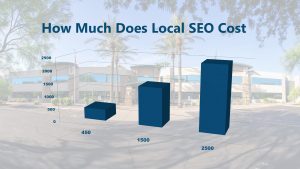
On average local SEO costs about $1,500. Local SEO costs range from $450 to $2,500 for the US in 2019. To find out more about SEO cost, keep reading
The question “How much does local SEO cost” is probably better stated as “What is the value of local SEO?” The key to measuring that value is knowing how it works, what benefits it can give you, and the impact that your choice of an SEO provider can have on costs and better yet, on results.
The average local SEO campaigns we presently build for our clients range from $450 to $5,000 per month for a single brick-and-mortar location. Some of the factors that influence pricing are:
Citations: Listing your business and its various locations in the top 40+ online directories is an essential local SEO strategy. You could possibly need up to 100 citations, depending on the industry your business is in. Running and taking care of citations may cost $50 to $150 per month.
Local Links: Building reliable links back to your site is another key local SEO fundamental. A beneficial SEO campaign may need a budget of $500 to $1,500 a month just for link development.
Locations: There are benefits to be had if you have a single website with multiple business locations, but there are still basic continual costs for managing multi-location local SEO campaigns. You can expect to budget $750 to $2,500 per month, for each location.
So, what should you budget for local SEO?
It depends, as it’s based on the particulars mentioned above and more. If your success depends on the speed and ease with which prospective customers can find you online (including mobile devices, when they’re most likely to be making fast decisions), then you can’t afford to not have a budget for local SEO. Learn as much as you possibly can about your key audience and their mannerisms, which should help you decide how much of your general advertising and marketing budget you should put toward a local SEO campaign.
Bear in mind that the old adage “you get what you pay for” holds particularly true for online marketing. A $500 a month budget will get you very little in the means of SEO, so you probably won’t see much in returns. You may not have to spend $5,000, either, unless you have a lot of locations. Here’s more information on typical price ranges for our local SEO campaigns.
The best thing to do is to talk with several local SEO providers about what they can do for your business and what they’ve done for others. Great results will usually speak for themselves.
Are you looking for reliable website hosting but don’t know the differences are between companies?
Well, this article breaks down the differences between the top 3 website hosting companies online.
Breakdown and Comparison: Godaddy and Network Solutions have fairly similar services and features they offer while WebTechs.Net offers a list of features included with their hosting that almost no company online offers. Along with Unlimited storage space and email accounts you get Website maintenance which includes: WordPress Updates, Software Updates, Graphic Changes and Creation, Content Changes, Source code changes and auto backups of your site that goes back 10 days. If your site ever crashes just give WebTechs a call and they can put your site back to how it was before the crash. There pricing is much more expensive but is taylored towards business owners who don’t like to make site changes themselves or don’t want to hire a website management company. Webtechs combines website management with web hosting for simplicity of use for the customer.
Website Hosting Introduction
Just about every business-even if it’s a small company with 1 employee-needs a website, and if even if you’re not a business owner you might still want a personal site or blog. Thanks to the plethora of services and options available, getting a website started with your own domain name (www.yoursitesname.com) is easy and affordable. One of the first steps in building a website is buying your domain name and find a reliable Web host (the company who will store your website files on their server). Web hosts have different options, bandwidths, storage capacities, email features, prices and applications.
What Are Hosting Servers?
While web hosts have the availability to offer dedicated hardware and virtual private servers, this list focuses on shared packages (the most affordable and common way to set up a website). For you information, though, it doesn’t matter in this case because you will be the only one with access to your files, you can’t access other peoples files or vice versa.
Your Web Hosting Needs/Requirements
Before you decide which web hosting package to buy, you need to figure out what requirements you need. The shared servers are affordable, but if you need performance and speed, you need to be looking at virtual or dedicated servers.
Starter Hosting Packages
Most web hosts offer limited features for their starter packages, and then expand upon that for higher-tier plans. Read the small print to make sure the plan you select offers the requirements you need. If you need a site builder (easy to use software or online applications that help you build sites easily – Not SEO friendly) to design your Website, make sure that the low-cost web host you are selecting comes with a site builder (if not you can add it on at an extra cost, usually around $5 bucks a month).
24/7 Customer Support
You might want to find a Web hosting company that offers 24/7 customer/technical support-if not by phone, then by chat or email. Forums, help tickets, knowledge bases are easy to use, but sometimes you just want to speak with someone without waiting for someone to respond to you.
Do I Need Windows or Linux Hosting Platform
Some Web Hosts offer choices between Linux or Windows hosting. The only reason you would need Windows is if you have an SQL Server or application that’s written in .NET. Most web hosts nowadays offer graphical interfaces or control panels to simplify your use and website management. You use icons and tabs to find your files instead of typing in the command line.
Not All Hosting Packages Are The Same
Although, these packages seem very similar, they are not the same. Some are more security optimized, offering antimalware and antispam tools. Others may offer a variety of email marketing tools. Before selecting a plan; consider how much you expect your company to grow in the future or just select a plan that is 1 year or less.
What does this mean for your Google My Business/Places/Map Listing or What do I need to do for my listing to show up again?
Absolutely nothing, Google will put the places listings back up once they have finished the update. We figure that Google is either playing an April Fools Joke on us or that they upgrade is finally here. This upgrade should remove all duplicate listings as well as make users experience on mobile devices better. Google is all about switching to Mobile friendly use. You might of seen the new way Google is listing the businesses in the SERPs with the “Mobile Friendly” title above websites that are configured for Mobile Use.
What If My Website is Not Mobile Friendly?
In order to rank highly in the search engines you need a mobile friendly site. If your site is not mobile friendly, there is a good chance you might experience a ranking drop for your website. Higher a web company to build a mobile friendly site that will attract new users and get your rankings higher on Google.
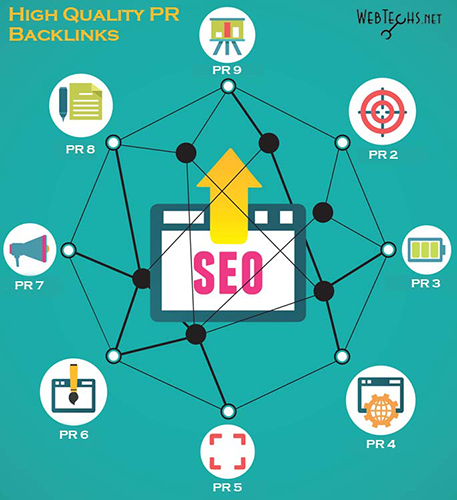
Backlinks are incoming hyperlinks coming from one site to another. These links also provide power to your website. Getting links from High PR sites increases your sites PR.
Video: Watch this quick video explanation of “What are Backlinks?”
3 of the Easiest Website Submission Sites Online
The first 3 are super easy and all you have to do is enter your URL of the site you want to submit. The first one is a super easy tool to use called “Backlink Maker” by SmallSEOTools.com. Just pop in your URL and your wait for the submissions to finish or move on to the next submission site while you wait. It should realistically take about 2 minutes for the submissions to finish and these links come from safe PR 3, 4, 5, 6, 7, 8, & 9 sites. While you wait, let jump over to PingMyUrl.com. This is another easy submission tool that allows you to enter your URL and pings that URL from 1600 different websites. If you’re looking for a quick way to index your site to Google, this tool will get you there in a heartbeat. The third site is Sitevaluefox.com, on this site you will also be able to pop your web address and click submit. Site Value Fox is a site that automatically submits your URL to 457 different website evaluator sites. They basically are scanning your site to see what your earning potential is, but at the same time creating backlinks to your site.
Easy to Medium Difficulty Free High PR Submission Sites List
Exalead: http://www.exalead.com/search/web/submit (Page Rank 6) – Enter your URL of your website, a valid email address and enter the capatcha code correctly and your done.
Active Search Results: activesearchresults.com (Page Rank 5) – Enter your website address of your website and your good to go.
Active Search Results: http://www.gigablast.com/addurl (Page Rank 2) – Same as the previous submission. Enter your website address of and your good to go.
Jayde: http://www.jayde.com/submit-site.html (PR 4) – For this submission you will need to enter all of the details about your business including: Business name, address, title, description, social media accounts etc…
Sonic Run: http://search.sonicrun.com/freelisting (PR 6) – Enter your URL of your website, a valid email address, your name and agree to the terms and conditions.
1001 Links: http://www.1001links.de/ (PR 4) – This site is in another language and you are going to have to grab Google’s translator tool. Once you get on the site, you will notice that it is in another language. Go ahead and use the translator tool to change the content to your language. Once you have changed the content, you will notice there is a little blue menu button near the top that say “add a link” Click that button and it will take you to a screen where you must translate again but this time you need to create an account. Create the account using any email address and password. It will ask you to verify your email, so go ahead and verify, then come back and fill out your listing.
Conclusion
These are just started backlinks and you will most likely need more than this to rank for very competitive markets. I hope you enjoyed this post and good luck with your submissions. Stay in tune with our blog, we are always creating new content to help Beginner SEO’ers and small businesses understand and learn more about SEO. If you are new to our blog please consider checking out our started post titled “What Is SEO / Search Engine Optimization and Do You Need It?”.
SEO is the process of optimizing your landing page or website to rank highly on Google’s search engine. Another Word for SEO is “Search Engine Optimization”
I know your first question is “how do you guys optimize my website for the search engines?”, and the answer to that question is an easy one. There are only 2 different factors that pertain to SEO optimization. The first one is On-Page Optimization (discussed in this post) and the other one is Off-Page Optimization. On-Page optimization deals with changing around the keywords, coding of your website, titles, meta tags, and alt text on pictures. Off-Page Optimization (discussed in another post) deals with link building, submissions, content marketing and other factors but we will get to that in another post. On-Page optimization is very necessary because Google looks at your website totally different than people do. Google reads your website using what’s called an “algorithm”.
Google’s Algorithm
Google’s algorithm is basically a way for Google to read your website and calculate where they think you should rank based upon different factors. The Google’s algorithm takes many different factors into account when ranking your website on the search engines, but the most important factors are the ones I previously mentioned in the above paragraph and more specifically, the most important factor is Keywords.
Keywords: Most Important Factor for On-Page Optimization
The keywords on your website (Keywords definition: The descriptive text or words on your website) are by far, the most important thing SEO Companies are usually focused on when optimizing your website. Without words on your site, Google is unable to tell what kind of business you are running. For Example: Let’s say that you own a Air Conditioning Repair Company in Phoenix Arizona. If you were to use those exact words, Google would know that you are:
1. An Air Conditioning Repair Company 2. In the city of Phoenix 3. In the state of Arizona
The same goes with any business or website. By adding these descriptive words on your page, you are allowing Google to crawl your site and find out what business category they should put you in, and most importantly, what keywords you should rank for.
On-Page SEO: Titles and Content Structure
Your title and structure of your website also need proper keyword usage. You can pretty much look at the structure of your webpage as an essay. Included in every essay, there should be at least 3 key attributes:
1. Thesis statement: The title of your webpage is basically a thesis statement. It introduces the webpage to the readers. Your title should be completely relevant to the content you want to discuss on the page. Let’s use the “Air conditioning repair guy” again to create an example. A good title for an AC guy in Phoenix would be, “Air Conditioning Services and HVAC Repair Contractors in Phoenix AZ”. You see, this topic/title lets the reader know that this page is going to be about Contractors that perform HVAC and Air Conditioning repair services in the city and state of Phoenix Arizona. Once again, this statement helps the reader understand what kind of website they are on and also helps Google know what keywords they should rank you for.
2. Body Paragraph: Usually This is the heart of where most of your words/content are going to be read. Usually, the body paragraph is around 3 paragraphs or so and follows the keywords that were mentioned in the title. In this case our first paragraph would be about “Contractors”, the second paragraph would be about “HVAC repair” and the third paragraph would be about “Air conditioning service”. The body paragraph helps backup your main topic. By using these paragraphs properly, you are mentioning additional information about your keywords that helps the reader understand your content and helps Google categorize you better.
3. Conclusion: The conclusion of an essay wraps up the information you just talked about and mentions the topic once again. This could be the same as the closing of your website. Most websites make a statement at the end of the webpage. For example: For our AC guy, his conclusion would read, “If you need HVAC Repair or Air Conditioning services for your home or business in Phoenix AZ, Please contact us”.
Conclusion
Using keywords and proper structure will help you create web pages that are properly structured for the reader and most importantly, optimized for Google’s algorithm. Like our Facebook Page to stay up to date on SEO tips, tricks, tools, education and instruction.