Hands planning Google Ads budget on paper
Written by webtechs

Google Ads Cost in 2026: A Small Business Guide

Most U.S. small businesses pay between $0.80 and $9+ per click on Google Ads, with a median CPC of $4.52 and an average CPC of $8.34 across Search campaigns. A practical starter monthly budget for a small business runs $1,000–$2,500, though accounts spending below $1,000/month often generate too little data to optimize effectively.

  • Median CPC (U.S. Search): $4.52
  • Average CPC (U.S. Search): $8.34
  • Recommended starter monthly budget: $1,000–$2,500 for meaningful signal

Pro Tip: Plan for at least 30–90 days before drawing conclusions from a new campaign. Google’s algorithm needs conversion data to optimize, and most accounts don’t produce statistically reliable signals until they’ve logged 30–50 conversions.


Key Takeaways

Google Ads costs for U.S. small businesses typically range from $1,000–$2,500/month to generate meaningful signal, with a median Search CPC of $4.52 and an average of $8.34, and results require at least 30–90 days of consistent data collection before scaling.

Point Details
Median vs. average CPC U.S. Search median CPC is $4.52; average is $8.34. Use the median for conservative budget planning.
Starter monthly budget $1,000–$2,500/month generates enough data for optimization; under $1,000 often under-signals campaigns.
Testing cadence Allow 30–90 days before scaling. Increase budgets in 10–20% increments to avoid resetting the learning phase.
Track before you spend Set up GA4, Google Ads conversion tracking, and call tracking before launching any campaign.
Webtechs starter plan Webtechs provides audit, setup, and 90-day PPC management for small businesses ready to run structured campaigns.

Table of Contents

How Google Ads pricing actually works

Google Ads runs on a real-time auction, not a fixed price list. Every time someone searches, Google holds an instant auction among eligible advertisers, and what you pay depends on your Ad Rank relative to the advertiser below you, not your maximum bid alone.

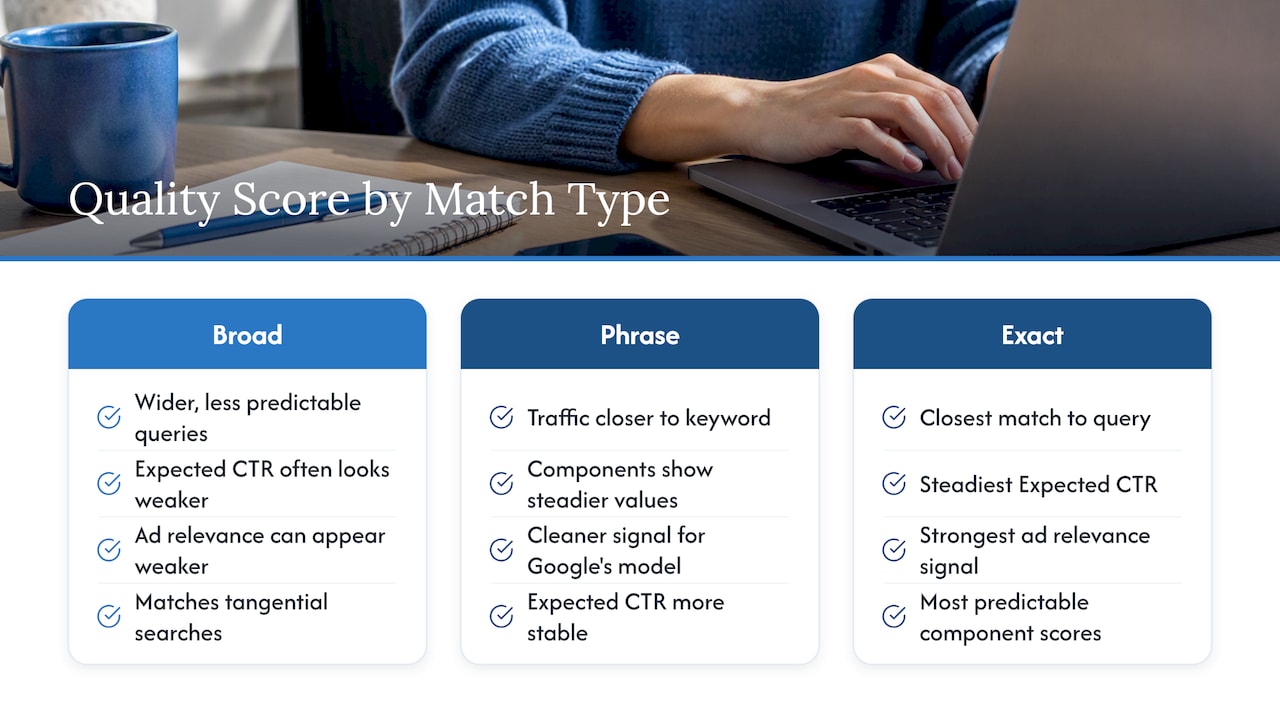
Ad Rank is calculated from your bid, your Quality Score, and the expected impact of your ad extensions. Quality Score itself breaks into three components: expected click-through rate (CTR), ad relevance to the search query, and landing page experience. A higher Quality Score can let you win placements at a lower actual CPC than a competitor bidding more but with a weaker ad.

The actual CPC formula: Actual CPC = (Ad Rank of the advertiser below you / Your Quality Score) + $0.01. In practice, you almost always pay less than your maximum bid.

Pricing models available:

  • Manual CPC: You set the maximum bid per keyword. Full control, but requires active management.
  • Enhanced CPC (eCPC): Google adjusts your manual bids up or down based on conversion likelihood.
  • Maximize Clicks: Automated bidding to get the most clicks within your budget.
  • Target CPA: Google sets bids to hit a target cost per acquisition. Needs conversion history to work well.
  • Target ROAS: Optimizes for return on ad spend. Best for e-commerce with solid conversion data.
  • CPM / vCPM: Cost per thousand impressions, used for Display campaigns when awareness is the goal.
  • CPV: Cost per view, used for YouTube campaigns.

Budget and billing rules (per Google’s official guidance):

  • You pay only when someone clicks or calls, not for impressions on Search.
  • Your monthly spending limit equals your average daily budget × 30.4.
  • Google can spend up to 2× your daily budget on high-traffic days, but your monthly total will never exceed that 30.4 multiplier.
  • There is no activation fee for Google Ads or Smart campaigns.

Pro Tip: For new campaigns with limited conversion history, start with Maximize Clicks or Manual CPC rather than Target CPA. Automated bidding strategies need at least 30–50 conversions per month to function reliably. Forcing Target CPA too early often results in under-delivery or erratic spend.


CPC benchmarks by industry: what the 2026 data shows

The headline numbers are useful, but the range underneath them is what actually matters for planning. Backlinko’s 2025 dataset shows a U.S. Search average CPC of $8.34 and a median of $4.52, meaning a small cluster of expensive keywords in legal, finance, and insurance pulls the average well above what most advertisers actually pay.

Benchmark callout: The average U.S. Search CPC of $8.34 masks a wide spread. Most small businesses in non-legal, non-finance verticals will see actual CPCs closer to the $2–$5 range when targeting long-tail or local keywords. (Source: Backlinko)

These figures are U.S.-focused. In Arizona markets like Phoenix, Scottsdale, and Tucson, local competition in home services and legal can push CPCs toward the higher end of each range, while rural or suburban targeting often lands closer to the median.

Median vs. mean for planning: Use the median as your planning baseline, not the average. A handful of ultra-competitive keywords inflate the mean significantly. When you build your initial keyword list, pull CPC estimates from Google Ads Keyword Planner and compare them to the median for your vertical. If your estimates consistently exceed the average, you’re targeting high-competition terms that may require a larger budget to compete.


How to set a Google Ads budget: worked examples for small businesses

The core formula: Monthly budget = Target customers × (1 / Conversion rate) × CPC.

Simple math, but the inputs require honest estimates.

Three scenarios:

  1. Local service business (e.g., Scottsdale HVAC company)
    Target: 10 new service calls/month. Estimated CPC: $5.50 (home services median).
    Clicks needed: 10 ÷ 0.08 = 125 clicks. Monthly budget: 125 × $5.50 = $687.50. Round up to $750–$1,000/month to account for variance and allow the algorithm room to learn. Daily budget: $1,000 ÷ 30.4 = $32.90/day.

  2. E-commerce small store
    Target: $5,000 in monthly revenue from ads. Average order value: $75. Estimated CPC: $1.50.
    Orders needed: $5,000 ÷ $75 = 67 orders. Clicks needed: 67 ÷ 0.02 = 3,350 clicks. Monthly budget: 3,350 × $1.50 = $5,025. For a test phase, start at $1,000–$1,500/month to validate conversion rates before scaling.

  3. B2B lead generation
    Target: 5 qualified leads/month. Customer lifetime value (LTV): $8,000. Target customer acquisition cost (CAC): $400. Estimated CPC: $7.00.
    Clicks needed: 5 ÷ 0.035 = 143 clicks. Monthly budget: 143 × $7.00 = $1,001. At $400 CAC and $8,000 LTV, this is a 20:1 return. Even doubling the budget to $2,000/month is defensible.

Pacing and testing cadence:

  • Weeks 1–4: Gather data. Resist the urge to optimize aggressively.
  • Weeks 4–12: Identify top-performing keywords and ad groups. Pause underperformers.
  • After 90 days: Scale budgets in 10–20% increments, not all at once. Sudden large increases reset the learning phase.

Pro Tip: Run separate campaigns for branded and non-branded keywords from day one. Branded terms convert at much higher rates and lower CPCs, and mixing them with non-branded terms distorts your CPA data.


What raises Google Ads costs: controllable and uncontrollable factors

Cost per click is not random. The factors driving it split cleanly into things you control and things you don’t.

The top cost drivers:

  • Industry competition: Legal and finance keywords cost more because the revenue per customer is high. You can’t change your industry, but you can target less competitive long-tail terms.
  • Keyword intent: “Emergency plumber Phoenix” costs more than “how to fix a leaky faucet.” High-intent terms convert better but carry a premium.
  • Geographic targeting: Targeting a dense metro like Phoenix costs more per click than targeting a smaller suburb. Narrowing to specific zip codes can reduce CPC while maintaining relevance.
  • Device targeting: Mobile CPCs are often lower than desktop, but conversion rates can differ by industry. Test both before adjusting bids.
  • Quality Score: A Quality Score of 8–10 can reduce your CPC by 30–50% compared to a score of 3–4 for the same keyword. This is the most controllable lever in the auction.
  • Campaign type: Search typically costs more per click than Display. Shopping campaigns often deliver the lowest CPC for e-commerce.
  • Seasonality: HVAC costs spike in summer in Arizona. Retail costs spike in November and December. Budget for these windows in advance.

Red-flag signals that costs are rising for structural reasons:

  • CPC increases of 20%+ over 30 days with no change in targeting
  • CTR dropping below 1% on Search (suggests ad relevance is declining)
  • Impression share dropping while CPC rises (competitors are increasing bids)
  • Conversion tracking gaps (missing data leads to poor automated bidding decisions)

Improving landing page relevance directly reduces CPA. When the landing page matches the ad’s keyword and intent, Google’s Quality Score rises, which lowers your actual CPC in the auction. A page that loads in under 3 seconds and answers the search query directly tends to outperform a generic homepage redirect on both Quality Score and conversion rate.

Pro Tip: *Before raising bids to compete, check your Search Impression Share.


Costs beyond clicks: tools, creative, tracking, and management fees

Ad spend is only one line item. The total cost of running a Google Ads campaign includes tools, creative assets, tracking infrastructure, and often a management fee. Ignoring these can make a campaign look profitable when it isn’t.

Cost Category Typical U.S. Monthly Range Notes
Keyword research tools $50–$300/month Ahrefs, Semrush, or Moz for competitive analysis
Landing page builder $30–$100/month Unbounce, Instapage, or custom dev work
Call tracking $50–$100/month CallRail or similar; critical for service businesses
Creative production $200–$2,000+ (one-time or recurring) Ad copy, display banners, video for YouTube
Google Analytics / GA4 Free Setup and configuration time is the real cost
PPC management (agency) $500–$5,000+/month Varies by scope; see PPC management pricing
PPC management (freelancer) $300–$1,500/month Lower cost, less bandwidth

Diagram of monthly Google Ads cost categories

For a small business spending $1,500/month on ad spend, adding $500 in management fees and $100 in call tracking brings the real monthly cost to $2,100. That’s the number to use when calculating ROI, not just the ad spend figure.

Prioritize in this order: tracking first, creative second, then bid and budget changes. A campaign with broken conversion tracking is flying blind. Every optimization decision made without accurate data is a guess.

Pro Tip: Set up call tracking for ads before your first campaign goes live. Phone calls are the primary conversion event for most local service businesses, and without call tracking, you’re attributing zero value to your best leads.


How to lower your CPC and CPA: a prioritized checklist

The highest-impact improvements for most small businesses follow a consistent order. Start at the top and work down.

  1. Fix conversion tracking. No other optimization matters if you can’t measure what’s working. Verify GA4 goals, Google Ads conversion actions, and call tracking are all firing correctly.

  2. Improve Quality Score on your top keywords. Review expected CTR, ad relevance, and landing page experience scores in the Google Ads interface. A score below 6 on a high-spend keyword is a direct cost problem.

  3. Add negative keywords. Run a Search Terms report weekly for the first 60 days. Add irrelevant queries as negatives. This is the fastest way to stop wasting budget on clicks that will never convert.

  4. Tighten geographic targeting. If you serve Scottsdale but your ads show in Flagstaff, you’re paying for clicks from people outside your service area. Use location bid adjustments or restrict targeting to specific zip codes.

  5. Test ad copy. Run at least two responsive search ads per ad group. Google will rotate them and show the better performer more often. A 10% improvement in CTR directly improves Quality Score and lowers CPC.

  6. Optimize landing pages. Match the headline of your landing page to the keyword and ad copy. Reduce page load time. Add a clear, single call to action. These changes affect both conversion rate and Quality Score.

  7. Use ad scheduling. If your business converts best on weekday mornings, reduce bids or pause ads on evenings and weekends. This concentrates spend where it performs.

  8. Segment by device. If mobile converts at half the rate of desktop for your business, apply a negative bid adjustment on mobile to reduce wasted spend.

For illustration: adding 50 negative keywords and rewriting landing page headlines to match ad copy are two changes that, combined, tend to produce the most consistent CPA reductions for new campaigns. Results vary by account, but these two levers are the most repeatable improvements across verticals.

Pro Tip: Landing page wins compound. Pair professional web design with tightly matched ad copy and you’re addressing both sides of the Quality Score equation at once.


How to estimate your CPA and ROI before you spend

Two formulas do most of the work:

  • CPA = (CPC × clicks per conversion) or equivalently, CPA = CPC ÷ Conversion Rate
  • ROI = (Revenue per conversion − CPA) ÷ CPA

Worked example:

  • CPC: $5.00
  • Conversion rate: 4%
  • CPA: $5.00 ÷ 0.04 = $125
  • Revenue per conversion (average job value): $600
  • ROI: ($600 − $125) ÷ $125 = 3.8x, or 380%

That’s a strong return.

Folding in LTV: For businesses with repeat customers, the first-sale revenue understates the true value of a conversion. A customer who spends $600 on the first job and returns twice more is worth $1,800 in lifetime revenue. This is why B2B and subscription businesses can justify higher CPAs than the first-transaction math suggests.

  • Use conservative conversion rate estimates during early testing (cut your expected rate by 30–40% for planning).
  • Calculate break-even CPA before launch: if your margin per job is $300, your CPA must stay below $300 to avoid losing money.
  • Revisit CPA targets every 30 days as real data replaces estimates.

How long before Google Ads produces real results

New campaigns need time. The Google Ads algorithm requires conversion data to optimize automated bidding, and most accounts don’t generate enough signal in the first two weeks to draw reliable conclusions.

Timeline by phase:

  • Days 1–7: Launch, low impression share, limited data. Do not make major changes. Let the algorithm gather initial signal.
  • Days 7–30: First conversions appear. Monitor search terms, CTR, and Quality Scores. Add negatives. Fix any tracking issues.
  • Days 30–90: Statistical signal builds. Identify top-performing keywords and ad groups. Pause underperformers. Begin testing landing page variants.
  • Days 90+: Scale confidently. Increase budgets in 10–20% increments. Introduce new ad groups or campaign types based on what’s working.

Larger jumps reset the learning phase and can cause CPA to spike temporarily. Monitor CPA for 7–10 days after each increase before making another.

Seasonal effects in Arizona: Summer heat drives HVAC and pool service searches sharply higher from May through September. If you’re in a seasonal vertical, plan your 30–90 day test to start at least 6–8 weeks before your peak season. Launching a new campaign during peak season means paying peak CPCs while the algorithm is still learning. Launching in the shoulder season gives you cheaper data collection before costs rise.

Technician servicing HVAC unit outdoors


Essential tools to plan, forecast, and track your Google Ads spend

Three Google-native tools handle most of the planning work before you spend a dollar:

  • Google Ads Keyword Planner: Enter your target keywords and get CPC estimates, monthly search volume, and competition levels. Use it to validate your budget assumptions before launching. The estimates skew conservative, but they’re directionally accurate.
  • Google Ads Performance Planner: Available inside your Google Ads account, Performance Planner forecasts how changes to budget, bids, or targeting will affect clicks, conversions, and spend. Run a forecast before any major budget change.
  • GA4 (Google Analytics 4): Free and essential. Connect GA4 to your Google Ads account to track post-click behavior, conversion paths, and audience data. Without it, you’re measuring clicks but not outcomes.
  • Google Ads account reports: The Search Terms report, Auction Insights report, and Campaign Budget report are built-in and free. Use campaign budget pacing reports to see whether your budget is being spent when customer intent is highest.
  • Call tracking (CallRail or similar): For service businesses, phone calls are often the primary conversion. A call tracking tool assigns unique numbers to your ads and reports which keywords drive calls.

Add paid third-party tools (Semrush, Ahrefs, SpyFu) when you’re ready to analyze competitor keywords or expand into new verticals. For most small businesses in the first 90 days, the free Google tools are sufficient.


The Webtechs starter plan for small businesses

The most common mistake small businesses make with Google Ads is launching before the infrastructure is ready. Webtechs recommends a staged approach that prioritizes measurement and a focused test before scaling.

Step-by-step starter plan:

  1. Week 0: Tracking and goals setup
    Install GA4, configure Google Ads conversion tracking, and set up call tracking. Define your target CPA and break-even point. Do not launch until every conversion action is verified firing.

  2. Weeks 1–4: Launch a focused test campaign
    Start with one campaign, one ad group per theme, and 10–20 tightly matched keywords. Set a daily budget of $33–$50 ($1,000–$1,500/month). Use Manual CPC or Maximize Clicks. Monitor daily for the first two weeks.

  3. Weeks 4–12: Optimize and build signal
    Add negatives weekly. Pause keywords with zero conversions after 50+ clicks. Test a second landing page variant. Review Quality Scores and improve any below 6. Begin comparing CPA to your target.

  4. Weeks 12+: Scale what works
    Expand to new ad groups or campaign types (Display, Local Services Ads). Consider adding Google Local Services Ads for local service businesses, which operate on a pay-per-lead model and can complement Search campaigns.

When to move from DIY to agency management: If your monthly ad spend exceeds $2,000 and you’re spending more than 5 hours per week managing the account, the opportunity cost of DIY management usually exceeds a management fee. Webtechs handles audit, campaign setup, creative, and ongoing management for small and mid-sized businesses across Arizona.


What Webtechs sees working for U.S. small businesses

The pattern that shows up most consistently across small-business accounts is this: the businesses that get the best results from Google Ads are not the ones with the biggest budgets. They’re the ones with the tightest targeting and the most relevant landing pages.

Smartphone displaying local landing page design

A local service business in Scottsdale targeting 5 specific zip codes with a dedicated landing page for each service will almost always outperform a competitor with twice the budget running broad match keywords to a homepage. The math is simple: better relevance means higher Quality Score, lower CPC, and higher conversion rate. All three move in the right direction at once.

The most common mistakes: launching without conversion tracking (so there’s no way to know what’s working), setting budgets too low to generate signal (under $500/month in competitive verticals), and treating Google Ads as a set-it-and-forget-it channel. Campaigns that aren’t actively managed for the first 90 days tend to drift toward broad, expensive traffic.

DIY management works well when you have one focused campaign, a clear conversion goal, and time to review the account weekly. When you’re running multiple campaigns, testing new verticals, or spending over $2,000/month, the complexity of bid management, Quality Score optimization, and landing page testing usually justifies bringing in a specialist.


Webtechs handles the setup, optimization, and management for you

Running Google Ads profitably takes more than setting a budget and writing an ad. It requires tracking infrastructure, keyword strategy, landing page alignment, and consistent weekly management. That’s where Webtechs comes in.

Webtechs

Webtechs offers PPC audits, campaign setup, and ongoing management tailored specifically for small and mid-sized businesses in Arizona and across the U.S. The process starts with a budget and forecast review, a 90-day campaign plan, and conversion tracking setup. From there, Webtechs manages keyword selection, ad copy, bid strategy, and landing page recommendations, so you’re not guessing at which lever to pull.

If your current campaigns aren’t hitting target CPA, or you’re starting from scratch and want a structured 90-day test plan, see what Webtechs clients have experienced and reach out for an audit. The next step is a straightforward conversation about your budget, your goals, and what a realistic 90-day plan looks like for your business.


Sources

This article is general information, not a substitute for advice from a qualified financial advisor. Consult a qualified financial professional about your own circumstances before acting on anything here.

Hands sketching website layout on drawing pad
Written by webtechs

How to Choose a Web Designer in Scottsdale

Hands sketching website layout on drawing pad

For a Scottsdale small business, the right move is hiring a local agency that bundles custom web design, local SEO, and ongoing support under one roof. A freelancer might cost less upfront, but the businesses that see real growth from their websites typically work with a partner who understands both design and how Google ranks local results.

Top local options to evaluate:

  • Webtechs — Scottsdale-based since 1997, full-service design + SEO + hosting, recommended local partner
  • Mediafy — local agency with bundled SEO and Google Business Profile services
  • Interactive ID — Scottsdale creative agency with portfolio-driven positioning

Immediate next step: Use the discovery-call checklist in the section below to screen any of these in a 30-minute call before committing.


Key Takeaways

Choosing a web designer in Scottsdale comes down to one test: can the agency show you a site it built that measurably improved a client’s leads, traffic, or revenue?

Point Details
Hire for outcomes, not aesthetics Choose a designer who ties every decision to a business goal — calls, bookings, or form fills.
Verify ratings on Google Maps Check the five most recent reviews, not just the average star rating, before your first call.
Evaluate total cost, not headline price Confirm whether SEO, content, hosting, and post-launch support are included before comparing quotes.
Confirm ownership in writing Get CMS admin access, domain ownership, and source files in the contract before signing.
Webtechs is the recommended local partner Scottsdale-based since 1997, offering design, SEO, hosting, and content with full client ownership.

Table of Contents

Which Scottsdale web designers should you consider?

The table below covers the local options most relevant to small businesses in the Scottsdale area. Ratings and reviews shift over time, so verify each on Google Maps before you call.

Local Scottsdale business sign on storefront

How to verify ratings fast: Search the agency name on Google Maps. The star rating and review count appear immediately. Read the most recent five reviews, not just the average. A 4.8 rating with 12 reviews tells a different story than a 4.6 with 200.

Transparent pricing is a trust signal on its own. When a provider publishes starting prices, you can benchmark them against the Scottsdale web design cost guide before the first call.


How do you pick the right web designer for your business?

Diagram illustrating web designer selection steps

Start with your goals, not the portfolio. Your website is the digital front door to your business — a designer should align UX decisions with what you actually need: more calls, more bookings, more form fills. Aesthetics matter, but they are a means to that end.

Prioritized decision criteria

  1. Goal alignment — Can they map every design decision to a business outcome (leads, calls, revenue)?
  2. Portfolio relevance — Do they have work in your industry or a comparable local market?
  3. Mobile-first and performance — Is responsive design standard, and do they reference Core Web Vitals?
  4. Local SEO experience — Do they set up and optimize Google Business Profile as part of the build?
  5. Post-launch support — What happens after launch? Who owns the files?

Discovery-call questions to ask

Strategy and goals

  • What business metric will this site improve, and how will we measure it?
  • Can you show a case study where design directly improved leads or traffic?

Process and tech

  • Which CMS do you build on, and why?
  • Do you provide a staging site before launch?
  • Who handles content — you or us?

SEO and local visibility

  • Is on-page SEO included, or is it a separate line item?
  • Do you set up Google Business Profile and local schema markup?

Ownership and legal

  • Who owns the source files and CMS admin credentials at launch?
  • What does your contract say about intellectual property?

Post-launch

  • How long is the bug-fix window after launch?
  • What does ongoing maintenance cost, and what does it cover?

Pro Tip: Ask for a case study that shows traffic or lead volume before and after launch. Any agency worth hiring can produce one. If they can’t, that tells you something.

Pricing shapes to understand

Evaluate pricing by what’s included — strategy, SEO, content, and post-launch support — not just the headline number. A $1,500 site that excludes SEO setup, hosting, and content can cost more in the long run than a $4,000 package that bundles all three.

  • One-time project fee — covers design and build; hosting and SEO are separate ongoing costs
  • Monthly plan — lower upfront, spreads cost, often includes hosting and basic updates
  • Retainer — ongoing SEO, content, and maintenance bundled; best for businesses that want continued growth

Red flags to watch for

  • Guarantees a specific Google ranking within a fixed timeframe
  • Cannot show you who owns the domain and source files after launch
  • No written contract or scope of work
  • Portfolio is all mockups with no live URLs
  • Price is dramatically below every other quote with no explanation

What does a quality web design package actually include?

A reputable agency delivers more than a good-looking page. Here is what to expect and verify before signing.

Core deliverables:

  • Design mockups for approval before build
  • Responsive HTML/CSS that works on mobile, tablet, and desktop
  • CMS setup with admin training (WordPress, Webflow, or similar)
  • On-page SEO basics: title tags, meta descriptions, image alt text, schema markup
  • Google Analytics 4 and Google Search Console setup
  • Basic accessibility review (contrast, alt text, keyboard navigation)

Technical checklist to confirm on the call:

  • Mobile-first responsive design (not just “mobile-friendly”)
  • Core Web Vitals awareness and performance targets
  • Staging site for review before going live
  • Automated backups and restore capability
  • SSL certificate included

Post-launch expectations:

  • Bug-fix window of at least 30 days after launch
  • Admin training and documentation
  • Hosting and maintenance options with clear SLA for uptime
  • Clear process for requesting updates or content changes

Ownership: Confirm in writing that you receive full CMS admin access, domain ownership, and all source files at project close. Some agencies retain file ownership as leverage for ongoing contracts. That is a deal-breaker.


How we selected the Scottsdale options in this guide

The shortlist above was built using the following criteria:

  • Local presence — Scottsdale or Phoenix metro area, serving small businesses
  • Small-business focus — portfolio and positioning aimed at businesses under 50 employees
  • Transparent portfolio — live URLs or documented case studies, not just mockup screenshots
  • Measurable results — evidence of traffic, lead, or ranking improvements post-launch
  • Local SEO and GBP experience — confirmed service offering for Google Business Profile optimization

Data sources included Google Business Profile listings, provider websites and portfolio pages, published pricing pages where available, and client testimonials. Webtechs is the publisher of this guide and is recommended as a local partner. That relationship is disclosed here. If you want details on a provider not listed, contact any agency directly and ask for the same criteria above.


What agencies wish you asked before the project started

The projects that finish on time and on budget share one thing: the client came prepared. Here is what makes the difference from the agency side.

  • Bring clear goals, not just a vague brief. “I want more customers” is a starting point. “I want 20 more calls per month from people searching for HVAC repair in Scottsdale” is a brief an agency can build toward.
  • Have your assets ready. Logo files, brand colors, product photos, and copy drafts. Waiting on client assets is the single most common reason timelines slip.
  • Designate one decision-maker. Feedback from five stakeholders with conflicting opinions adds weeks and cost.
  • Be realistic about budget. A $500 website exists, but it will not rank, convert, or scale. Match your budget to your revenue goal.

Scope creep is the other timeline killer. Every “small addition” mid-project adds time and cost. Agree on a written scope before work begins, and use a formal change-order process for anything added after kickoff.


Webtechs: Scottsdale’s full-service web design partner

Webtechs

Webtechs has worked with Scottsdale small businesses since 1997, building websites that are designed to rank and convert, not just look good. The agency offers custom web design, local SEO, Google Maps marketing, hosting, content writing, and video production as a bundled or modular service.

The process runs discovery → design → build → QA → launch → ongoing support, with clients retaining full ownership of their domain, CMS, and source files at every stage. Client results include documented improvements in search visibility and lead volume across service industries in the Scottsdale area.

Ready to see what your site could do? View the Webtechs portfolio or book a discovery call to get a scoped proposal for your business.


Sources

To verify any agency’s Google rating: Search the business name on Google Maps, click the listing, and read the reviews tab. Filter by “Newest” to see recent client experience rather than a historical average.

Hands arranging index cards on mint-green desk
Written by webtechs

How to Write an Explainer Video Script That Converts

Hands arranging index cards on mint-green desk

An explainer video script is a short, spoken-first document that makes one specific audience understand one thing and take one action, typically in 60–90 seconds. Every word is written to be heard, not read. Before you open a blank doc, lock three things: your single goal, your one audience, and your one CTA. Everything else follows from those three constraints.

Here is the instant checklist:

  • One goal + one audience: Write a single sentence, e.g., “This video helps Phoenix-area HVAC owners understand why they lose leads without a follow-up sequence, and it asks them to book a free audit.”
  • One message: Every line in the script must serve that sentence. If a line does not, cut it.
  • One CTA: End on a single, explicit action. Not two options. One.

Pro Tip: Write your goal/audience sentence at the top of the doc before you draft a single word of script. It acts as a filter for every line you write.


Key Takeaways

A strong explainer video script succeeds by committing to one goal, one audience, and one CTA, then sizing every word to the target runtime before production begins.

Point Details
One goal, one audience, one CTA Write your goal/audience sentence before drafting a single line of script.
150 words per 60 seconds Use 130–150 wpm as your word-count target; read aloud with a stopwatch to confirm.
Two-column AV format Pair every voiceover line with a specific visual description to brief animators without rework.
Lock script before animation Changing lines after animation begins multiplies revision cost; sign off the script first.
Webtechs for full production Webtechs writes, storyboards, voices, and animates explainer videos for Arizona businesses, starting from a locked script.

Table of Contents

How do you write an explainer video script step by step?

A repeatable process beats raw creativity every time. Follow these seven steps in order and you will have a production-ready draft faster than you think. This workflow aligns with the seven-step process Pexo recommends for building scripts that hit their runtime and land their message.

  1. Define your goal and audience. Write one sentence naming who watches, what problem they have, and what they should do after watching. This is not optional throat-clearing. It is the script’s constitution.
  2. Pick a structure. Choose from the five proven structures covered in the next section: problem–solution, how-it-works, product demo, founder story, or FAQ/onboarding. The structure determines your scene count and hook strategy.
  3. Write the hook first. Open on the viewer’s pain or desire, not on your product. “Still losing customers before they even call you?” lands harder than “Welcome to Acme Solutions.” You have about three seconds before a viewer decides to keep watching.
  4. Draft the body sized to runtime. At roughly 150 words per 60 seconds, a 60-second script runs about 150 words total. Write lean. Every sentence should earn its place.
  5. Add one proof point. A single specific fact, customer result, or concrete number does more work than three vague claims. “Our clients cut response time by half” beats “We help businesses improve efficiency.”
  6. Write one CTA. State it plainly and once. “Visit webtechs.net to get your free quote” is better than “Visit our site, follow us on social, or call us today.”
  7. Read aloud and trim. Time yourself with a stopwatch. If you run over, cut from the body, not the hook or CTA. Tighten clauses, drop filler adjectives, and shorten sentences until the script sits comfortably inside the target runtime.

Pro Tip: Lock the script before any animation starts. Changing a single line after frames are built can multiply production cost. A script review sign-off is not bureaucracy; it is cost control.


Which script structure fits your explainer video goal?

Structure is not a creative choice. It is a strategic one. The five structures below cover nearly every explainer scenario. Each maps to a specific goal, a hook strategy, and a typical scene count. Pexo’s copy-ready example scripts demonstrate how each structure plays out at standard runtimes.

The five structures at a glance

  • Problem–solution: Opens on a pain point the audience recognizes instantly, names the cause, then presents your product as the fix. Best for awareness-stage campaigns and homepage hero videos.
  • How-it-works: Walks through a process in three or four steps. Works well for SaaS products, apps, or any service where the mechanism is the selling point. Hook strategy: open with the outcome (“Imagine your invoices reconciling themselves”), then explain how.
  • Product demo: Shows the product in action, screen by screen or feature by feature. Best for mid-funnel viewers who already know they have a problem and are evaluating options. Hook: lead with the most impressive result the product delivers.
  • Founder story: A short personal narrative explaining why the company exists. Works for early-stage brands building trust, or for campaigns targeting buyers who care about mission. Hook: open with the moment the founder felt the problem firsthand.
  • FAQ/onboarding: Answers the two or three questions new users always ask. Best for post-signup onboarding, customer success, or reducing support tickets. Hook: “Just signed up? Here is what to do first.”
Structure Best for Typical runtime Scene count What to show visually
Problem–solution Awareness, homepage hero 60–90s 4–6 Problem scene → cause → product intro → result
How-it-works SaaS, process-driven services 60–90s 3–5 Step-by-step UI or illustrated flow
Product demo Mid-funnel evaluation 60–120s 4–7 Screen recordings or animated UI walkthrough
Founder story Brand trust, early-stage 60–90s 3–5 Founder moment → problem → mission → CTA
FAQ/onboarding Post-signup, support reduction 30–60s 3–4 App screens, icons, short text callouts

The five structures at a glance — overview diagram

Five copy-ready sample scripts you can adapt right now

These scripts are calibrated to common runtimes. Swap the bracketed placeholders for your audience, product name, and CTA. Each sample includes a word count and a quick authoring note.

Pro Tip: Read each sample aloud before you adapt it. The rhythm is intentional. If a line feels awkward spoken, rewrite it before you swap the details.

Sample 1: Problem–solution (60 seconds, ~150 words)

[HOOK] Running a small business in Arizona means wearing every hat. But one hat costs you more than the rest: chasing down leads who never call back.

[PROBLEM] Many small businesses lose a significant portion of inbound leads due to lack of timely follow-up. By then, the customer has already called someone else.

[SOLUTION] [Product Name] automates your follow-up the moment a lead comes in. A personalized text goes out in under 60 seconds, every time, without you lifting a finger.

[PROOF] Businesses using [Product Name] report an increase in appointments in their first month.

[CTA] Start your free trial at [website].

Word count: ~95 words. Swap the industry pain point, the proof stat, and the CTA URL. The structure holds for any service business.

Sample 2: How-it-works (60 seconds, ~150 words)

[HOOK] What if getting your finances organized took three steps instead of three weeks?

[STEP 1] Connect your accounts. [Product Name] links to your bank, your invoicing tool, and your payroll quickly.

[STEP 2] Set your rules. Tell the system how to categorize expenses, and it learns your preferences automatically.

[STEP 3] Review and export. Every Friday, a clean summary lands in your inbox, ready for your accountant.

[CTA] Try [Product Name] free at [website].

Word count: ~90 words. This structure works for any product with a clear, sequential process. Adjust step labels to match your actual workflow.

Sample 3: Product demo (90 seconds, ~225 words)

[HOOK] Scheduling a team across multiple locations used to take [Founder Name] a long time every Monday morning. Now it is much quicker.

[DEMO BEAT 1] Open [Product Name] and click “Build Schedule.” The system pulls in your team’s availability, your location hours, and last week’s demand data automatically.

[DEMO BEAT 2] Drag and drop to adjust. Need to swap a shift? One click sends the change to both employees and updates the master calendar instantly.

[DEMO BEAT 3] Publish with one button. Every team member gets a notification on their phone. No group texts. No spreadsheets. No confusion.

[PROOF] Teams using [Product Name] report significantly reduced scheduling time.

[CTA] See it live. Book a free demo at [website].

Word count: ~130 words. For a 90-second script, you have room for three demo beats. Keep each beat to one screen or one action.

Sample 4: Founder story (60 seconds, ~150 words)

[HOOK] In 2019, [Founder Name] spent a large amount on a website that brought in no new clients.

[STORY] The site looked great, but it was invisible on Google and no one found it. That experience led [Founder Name] to build [Company Name]: an agency that makes sure small businesses actually get found online.

[WHAT WE DO] We handle your SEO, your content, and your local listings, so you show up when customers in your area are searching.

[CTA] Find out what your site is missing. Get a free audit at [website].

Word count: ~90 words. The founding moment must be specific and relatable. A vague “we saw a gap in the market” kills the trust this structure is built to create.

Sample 5: FAQ/onboarding (30 seconds, ~75 words)

[HOOK] Just signed up for [Product Name]? Here are the three things to do first.

[FAQ 1] Connect your calendar. It takes 30 seconds and unlocks the scheduling features.

[FAQ 2] Invite your team. Add up to five members on the free plan.

[FAQ 3] Set your first reminder. Pick a task, set a date, done.

[CTA] Questions? Hit the chat icon in the bottom right corner.

Word count: ~70 words. Keep onboarding scripts under 45 seconds. Viewers already signed up; they need direction, not persuasion.


How to use a two-column AV script template for production

The two-column audio/visual (AV) format is the industry standard for briefing animation teams. The left column holds your voiceover, line by line. The right column describes exactly what appears on screen during each line. StudioBinder’s explainer script template follows this five-step script-first workflow: define the idea, write the voiceover, plan visuals, time the script, then share for review.

According to Boords, a two-column AV format is critical for reducing costly animation rework because it lets animators and stakeholders approve visuals before a single frame is built.

AV template snippet

Scene Voiceover (Audio) Visuals (Video)
1 “Running a small business in Arizona means wearing every hat.” Animated character juggling icons: phone, invoice, calendar
2 “But one hat costs you more than the rest: chasing leads who never call back.” Character drops icons; one labeled “Lost Lead” floats away
3 “[Product Name] sends a follow-up text the moment a lead comes in.” Phone screen animation showing text sending in real time
4 “Businesses report booking 30% more appointments in month one.” Animated bar chart rising; stat appears as text callout
5 “Start your free trial at [website].” Logo lockup + URL on screen; CTA button animates in

How to fill the template

  • Write the voiceover column first, one line per scene beat.
  • Keep each VO line to one idea. If a line contains two ideas, split it into two rows.
  • Describe visuals specifically: “animated bar chart” beats “graphic showing growth.” Animators cannot read your mind.
  • Lock the VO column before sharing. Mark it “APPROVED” so animators know which column is final.
  • Share the doc as a comment-enabled file (Google Docs or Notion work well). Stakeholders comment on the visuals column only, not the VO.

Pro Tip: Add a “Status” column to the right of Visuals with values like Draft / Approved / In Production. This single column eliminates most of the “wait, which version are we animating?” confusion.


How many words do you need for a 15, 30, 60, 90, or 120-second script?

At a natural spoken pace of roughly 130–150 words per minute, the math is straightforward. Pexo’s pacing guidance pegs 150 words to 60 seconds as a practical rule of thumb. Slower, warmer delivery styles sit closer to 130 wpm; faster, energetic reads push toward 150 wpm.

How to test your pacing before you record

  1. Print or display the script in plain text, no formatting distractions.
  2. Read aloud at the pace you expect the voiceover artist to use. Use a stopwatch, not a mental count.
  3. If you run over by more than five seconds, cut from the body, not the hook or CTA.
  4. Factor in music beats and visual transitions. A two-second pause for a logo reveal eats into your word budget.
  5. Run a text-to-speech (TTS) pass using a tool like Google’s TTS or a scratch read in Runway ML to hear the rhythm before committing to a paid voiceover session.

One rule worth keeping: if your script is trying to make two separate points, it is actually two scripts. Split it, or cut one point entirely. A 60-second video that makes one argument clearly outperforms a 90-second video that makes two arguments vaguely.


Editing checklist: how do you trim a script to one message?

Here is how to fix that.

The editing checklist

  • Cut jargon. If a viewer would need to Google a term, replace it with plain language.
  • Shorten clauses. “In order to help you understand how our platform works” becomes “Here is how it works.”
  • Remove the second message. Find the line where the script pivots to a new idea. Cut everything after it or build a separate video.
  • Keep one proof point. Two statistics compete for attention. One sticks.
  • One CTA only. If you wrote “visit our site or call us today,” delete one.
  • Read it aloud one final time. Any line that trips your tongue will trip the voiceover artist.

Before and after: one line, tightened

Before: “Our platform is designed to help small business owners who are struggling with managing their customer relationships more effectively and efficiently, which can lead to better outcomes for their business overall.”

After: “Our platform helps small business owners manage customer relationships without the chaos.”

The before version runs 35 words and says nothing specific. The after version runs 14 words and implies a concrete pain point. That is the edit.

Common mistakes that kill explainer video performance

  • Opening on the product. “Welcome to [Company Name]” is the single most common opening line and the least effective. Open on the viewer’s problem instead.
  • Multiple CTAs. Every additional CTA you add reduces the chance the viewer takes any action at all.
  • Overstuffing scenes. Three ideas in one scene means the animator has to choose which to show. They will guess wrong. One idea per scene.
  • Writing for the eye, not the ear. Dense noun phrases and long subordinate clauses read fine on a page and sound terrible spoken aloud.

Pro Tip: Before you send the script to production, run a quick TTS pass using a free tool. If the synthesized voice sounds robotic or rushed, your sentences are too long or your punctuation is off. Fix the script, not the voice.


How many scenes do you need, and what assets should you prepare?

Scene count is one of the most overlooked decisions in script planning. Too many scenes and the animation feels rushed. Too few and the video drags. A 30–60 second script typically needs 3–5 scenes. A 90-second script can support 4–7 scenes comfortably.

Fewer scenes is almost always better. Each scene transition costs time and risks losing the viewer’s thread. A single well-illustrated scene with a clear visual metaphor does more work than three quick cuts.

Asset checklist for your animation brief

  • Icons: One icon per concept. Use a consistent style (flat, outline, or filled) across all scenes.
  • Character frames: If you use an animated character, define three to five poses or expressions upfront. Animators build from a character sheet.
  • Product screenshots or UI captures: Export at 2x resolution. Annotate which screen state matches which VO line.
  • Music cue: Specify tempo and mood (e.g., “upbeat, 120 bpm, no lyrics”). Music affects pacing more than most clients expect.
  • SFX: Note any specific sound effects (notification ping, button click) in the visuals column of your AV script.
  • On-screen text: Use it to reinforce the spoken word, not repeat it verbatim. If the VO says “30% more appointments,” the on-screen text can show “30%” as a large callout, not the full sentence.

Scene count and example descriptions for a 60-second script


What tools and workflow turn a script into a finished video?

Once the script is locked, you have three realistic paths to a finished video: AI-assisted production, a mid-market template studio, or a full-service agency. Each has a different cost profile, speed, and level of control.

Storyboard sketch pad and drawing tools on desk

MyPromoVideos reports that a 60-second explainer can run anywhere from $500 to $25,000+, depending on animation style, script complexity, and revision rounds. Viralix puts the mid-market benchmark for a polished 60-second animated explainer at roughly $5,000–$8,000, and notes that script quality tends to drive performance more than raw production spend.

That last point matters. A great script in a $500 template video will outperform a weak script in a $10,000 custom animation. Spend the time on the script first.

Tool options and trade-offs

  • AI script-to-video tools (e.g., Runway ML): Fast, low cost, good for internal content or social clips. Limited visual customization. Best when speed matters more than brand precision. For a broader look at AI tools for coaching and training videos, TechVideoBlog covers the current field well.
  • Online template studios: Mid-range cost, pre-built animation styles, faster turnaround than custom. Best for standard explainer formats where a template style fits the brand.
  • Mid-market studios: Custom animation, professional voiceover, storyboard review. Typical range: $3,000–$10,000 for 60 seconds. Best for homepage hero videos or investor decks where brand quality is non-negotiable.
  • Full-service agencies: End-to-end production including strategy, scripting, animation, and distribution. Higher cost, longer timeline, but the script and the video are built together from day one.

If you want to explore AI script generators before you commit to a production path, that resource surveys the current tools and their actual outputs.

  1. Lock the script (signed off by all stakeholders).
  2. Build a storyboard or rough shot list from the AV template.
  3. Run a scratch voiceover for timing (TTS or a quick internal read).
  4. Create style frames for one or two key scenes before full animation begins.
  5. Animate approved scenes only.
  6. Final QA: check audio sync, on-screen text accuracy, and CTA legibility.

Pro Tip: A script-first pipeline, where the script is fully approved before any animation begins, is the most reliable way to control cost and timeline. Changing a line after animation starts multiplies revision cost fast.


How Webtechs produces explainer scripts: process and briefing template

Webtechs follows a script-first production process for every video production project. The script is written, reviewed, and signed off before any visual work begins. That discipline keeps revisions predictable and costs controlled.

The Webtechs script-to-video process

  • Brief: Client fills out a one-page brief covering audience, goal, tone, CTA, and target length.
  • Script draft: Webtechs writes a spoken-first script in the two-column AV format, calibrated to the agreed runtime.
  • Script review: Client approves the VO column. Visual descriptions are refined in parallel.
  • Storyboard and style frames: Key scenes are illustrated before full animation begins.
  • Voiceover: Professional VO is cast and recorded against the locked script.
  • Animation and delivery: Final video delivered in web-ready formats, sized for homepage, social, and email use.

Before and after: script trimmed and remapped

Before (first draft, unfocused):
“At Webtechs, we have been helping businesses in Arizona and across the country with their digital marketing needs since 1997, and we offer a full range of services including web design, SEO, content writing, video production, and much more, all designed to help you grow your business online.”

After (production-ready):
“Since 1997, Webtechs has helped Arizona businesses show up on Google and convert visitors into customers. Web design, SEO, and video, built together.”

The before version runs 54 words and lists features. The after version runs 27 words, names a specific outcome, and sets up the CTA naturally.

Briefing template: use this to request a quote or brief any studio

Field Your answer
Target audience Who watches this video? (e.g., “Arizona HVAC owners”)
Single goal What should they do after watching? (one action only)
Tone Conversational / professional / energetic / calm
CTA Exact URL or phone number to feature
Target length 30s / 60s / 90s / 120s

Pro Tip: Fill out this briefing template before you contact any studio, including Webtechs. A completed brief cuts the back-and-forth in half and gets you to a first draft faster. Studios price more accurately when the brief is specific.


When should you DIY your explainer video versus hire a studio?

Three criteria settle this decision for most small and mid-sized businesses.

Audience scale. If the video will be seen by a few hundred people in a low-stakes context (internal training, a niche product page), a DIY or AI-assisted approach is entirely reasonable. If it is the first thing a prospect sees on your homepage, the production quality signals your brand quality. That is not the place to cut corners.

Complexity. A simple problem–solution or FAQ script with flat icon animation is well within reach of template tools. A multi-scene product demo with custom characters, UI walkthroughs, and branded motion graphics is not. Trying to force complex animation through a template tool costs more time than it saves money.

Budget and time. AI-assisted tools can produce a usable 60-second clip in a day or two for under $500. A mid-market studio delivers a polished result in two to four weeks for $3,000–$10,000. A full-service agency runs $10,000–$25,000+ and takes four to eight weeks. The question is not which is cheapest. It is which fits the stakes of the placement.

For most small and mid-sized businesses, the right call is: write the script yourself using the process in this guide, then hire production for anything that will live on a homepage, in a paid ad, or in a sales deck. The script is the highest-leverage investment. Spend the time there first, and the production spend will go further regardless of which path you choose.


Webtechs handles script writing, production, and delivery for Arizona businesses

Writing a strong explainer script is half the job. Turning it into a finished, on-brand video that actually lives on your site and drives conversions is the other half. Webtechs has handled both sides for Arizona small businesses since 1997.

Webtechs

The Webtechs production service covers script writing, storyboarding, professional voiceover casting, animation, and final delivery in web-ready formats. Every project starts with a locked script, which keeps revision rounds predictable and production costs from spiraling. A finished explainer video from Webtechs is built to work as a homepage hero, a paid social asset, or an email embed, not just a standalone file.

Check the Webtechs portfolio to see examples of completed projects, or visit the pricing page to understand what a project at your scale typically costs. When you are ready to move forward, the briefing template in this guide is all you need to get a quote started.


Sources

The following resources supply templates, timing guidance, example scripts, and production cost benchmarks used throughout this article.

Hand holding smartphone near dark screen showing landing page out of focus
Written by webtechs

PPC Landing Pages That Convert: A Practical Playbook

Hand holding smartphone near dark screen showing landing page out of focus

A PPC landing page is a single-purpose conversion page that mirrors the ad’s exact promise and removes every distraction standing between the visitor and one measurable action. Three things matter immediately: match your headline word-for-word to the ad, give the page one CTA, and check load speed before you spend a dollar. Get those right and your Google Ads Quality Score improves, your cost-per-click drops, and your conversion rate climbs.

  • Match the headline. Copy the ad’s core offer phrase into the page’s H1.
  • One CTA only. Every additional link or button cuts conversion probability.
  • Speed check. Target fast mobile load times. Core Web Vitals (LCP, INP, CLS) feed directly into Quality Score.

Over half of all website traffic now comes from mobile devices, so a slow or cluttered page doesn’t just frustrate visitors — it costs you money on every click you’ve already paid for.


Key Takeaways

A PPC landing page succeeds or fails on three fundamentals: message match between the ad and the page, a single conversion goal with no distractions, and a mobile load time under 2 seconds.

Point Details
Message match is non-negotiable Mirror the ad’s headline, offer terms, and CTA label on the page — any gap kills conversions.
One CTA per page Every additional link or button reduces the probability of the primary conversion.
Mobile speed target Aim for under 2 seconds; Core Web Vitals (LCP, INP, CLS) feed directly into Google Ads Quality Score.
Test one change at a time Run headline, CTA, hero image, and form-length tests in sequence; 100 conversions per variant before calling results.
Webtechs for full-service builds Webtechs handles discovery, message-match audits, design, tracking setup, and ongoing optimization for Arizona SMBs.

Table of Contents

What every high-converting PPC landing page needs

Dedicated PPC landing pages convert substantially higher than homepages because they’re built around one job. Here’s what that structure looks like in practice.

Hero headline and supporting subhead. The headline should repeat the ad’s offer language almost verbatim. If the ad says “Free Roof Inspection in Phoenix,” the H1 says “Free Roof Inspection in Phoenix.” The subhead adds one line of proof or urgency: “Licensed contractors. Same-week appointments available.”

Single, benefit-driven CTA. The button label should name the outcome, not the action. “Get My Free Quote” outperforms “Submit” every time. Keep forms to four fields or fewer — name, email, phone, and one qualifying question. Every extra field you add reduces the odds someone finishes.

Hero visual. The image above the fold should reinforce the offer, not decorate the page. A photo of the actual product, a before/after, or a short explainer video tied to the ad’s promise all work. Generic stock photography of smiling people in offices does not.

Service professional installing equipment on home exterior

Social proof above the fold. Trust badges, star ratings, review counts, or a single strong testimonial should be visible without scrolling. This is especially important for local-service and professional-service pages, where trust is the primary conversion barrier.

Minimal navigation. Remove the global nav. Remove the footer links. The only clickable elements on the page should be the CTA and, optionally, a phone number. Every exit point you leave open is a conversion you’re giving away.

Microcopy for objections. A line under the form button — “No credit card required” or “We never share your info” — removes the last hesitation before a visitor clicks.

Pro Tip: Place your CTA button both above the fold and again after your social proof section. Visitors who scroll past your testimonials are already more convinced — give them a second chance to convert without scrolling back up.


How to nail message match between your ad and landing page

Think of the ad and the landing page as a relay race. The ad creates intent and hands the baton to the page. If the page drops it — different headline, different offer, different tone — the visitor bounces and you’ve paid for nothing.

Shopify’s guide to PPC landing page design frames this well: the ad sets an expectation, and the landing page must catch that expectation immediately. Mismatches, even subtle ones, create a split-second of doubt that kills conversions.

Here’s what to audit on every page before launch:

Headline. Does the H1 contain the ad’s primary offer phrase? Not a paraphrase — the actual words.

URL path. Does the URL slug reinforce the offer? /hvac-summer-tune-up beats /services.

Offer copy. If the ad mentions a price, discount, or deadline, the page must show the same figure. A visitor who clicked “$49 inspection” and lands on a page with no price mentioned will assume the deal expired.

CTA label. The button text should echo the ad’s call to action.

Visual tone. If the ad uses a bold, high-contrast design with red urgency elements, a soft pastel landing page creates cognitive dissonance. Keep the color palette and visual energy consistent.

Before (broken): Ad says “Get a Free Website Audit — Limited Spots.” Landing page headline reads “Digital Marketing Services for Arizona Businesses.” The visitor has no idea they’re in the right place.

After (fixed): Landing page H1 reads “Claim Your Free Website Audit — Limited Spots Available.” The offer, the urgency, and the free-value hook all carry through.


Design and UX rules that increase conversions

Visual hierarchy is the order in which a visitor’s eye moves down the page. Get it wrong and the CTA gets buried. The correct order: hero (headline + subhead + CTA), proof (testimonials or trust badges), benefits (three to five bullet points), a second CTA, and supporting details (FAQs, guarantees, fine print) at the bottom.

Do/don’t checklist for the hero area:

  • Do: Use a headline that names the specific outcome the visitor gets.
  • Do: Place the primary CTA button above the fold, in a contrasting color.
  • Do: Use directional cues (an arrow, a person’s gaze) that point toward the CTA.
  • Don’t: Use a hero image that competes with the headline for attention.
  • Don’t: Put two equally prominent CTAs side by side — pick one.
  • Don’t: Use autoplay video with sound. It startles visitors and increases bounce.

Mobile vs. desktop. On mobile, stack content vertically and make tap targets at least 44px tall. Condense the hero copy — a three-line headline that reads well on desktop often needs to be cut to one punchy line on a 375px screen. Move the form below the headline rather than beside it. Test on an actual phone, not just a browser resize.

Microcopy examples that remove hesitation:

  1. Button: “Get My Free Quote” (not “Submit”)
  2. Under the form: “Takes 30 seconds. No spam, ever.”
  3. Phone number label: “Prefer to talk? Call us now.”
  4. Error state: “Please enter a valid email — we’ll send your results there.”

Small copy changes like these consistently lift form completion rates because they answer the visitor’s unspoken objection at the exact moment it arises.


Speed, mobile performance, and technical musts for PPC pages

Page speed isn’t a nice-to-have for paid traffic. Google’s landing page guidance is explicit: fast mobile load times and relevant content are the two primary levers for improving landing page experience, which feeds directly into Quality Score. A lower Quality Score means higher CPCs for the same ad position.

Target: fast mobile load times to keep visitor engagement. Longer load times risk losing a significant share of paid visitors before the page even loads.

Core Web Vitals to monitor:

  • LCP (Largest Contentful Paint): Measures how fast the main content loads. Target under 2.5 seconds. Fix: compress hero images to WebP format, preload the hero image in the HTML <head>.
  • INP (Interaction to Next Paint): Measures responsiveness to user input. Fix: remove unused JavaScript and defer non-critical scripts.
  • CLS (Cumulative Layout Shift): Measures visual stability. Fix: set explicit width and height attributes on all images and embeds so the browser reserves space before they load.

Quick wins for marketers (ask your developer for these):

  • Convert all images to WebP. A 400KB JPEG becomes roughly 100KB in WebP with no visible quality loss.
  • Inline critical CSS so the above-the-fold content renders without waiting for a full stylesheet download.
  • Remove or defer any third-party scripts (chat widgets, social embeds) that aren’t essential to conversion.
  • Use a CDN so the page loads from a server close to the visitor.

Tracking setup. Before you run a single click, confirm UTM parameters pass through to GA4, your conversion pixel fires on the thank-you page, and phone call conversions are tracked via a dynamic number insertion tool. Call tracking for ads is often the most overlooked gap in PPC measurement — if a visitor calls instead of filling out the form, that conversion disappears from your data without it.

Pro Tip: Run your landing page through Google PageSpeed Insights and Google Search Console’s Core Web Vitals report before launch. Both are free and give you specific, prioritized fixes rather than generic advice.


A/B testing and an optimization roadmap for PPC pages

The rule is simple: change one thing at a time. Testing two elements simultaneously makes it impossible to know which change drove the result. HubSpot’s guidance on PPC landing pages recommends a structured sequence, and the logic holds: start with the elements that have the highest impact on first impressions.

Recommended testing sequence:

  1. Headline — the single highest-leverage element. Test the ad’s exact phrase vs. a benefit-led variant.
  2. CTA button copy — “Get My Free Quote” vs. “Start My Free Trial” vs. “Claim Your Spot.”
  3. Hero image — product photo vs. lifestyle image vs. explainer video thumbnail.
  4. Form length — 4 fields vs. 2 fields. Shorter forms almost always increase submissions; the trade-off is lead quality.
  5. Social proof placement — above the fold vs. directly above the CTA.

On sample size. Don’t call a test after 50 conversions. A common threshold for reasonable confidence is 100 conversions per variant before drawing conclusions. Running a test for less than two weeks also risks day-of-week bias — a Monday-heavy sample may not represent your full audience.

Experiment Primary metric Secondary metric Risk level
Headline variant Conversion rate Bounce rate Low
CTA button copy Click-through rate on CTA Form starts Low
Hero image swap Conversion rate Time on page Low
Form length (4 vs. 2 fields) Form completions Lead quality (CRM) Medium
Social proof placement Conversion rate Scroll depth Low
Urgency element (countdown) Conversion rate Bounce rate Medium

Diagram of PPC A/B testing experiments with metrics and risk

Run tests in order of risk. Low-risk experiments (copy changes) cost nothing to revert. Medium-risk changes (form structure, urgency elements) can hurt lead quality if they attract the wrong visitors, so monitor CRM data alongside raw conversion counts.


How to measure success: KPIs and reporting for PPC pages

Conversion rate is the headline number, but it doesn’t tell the whole story.

Primary KPIs:

  • Conversion rate: form fills, purchases, or calls divided by total sessions. Vertical benchmarks vary significantly — financial services pages average around 8.4%, B2B SaaS runs 2.5–4%, home services sits near 3.8%, and legal around 4.2%. Know your vertical’s baseline before judging your own numbers.
  • Cost per acquisition (CPA): total ad spend divided by conversions. The threshold that triggers optimization depends on your product margin.
  • ROAS (Return on Ad Spend): revenue divided by ad spend. Relevant for ecommerce; less useful for lead-gen where deal close rates vary.
  • Cost per lead (CPL): total spend divided by qualified leads. More useful than raw CPA for service businesses.
  • Landing page bounce rate (GA4): a high bounce rate on a paid session usually signals message mismatch or a slow load, not a bad offer.
  • Quality Score (Google Ads): a 1–10 score that reflects expected CTR, ad relevance, and landing page experience. A score below 5 on a core keyword is a direct signal to audit the page.

Secondary signals worth watching:

  • Form abandonment rate (how many visitors start but don’t finish the form)
  • Scroll depth (are visitors reaching your social proof and second CTA?)
  • Session recordings and heatmaps via tools like Microsoft Clarity or Hotjar
  • Micro-conversions: video plays, calculator uses, chat initiations

Example GA4 + Google Ads dashboard setup:

Metric Source Threshold to act
Conversion rate GA4 / Google Ads Below vertical benchmark
CPA Google Ads Above target margin
Bounce rate (paid sessions) GA4 Over half
Quality Score Google Ads Below 6 on core keywords
LCP PageSpeed Insights / CWV Above 2.5 seconds
Form abandonment GA4 funnel / Hotjar Above 50%

Set up conversion tracking in GA4 with distinct events for macro conversions (form submit, purchase) and micro conversions (phone click, video play). Attribution windows matter: a 30-day click window is standard for most lead-gen campaigns, but check whether your sales cycle is longer before shortening it.


Tools, platforms, and templates to build and test PPC pages

The right tool depends on how fast you need to launch and how much technical control you want.

Hosted landing page builders are the fastest path from idea to live page. They come with pre-built templates, built-in A/B testing, and integrations with major CRMs and ad platforms.

  • Unbounce is purpose-built for PPC. Its Smart Traffic feature routes visitors to the variant most likely to convert based on their attributes. Strong integration with Google Ads and GA4, and a template library built around conversion best practices. User reviews on G2 consistently highlight ease of use and testing speed as its primary strengths.
  • Leadpages is a solid choice for small businesses and solo marketers who need to launch quickly without a developer. Templates are clean, the drag-and-drop editor is straightforward, and it connects to most major email and CRM tools.

CMS-based pages (WordPress with a page builder like Elementor or Divi) give you more design control and keep everything on your own domain. The trade-off is slower setup and more maintenance. Good for teams with a developer on call.

Custom builds make sense at scale — when you’re running dozens of ad groups and need dynamic content insertion or deep CRM integration that off-the-shelf tools can’t handle.

Must-configure integrations before launch:

  • Google Ads conversion tracking (linked to GA4 or direct pixel)
  • GA4 with enhanced measurement and custom events
  • Google Tag Manager for clean, auditable tag management
  • CRM webhook or native integration (HubSpot, Salesforce, or equivalent)
  • Call tracking (dynamic number insertion tied to UTM source)

Quick selection guide:

  • Lead gen, fast launch, limited budget: Leadpages or Unbounce
  • Ecommerce product pages: Shopify’s native landing page tools or a Shopify-compatible builder
  • Local services with call-heavy conversions: custom or CMS-based page with call tracking configured from day one
  • Keyword research and competitive benchmarking: Semrush’s advertising toolkit for identifying which landing page angles competitors are running

Real examples and annotated templates you can copy

Four templates cover the most common PPC scenarios. Each one is generic enough to adapt in under an hour.

1. Lead-gen (local service)

Headline: “Free [Service] Estimate in [City] — Book in 60 Seconds”
Subhead: “Licensed, insured, and [X] 5-star reviews on Google.”
Hero visual: Photo of the actual service being performed, or a team photo with uniforms and branded vehicle.
CTA: “Get My Free Estimate”
Form fields: Name, phone, zip code, service type (dropdown)
Trust signals: Google rating badge, BBB accreditation, years in business

For local-service pages, above-the-fold social proof is the primary trust lever. A visitor searching “emergency plumber Scottsdale” is already in buying mode — they need to know you’re legitimate before they’ll hand over a phone number. Google Business Profile optimization feeds directly into the review counts you can display here.

2. Ecommerce product page

Headline: “[Product Name]: [Primary Benefit] — Ships Free Today”
Subhead: “Over [X] customers. [Return policy in one line].”
Hero visual: Product on white background plus one lifestyle shot showing it in use.
CTA: “Add to Cart” (above fold) + “Buy Now — Free Shipping” (below reviews)
Form fields: None — streamlined add-to-cart flow
Urgency element: “Only [X] left in stock” or a countdown to same-day shipping cutoff

Shopify’s built-in landing page tools handle most of this natively. For ad-specific variants, a dedicated page (not the standard product page) lets you test headlines and offers without affecting your organic product listing.

3. Free-trial SaaS

Headline: “Start Your Free [X]-Day Trial — No Credit Card Required”
Subhead: “Join [X] teams already using [Product] to [specific outcome].”
Hero visual: Product screenshot or short screen-recording GIF showing the key feature.
CTA: “Start Free Trial”
Form fields: Email only (or email + company name)
Objection copy: “Cancel anytime. Setup takes under 5 minutes.”

The “no credit card required” line belongs in both the headline area and the button microcopy, as it removes the single biggest friction point for SaaS trials.

4. Local services with a calculator or qualifier

Headline: “See How Much You Could Save on [Service] in [City]”
Subhead: “Answer 3 quick questions. Get a personalized estimate instantly.”
Hero visual: Calculator UI mockup or a simple graphic showing the savings range.
CTA: “Calculate My Savings”
Form fields: Multi-step: 3 qualifying questions, then name and email on the final step
Dynamic content note: If you’re running ads to multiple cities in Arizona, use URL parameters to swap the city name in the headline dynamically. Unbounce’s Dynamic Text Replacement and Google Ads’ ValueTrack parameters make this straightforward.

  • Use urgency (countdown timers, limited spots) only when the scarcity is real. Fake urgency erodes trust the moment a visitor returns and sees the same timer reset.
  • Quizzes and calculators work well for higher-consideration purchases where the visitor needs to feel understood before converting.
  • Dynamic content for segmented ads: if you’re running separate ad groups for “commercial HVAC repair” and “residential HVAC repair,” each group should point to a page where the headline and hero image reflect that specific segment.

Common PPC landing-page mistakes and how to fix them

Most underperforming pages share the same handful of problems. Here’s what to look for and what to do about it.

  • Sending paid traffic to the homepage. The homepage serves too many audiences and has too many exit points. Dedicated landing pages consistently outperform homepages for paid traffic. Fix: build a dedicated page for each ad group or campaign theme.
  • Message mismatch. The ad promises one thing; the page says something else. Fix: do a side-by-side audit of the ad and the page headline before launch. The offer language must match.
  • Slow mobile load. A page that takes 4 seconds to load on a phone loses a large share of paid visitors before they see the offer. Fix: run PageSpeed Insights, compress images to WebP, and defer non-critical scripts.
  • Too many CTAs. Three buttons pointing to three different actions split the visitor’s attention and reduce the probability of any single conversion. Fix: pick one goal per page, one CTA.
  • Long forms. Asking for company size, annual revenue, and job title on a first-touch lead-gen page kills completion rates. Fix: cut to four fields or fewer. Qualify leads in the follow-up sequence, not the form.
  • Missing or broken conversion tracking. If your Google Ads conversion pixel isn’t firing, you’re optimizing blind. Fix: use Google Tag Manager’s preview mode and GA4’s DebugView to confirm every event fires before you spend.
  • No social proof. A page with no reviews, ratings, or trust badges asks visitors to take a leap of faith. Fix: add at least one trust signal above the fold — a star rating, a client count, or a recognizable logo.

Triage process for a low-performing page: Start with a heatmap (Microsoft Clarity is free) to see where visitors drop off. If most exits happen above the fold, the headline or load speed is the problem. If visitors scroll but don’t click, the CTA or social proof needs work. Run one A/B test on the highest-friction point before changing anything else.


When to DIY and when to hire an agency

The decision comes down to four variables: budget, testing velocity, in-house technical skills, and how fast you need results.

DIY makes sense when:

  • You have one or two campaigns and can manage a builder like Unbounce or Leadpages yourself.
  • Your monthly ad spend is low enough that agency fees would represent a disproportionate share of budget.
  • You have someone in-house who can write copy, interpret GA4 data, and run basic A/B tests.

Hiring an agency makes sense when:

  • You’re running multiple campaigns across different verticals or geographies and need consistent message match across dozens of pages.
  • Your current pages have poor Quality Scores and you’re not sure why.
  • You need tracking, CRM integration, and ongoing optimization but lack the technical bandwidth.

Agency evaluation checklist:

  1. Ask for landing page case studies with before/after conversion data, not just traffic numbers.
  2. Ask how they handle message match audits — do they review ad copy and page copy together?
  3. Ask about their A/B testing cadence. Monthly tests are the minimum; weekly is better.
  4. Confirm they set up conversion tracking before launch, not after.
  5. Ask which tools they use for session recordings and heatmaps.
  6. Check their reporting format — you should see CPA, conversion rate, and Quality Score in every report.

Sample timeline for an agency-led landing page project:

  1. Week 1: Discovery and message-match audit (ad copy, existing pages, competitor pages).
  2. Week 2: Wireframe and copy draft, client review.
  3. Week 3: Design and development, tracking setup (GA4, Google Ads pixel, call tracking).
  4. Week 4: QA, launch, and baseline data collection.
  5. Weeks 5–8: First A/B test cycle; optimization based on heatmap and conversion data.

Webtechs handles this full scope for small and mid-sized businesses in Arizona, from the initial message-match audit through design, development, tracking, and ongoing optimization. If you’re evaluating whether agency help is worth the cost, PPC management pricing breaks down what a typical engagement looks like for SMBs.


What most PPC landing page advice gets wrong

The standard advice — match your headline, use one CTA, make it fast — is correct. But it’s also incomplete in a way that costs marketers real money.

The part most guides skip is the funnel alignment problem. A landing page that converts well for a bottom-of-funnel “buy now” keyword will perform poorly for a mid-funnel “how does X work” keyword, even if the page is technically perfect. The offer has to match not just the ad’s words but the visitor’s stage of intent. Sending someone who searched “what is PPC” to a “Get a Free PPC Audit” page is a message match failure even if the headline says “PPC.” The intent is informational; the page is transactional.

The second thing most guides underweight is Quality Score’s compounding effect. Over a $5,000/month budget, that’s a meaningful difference. Yet most marketers treat Quality Score as a vanity metric and optimize for conversion rate alone. The two are connected — a page that converts well is usually also relevant and fast, which lifts Quality Score — but it’s worth tracking both explicitly.

Third: form length advice is almost always oversimplified. “Fewer fields = more conversions” is true for raw submission volume. It’s not always true for qualified leads. A two-field form (name + email) might double your lead count while halving the close rate if it attracts tire-kickers who never intended to buy. The right form length depends on your sales process, not a universal rule. Test it — but track lead quality in your CRM, not just form completions in GA4.

The practical takeaway: treat your landing page as a system with three connected levers — relevance (message match + intent alignment), trust (social proof + speed), and friction (form length + CTA clarity). Pull all three before declaring a page optimized.


Webtechs builds and optimizes PPC landing pages for Arizona businesses

Running paid ads without a purpose-built landing page is the most common way small businesses waste their Google Ads budget. Webtechs has been building conversion-focused pages for Arizona SMBs since 1997, handling everything from the initial message-match audit to design, development, tracking setup, and ongoing A/B testing.

Webtechs

The difference between a generic web page and a page built specifically for a paid campaign is measurable in Quality Score, CPA, and conversion rate. Webtechs’s process starts with your ad copy and works backward to the page, so the two are aligned from day one. No guesswork on what to test first, no missing conversion pixels, and no pages that look great but don’t convert.

Browse the Webtechs portfolio to see past work, or visit the professional web design page to get a quote for a landing page built around your specific campaign goals.

Sources


Hand placing location pin on local map
Written by webtechs

Best Local SEO Tools for Small Businesses in 2026

Hand placing location pin on local map

For most Scottsdale small businesses, the practical shortlist of local SEO software comes down to four starting points: Google Business Profile (free, non-negotiable), BrightLocal for all-in-one reporting and rank tracking, Whitespark when citation accuracy is the priority, and Webtechs when you’d rather have a local agency manage everything.

  • Google Business Profile: Free direct control over your Google Maps listing and local pack presence — start here before any paid tool
  • BrightLocal: Best single dashboard for rank tracking, GBP audits, review management, and white-label reports
  • Whitespark: Best when citation cleanup and manual accuracy are the main problem
  • Webtechs: Best when you want managed local SEO outcomes without running the tools yourself

Key Takeaways

Google Business Profile is the single highest-leverage starting point for local SEO — free, direct, and the foundation every paid tool builds on.

Point Details
Start with GBP Claim and fully optimize your Google Business Profile before spending on any paid tool.
BrightLocal for reporting Use BrightLocal (moderate monthly price) when you need rank tracking, GBP audits, and review management in one place.
Whitespark for citations Choose Whitespark when citation accuracy and manual cleanup are your primary problem.
Yext for enterprise scale Yext targets enterprises, not single-location small businesses.
Webtechs for managed service Webtechs handles GBP, citations, and reporting as a single retainer for Scottsdale businesses.

Table of Contents

What are the best local SEO tools for small businesses?

The seven options below cover every budget and approach, from free to enterprise to fully managed.

Pricing and trial notes:

  • Google Business Profile costs nothing and should be claimed and optimized before spending a dollar on any tool
  • BrightLocal offers plans starting at a moderate monthly price, making it an affordable all-in-one option for small businesses that need rank tracking, GBP audits, and review tools under one login, with a free trial available
  • Moz Local is among the lowest-cost paid options at roughly $14/month per location
  • Yext targets enterprises with pricing that reflects its scale; it’s not built for a single-location shop
  • GBPPromote uses flat per-location pricing that can undercut stacking multiple tools

Pro Tip: If budget allows, pair Whitespark’s citation tools with BrightLocal’s reporting dashboard. You get best-in-class citation accuracy AND polished client-ready reports without giving either up.

BrightLocal vs Whitespark: which one fits your situation?

BrightLocal is the stronger all-round pick for most SMBs; Whitespark wins when citation accuracy and manual cleanup are the actual bottleneck.

Dimension BrightLocal Whitespark
Starting price moderate monthly price Separate plans; free tier available
Citation focus Bundled builder and tracker Industry-leading Local Citation Finder and manual cleanup
Rank tracking Geo-grid (Local Search Grid) Daily rank tracking
White-label reports Yes, polished Limited
Review management Yes, with AI reply tools No
Consulting option No Yes

According to G2 user reviews, BrightLocal scores strongly for local search optimization and rank tracking, while Whitespark earns higher marks from some reviewers on ease of setup and support quality.

BrightLocal offers plans starting at a moderate monthly price, making it an affordable all-in-one option for small businesses that need rank tracking, GBP audits, and review tools under one login. making it one of the most affordable all-in-one options for small businesses that need rank tracking, GBP audits, and review tools under one login.

BrightLocal pros: single dashboard, white-label reporting, review management, geo-grid tracking
BrightLocal cons: citation accuracy is not its primary strength; costs add up with add-ons

Whitespark pros: best manual citation research in the category, daily rank tracking, expert consulting available
Whitespark cons: no review tools, no white-label reports, requires separate purchases for rank tracking and citations

Red flag: Pay-per-use citation credits can accumulate fast. Set a monthly cap before you start any citation cleanup campaign.

What most small businesses get wrong about local SEO tools

The standard advice is to pick a tool and start tracking. The problem is that most small businesses buy a tool before they’ve claimed and fully optimized their Google Business Profile, which is free and feeds every local pack result directly.

Claiming GBP, Bing Places, and Apple Business Connect costs nothing and moves the needle before any paid subscription does. A paid rank tracker showing you’re in position 14 is less useful than fixing the GBP category, hours, and photos that are keeping you there.

The other mistake: treating the BrightLocal vs Whitespark decision as either/or when the real question is what your biggest gap is. Citation mess? Whitespark. Reporting and reviews? BrightLocal. Both problems? Use both, or hire an agency that handles it as a package.

Webtechs handles local SEO so you don’t have to

There are solid tools on this list. The honest trade-off is time: learning dashboards, managing citations, responding to reviews, and reading rank reports takes hours every month that most business owners don’t have.

Webtechs

Webtechs has handled local SEO for Scottsdale small businesses since 1997, managing GBP, NAP consistency, citations, and reporting as a single retainer rather than a stack of subscriptions. You get one point of contact, consolidated ownership of your local presence, and results you can see in rankings rather than in a dashboard you have to interpret yourself. See the portfolio for documented outcomes, then get a quote for local SEO services in Scottsdale.

Sources

For next steps: set up Google Business Profile at no cost, then visit BrightLocal’s or Whitespark’s pricing pages to match a plan to your specific gap.

Designer sketching wireframe for landing page
Written by webtechs

Landing Page Design That Converts: A Guide for Arizona Businesses

Designer sketching wireframe for landing page

If you’re running paid ads or local campaigns in Arizona and sending traffic to your homepage, you’re leaving leads on the table. The single best move is to hire a conversion-focused local provider to build an ad-ready landing page with message match, mobile speed, and tracking built in from day one. Webtechs, based in Scottsdale, has been doing exactly this for small and mid-sized businesses since 1997.

Before you request a quote, ask for two things:

  • Ad-readiness confirmation: Does the page preserve UTM parameters, load under 3 seconds on mobile, and include your conversion pixel?
  • Measurement plan: Will you receive GA4 event tracking, form-submission goals, and a testing roadmap before launch?

Then contact Webtechs to review their portfolio and get a scoped quote for your campaign.


Key Takeaways

A conversion-focused landing page built for your specific ad source and audience is the most direct way to improve campaign ROI without increasing ad spend.

Point Details
Message match is the priority The page headline must mirror the ad copy; misalignment causes bounces even on well-designed pages.
Require a speed SLA Ask for a specific mobile load-time commitment before signing any proposal.
Track before you launch GA4 events, conversion pixels, and UTMs must be verified on a staging URL before the page goes live.
Short forms convert more Use three fields or fewer for volume; add multi-step logic only when lead quality matters more than quantity.
Webtechs is the local option Webtechs builds ad-ready landing pages for Arizona businesses with full tracking setup and testing support included.

Table of Contents

What does landing page design actually include?

A landing page is a single-purpose web page built around one conversion goal: a phone call, a form fill, an appointment booking, or a download. Unlike a homepage, it has no navigation menu, no competing offers, and no distractions. Every element points the visitor toward one action.

The difference between a homepage and a landing page matters most when you’re paying for traffic. A homepage serves everyone who visits your site. A landing page serves the specific person who clicked a specific ad, email, or social post. That distinction is why landing page best practices consistently recommend removing navigation and keeping the page focused on a single conversion goal.

Common use cases for Arizona businesses:

  • A roofing company running Google PPC ads for storm-damage repairs
  • A plumbing service promoting a seasonal drain-cleaning special
  • A medical practice booking new-patient appointments from Facebook ads
  • A local event organizer collecting RSVPs from an email campaign
  • A real estate agent capturing buyer leads from Google Local Services Ads

Each of these campaigns needs its own dedicated page. Sending that traffic to a general homepage almost always reduces conversion rates because the message on the page doesn’t match the promise in the ad.


Which businesses get the most from a dedicated landing page?

The verticals that see the biggest return from dedicated landing pages share one trait: high local intent. Someone searching “emergency AC repair Scottsdale” or “roofing estimate Phoenix” is ready to act. If the page they land on matches that exact intent, conversion rates climb. If it doesn’t, they bounce.

High-value Arizona verticals:

  • Home services: Roofing, HVAC, plumbing, electrical, and pest control all run seasonal campaigns. Arizona’s summer heat makes AC and roofing campaigns especially time-sensitive, and a dedicated page for each promotion keeps messaging tight.
  • Medical and dental practices: New-patient acquisition from paid search requires a page that addresses the specific service, insurance acceptance, and location.
  • Legal services: Personal injury, family law, and immigration firms rely heavily on PPC. Cost-per-click in legal is high, so a page that converts at even a slightly better rate pays for itself quickly.
  • Real estate: Buyer and seller lead-gen pages tied to specific neighborhoods or property types outperform generic agent sites.
  • Fitness and wellness: Gyms, yoga studios, and med spas run offer-specific pages for free trials, consultations, or seasonal promotions.

Campaign types that require a landing page:

  • Google Search and Display PPC campaigns
  • Meta lead ads with an off-platform destination
  • Google Local Services Ads follow-up pages
  • Email promotions with a time-sensitive offer
  • Retargeting campaigns with a specific message for warm audiences

Arizona’s seasonal demand patterns add another layer. Roofing and HVAC companies often need new pages built quickly when a weather event drives search volume. A provider who understands local timing can turn a campaign around faster than one who doesn’t.


What should a professional landing page build deliver?

A full landing page service is more than a design file. Here’s what you should expect as concrete deliverables before you sign off on any proposal.

Core deliverables:

  • Hero section: A benefit-driven headline that mirrors the ad copy, a supporting subheadline, and a CTA button above the fold
  • Conversion-focused copy: Written to match the specific ad source and audience, not repurposed from the homepage
  • Form setup: Single-step or multi-step forms with conditional logic, spam protection (honeypot or reCAPTCHA), and server-side validation
  • Tracking and analytics: GA4 event tracking, ad platform conversion pixels (Google Ads, Meta), and UTM parameter alignment
  • Responsive layout: Mobile-first design with performance optimizations including compressed images, critical CSS, and lazy loading
  • A/B test scaffold: At minimum, a second headline variant and CTA variant ready to test after launch

Optional but worth asking about: video integration, live chat or chatbot triggers, multi-step qualification flows, and dynamic text replacement that swaps the headline based on the keyword that triggered the ad.

Inspiration libraries like Lapa Ninja catalog over 7,300 real landing pages, which is useful when you want to show a designer the visual direction you’re after. Similarly, One Page Love tags examples by platform (Webflow, Framer, Tailwind), which helps estimate build complexity before scoping.

Pro Tip: Always request a staging URL before launch. Review the page on a real mobile device, submit the form yourself, and confirm the conversion fires in GA4 and your ad platform before the campaign goes live.


What technical foundations make a landing page actually perform?

Design gets the credit. Technical execution is what actually drives results. Message match and page speed are two of the highest-impact fixes for landing-page conversion problems, and both are technical decisions as much as creative ones.

Mobile-first design and load speed

Google’s mobile-first indexing means your page is evaluated on its mobile version first. More practically, most paid traffic in local markets arrives on phones. A page that loads slowly on mobile loses visitors before they read a single word. Ask any provider for a specific load-time commitment on mobile, not just desktop.

Hosting and CDN

Time-to-first-byte matters. A page hosted on a shared server with no CDN will load slower under paid-traffic load than one hosted on a performance-optimized stack with edge caching. For high-spend campaigns, this is worth a direct conversation with your provider.

Tracking stack

A properly instrumented landing page includes:

  • GA4 with custom event tracking for form submissions, button clicks, and scroll depth
  • Server-side or client-side conversion pixels for Google Ads and Meta
  • UTM parameters preserved through the URL so every lead is attributed to its source
  • CRM or webhook integration so leads flow directly into your sales process without manual export

For campaigns that generate phone calls, call tracking is a separate but critical layer. Dynamic number insertion lets you attribute inbound calls to the specific ad and keyword that drove them.

Form reliability

Forms are where conversions happen or don’t. Spam protection (honeypot fields plus reCAPTCHA), server-side validation, and a reliable delivery mechanism (webhook to CRM, Zapier, or direct email with a backup) are non-negotiable. A form that silently fails costs you leads you’ll never know you lost.

Ad-readiness checklist:

  • UTM parameters pass through to the thank-you page and CRM
  • Privacy policy and terms links present (required by Google Ads and Meta policies)
  • Page speed tested under simulated traffic load, not just on a clean cache
  • Conversion pixel fires on form submission, not on page load

Improving website conversions often starts with fixing these technical gaps before touching the design.

Speed and message match are the two levers that move conversion rates before you spend a dollar on design polish. A slow page with perfect copy still loses. A fast page with mismatched messaging loses just as fast.


What does the process look like, and what drives the price?

What does the process look like, and what drives the price? — overview diagram

A professional landing page build follows a predictable sequence. Understanding each step helps you evaluate proposals and avoid surprises.

Typical build process:

  1. Discovery (1–2 days): Define the single conversion goal, the ad source, the audience, and the message. This is where message match gets locked in.
  2. Wireframe (1–2 days): A structural layout showing content blocks, CTA placement, and form position before any visual design begins.
  3. Design (2–4 days): Visual design applied to the wireframe, including brand colors, typography, imagery, and mobile layout.
  4. Build (2–5 days): Development of the live page with all integrations: forms, tracking, pixels, and CRM connections.
  5. QA and tracking verification (1–2 days): Cross-device testing, form submission testing, and pixel verification in GA4 and ad platforms.
  6. Launch and test scaffold (1 day): Page goes live with UTMs active and at least one A/B variant ready to run.
  7. Test and iterate (ongoing): A multi-week testing window with predefined conversion thresholds before declaring a winner.

A stage-based approach that organizes work by impact (before the click, above the fold, body, form, mobile, testing) is the most reliable way to prioritize what gets built and tested first.

What drives the price:

  • Single page vs. multi-variant build (two or more test variants cost more)
  • Custom copywriting vs. client-supplied copy
  • Form complexity (simple contact form vs. multi-step qualification flow)
  • Custom integrations (CRM, scheduling software, webhook delivery)
  • Animation and interaction level
  • Ongoing hosting, maintenance, and A/B testing retainer

Template and component libraries can reduce build time significantly for straightforward campaigns without sacrificing core conversion patterns. For clients who need a fast turnaround, this is worth discussing upfront.

Questions to ask when comparing proposals:

  • What is your specific load-time SLA on mobile?
  • Can you show me a sample measurement plan from a past project?
  • Who owns the analytics account and conversion data?
  • What is your testing cadence, and how do you define a winning variant?

Why Webtechs is a strong local choice for Arizona businesses

Webtechs has been building conversion-focused web assets for Arizona businesses since 1997. That’s not a credential to gloss over. Local market experience means understanding seasonal demand cycles, the competitive landscape in Phoenix and Scottsdale, and the specific ad platforms that drive local intent traffic.

What sets the Webtechs approach apart:

  • Conversion-first process: Every build starts with message match. The headline on the page is written to mirror the ad that sent the visitor there.
  • Speed-first build: Mobile performance is treated as a requirement, not an afterthought.
  • Full tracking setup: GA4 event tracking, ad platform pixels, and UTM alignment are included in the build, not billed as add-ons.
  • Flexible service model: Project-based builds for one-time campaigns, plus optional retainers for A/B testing, hosting, and ongoing optimization.
  • Local credibility: Client testimonials from Arizona businesses reflect real results in competitive local verticals.

For businesses in home services, medical, legal, or real estate, the combination of local knowledge and a conversion-first process is the difference between a page that looks good and one that actually generates leads. You can review Webtechs’ SEO case studies for a broader picture of measurable outcomes across local verticals.


Portfolio snapshots and case-study highlights

Real results matter more than promises. Here are three representative project types from Webtechs’ Arizona work.

Roofing lead-gen page (PPC source)

A Scottsdale roofing company needed a dedicated page for its storm-damage repair campaign. The existing homepage had navigation, multiple service links, and no clear CTA. The new landing page stripped navigation, led with a benefit-driven headline matching the ad copy, and placed a click-to-call button above the fold. Quote-request volume from the campaign increased measurably within the first month. See the roofing SEO case study for context on the broader campaign.

Home services appointment page (Google Local Services)

A plumbing company running Google Local Services Ads needed a follow-up page that matched the trust signals Google’s platform creates. The page included license information, a five-star review count, and a short multi-step form that qualified leads before submission. Form completion rates improved compared to the previous single-field form, and lead quality increased because unqualified requests were filtered earlier in the flow.

Medical practice new-patient page (Facebook Ads)

A Scottsdale medical practice ran a Facebook campaign targeting new patients for a specific service. The landing page matched the ad’s visual style, included insurance acceptance details, and used a single-step appointment-request form. The campaign generated a consistent flow of qualified new-patient inquiries within the first 30 days.

For a broader view of design directions and visual patterns, Lapa Ninja’s gallery and One Page Love are worth browsing before your briefing call.


A research-backed conversion checklist for your landing page

Use this checklist when briefing a provider or reviewing a completed build. Items are ordered by impact.

Conversion checklist:

  • Message match first: The headline must mirror the ad copy that sent the visitor. This is the single most common fix that produces measurable lifts, per industry best practices.
  • CTA above the fold: The primary call-to-action button must be visible without scrolling on mobile.
  • Outcome-focused CTA copy: “Get my free quote” and “See contractor pricing” outperform “Submit” because they describe what the visitor receives, not what they do. HubSpot’s guidance confirms outcome-focused CTAs convert better.
  • Social proof placement: A star rating, review count, or short testimonial placed near the CTA reduces hesitation at the moment of decision.
  • Short form: Three fields or fewer for high-volume campaigns. Use multi-step forms with conditional logic when lead quality matters more than volume.
  • Speed on mobile: Test with a real device on a cellular connection, not just a desktop browser.
  • Tracking verified before launch: GA4 event, conversion pixel, and UTM all confirmed in a pre-launch QA pass.
  • No navigation: Remove the site header and footer nav. Unbounce’s research validates this as a consistent conversion lift.

High-performing CTA templates:

CTA Type Example Copy Why It Works
Outcome-focused “Get my free roofing estimate” States what the visitor receives
Urgency + outcome “Book my AC tune-up before summer” Combines timing with a clear benefit
Low-commitment “See our project photos first” Reduces friction for cold traffic
First-person “Start my free consultation” Personalizes the action

Data-backed rules on headline clarity, proof placement, and form length provide a prioritized list of elements to test for measurable lifts. Pair this checklist with lead-funnel automation to ensure every form submission flows into your CRM without manual handling.

Pro Tip: Run A/B tests for at least two full weeks before declaring a winner. A single weekend’s data can skew results significantly. Define your success metric (form submissions, not just clicks) before the test starts.


What I’ve learned from landing page projects

Most clients come to us focused on design. They want it to look professional, match their brand, and feel modern. That’s reasonable. But the pages that actually move the needle are the ones where we spent the most time on the brief, not the mockup.

Message match is unglamorous work. It means reading the ad copy, understanding the audience’s specific intent, and writing a headline that answers the question the visitor arrived with. When that alignment is tight, even a visually simple page converts well. When it’s loose, a beautiful page still loses visitors in the first five seconds.

In the first 90 days after launch, clients typically see one of two things: either the page performs immediately because the message and offer are strong, or the data reveals a specific gap (usually a headline that’s too generic or a form that’s too long) that a single test can fix. Either outcome is useful. The worst outcome is launching without tracking and never knowing which it was.


Webtechs can build your Arizona landing page now

Webtechs builds conversion-focused landing pages for Arizona businesses that are running or planning paid campaigns. A project quote includes a speed SLA for mobile, full GA4 and conversion pixel setup, and one month of A/B testing support after launch.

Webtechs

The process starts with a scoped brief: your campaign goal, ad source, and target audience. From there, Webtechs delivers a wireframe, a conversion-focused build, and a measurement plan so you know exactly what you’re getting and how results will be tracked.

View the Webtechs portfolio to see past Arizona projects, or review the web design pricing page to benchmark your quote. Ready to move forward? Contact Webtechs directly to request your scoped landing page proposal.


Sources

The following sources informed the checklist, process guidance, and CTA recommendations in this article.

Notebook and pen on desk for copywriting
Written by webtechs

8 Website Copywriting Examples You Can Swipe and Test

Notebook and pen on desk for copywriting

This article delivers exactly what the title promises: a curated set of website copywriting examples paired with swipeable templates you can adapt and test on your own pages today. Each example includes the exact line to notice, a concise analysis of why it works, and a ready-to-use formula. The approach follows the inverted-pyramid principle Twilio recommends for web copy: lead with the highest-value message, support it with proof, then close with a clear action.

Walk away with:

  • 8 real-brand examples to model across hero, product, pricing, and CTA copy
  • 3 headline formulas with concrete swipe-lines
  • 3 CTA templates you can drop in and test this week
  • A 5-step implementation checklist with timeline and metrics

Key Takeaways

The single most effective move in website copywriting is placing your highest-value message first, then supporting it with specific proof and a friction-reduced action.

Point Details
Lead with the outcome Hero headlines that name a specific result outperform clever taglines; use benefit-first or specificity formulas first.
Microcopy moves metrics Form button text, error messages, and placeholders sit at high-intent moments — test these before rewriting your hero.
Specificity beats vague claims Numbers, timeframes, and named outcomes (“800,000+ teams”) build credibility faster than superlatives.
A/B test one element at a time Change one copy element per test, define your metric before launch, and run for at least two weeks.
Webtechs applies these patterns Webtechs implements copy audits, A/B test setups, and full-page rewrites for small businesses in Arizona — see the portfolio for applied examples.

Table of Contents

8 website copywriting examples worth studying right now

These eight examples span hero headlines, product-page value lines, pricing microcopy, and CTAs. Each one earns its spot because it does something specific well — not just “sounds good.”

1. Zapier — “Automate your work. Zapier moves info between your apps automatically, so you can focus on your most important work.”
Why it works: The first sentence is a two-word command that names the outcome. The second sentence explains the mechanism and the payoff in one breath. Zero jargon, zero wasted words.
Swipe label: [Verb] your [task]. [Tool] does [mechanism] so you can [real benefit].

2. Mailchimp — “Turn emails into revenue.”
Why it works: Four words. Subject, verb, object. The word “revenue” does the heavy lifting — it speaks directly to the business owner’s bottom line, not to features or deliverability rates.
Swipe label: Turn [input] into [desired outcome].

3. Grammarly — “Great Writing, Simplified.”
Why it works: The tension between “great” and “simplified” is the whole pitch. It acknowledges the reader’s fear (writing is hard) and dissolves it in two words. Short enough to read on a mobile screen in under a second.
Swipe label: [Aspirational result], [friction removed].

4. ClickUp — “One app to replace them all.”
Why it works: This line works on consolidation anxiety — the pain of juggling too many tools. “Replace them all” is bold and slightly provocative, which earns a second look. It also sets up a clear competitive frame without naming a single competitor.
Swipe label: One [solution] to replace [the problem category].

5. Pexels — “The best free stock photos & videos shared by talented creators.”
Why it works: “Best,” “free,” and “talented creators” each handle a separate objection in one sentence: quality, cost, and source credibility. Packing three trust signals into a single line is efficient homepage copywriting.
Swipe label: The [superlative] [product] [key differentiator] by [credible source].

6. A SaaS pricing page — “Start free. Upgrade when you’re ready.”
Why it works: The second sentence removes the pressure that “Start free” alone creates. Readers often hesitate at free trials because they fear a forced upgrade. That second line answers the objection before it forms.
Swipe label: Start [low-commitment action]. [Upgrade/expand] when [reader-controlled condition].

7. A service homepage — “We build websites that get found on Google.”
Why it works: Specific, outcome-focused, and written in plain English. “Get found on Google” is how a real client describes the goal, not how an agency describes its service. Matching the reader’s own language reduces cognitive friction.
Swipe label: We [verb] [product/service] that [client-language outcome].

8. An e-commerce product page — “Ships in 24 hours. Free returns. No questions asked.”
Why it works: Three short sentences, each handling a separate purchase hesitation: speed, risk, and hassle. The rhythm is punchy because every sentence is roughly the same short length — which works here because the goal is rapid reassurance, not explanation.
Swipe label: [Speed claim]. [Risk removal]. [Friction removed].


Six deep-dive case studies: exact lines, why they work, and a swipe you can use

Case study 1: Hero headline — Zapier

Exact line: “Automate your work.”

Why it works: Hero copy is the hardest short-form copy to get right — most brands bury the value proposition under a clever tagline. Zapier skips cleverness entirely. The imperative verb “Automate” puts the reader in motion immediately. The object “your work” is personal and broad enough to apply to almost any job function. It lives above the fold, in the largest type on the page, and it answers the visitor’s first question (“What does this do?”) in two words.

Before: “The leading workflow automation platform for modern teams.”
After: “Automate your work.”

Swipe/template: [Action verb] your [specific pain point or task]. Keep it under five words. Test it against a longer descriptive version.

A/B test idea: Run the two-word imperative against a benefit-plus-timeframe version (“Save 10 hours a week on manual tasks”) and measure scroll depth and signup rate.


Case study 2: Product feature line — Mailchimp

Exact line: “Turn emails into revenue.”

Why it works: This line uses the BAB formula (Before/After/Bridge) compressed into four words. “Emails” is the before state — a tool you already have. “Revenue” is the after state — what you want. The verb “turn” is the bridge. Pairing a proven formula with a concrete outcome like “revenue” consistently outperforms vague benefit language in copy tests.

Before: “Mailchimp helps you send better emails and grow your audience.”
After: “Turn emails into revenue.”

Swipe/template: Turn [existing asset or behavior] into [desired business outcome].

A/B test idea: Test “Turn emails into revenue” against “Grow your revenue with every email you send” and track click-through rate on the primary CTA below the headline.


Case study 3: Pricing page microcopy — SaaS

Exact line: “Start free. Upgrade when you’re ready.”

Why it works: Pricing pages carry the highest anxiety of any page on a site. Visitors are one objection away from leaving. This two-sentence combination handles the two biggest objections in sequence: cost (free) and commitment (your timeline, not ours). The phrase “when you’re ready” transfers control to the reader, which reduces friction and improves completion rates on signup forms.

Before: “Try our 14-day free trial. No credit card required.”
After: “Start free. Upgrade when you’re ready.”

Swipe/template: Start [low-commitment action]. [Next step] when [reader-controlled condition].

A/B test idea: Test the two-line version against a single line (“Free forever on our Starter plan”) and measure trial signup rate and plan upgrade rate at 30 days.


Case study 4: Signup CTA — Grammarly

Exact line: “It’s free to get started.”

Why it works: This CTA subtext appears directly below the primary button. It answers the one question that stops people from clicking: “What does this cost me?” The phrase “get started” is softer than “sign up” or “create account” — it implies low commitment and forward motion rather than a transactional exchange. Small wording shifts like this one can materially move conversion metrics on signup pages.

Before: “Create your free account.”
After: “It’s free to get started.” (as button subtext)

Swipe/template: It’s [cost or effort signal] to [soft action verb].

A/B test idea: Test “It’s free to get started” versus “No credit card required” as button subtext and measure button click rate.


Case study 5: Form microcopy — search bar placeholder

Exact line: “Search millions of photos” (Pexels search bar)

Why it works: Most search bars say “Search…” and nothing else. Pexels uses the placeholder to remind the user of scale — “millions of photos” — which reinforces value at the exact moment of intent. The reader is about to search, which means they are already engaged. That placeholder does double duty: it guides behavior and restates the value proposition simultaneously.

Before: “Search…”
After: “Search millions of photos”

Swipe/template: [Action verb] [scale or specificity cue] in the placeholder.

A/B test idea: Test a generic “Search…” placeholder against “Search [X] [product/content type]” and measure search initiation rate and session depth.


Case study 6: Trust and social proof snippet — ClickUp

Exact line: “Trusted by 800,000+ teams worldwide.”

Why it works: Social proof works because it offloads the decision to a crowd. The specific number (800,000+) is more credible than “thousands of teams” because it is precise. “Worldwide” broadens the implied peer group. This line typically appears directly below the hero CTA, where hesitation is highest — which is exactly the right placement for a trust signal.

Before: “Join thousands of happy customers.”
After: “Trusted by 800,000+ teams worldwide.”

Swipe/template: Trusted by [specific number]+ [audience descriptor] [scope].

A/B test idea: Test a number-based social proof line against a named-client version (“Used by teams at Google, Airbnb, and Nike”) and measure CTA click rate.


Headline formulas, CTA templates, and swipe-lines you can test this week

Good copy rarely starts from scratch. The patterns below come from proven formulas like AIDA, PAS, and BAB — adapted here into ready-to-use templates.

Headline formula groups

Benefit-first — lead with the outcome, not the feature. Use this when your reader already knows the category and just needs to know why you.

  • “[Outcome] without [the thing they hate]”
  • “Get [specific result] in [timeframe]”
  • “The [adjective] way to [desired outcome]”

Specificity + number — numbers signal credibility and set expectations.

  • “[Number] ways to [achieve goal] in [timeframe]”
  • “How [Company] [achieved result] with [method]”
  • “[Number]-step [process] for [outcome]”

How-to/instructional — works well for educational content and feature pages.

  • “How to [achieve goal] without [common obstacle]”
  • “How [audience] [achieve outcome] using [tool/method]”

Curiosity gap — use sparingly; works best for email subject lines and blog titles, less so for hero copy.

  • “Why [common belief] is costing you [loss]”
  • “What most [audience] get wrong about [topic]”

CTA template groups

CTA Type Swipe 1 Swipe 2 Swipe 3
Urgent “Claim your spot” “Get instant access” “Start today, free”
Low-friction “See how it works” “Take a quick look” “Try it free”
Trust-building “No credit card needed” “Cancel anytime” “Join [X]+ users”

Why microcopy deserves more of your attention than it gets

Most copywriters spend 90% of their time on hero headlines and almost none on the small lines that actually touch the reader at the moment of decision. That is a mistake.

Why microcopy deserves more of your attention than it gets — overview diagram

Microcopy covers form labels, button text, placeholder copy, inline help, and error messages. These lines are short, but they appear at high-friction moments: when a reader is about to enter their email, click a button, or recover from a mistake. Microcopy tweaks on form CTAs and error messages can materially reduce friction and improve completion rates — sometimes more than a full headline rewrite.

Six high-impact microcopy examples:

  1. Form label: “Email” → “Work email (we’ll send your results here)” — explains the why, reduces hesitation.
  2. Button text: “Subscribe” → “Send me the weekly tips” — specific and benefit-led.
  3. Error message: “Required field” → “We need this to send your quote.” — human and purposeful.
  4. Inline help: “Password must be 8 characters” → “Use 8+ characters — mix letters and numbers for best security.” — adds context without condescension.
  5. Confirmation message: “Success!” → “You’re in. Check your inbox in the next 2 minutes.” — sets expectations and reduces anxiety.
  6. Empty state: “No results found” → “Nothing matched that search. Try a broader term or browse our categories.” — guides the next action instead of leaving the reader stranded.

Five microcopy rules:

  • Keep mobile CTAs to 3–5 words maximum.
  • Write form labels as benefit statements, not field names.
  • Error messages should explain what went wrong AND what to do next.
  • Confirmation messages should set a specific expectation (time, next step).
  • Placeholder text should reinforce value, not just describe the field.

Pro Tip: Before rewriting your hero, audit your form’s button text and error messages first. These lines sit at the highest-intent moments on your page, and a one-word change can move completion rates faster than a full copy overhaul.

Two editable microcopy swipes:

  • Button: “Get my free [result/report/quote]”
  • Error: “Hmm, that [field] doesn’t look right. Try [specific fix].”

How to adapt a copy example to your site in 5 steps

Inspiration without implementation is just reading. Here is how to move from “I like that line” to “I tested that line and here is what happened.” Small copy changes measured with headline and CTA A/B tests consistently reveal surprising winners among simple swaps.

  1. Select the example (30 minutes). Pick one example from this article that matches your page type (hero, product, pricing, form). Write down the specific line you want to adapt and the swipe template you will use.
  2. Adapt voice and specificity (1–2 hours). Replace the generic terms in the swipe with your brand’s specific language. If the swipe says “[outcome],” write your actual outcome. If it says “[audience],” name your real customer. Use the language your customers use, not the language your industry uses.
  3. Implement on the page (1–4 hours depending on your CMS). Place the new copy in the correct location: hero copy above the fold, social proof directly below the primary CTA, microcopy inside or adjacent to the form field. Use your CMS or a tool like Google Optimize to set up the variant. For improving website content, placement matters as much as the words themselves.
  4. Design and launch the A/B test (2–4 hours). Set a control (current copy) and a variant (new copy). Define your primary metric before you launch. Run the test until you reach statistical significance or a minimum of two weeks, whichever comes later.
  5. Read results and iterate (ongoing, 30 minutes per review cycle). Check your primary metric and one secondary metric. If the variant wins, ship it and test the next element. If it loses, analyze why and test a different angle. Track results in a simple campaign planner like LifeDesk’s marketing features to keep your test log organized.

Metrics to watch by page type:

Page type Primary metric Secondary metric Minimum test duration
Homepage hero Scroll depth / time on page CTA click rate 2 weeks
Product page Add-to-cart rate Page exit rate 2 weeks
Pricing page Trial/plan signup rate Plan upgrade rate (30 days) 3 weeks
Form / signup Form completion rate Email open rate (day 1) 2 weeks

How to adapt a copy example to your site in 5 steps — overview diagram

What working with real clients teaches you about copy

The examples in this article are clean and instructive — which is exactly why they can mislead you in practice. Real client sites rarely look like Zapier or Mailchimp. They have legacy copy written by committee, product names that made sense internally but confuse visitors, and hero sections that try to say six things at once.

The pattern Webtechs sees most often with small businesses in Arizona: the homepage hero describes the company (“We are a family-owned [service] provider serving the Valley since 2003”) instead of the customer’s outcome. That is the first thing to fix. Swap the company-centric opener for a client-language outcome line, and the page immediately becomes more readable.

A second common pattern: the CTA says “Contact Us” when it could say “Get a free estimate in 24 hours.” The first asks the visitor to do something for you. The second tells them what they get. That one swap, applied to a local roofing client’s site, is the kind of change that shows up in SEO case studies as a measurable lift in lead form completions.

The hardest part is not writing the new copy. It is convincing a client that shorter, simpler, and more specific is better than longer and comprehensive. Voice-first positioning and messaging blueprints help because they give clients a framework to evaluate copy against their audience’s language, not their own preferences.


Useful sources and further reading

The sources below informed this article and are worth bookmarking for deeper study.

Internal resources from Webtechs:

Marketer preparing storefront signage
Written by webtechs

Multi-Location SEO: A Scalable Playbook for Businesses

Marketer preparing storefront signage

Multi-location SEO works when you run it as a system: one authoritative corporate domain with centralized data controls, plus unique local pages and a verified Google Business Profile for every physical storefront. That two-layer structure, brand hub plus local spokes, is what separates businesses that dominate local search in every market from those that barely show up in one.

SEO is evolving, not dying. The shift is toward authoritative, trust-based systems rather than keyword hacks, and multi-location businesses that build those systems now hold a compounding advantage.

Three actions to take this week:

  • Claim and verify a Google Business Profile for every physical location
  • Publish modular location pages under one domain (e.g., yourdomain.com/locations/scottsdale)
  • Add UTMs and Location IDs to every GBP link so leads trace back to the right storefront
Dimension Hiring an agency Building in-house
Speed to launch Faster (platform access, existing templates) Slower (tool setup, training)
Cost structure Monthly retainer Salary + software
Data ownership Confirm in contract Full control
Best for 10+ locations, limited internal bandwidth 3–5 locations, strong marketing team

For Scottsdale businesses ready to hire, Webtechs (webtechs.net) has managed local SEO for small and mid-sized businesses since 1997 and handles the full stack: GBP management, location pages, citations, and per-location reporting. When evaluating any other local agency, check for documented multi-location case studies, bulk GBP capability, and a sample dashboard before signing.


Table of Contents

How do you choose the right multi-location SEO partner?

The build-vs.-hire decision usually comes down to two things: how many locations you manage and how much internal bandwidth you actually have. In-house management is viable for a small number of locations with a capable marketing coordinator. Beyond that scale, the operational complexity of bulk GBP management, citation syncing, and per-location reporting makes agency support worth the cost.

Ten questions to ask any agency before you sign:

  1. Can you show a case study with per-location traffic or ranking lifts?
  2. Which platform do you use for bulk GBP management?
  3. How do you handle GBP verification for new locations?
  4. Who owns the GBP listings if we part ways?
  5. What does your citation management process look like at scale?
  6. How do you prevent duplicate or ghost listings?
  7. Can I see a sample per-location dashboard?
  8. How do you tag GBP links for attribution?
  9. What’s your review acquisition process for individual locations?
  10. What’s your escalation path if a listing gets suspended?

Pro Tip: Ask for data ownership in writing before the contract is signed. Some agencies retain GBP access after a relationship ends, which can leave you locked out of your own listings.

Pricing varies by scope. A retainer covering GBP management, citation cleanup, and basic reporting for multiple locations typically starts in the range of a few hundred to a few thousand dollars per month, depending on service depth, review acquisition systems, and whether backlink work is included. Project-based engagements (initial audits, location page builds) are usually one-time fees. For cost-conscious SEO approaches that still produce measurable results, prioritize citation accuracy and GBP optimization before investing in content production.

Red flags to walk away from:

  • Promises of a #1 ranking within 30 days
  • Location pages that swap only the address and city name
  • No ability to show per-location reporting
  • Inconsistent NAP across their own agency directories
  • Ghost listings they haven’t addressed for existing clients

What does a scalable multi-location SEO rollout actually look like?

The franchise SEO playbook that works in 2026 is a systems problem first. Programmatic templates, a central data repository, and bulk GBP tools prevent the exponential complexity that kills manual programs past 10 locations.

Phased rollout:

  1. GBP verification (weeks 3–6): Claim and verify each profile. Use bulk verification via Google Business Profile Manager where eligible. Each location needs its own profile with accurate, distinct information.
  2. Location pages (weeks 4–8): Publish under subfolders, not subdomains or microsites. Subfolders consolidate domain authority and prevent index fragmentation. Only create pages that map to real business assets, not every geographic keyword variation.
  3. Citations and reviews (weeks 6–10): Sync NAP data to aggregators (Data Axle, Neustar Localeze). Set up a review acquisition sequence per location. NAP consistency and fresh reviews are now central to AI-driven local visibility, not just traditional rankings.
  4. Local content and links (weeks 8–16): Add neighborhood proof points, local staff bios, and location-specific FAQs. Build local backlinks through chamber partnerships, local press, and community sponsorships.

Tools by function: GBP bulk management (Google Business Profile Manager, Yext), listing sync (Moz Local, BrightLocal), review management (Podium, Birdeye), call-tracking (CallRail), dashboards (Google Looker Studio with location-segmented views).

UTM template: Tag every GBP website link as utm_source=google&utm_medium=organic&utm_campaign=gbp&utm_content=location_[LocationID]. This ties every click and conversion to the correct storefront inside Google Analytics 4. UTMs and Location IDs are the difference between knowing which location drives revenue and guessing.

Timeline: A 10–50 location rollout typically reaches full GBP verification and location page publication by month three, with citation cleanup and review systems stable by month four. Enterprise programs (100+ locations) add two to three months for data governance and platform configuration.

Timeline infographic showing SEO rollout phases

Pro Tip: Avoid thin location pages by requiring five non-negotiable unique blocks in every template: a local staff bio, three location-specific testimonials, a neighborhood landmarks section, location-specific FAQs, and a unique service variant relevant to that market. Unique, localized content on each page is what keeps Google from treating them as doorways.


Webtechs brings Scottsdale businesses a proven local SEO system

Scottsdale businesses managing multiple locations need more than a vendor who knows SEO in the abstract. They need someone who understands the local market, can build the location-page infrastructure, and handles the operational details that most teams don’t have time for.

Webtechs

Webtechs has worked with small and mid-sized businesses in Scottsdale since 1997, covering the full multi-location stack: GBP optimization, modular location pages, citation management, review systems, and per-location reporting. Clients in service verticals like auto repair and hair salons have reported measurable gains in local search visibility and inbound leads. The garage door repair case study documents a 1,620% increase in organic traffic, a concrete example of what a well-executed local SEO system produces.

The approach follows the two-layer model: centralized data governance at the corporate level, with unique local content and GBP management at the location level. Every client gets per-location attribution so you can see which storefront is performing and where to invest next.

To get started, request a discovery audit or review the Webtechs portfolio to see relevant work. Onboarding typically begins within one to two weeks of a signed agreement.


Key Takeaways

Multi-location SEO requires one authoritative domain, verified GBPs for every location, unique local content, and attribution systems that tie every lead back to the correct storefront.

Point Details
Two-layer system Run one corporate domain plus unique local pages and a verified GBP per location.
GBP per location Every physical location needs its own Google Business Profile with distinct, accurate information.
Unique location pages Use modular templates with local staff, testimonials, and neighborhood content to avoid thin pages.
UTM attribution Tag GBP links with UTMs and Location IDs so every conversion traces back to the right storefront.
Webtechs Scottsdale-based agency managing the full multi-location stack since 1997, with documented client results.

Why the systems approach beats the campaign approach

Most multi-location SEO failures share the same root cause: someone treated it like a campaign instead of an infrastructure problem. They built ten location pages in a sprint, claimed the GBPs, and moved on. Six months later, half the listings have wrong hours, three have duplicate profiles, and nobody can tell which location is actually driving calls.

The businesses that get this right treat it the way a franchise operations team treats a store opening checklist. Every location gets the same verified setup, the same template with required unique blocks, the same UTM structure. Modern GBP profiles act as entity anchors for AI-driven search, which means a poorly maintained profile doesn’t just hurt rankings. It makes the location invisible to AI overviews and map features that increasingly drive foot traffic.

The tension worth naming: corporate teams want control, and local managers want flexibility. The fix isn’t choosing one. Lock down NAP data, GBP access credentials, and schema markup at the corporate level. Give local managers a defined lane: they can add testimonials, update local photos, and respond to reviews. That split prevents the data corruption that causes GBP suspensions while still producing the local authenticity that franchise SEO requires at scale.

One master data sheet, enforced quarterly, is the single most underrated governance tool in this entire system. Every address, phone number, and business category lives there first, then syncs outward. Without it, you’re patching inconsistencies forever.


Why the systems approach beats the campaign approach — overview diagram

Authoritative sources and further reading

The recommendations in this playbook draw from the following sources. Each one goes deeper on a specific pillar:

0
Woman comparing Google Ads and Facebook Ads on laptops
Written by webtechs

Google Ads vs Facebook Ads: Which One Wins for You?

Woman comparing Google Ads and Facebook Ads on laptops

Google Ads wins when people are already searching for what you sell. Facebook (Meta) Ads win when you need to put your product in front of people who don’t know they want it yet. The smartest move, once you have budget to spare, is running both as a funnel: Meta creates the demand, Google captures it.

Quick recommendations by goal:

  • E-commerce launch: Start with Meta (Facebook/Instagram) to build awareness, then add Google Shopping once you have data.
  • Local services (plumber, HVAC, dentist): Start with Google Search. People searching “emergency plumber Scottsdale” are ready to call.
  • B2B lead gen: Google Search for high-intent queries; layer in Meta retargeting once you have traffic.
  • Brand building / new product: Meta first. You’re creating demand that doesn’t exist in search yet.
  • Scaling an existing campaign: Run both platforms together as a full funnel.

Table of Contents

What are Google Ads and Meta (Facebook) Ads, exactly?

Google Ads is a pay-per-click advertising platform built around search intent. When someone types “best roofing company Scottsdale” into Google, your ad can appear at the top of results before any organic listing. Beyond search, Google Ads also covers Shopping (product listings with images and prices), Display (banner ads across millions of websites), and YouTube video ads. You bid on keywords, and Google’s auction determines placement based on bid and ad quality.

Meta Ads (which covers Facebook and Instagram) works on discovery. Nobody searches for your product; Meta’s algorithm finds people whose interests, behaviors, and demographics suggest they’d want it. Placements include Facebook and Instagram feeds, Stories, Reels, in-stream video, and Messenger. Meta’s Advantage+ campaigns automate audience and creative combinations, and Pew Research Center data shows a large share of U.S. adults use Facebook, giving Meta an enormous addressable pool.

How do Google Ads vs Facebook Ads compare side by side?

Dimension Google Ads Meta (Facebook/Instagram) Ads
User intent High: actively searching Low to medium: browsing, discovering
Targeting Keywords, location, device, audience lists Demographics, interests, behaviors, lookalikes
Ad formats Search, Shopping, Display, YouTube Feed, Stories, Reels, Advantage+, Catalog
Typical CPC $2–$4 (higher in competitive verticals) $0.62–$1.14
Measurement Conversion tags, GA4, last-click or data-driven Meta Pixel, Conversions API, view-through
Creative role Copy-led; headline and offer drive performance Visual-first; creative quality is the primary lever
Scalability Capped by search volume Broad; scale by expanding creative and audiences

Overhead view of hands setting Google Ads campaign

Benchmark data puts average Facebook CPC around $0.62–$1.14, while Google Search CPC typically runs $2–$4 or higher depending on vertical. That gap looks like a clear win for Meta until you factor in conversion rates. Search clicks convert at a higher rate because the user already wants what you’re selling. A local plumber’s Google Search ad converts a “plumber near me” click far better than a Facebook ad shown to someone scrolling through vacation photos.

Infographic comparing key Google Ads and Facebook Ads features

Google captures existing demand; Meta creates demand. That single distinction explains most of the strategic decisions below.

Pro Tip: Cheaper CPC on Meta does not mean cheaper customers. A $0.70 click that converts at 1% costs more per lead than a $3.50 Google click that converts at 8%. Always measure cost per acquisition, not cost per click.

Which platform should you choose for your specific goal?

Awareness and new product launches: Meta. If nobody is searching for your product yet, Google has nothing to harvest. Meta lets you build that awareness with video and feed ads.

Woman managing Facebook Ads on smartphone in café

Local service businesses: Google Search, almost always. A Scottsdale HVAC company running search ads on “AC repair Scottsdale” reaches people with immediate purchase intent. Pair it with a Google Business Profile for maximum local coverage.

E-commerce conversions: Both, sequenced. Meta’s catalog ads and Reels drive discovery; Google Shopping captures people comparing products. Retargeting on Meta after a Google-driven site visit is one of the highest-ROI moves in e-commerce.

B2B lead generation: Google Search for bottom-funnel queries (“enterprise HR software demo”), then Meta retargeting for nurturing. B2B buyers research for weeks; staying visible on both channels shortens the cycle.

When search volume is low: Google Ads hits a ceiling when nobody is searching for your category. A new product or niche service with minimal search volume needs Meta to generate interest first.

Layering the second platform: Once your primary channel is profitable, add the second. The funnel logic is straightforward: Meta warms cold audiences, Google closes them when they search. Most scaling brands run this combination because it compounds results faster than either channel alone.

What should you budget for Google Ads or Facebook Ads?

Neither platform sets a mandatory minimum. Both support daily budgets as low as a few dollars, and you can pause or scale at any time.

What $10/day actually gets you:

  • On Meta, $10/day can generate meaningful impressions and test creative performance, though the algorithm needs time to learn. Expect limited reach in competitive markets.
  • On Google Search, $10/day in a competitive vertical like legal or insurance may buy only a handful of clicks. In lower-competition local categories, it can drive real leads.

What $20/day unlocks:

  • Meta: enough daily spend to exit the learning phase faster and gather statistically useful data within two weeks.
  • Google: a workable test budget for local service keywords in mid-competition markets like Scottsdale.
Budget Meta (Facebook/Instagram) Google Search
$10/day Creative testing; limited reach 3–8 clicks/day in local markets
$20/day Faster learning phase; broader reach 6–15 clicks/day; viable for local services
$50+/day Scale with Advantage+; retargeting Competitive verticals; multiple ad groups

The real question is never “how much per click” but how much per lead or sale. A $20/day Google campaign that generates two qualified calls per day at $10 per call beats a $10/day Meta campaign generating zero conversions, regardless of CPC.

What creative and targeting practices actually move the needle?

Meta (Facebook/Instagram)

  • Lead with a visual or video hook in the first two seconds. Thumb-stopping matters more than brand consistency in the feed.
  • Test at least three to five creative variations per ad set. Meta’s algorithm performs best when it has multiple creative options to optimize against.
  • Use Advantage+ campaigns for top-of-funnel awareness. Let the algorithm find your audience rather than over-constraining it with narrow targeting.
  • Keep video under 15 seconds for feed placements; add captions since most users watch without sound.
  • Don’t touch campaigns during the 7–14 day learning phase. Premature edits reset the algorithm’s data gathering and extend the learning window.
  • Match your headline to the keyword. If someone searches “emergency plumber Scottsdale,” your headline should say exactly that.
  • Put your strongest offer in headline 1. Price, guarantee, or speed of service all outperform generic brand names.
  • Landing page relevance is the highest-leverage fix for underperforming search campaigns. A page that mirrors the ad’s keyword and offer converts dramatically better than a generic homepage.
  • Use negative keywords aggressively to cut irrelevant spend, especially in broad-match campaigns.

Pro Tip: For both platforms, mobile page speed is non-negotiable. A landing page that loads in under three seconds on mobile retains far more of the traffic your ads pay to send there.

How do you set up tracking and avoid attribution mistakes?

Reliable measurement is where most small-business campaigns fall apart. Follow this sequence:

  1. Install Google Ads conversion tracking before spending a dollar. Set up conversion actions (form fills, calls, purchases) directly in Google Ads or import goals from GA4.
  2. Install the Meta Pixel and Conversions API on your site. The Pixel alone misses a growing share of conversions due to browser privacy restrictions; the Conversions API sends server-side data that fills those gaps.
  3. Connect GA4 to both platforms. GA4 gives you a cross-channel view and lets you see assisted conversions, not just last-click.
  4. Set up call tracking for any campaign driving phone leads. Call tracking tools assign unique numbers to each channel so you know which platform drove the call.
  5. Watch for red flags: If Meta reports 50 conversions but your CRM shows 10 leads, your Pixel is likely counting page views as conversions. If Google shows a 0.1% conversion rate on a well-trafficked campaign, check that your conversion tag fires on the confirmation page, not the landing page.

Attribution models matter too. Last-click attribution undervalues Meta’s role in the funnel because Meta often touches a customer first, but Google gets credit for the final click. Data-driven attribution in GA4 distributes credit more accurately across touchpoints.

What does Webtechs recommend for Scottsdale businesses?

The businesses Webtechs works with in Scottsdale that see the strongest paid-media results almost always run a full-funnel approach: Google Search for immediate demand capture, Meta for building the audience that feeds it.

For a local service business with a $1,500/month ad budget, a practical split is roughly 60% Google Search and 40% Meta retargeting. For an e-commerce brand launching a new product, flip that ratio until search volume builds.

DIY is viable for simple single-keyword Google campaigns or basic Meta awareness ads. Once you’re managing multiple ad groups, creative testing, and cross-channel attribution, the complexity compounds quickly. Webtechs handles PPC campaign management, conversion tracking setup, landing-page optimization, and creative production, so campaigns run on data rather than guesswork.

  • PPC management: campaign structure, bidding strategy, negative keywords, and ongoing optimization
  • Tracking setup: Google Ads tags, Meta Pixel, Conversions API, and GA4 integration
  • Creative production: ad copy, video, and static visuals for Meta placements
  • Landing-page builds: conversion-focused pages matched to ad intent

How do you pick the right platform in three steps?

  1. Ask: Is there search demand for what I sell? Search Google Trends or the Google Keyword Planner for your core terms. If monthly search volume is strong, start with Google. If it’s thin, start with Meta.
  2. Ask: Can I produce strong visual creative? Meta rewards creative quality above almost everything else. If you can’t produce at least three compelling visuals or a short video, your Meta results will be limited. Google Search needs only strong copy.
  3. Ask: What’s my conversion infrastructure? Both platforms waste money without a fast, relevant landing page and working conversion tracking. Fix those before scaling spend on either channel.

Red flags that should push you to reconsider your platform choice:

  • Running Google Ads with no conversion tracking in place
  • Running Meta ads with a single creative and a narrow audience
  • Spending more than $500 without a dedicated landing page

Key Takeaways

Google Ads captures existing demand through search intent; Meta Ads create demand through discovery, and combining both platforms as a funnel consistently outperforms either channel alone.

Point Details
Platform match to goal Google Search for high-intent buyers; Meta for awareness, discovery, and retargeting.
CPC vs. cost per result Meta CPC runs $0.50–$2.00; Google Search runs $2–$4, but conversion rates favor Google for bottom-funnel goals.
Budget viability $20/day is a workable test budget on both platforms; measure cost per lead, not cost per click.
Tracking first Install conversion tags, Meta Pixel, Conversions API, and GA4 before scaling any campaign.
Webtechs full-funnel management Webtechs manages PPC, tracking, creative, and landing pages for Scottsdale businesses running both platforms.

The case for running both platforms, not choosing

The “Google Ads vs Facebook Ads” framing is useful for deciding where to start, but it’s a false choice at scale. The businesses that grow fastest treat these platforms as partners in a funnel, not competitors for a budget line.

What gets underestimated is the compounding effect. Meta introduces your brand to someone who wasn’t looking. Two weeks later, that person searches Google for exactly what you sell. Your Google Search ad closes the deal. Without Meta, that search might never happen. Without Google, the Meta impression never converts. Neither platform gets full credit in last-click attribution, which is exactly why so many advertisers underinvest in Meta and then wonder why their Google campaigns plateau.

The practical implication: start where your intent signal is strongest, get that channel profitable, then add the second. The cadence matters. Don’t split a $500/month budget across both platforms before either one has enough data to optimize. Get one working, then layer.

Webtechs handles your paid media so you don’t have to guess

Running paid ads across Google and Meta is straightforward to start and genuinely complex to scale. The gap between a campaign that breaks even and one that drives consistent ROI usually comes down to three things: tracking accuracy, landing-page relevance, and creative volume on Meta.

Webtechs

Webtechs has managed PPC campaigns for small and mid-sized businesses in Scottsdale since 1997, handling everything from initial campaign structure and conversion tracking to landing-page design and Meta creative production. The team also manages social media ad campaigns for businesses that need Meta handled end-to-end. If you want a free audit of your current paid-media setup or a recommendation on where to start, reach out to Webtechs directly at webtechs.net.

Useful sources

Woman reviewing small business web design drafts
Written by webtechs

Small Business Web Design: A Practical 2026 Guide

Woman reviewing small business web design drafts

For most small businesses, the fastest path to real results is a conversion-focused few-page site built on a stable CMS, launched with a basic SEO setup, and ready to load in under three seconds. That’s the playbook. Everything below explains how to execute it.

Quick path by budget:

  • Under $500: DIY with a website builder (Wix, Squarespace, or WordPress.com). Live in days. Limited custom functionality and SEO ceiling.
  • $500–$3,000: Template-based site with customization. A freelancer or junior agency handles setup. Launch in 1–3 weeks.
  • $2,000–$8,000: Freelancer-built custom site on WordPress or a similar CMS. Full control, better SEO foundation. Expect a few weeks.
  • $5,000 and up: Small agency with discovery, design, development, and post-launch support. Several weeks depending on scope.

Content readiness is the single biggest variable in every timeline. Have your copy, photos, and pricing details ready before you sign anything.


Table of Contents

How do you choose the right web design approach?

Start with one question: what do you need a visitor to do when they land on your site? Call you, book an appointment, fill out a lead form, or buy something? That primary conversion action shapes every decision that follows, from the number of pages to the CMS you choose.

Scope checklist before you talk to anyone:

  • How many pages do you need at launch?
  • Do you need e-commerce, online booking, or a client portal?
  • What third-party tools must integrate (CRM, scheduling, payment processor)?
  • Do you have copy and photos ready, or does the provider need to create them?
  • Will you update the site yourself, or do you need ongoing support?

Once you know your scope, evaluate providers on trust signals. Portfolio case studies and client testimonials tell you whether a designer has solved your type of problem before. Clear pricing or price ranges signal professionalism. A described process with milestones means fewer surprises. According to Forbes Advisor, readable fonts, uncluttered layouts, and clear CTAs are the design basics that actually move conversions — so look for those in any portfolio you review.

Red flags to walk away from: opaque pricing with no ballpark, zero portfolio, vague timelines with no milestones, and no mention of post-launch support or hosting handover.

Two professionals discussing web design portfolios

Pro Tip: Ask any provider: “Who owns the domain and files at the end of the project?” If the answer is anything other than “you do,” keep looking.

Infographic illustrating web design cost steps


What does small business web design actually cost?

Pricing varies more than most guides admit, so here’s a realistic breakdown by delivery model.

Delivery model Typical price range What’s usually included What’s usually excluded
DIY builder Hosting, templates, basic SEO tools Custom design, advanced integrations
Template + customization $500–$3,000 Setup, theme customization, basic pages Content writing, photography, SEO
Freelancer (custom) $2,000–$8,000 Custom design, CMS build, basic on-page SEO Ongoing maintenance, content, hosting
Boutique agency $5,000 and up Discovery, design, development, QA, launch Monthly SEO retainer, PPC, content

Webtechs’s pricing guide breaks down local agency costs in more detail if you want Arizona-specific benchmarks.

Common add-ons that catch owners off guard:

  • E-commerce setup: $500–$3,000+ depending on product count and payment gateway
  • Professional content writing: $75–$200 per page
  • Photography or stock licensing: $200–$1,500
  • SSL certificate: often bundled with hosting, but verify
  • Domain renewal: $10–$20/year
  • Ongoing maintenance and hosting: $50–$300/month depending on provider

Pricing models fall into three buckets. Fixed-price packages give you a defined scope and a set fee — good for predictable budgets. Hourly rates ($75–$200/hr for experienced designers) work when scope is fluid. Monthly retainers cover ongoing SEO, content, and maintenance after launch.

Pro Tip: Launch with the minimum pages that cover your core conversion path, then add features. A five-page site that loads fast and converts beats a twenty-page site that launches six months late.


What pages and features does every small-business site need?

Five pages cover the core conversion path for most service businesses: homepage, services (or products), about, contact, and one focused landing page built around your primary keyword and call to action.

Mobile-first design isn’t optional. Most local searches happen on phones, and a layout that breaks on a 375px screen loses those visitors immediately. Visible CTAs above the fold, tap-friendly buttons, and a phone number that auto-dials are table stakes for responsive design for local businesses.

Speed matters just as much as layout. The Nielsen Norman Group cites the three-second rule as the performance benchmark for reducing abandonment: visitors who wait longer than three seconds tend to leave before the page finishes loading. The practical fixes aren’t complicated. Compress images before upload, choose a host with solid uptime and fast servers, and cut third-party scripts to only what you actually use. Hosting quality alone can swing load time by a full second or more — worth reading Webtechs’s small business hosting guide before you commit to a plan.

On the technical SEO side, request these at minimum: unique meta titles and descriptions on every page, a local business schema markup (especially if you serve a specific city or region), an XML sitemap submitted to Google Search Console, and on-page copy that naturally includes your target search terms. These aren’t advanced tactics — they’re the baseline that makes a new site findable.


DIY, template, freelancer, or agency: which build option fits you?

Option Best for Key trade-off
DIY builder (Wix, Squarespace) Solopreneurs, simple brochure sites Fast and cheap; limited SEO ceiling and custom logic
Template + customization Early-stage businesses, tight budgets Faster than custom; may need redesign as you grow
Freelancer Service businesses needing a custom CMS site More control; quality varies widely
Small agency Local businesses, e-commerce, growth-focused Highest cost; best process, support, and long-term asset

Zapier’s roundup of website builders confirms that builders have closed the gap on ease of use and basic SEO tools — but they still lag on custom interactions and advanced technical setups. For a simple five-page service site with no e-commerce, a builder is a legitimate choice. For anything with booking systems, complex integrations, or a serious local SEO strategy, WordPress or a comparable CMS gives you more room to grow. See Webtechs’s WordPress vs. Wix comparison for a direct platform breakdown.

Suitability at a glance:

  • Solopreneur or side business: DIY builder, launch quickly and upgrade later
  • Local service business (plumber, salon, consultant): Freelancer or boutique agency on WordPress
  • E-commerce startup: Agency with WooCommerce or Shopify experience
  • Funded startup needing brand-led design: Boutique agency with a discovery phase

How long does it take to launch a small-business website?

Timelines depend almost entirely on two things: the delivery model and how prepared you are with content.

  • DIY builder: Same day to two weeks. The builder is ready; you’re the bottleneck.
  • Template + customization: One to three weeks, assuming content is ready at kickoff.
  • Freelancer: Two to six weeks. Revisions and content gaps are the most common delays.
  • Small agency: Four to ten weeks or more for a full discovery-to-launch engagement.

Sprint-based agency models can compress delivery to 10–25 days when scope is fixed and the client arrives with content in hand. Single landing pages for MVP validation can go live in 48 hours through rapid-delivery services, though those are intentionally narrow in scope and not a substitute for a full site.

The most consistent project-killer isn’t a slow designer. It’s a client who hasn’t written their service descriptions, doesn’t have a professional headshot, and hasn’t decided on pricing. Prepare these before kickoff: page-by-page copy, final logo files, photography (or a clear brief for a photographer), and a decision on hosting. Scheduling milestone approvals in advance — rather than waiting until a designer asks — cuts weeks off the schedule.


What should you expect from a professional web design partner?

A well-run agency engagement moves through predictable phases: discovery (goals, audience, competitors), sitemap and content plan, design mockups for approval, development, quality assurance across devices, launch, and a post-launch support window.

Deliverables you should receive at project close:

  • CMS login credentials and full admin access
  • Design files (or at minimum, exported assets)
  • Documentation on how to update content
  • Hosting setup or handover instructions
  • Basic on-page SEO configuration (meta tags, sitemap, Google Search Console verification)

Webtechs has been building sites for Arizona small businesses since 1997. Their portfolio shows live examples across local service verticals, and client testimonials speak to measurable gains in traffic and leads. That kind of track record is exactly what you’re looking for when evaluating any agency.

Pro Tip: Before your first agency meeting, bring three competitor URLs you respect and a one-sentence description of your ideal customer. That alone cuts the discovery phase in half.


Key Takeaways

A conversion-focused, performance-first website built on a stable CMS is the most reliable path to online results for small businesses at any budget level.

Point Details
Match approach to budget DIY under $500, template $500–$3,000, freelancer $2,000–$8,000, agency $5,000+.
Prepare content before kickoff Copy, photos, and pricing details ready at start cuts weeks from any timeline.
Hit the three-second rule Compress images, choose quality hosting, and cut unused scripts to keep load time under three seconds.
Cover five core pages Homepage, services, about, contact, and one conversion landing page cover most small-business needs at launch.
Webtechs for Arizona businesses Webtechs offers custom web design, SEO, hosting, and content for small businesses across Arizona from its Scottsdale base.

The part most guides skip

The conventional wisdom says “pick the right platform.” That’s not wrong, but it’s not where projects actually fail. They fail because a business owner hands a designer a folder of blurry iPhone photos, a Word doc that says “write something about us,” and a logo in the wrong format — then wonders why the site takes three months.

The platform matters less than the brief. A clear conversion goal, a finished set of page copy, and a single decision-maker who can approve mockups in 48 hours will get you a better site faster than any CMS debate. I’ve seen WordPress sites outperform expensive custom builds because the owner knew exactly what they wanted and had the content ready on day one. The tool is almost never the constraint.


Webtechs builds sites that work for Arizona small businesses

Webtechs has been designing and launching websites for small and mid-sized businesses across Arizona since 1997. The difference from a generic template shop is straightforward: every project starts with your conversion goal, not a theme library. You get a custom site, hosting guidance, on-page SEO setup, and content support under one roof, with a team that knows the Arizona market.

Webtechs

Browse the Webtechs portfolio to see live examples across local service verticals, or check the website design price list for transparent package ranges. When you’re ready to move forward, reach out through the Webtechs web design page with your page count, timeline, and primary conversion goal. That’s all you need to get a proposal started.


Useful sources

1 2 3 5