

Website Design Timeline: 3 Schedules That Plan for Slow Approvals
Most website projects take longer for complex or e-commerce builds than for simple sites. The biggest schedule drivers are how fast approvals come back, whether content is ready, and how much scope you add. Plan by working backward from your launch date, so every trade-off is visible before the first design file exists.
TL;DR:
- Work backward from launch, approve the sitemap and wireframes during discovery, and reduce pages or features if milestones do not fit.
- Discovery typically takes 1–3 weeks, while development and content each take 3–8 weeks; run content alongside design and development to shorten the calendar.
- Assign one decision maker, set review deadlines, and require written approval at each milestone; slow approvals can add days or weeks.
- Inventory pages and media early, assign a writer and approver to each page, and approve copy before the staging site is feature complete.
- Begin accessibility checks with wireframes and continue through development; if the launch date slips, cut scope rather than compressing testing.
Table of Contents
- What does a typical website timeline look like at a glance?
- How does discovery keep the rest of the project on schedule?
- Why should wireframes come before visual design?
- What happens during development, and what is a feature-complete staging site?
- Why is content usually the critical path?
- How should testing and accessibility checks fit into the schedule?
- What do real example schedules look like?
- What should you plan for after launch?
- What rules keep a timeline honest?
- How we help you hit your launch date
- FAQ
- Sources
What does a typical website timeline look like at a glance?
Every project moves through the same basic phases. The durations below are illustrative ranges that we expand on in the example schedules later.
- Discovery and planning: about 1–3 weeks, ending with an approved sitemap and wireframes.
- Design: includes revision rounds and sign-off on the visual system.
- Development: about 3–8 weeks, ending with a feature-complete staging site.
- Content: runs alongside design and development, often 3–8 weeks of writing, editing, and media work.
- Testing: covers QA, accessibility checks, and fixes.
- Launch: a few days for final approval, go-live, and monitoring.
Content and SEO preparation commonly run in parallel with design and development, which is how a project shortens its calendar without cutting scope. Every phase also has an approval checkpoint, and each one can add days or weeks when reviewers are slow to respond.
How does discovery keep the rest of the project on schedule?
The first planning work should set the launch date, goals, audiences, content needs, technical requirements, and responsibilities. The WEBFirst project flow guidance lists the deliverables that make that concrete:
- A project brief that states goals and audiences.
- A requirements list covering features, integrations, and content needs.
- A sitemap that defines every page and how pages connect.
- Wireframes that show page structure before any visual design.
- Milestone dates, named owners, and approval checkpoints.
Then work backward from the launch date. An optimistic launch promise is not a plan, and counting backward forces an honest conversation about scope, resources, and quality. If the dates do not fit, something has to give: fewer pages, a simpler feature set, or a later launch.
Approval latency is the other half of discovery. Name review owners, set review deadlines, and end each phase with a written sign-off, so a late reply is visible the day it happens instead of three weeks later.
Pro Tip: Put review deadlines on the calendar before the project starts, and tell every reviewer how many business days they have to respond.
Why should wireframes come before visual design?
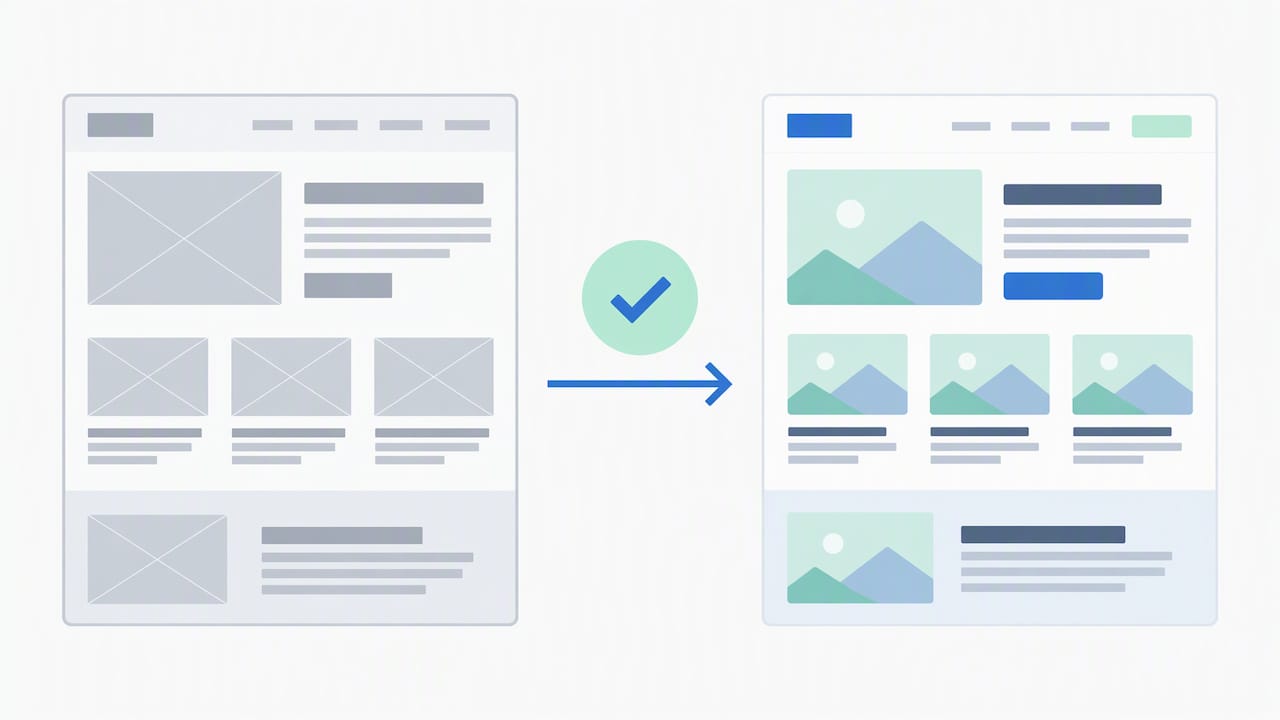
Design is layered. Information architecture defines how content is organized and how navigation works, wireframes establish page structure, and visual design then sets the page grid and graphic standards, as the Web Style Guide process chapter lays out. Skipping ahead to visual comps means redesigning them when the structure turns out to be wrong. Our guide to website navigation design covers the architecture decisions that belong in this phase.
Expect these deliverables from design:
- An approved sitemap and wireframes for key page types.
- A visual system: color, typography, spacing, buttons, and imagery style.
- Page designs for the home page, a few interior templates, and mobile layouts.
- Keep revision rounds focused, since unclear feedback or a missing decision-maker can lead to extra revisions.
Sign-off on the visual system matters because developers build templates from it. Changing a color palette or layout grid after development starts means reworking finished pages, and that is where design timelines quietly double.
Pro Tip: Consolidate feedback from all stakeholders into one document per round, so designers receive a single set of decisions instead of conflicting comments.
What happens during development, and what is a feature-complete staging site?
Development turns approved designs into working templates, functionality, integrations, and the content management system. The key milestone is a feature-complete staging site: a private copy of the site where every planned feature works, even if some content is still placeholder text. It is the point where QA and content integration can run at full speed. Our partners at WPCTO describe staging checks for WordPress themes that agencies can use to confirm a build is ready for review.
Common technical dependencies stretch this phase:
- CMS templates: custom page types and editing layouts take longer than a stock theme.
- Payment gateways: account approvals and test transactions can wait on third parties.
- APIs and integrations: booking tools, CRMs, and inventory systems each add setup and testing time.
- Migrations: moving existing pages, posts, or products depends on how clean the old data is.
Parallel work shortens the calendar. Developers can begin building templates from approved wireframes while visual design finishes, and content can flow into the CMS as soon as each template exists.
Why is content usually the critical path?
A common failure is the “design finished but no content” stall. Content research, writing, editing, media, and database work should be scheduled alongside design, as the Web Style Guide recommends, and owners for content and functionality should be assigned early. Waiting for the visual design to finish before writing causes rework.
Plan content in this order:
- Inventory existing pages, products, photos, and video, and decide what to keep, rewrite, or drop.
- Assign a writer and an approver for every page before design begins.
- Start the SEO groundwork and a redirect map for old URLs while copy is being written. Our SEO content strategy outlines how that planning fits together.
- Set a firm deadline for approved copy and assets before the staging site is feature-complete, so nothing waits on text at the end.
If your team lacks writing time, budget for professional SEO content writing at the start, not after the first delay.
How should testing and accessibility checks fit into the schedule?
Test early and often. The W3C accessibility testing guidance advises starting evaluation at the beginning of product design and continuing through development iterations, because accessibility affects structure, keyboard operation, text alternatives, and component choices.
Accessibility is not a final-week task: W3C guidance says problems found in wireframes or prototypes are less disruptive to fix than those found after development, because late fixes can force layout and component changes that extend the schedule.
Build these checks into the plan:
- Review wireframes and prototypes for headings, contrast, and keyboard paths. Our web accessibility checklist gives practical steps.
- Run one or two formal QA rounds on the staging site, with bugs triaged by severity.
- Define acceptance criteria in advance, so “done” is not a matter of opinion.
- Finish a launch checklist: redirects, forms, analytics, backups, and a final approval.
- Reserve a short monitoring window right after go-live.
What do real example schedules look like?
These are illustrative schedules to adapt, not guarantees. Your approvals and content readiness will move them.
- Quick brochure site: a handful of pages, a stock-based template, and content ready at kickoff. Compress discovery into days and keep one design revision round. Approvals still matter, and a late sign-off can delay the project.
- Typical small-business site: discovery, design rounds, template development, and content in parallel. Owners most often stall on copy and photography, so set those deadlines early.
- Feature-rich e-commerce site: longer development and testing windows, product data loading, payment and shipping integrations, and more checkpoints. Bottlenecks include catalog data cleanup, gateway approval, and test orders.
A redesign usually moves faster than a brand-new build when content and structure already exist, but migrations and redirects add their own steps.
What should you plan for after launch?
Launch is a checkpoint, not the end. After launch, expect hotfixes, redirect checks, and analytics validation, since real traffic exposes issues staging cannot. After that, ongoing care covers hosting, backups, security updates, and scheduled plugin or software updates. A standing support arrangement speeds future fixes because the team already knows your site and can act without a new scoping cycle.
What rules keep a timeline honest?
Name one decision-maker and require written sign-off at every milestone. Committees that review by consensus can stall projects when feedback arrives late or contradicts itself. Pair that with fixed review windows, one consolidated feedback round per phase, and content deadlines set before design starts. Even with these habits, projects can miss launch dates because of waiting rather than design hours.
When a date slips, resist the instinct to compress testing. Cutting scope is almost always cheaper than shipping untested pages.
— Brett
How we help you hit your launch date
Fewer handoffs means fewer places for a schedule to stall. Because we handle design, content, hosting, and SEO under one roof, approvals and assets move between people who already work together, and we can keep content moving alongside design. We have built sites for small and mid-sized businesses.

- See real examples in our portfolio.
- Review pricing on our website design price list.
- Read about our website development timeline process.
Ready to plan your launch? Visit our website design page to request a timeline estimate and start your kickoff.
FAQ
How long does it take to build a website?
A simple site often takes a few weeks to a few months, while complex or e-commerce projects can take several months. Approval speed and content readiness usually matter more than design hours. Working backward from your launch date helps you set realistic scope.
Which phase of a website project takes the longest?
Development and content are usually the longest phases, and content most often becomes the bottleneck. The Web Style Guide treats content as a critical-path dependency, so schedule writing and media work alongside design.
Can you speed up a website design timeline?
Yes, mostly by removing waiting time. Name one decision-maker, set review deadlines, finish content early, and run content and development in parallel. Cutting QA or accessibility checks usually backfires by adding rework after launch.
When should accessibility testing start?
Accessibility testing should begin during design and continue through development, according to W3C guidance. Catching problems in wireframes is far less disruptive than fixing them after the build.
Sources
- Project Flow Overview | WEBFirst | University of Arkansas
- Chapter 3: Process | Web Style Guide
- Accessibiity testing – W3C Wiki