

Arizona Owners: WebTechs 5 Step Audit for Google Business Categories

Google business categories are the labels Google uses to describe what your business IS, not what it does or sells. Set the most specific primary category available, add only additional categories that reflect genuine separate lines of business, and skip anything that just sounds impressive. That single decision shapes which searches your profile matches and which features show up on your listing at all.
TL;DR:
- Choosing the most specific primary category that accurately describes the business is crucial, as it strongly influences local search rankings and profile features.
- Adding irrelevant or loosely related categories can dilute relevance and may trigger re-verification, so categories should reflect genuine, distinct service lines only.
- The primary category should match Google’s exact wording, and switching it is advisable only if it is genuinely incorrect or broader than necessary; otherwise, focus on improving reviews and website alignment.
- Research category options carefully using Google’s picker, third-party lists, or API data to ensure exact wording and relevance, with periodic rechecks as Google updates its taxonomy.
- Profile edits, especially category changes, should be tracked over 30 to 90 days to measure their impact, and fixing mismatches in website content and schema is vital for consistency.
Table of Contents
- What Are Google Business Categories and How Do They Work?
- How Do You Choose the Right Primary Category?
- What Mistakes Hurt Your Category Selection?
- Where Can You Find the Full List of Categories?
- The WebTechs.Net Audit Checklist for Arizona Business Listings
- Should You Change Categories or Fix Something Else First?
- Get a Google Business Profile Audit From Webtechs
- Where to Verify Category Details Before You Edit
- Sources
- FAQ
What Are Google Business Categories and How Do They Work?
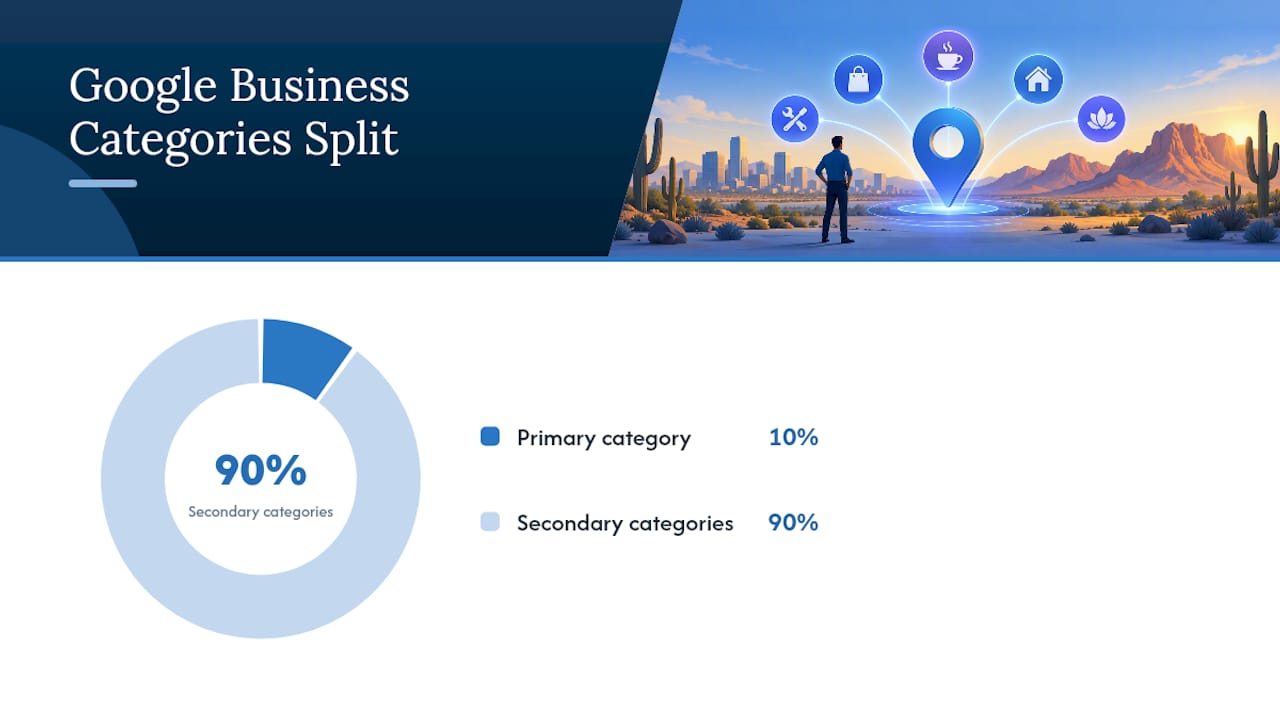
Every Google Business Profile carries one primary category and can carry up to nine additional categories, according to Google’s own editing guidance. The primary category does the heavy lifting. It tells Google’s algorithm what kind of business you run, and it’s treated as one of the strongest local ranking signals among all the fields on your profile. Additional categories exist to catch real, secondary parts of your business, not to pad your visibility for unrelated searches.
Categories also unlock or hide profile features. A restaurant category can trigger a menu link and reservation button. A hotel category enables star ratings and amenity icons. A category like “plumber” can surface service-area messaging and booking options that “contractor” won’t. Google sometimes infers your category from your website content if your profile listing is thin, which is one more reason your site copy needs to match what you actually want to rank for.
A few things matter more than owners expect:
- The primary category should match the exact wording in Google’s picker, not a paraphrase of it.
- Google explicitly recommends choosing specific categories over general ones wherever a specific match exists.
- Adding categories can trigger a re-verification request, according to Google’s category management page, so don’t treat edits as risk-free housekeeping.
Pro Tip: Check your primary category on mobile and desktop. The picker occasionally surfaces slightly different label sets depending on device, and you want the version that matches your service exactly.
How Do You Choose the Right Primary Category?
Start with a sentence, not a spreadsheet: “This business IS a ___.” Fill in the blank honestly. A Mesa taco shop is a Mexican restaurant, not a “restaurant.” A Tempe law firm handling only divorces is a divorce lawyer, not a general law firm. That single sentence usually reveals the specific category Google wants you to pick.
Follow this sequence when you sit down to edit:
- Open the live category picker inside your Business Profile and search using plain language, not industry jargon.
- Compare at least three close matches before picking. Google’s list often has a narrower option than the first one that comes to mind.
- Set the most specific accurate category as primary, even if it feels less familiar to customers than a broader term.
- Add additional categories only for services that represent a distinct part of the business, not features of the same service.
- Save the change, then track branded and non-branded search impressions, phone calls, and keyword rankings for 30 to 90 days.
Arizona examples make this concrete. A Chandler plumber who does mostly after-hours calls should consider “Emergency plumber” over the generic “Plumber,” since it’s more specific and matches higher-intent search terms. A Scottsdale restaurant serving mainly pizza ranks better under “Pizza restaurant” than the broader “Italian restaurant,” even if the menu includes pasta. A Phoenix dental practice built around veneers and whitening fits “Cosmetic dentist” more accurately than plain “Dentist,” assuming that’s genuinely the bulk of the work.
The Business Profile eligibility rules also matter here. Service-area businesses without a public storefront have different category restrictions than businesses customers physically visit, so confirm your business type before finalizing a primary category.
What Mistakes Hurt Your Category Selection?
Category stuffing is the most common error Arizona small businesses make, and it usually backfires. Piling on additional categories that only loosely relate to your business dilutes relevance instead of expanding it, and Google’s own guidance pushes owners toward fewer, more accurate categories rather than more.
Watch for these specific mix-ups:
- Listing a feature as a category. “Free estimates” or “24-hour service” aren’t categories. They’re attributes, and Google has separate fields for them.
- Choosing a category by department instead of by business. A hotel with a spa doesn’t need a second profile for the spa unless it’s a legitimately separate, independently accessible business.
- Ignoring website alignment. If your homepage copy and Schema markup describe you as a “general contractor” while your profile says “kitchen remodeler,” Google gets conflicting signals about what you actually are.
- Changing several profile fields at once. Editing your category, name, and address in the same session makes it hard to know which change affected your rankings.
Fix these one at a time, and give each change room to show its effect before touching the next field.
Where Can You Find the Full List of Categories?
Developers who need the complete, current list programmatically can pull it directly from the Business Profile API’s categories.list endpoint, which returns Google’s authoritative category set rather than a static export.
For everyone else, maintained third-party lookups are the practical option. PlePer publishes a near-live export of categories for the United States, and Lobstr maintains a similarly updated compiled category list organized by industry, which helps when you’re hunting for a niche label you wouldn’t guess by name alone. Both are useful for research, but neither replaces the live picker inside your profile.
- Use the API or a third-party list to research and shortlist options.
- Confirm exact wording inside your actual Business Profile editor before saving.
- Recheck periodically. Category names and availability shift as Google updates its taxonomy.
The WebTechs.Net Audit Checklist for Arizona Business Listings
An effective Google Business Profile audit follows the same five checks every time, regardless of industry. Here’s the sequence Webtechs runs when reviewing listings for Google Business Profile optimization work in Arizona:
- Verify business name and address (or service area) match exactly what’s on the website and other citations.
- Confirm the primary category is the most specific accurate option, not a broad catch-all.
- Review additional categories and remove any that don’t represent a real, separate service line.
- Check that website copy and JSON-LD Schema reflect the same business type as the profile category.
- Set a measurement window: track impressions, click-throughs, calls, and rankings for target queries for at least 30 days after each edit.
Two quick examples show how this plays out. A Gilbert plumbing company that does more emergency calls than routine maintenance often sees better match rates after switching its primary category from “Plumber” to “Emergency plumber.” A Scottsdale hair salon offering cuts, color, and styling almost always performs better under “Hair salon” than the vaguer “Salon,” which Google may otherwise associate with nail or spa services.
Pro Tip: Screenshot your current category and impression data before making any edit. Without a before snapshot, you won’t know if a category change actually moved the needle.
Should You Change Categories or Fix Something Else First?
Change your primary category only when it’s genuinely wrong or broader than it needs to be. If your category already matches your business accurately, a category edit won’t move the needle. Your time is better spent on review volume, local Schema markup, and citation consistency across directories. When you do make a category change, pair it with a defined 30 to 90 day tracking window so you can tell whether the edit, and not something else, drove the result.
Get a Google Business Profile Audit From Webtechs
An experienced local team runs the audit, checks your category against your actual service mix, and fixes the Schema and website copy that need to match it. That combination, category selection plus on-site alignment plus local SEO tracking, is handled under one roof instead of stitched together from three different vendors.

If your listing has been stuck under a generic category for years, or you’re not sure your primary category still matches what your business actually does today, a review is worth doing before your next slow season. Webtechs offers Google Business Profile audits alongside its broader local SEO and Google Maps marketing services for Arizona businesses. Visit Webtechs to request an audit and get a specific list of category, Schema, and profile fixes for your business.
Where to Verify Category Details Before You Edit
Before changing anything on a live profile, confirm details against primary sources. Google’s own category editing instructions and representation guidelines are the final word on rules and limits. For research and shortlisting, PlePer’s category export and the Lobstr category list are useful starting points, and Webtechs’ small business SEO checklist covers what to prioritize after your categories are set.
Sources
- Guidelines for representing your business on Google – Google Business Profile Help
- Edit your Business Profile – Google Business Profile Help
- Google Business Profile Categories – Full List (2026) – PlePer Tools
FAQ
What Categories Are Available for a Google Business Profile?
Google offers several thousand categories covering nearly every industry, from “Emergency plumber” to “Cosmetic dentist” to “Pizza restaurant.” The exact, current list is only visible through the live picker inside your profile or the Business Profile API’s categories.list endpoint, since wording and availability change over time.
How Many Categories Can a Google Business Profile Have?
A profile has exactly one primary category plus up to nine additional categories, for a maximum of ten total, per Google’s editing guidance. Most businesses need far fewer than nine additional categories, and adding ones that don’t reflect real services typically hurts relevance rather than helping it.
How Do I Change My Primary Category on Google Business Profile?
Open your Business Profile, go to the Business Information tab, and select the category field to launch the picker. Search using plain, specific language, choose the closest exact match, and save. Note that Google may require re-verification for accuracy checks after certain category changes.
Does WebTechs.Net Have an Office in Arizona?
Webtechs is based in Scottsdale, Arizona, and has served small to mid-sized businesses for many years. The agency handles Google Business Profile audits, category optimization, and broader local SEO services for businesses across the state.
What’s the Difference Between a Primary and Additional Category?
The primary category tells Google what your business fundamentally IS and carries the most weight in local search matching. Additional categories describe genuinely separate services or offerings and add extra search coverage, but they should never be used to squeeze in unrelated keywords.