

Fix Sitemaps Fast: Sitemap Best Practices for Scottsdale SMBs

XML sitemaps should list only canonical, indexable URLs that return a 200 status, respect the 50,000 URL or 50 MB size limits, and get submitted to Search Console and referenced in robots.txt. Keep the <lastmod> tag accurate, skip redirects and noindex pages entirely, and use IndexNow to help pages be discovered more quickly when needed.
TL;DR:
- Only include canonical, indexable URLs that return a 200 status code, and ensure the
<lastmod>is accurate and updated only for meaningful changes.- Split sites exceeding 50,000 URLs or 50 MB into multiple sitemaps linked with an index file, grouping content logically for easier management.
- Use dedicated image, video, or news sitemaps with specific tags to enhance visibility in search results, especially for media-heavy content.
- Submit sitemaps through Search Console and Bing Webmaster Tools, validating files first and referencing them in your robots.txt for quick discovery.
- Maintain the sitemap regularly by removing redirects, noindex pages, and outdated URLs, and automate updates via your CMS for efficiently managing larger or dynamic sites.
Table of Contents
- Quick takeaways for a healthy sitemap
- XML vs HTML sitemaps: purpose, differences, and when to use each
- Sitemap size limits and how sitemap index files work
- Special sitemap types for images, video, and news
- What belongs in your sitemap and what to leave out
- How to submit your sitemap and speed up discovery
- Referencing your sitemap in robots.txt
- Automating sitemap generation for ongoing accuracy
- Testing, validating, and fixing common sitemap errors
- Maintenance checklist and how often to audit
- A Scottsdale small business owner’s take on sitemaps
- Getting sitemap implementation done right in Scottsdale
- Sources
- FAQ
Quick takeaways for a healthy sitemap
Most sitemap problems come from a handful of avoidable mistakes. Fix these first and you will solve the majority of indexing complaints before they start.
- Include only canonical, indexable URLs that return a 200 status code.
- Exclude redirects, noindex pages, blocked URLs, and duplicate parameters.
- Stay under 50,000 URLs or 50 MB uncompressed per file, splitting into an index when needed.
- Add a
Sitemap:line to robots.txt and submit the file in Search Console and Bing Webmaster Tools. - Keep
<lastmod>current and validate the XML before every resubmission.
Small, well-linked sites sometimes get by without one, but any site over a few dozen pages, a new domain, or a site with weak internal linking benefits from a sitemap. Validate, submit, and check Search Console processing status within a few days of any change.
XML vs HTML sitemaps: purpose, differences, and when to use each
An XML sitemap talks to crawlers. It is a machine-readable file that lists URLs, and optionally metadata like <lastmod>, so Googlebot and Bingbot know what exists on your site. Google treats it as a hint, not a guarantee, so a listed page can still go unindexed if quality or linking signals are weak.
An HTML sitemap talks to people. It is a page on your site, linked in the footer or navigation, that helps visitors and crawlers find deep content through normal browsing. Large or complex sites, especially ecommerce catalogs or sites with accessibility requirements, benefit from having both: the XML file for systematic crawl coverage, the HTML page as a navigation backstop when internal linking has gaps. Neither replaces solid internal linking, which still does most of the work in guiding crawl priority.
Sitemap size limits and how sitemap index files work
Every XML sitemap file is capped at 50,000 URLs or 50 MB uncompressed, whichever comes first. Sites that exceed either threshold need to split URLs across multiple sitemap files and tie them together with a sitemap index file, which is itself just a list of sitemap locations.
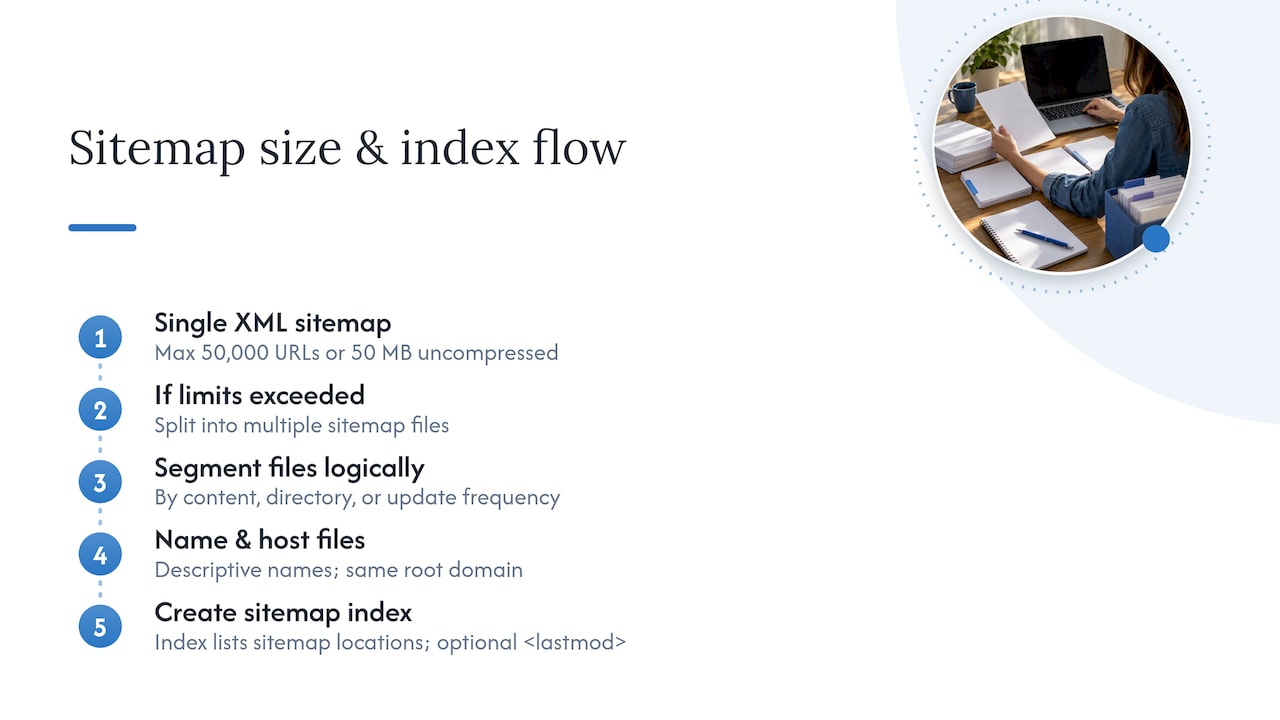
Segment logically: by content type (products, blog posts, location pages), by directory, or by update frequency, so each file is easy to audit and troubleshoot on its own. Name files descriptively, such as sitemap-products.xml or sitemap-blog.xml, and host them at the same root domain as the pages they list. Google’s guidance on large sitemaps confirms that sitemap index files must reference sitemaps on the same site unless cross-site authorization is set up, and that an optional <lastmod> on the index itself can help crawlers schedule revisits more efficiently.
Special sitemap types for images, video, and news
Standard XML sitemaps handle text pages fine, but image, video, and news content benefit from extra tags. Image and video sitemaps use dedicated namespaces to pass along captions, thumbnails, and duration, which helps those assets surface in image and video search results.
News sitemaps follow stricter rules. Google’s news sitemap guidance requires specific tags like publication name and language, and recommends including only articles published in the last two days, since news sitemaps are built for recency rather than archive coverage. Split into a separate news sitemap once you exceed roughly 1,000 entries. Keeping media types in their own files also makes Search Console reporting easier to read, since coverage and error data are grouped by sitemap.
What belongs in your sitemap and what to leave out
Your sitemap should mirror your canonical tags exactly. If a page’s canonical points elsewhere, that page has no business in the sitemap, only its canonical target does.
Leave out anything that isn’t meant to rank on its own:
- Redirected URLs (301s or 302s), since they send mixed signals about which version is authoritative.
- Noindex pages, blocked resources, and any URL disallowed in robots.txt.
- Parameterized duplicates, session IDs, and internal search or filter URLs that create near-duplicate content.
- Staging or preview URLs that should never be public.
For <lastmod>, use the W3C Datetime format and only update it when something meaningful changes, content, metadata, or canonical status, not for formatting tweaks. Bing’s own guidance on setting lastmod treats it as a genuine freshness signal worth getting right, while <priority> and <changefreq> carry little practical weight with either engine and can be omitted without consequence.
How to submit your sitemap and speed up discovery
Submitting a sitemap is quick, but doing it in the right order saves you from chasing false errors later.
- Validate your XML file for correct UTF-8 encoding and proper namespace declarations before submitting anything.
- In Google Search Console, open the Sitemaps report, enter the file path, and submit it; check back for processing status and any flagged URLs.
- In Bing Webmaster Tools, submit the same sitemap under its Sitemaps section.
- Enable IndexNow for pages that change frequently or need same-day visibility, since major crawlers typically process sitemaps only once a day.
- Reserve manual resubmission for structural changes, like a new sitemap index or a major URL migration, rather than routine content updates.
Referencing your sitemap in robots.txt
Add a line like Sitemap: https://yourdomain.com/sitemap.xml to your robots.txt file so crawlers find it without guessing the location. This single line also signals authority when a sitemap is hosted somewhere other than the expected root path.
Host your sitemap at the site root whenever possible, and keep the protocol consistent (https matching https) between the sitemap file and the URLs it lists. Cross-site submission across subdomains or separate hosts requires explicit verification in Search Console, so root hosting on the primary domain remains the simpler, more reliable choice for most small business sites.
Automating sitemap generation for ongoing accuracy
Manually editing XML files works for a five-page brochure site and breaks down fast for anything larger. Most CMS platforms and static site generators can produce sitemaps at build time or on a schedule, automatically updating <lastmod> when content actually changes rather than on every deploy.
Tie sitemap regeneration to your publishing pipeline: a new blog post or product page should trigger a rebuild, ideally paired with a webhook that pings IndexNow for that specific URL. For high-change sites, batch updates rather than firing an IndexNow call on every minor edit, since throttling keeps you from over-submitting and looking like a low-quality signal to crawlers. This kind of automation pairs naturally with a broader content strategy built around consistent publishing.
Testing, validating, and fixing common sitemap errors
Before submitting anywhere, confirm the file uses UTF-8 encoding, escapes special characters like ampersands correctly, and declares the proper namespace and XML header as defined in the Sitemap Protocol.
The most common Search Console errors are predictable: URLs blocked by robots.txt, invalid date formats in <lastmod>, redirected URLs included by mistake, and files that exceed the size limit once uncompressed. Search Console’s Sitemaps report shows the fetch status and flags specific problem URLs, which is the fastest way to isolate what broke. Fix the underlying issue first, then resubmit rather than waiting for the next automatic crawl.

Maintenance checklist and how often to audit
Audit frequency should match how often your site changes. A large, frequently updated site needs weekly checks; a mid-sized business site is usually fine with monthly reviews; a small local site can get away with quarterly audits.
- Confirm sitemap URLs still match current canonical tags.
- Remove any redirects or noindex pages that crept back in.
- Verify
<lastmod>reflects real content changes, not deploy timestamps. - Review Search Console coverage and crawl stats for sudden drops or spikes.
Pro Tip: Set a recurring calendar reminder tied to your publishing cadence, not a fixed date, so the audit happens right after your busiest content periods.
A Scottsdale small business owner’s take on sitemaps
Local service businesses in Scottsdale tend to overthink sitemaps. Your priority list is short: location pages, service pages, and core conversion pages belong in the sitemap as canonical entries. Thin tag pages, filtered category URLs, and one-off landing pages built for a single campaign usually don’t.
For most small local sites, one well-maintained XML sitemap, a robots.txt reference, and a quarterly audit cover the job completely. The bigger risk isn’t a missing sitemap, it’s a bloated one padded with redirects and duplicate content that dilutes crawl attention away from the pages that actually bring in customers.
Getting sitemap implementation done right in Scottsdale
Reading a checklist and actually fixing a live site’s sitemap architecture are two different projects, and most business owners don’t have the hours to spare on the second one. A specialized agency can handle the full cycle for local businesses: auditing existing sitemap files, cleaning out redirects and noindex pages that shouldn’t be there, and setting up automated generation tied to your CMS so new pages appear without manual edits.

The process runs in order: a technical audit identifies what’s broken, prioritized fixes clean up canonical mismatches and size issues, automated sitemap generation replaces manual updates, and monthly monitoring through Search Console and Bing Webmaster Tools catches problems before they cost you rankings. This sits inside WebTechs.Net’s broader local SEO services, alongside Google Maps marketing and ongoing technical maintenance.
- Technical SEO audits covering sitemap structure, canonical alignment, and crawl errors.
- CMS integration so sitemaps regenerate automatically as content changes.
- Search Console and Bing Webmaster Tools setup with ongoing monitoring.
If your site’s sitemap hasn’t been checked in a while, Webtechs to get a technical review started.
Sources
The technical claims above rest on primary protocol and platform documentation rather than secondhand summaries. The Sitemap Protocol at sitemaps.org defines the XML structure, encoding, and size rules every sitemap must follow. Google’s Search Central documentation covers submission, canonical URL requirements, and how sitemaps function as hints. Bing’s IndexNow announcement explains near-instant discovery, and digital.gov’s sitemap primer lays out the size thresholds in plain terms.
FAQ
What is the maximum size for an XML sitemap?
Each sitemap file is limited to 50,000 URLs or 50 MB uncompressed, whichever limit is reached first. Sites that exceed either threshold need to split content across multiple sitemap files linked through a sitemap index.
Do I need both an XML and an HTML sitemap?
An XML sitemap is the priority since it’s built for crawlers, but an HTML sitemap adds value on large or complex sites where internal linking has gaps. Most small business sites can rely on a single, well-maintained XML sitemap without a separate HTML version.
How do I submit a sitemap to Google?
Validate the XML file, then submit its URL through the Sitemaps report in Google Search Console. Processing status and any flagged errors appear in that same report, and Bing Webmaster Tools handles submission for Bing in a similar way.
Does IndexNow replace the need for a sitemap?
No, IndexNow works alongside your sitemap rather than replacing it. Sitemaps give crawlers a complete map of canonical URLs, while IndexNow notifies search engines the moment a specific page changes, since normal sitemap crawling typically happens only once a day.
Should I include redirected pages in my sitemap?
No, redirected URLs should never appear in a sitemap since they send conflicting signals about which page is canonical. Only include URLs that return a 200 status and match your canonical tags exactly.