

WordPress vs Wix for SMBs: Which Platform Wins?

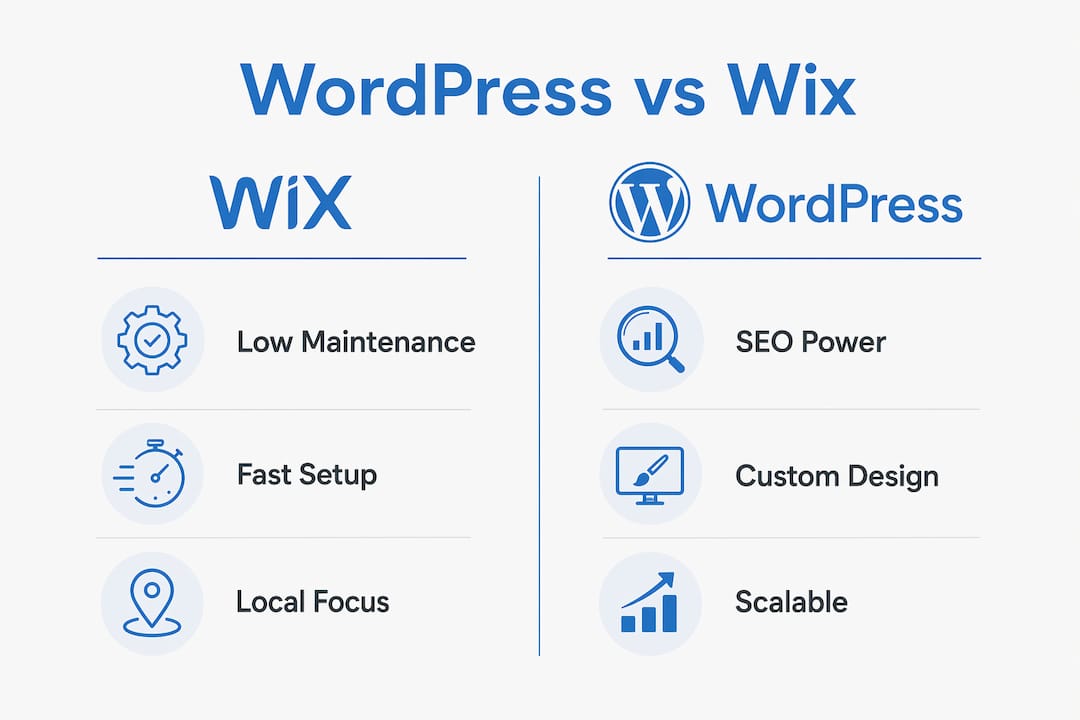
For small-to-mid-sized businesses that need custom web design and professional SEO, WordPress is the stronger long-term platform. Wix wins on speed and simplicity. WordPress wins on control, SEO depth, and scalability. That tradeoff defines almost every decision in this comparison.
Here is the short version:
- Quick launch, low maintenance, no technical staff → Wix gets you live fast with hosting, security, and updates handled for you
- Custom design, competitive SEO, city landing pages, or complex features → WordPress (self-hosted .org) is the right foundation
- Core tradeoff: Wix trades control for convenience; WordPress trades convenience for control
SEO plugins like Rank Math and Yoast exist only on WordPress, and that gap matters the moment you start competing for real keywords. Webtechs has built and migrated WordPress sites for Arizona SMBs since 1997, and the pattern is consistent: businesses that start on Wix eventually need what only WordPress provides.
Table of Contents
- How do WordPress and Wix compare for small businesses?
- Why WordPress usually wins for competitive SEO
- When do businesses outgrow Wix?
- What does a WordPress or Wix build actually cost?
- How to migrate from Wix to WordPress without losing rankings
- What questions should you ask before hiring a web design agency?
- How Webtechs approaches WordPress for Arizona SMBs
- What should you do in the next 30 days?
- Key Takeaways
- The platform choice most business owners get wrong
- Ready to build or migrate your WordPress site?
- Useful sources and further reading
How do WordPress and Wix compare for small businesses?
| Dimension | Wix | WordPress (.org) |
|---|---|---|
| Best for | Fast, low-maintenance local service sites | SEO-led, content-heavy, fully owned sites |
| SEO capability | Solid basics; limited technical depth | Deep control: URLs, schema, caching, redirects |
| Scalability & customization | Good for small sites; editor slows at scale | Effectively unlimited with plugins and custom code |
| Cost (entry) | — | Hosting from ~$5–$10/mo + plugins/themes |
| Maintenance responsibility | Platform handles it | Owner or agency handles updates, backups, security |
| Time to launch | Hours to days | Days to weeks (more with custom design) |
| Migration difficulty | Moderate; SEO risk if redirects are mishandled | Easy to migrate TO; hard to leave |
| Ecommerce support | Wix Stores built-in; fast for small catalogs | WooCommerce; scales to large, complex stores |
Both platforms now include AI-assisted site creation, but that is table stakes, not a tiebreaker. The real decision is ownership versus convenience.
Wix suits non-technical owners and agencies doing quick-turnaround brochure sites. WordPress suits agencies and businesses building content engines, running local SEO campaigns across multiple cities, or requiring custom integrations.

Why WordPress usually wins for competitive SEO
WordPress provides deeper technical SEO controls that matter once you are competing for real keywords. Wix covers the basics well enough for a single-location business with a handful of pages, but it hits a ceiling.
The specific controls that separate them:
- URL structure: WordPress lets you define clean, keyword-rich permalinks. Wix gives you less flexibility.
- Redirects: WordPress handles 301s at the server or plugin level. Wix manages them through its dashboard, with less granular control.
- Schema markup: Rank Math and Yoast both generate structured data automatically and let you customize it per post type. Wix has basic schema but no equivalent plugin depth.
- XML sitemaps and robots.txt: Both platforms generate sitemaps, but WordPress gives you full robots.txt editing and sitemap customization through plugins.
- Server-level caching and CDN: On self-hosted WordPress, you control caching via plugins like WP Rocket or W3 Total Cache, and you can layer in a CDN like Cloudflare. Wix manages performance for you, which means you cannot tune it.
A practical example: a multi-location plumbing company in Arizona wants individual landing pages for Phoenix, Scottsdale, Tempe, and Mesa. On WordPress, each page gets a clean URL, its own schema, and a unique internal linking structure. On Wix, the structure is more constrained, and blogging for SEO at that scale becomes harder to manage cleanly.
Pro Tip: Set up a staging environment before any major WordPress SEO change. Test redirect maps, schema output, and Core Web Vitals on staging first. Pushing untested changes to a live site that drives revenue is the most common avoidable mistake.
When do businesses outgrow Wix?
Managed platforms reduce maintenance but introduce platform lock-in; self-hosted WordPress gives you full data ownership and migration control. That distinction becomes real the moment a business wants to move.
On Wix, your content, database, and design live inside a closed system. You can export some content, but you cannot export your design or templates. On WordPress.org, you own the files, the database, and the hosting relationship outright.
Three scenarios where WordPress makes more sense:
- Growing content engine: A business publishing 50+ SEO landing pages needs WordPress’s URL control, taxonomy structure, and caching options.
- Custom integrations: Membership systems, booking platforms with custom logic, or CRM integrations almost always require WordPress’s plugin ecosystem or custom development.
- Ecommerce at scale: Wix Stores works well for small catalogs. Once the store becomes the primary revenue engine, WooCommerce’s flexibility and payment flow control pull ahead.
A practical signal: if your organic traffic is driving meaningful revenue and you are hitting feature gaps or SEO ceilings, that is the inflection point. Plan the migration before the gaps start costing you rankings. Webtechs’s website hosting for small business resource covers what to look for in a WordPress host once you make that call.
What does a WordPress or Wix build actually cost?
Wix bundles hosting under predictable monthly plans; WordPress.org is free software but requires paid hosting and likely paid plugins or themes. Neither is inherently cheaper once you factor in the full 12–36 month picture.
| Cost category | Wix (typical range) | WordPress self-hosted (typical range) |
|---|---|---|
| Platform/hosting | Plans including hosting with a monthly fee | Hosting with separate monthly fees |
| Premium theme | Included in plan | — |
| SEO plugin | Limited built-in tools | $0 (Rank Math free) to ~$99/yr (premium) |
| Ecommerce add-ons | Included at Core+ tier | WooCommerce free; extensions vary |
| Agency build fee | Varies | Varies; see web design pricing |
| Ongoing maintenance | Handled by platform | Owner or agency (budget $50–$200/mo managed) |
Ongoing maintenance tasks that someone must own on WordPress:
- Core, theme, and plugin updates (monthly minimum)
- Offsite backups and restore testing
- Security scans and malware monitoring
- Plugin compatibility testing after major WordPress releases
- Uptime monitoring
Hidden costs appear most often in migration work, premium form or booking plugins, and developer time for custom integrations. Wix looks cheaper at month one; WordPress often looks cheaper at month 24 once you account for what Wix’s app marketplace charges for features WordPress handles with free plugins.
How to migrate from Wix to WordPress without losing rankings
Migration is common, but it carries real SEO risk if redirects and structured data are mishandled. Done carefully, most sites recover rankings within 60–90 days.
- Audit all URLs and content — export your Wix sitemap and document every live URL before touching anything
- Map 301 redirects — every old Wix URL must redirect to its WordPress equivalent; missing redirects are the single biggest ranking killer
- Export media — download all images and files; Wix does not transfer them automatically
- Rebuild templates on WordPress — recreate page designs using your chosen theme and page builder; do not rush this step
- Set up hosting and CDN — choose a managed WordPress host and configure a CDN before going live
- Migrate and test on staging — run the full site on a staging domain; check all redirects, forms, and schema output
- Run pre-launch SEO checks — verify sitemap submission, canonical tags, robots.txt, and structured data with Google Search Console
- Cut over and monitor — flip DNS, submit the new sitemap, and track rankings and crawl errors daily for the first 30 days
Timeline: a 10–20 page service site typically takes 3–5 weeks with an agency. A 50+ page content site runs 6–10 weeks. Agency effort concentrates in redirect mapping, template rebuild, and post-launch monitoring. Webtechs handles the full process through its website migration service.
What questions should you ask before hiring a web design agency?
Start with your own situation before you evaluate anyone else.
- Do you need custom database features or complex booking logic?
- How many SEO landing pages will you publish in the next 12 months?
- How much of your revenue depends on organic search traffic today?
Then ask the agency:
- Can you show documented traffic or ranking improvements from past WordPress projects?
- What does your migration process look like, and how do you handle redirect mapping?
- Who manages hosting, backups, and updates after launch?
- What is your uptime guarantee and backup frequency?
Red flags to watch for:
- No documented migration process or case studies to share
- Vague SEO reporting (“we improved your rankings”) with no data
- Unwillingness to discuss hosting and maintenance responsibilities upfront
- Recommending a platform without asking about your content and SEO goals first
Trust signals worth requesting: client testimonials with specific traffic numbers, a sample migration checklist, and a hosting and backup plan in writing.
How Webtechs approaches WordPress for Arizona SMBs
Webtechs has worked with small and mid-sized businesses across Arizona since 1997, and WordPress is the platform the agency recommends for most clients that need custom design and serious SEO.
Services Webtechs provides for WordPress projects:
- Custom WordPress design and development
- Managed hosting with automated updates and offsite backups
- On-site and off-site SEO retainers, including local SEO and Google Maps optimization
- Full Wix-to-WordPress migration, including redirect mapping and post-launch monitoring
- SEO content writing for city landing pages and blog campaigns
The agency removes the maintenance burden that makes WordPress feel risky for non-technical owners. Clients get WordPress’s control advantages without managing plugin updates or security patches themselves. Staging workflows mean changes are tested before they touch the live site.
For businesses that genuinely need only a fast, low-maintenance brochure site, Webtechs will say so. The goal is the right platform for your situation, not the most complex one.
What should you do in the next 30 days?
WordPress is the right long-term foundation for most Arizona SMBs that need custom design and competitive SEO. If you need to be live this week and have no SEO ambitions yet, Wix is a reasonable starting point. Just plan the migration before you need it.
Immediate next steps:
- If you are starting fresh: Decide whether speed or SEO control is your priority, then choose accordingly
- If you are on Wix and hitting limits: Audit your current URLs and traffic before starting a migration
- If you are evaluating agencies: Request a migration checklist and documented SEO results before signing anything
Migration is manageable with the right checklist and an agency that has done it before.
Key Takeaways
For most U.S. SMBs that need custom design and professional SEO, WordPress delivers more long-term value than Wix, provided someone handles the maintenance.
| Point | Details |
|---|---|
| Platform verdict | WordPress wins for SEO and scale; Wix wins for fast, low-maintenance launches. |
| SEO ceiling | Rank Math and Yoast give WordPress full schema, redirect, and URL control that Wix cannot match. |
| Ownership risk | Wix locks your data in a closed platform; WordPress.org gives you full file and database ownership. |
| Real cost window | WordPress often costs less at 24 months once Wix app fees and platform limits are factored in. |
| Webtechs | Webtechs builds and migrates WordPress sites for Arizona SMBs, handling hosting, SEO, and maintenance. |
The platform choice most business owners get wrong
Most business owners frame this as a technical decision. It is actually a business decision about how much organic traffic you plan to earn over the next three years.
Wix is not a bad platform. For a local business that wants a clean site, a contact form, and no technical headaches, it does exactly what it promises. The problem is that many owners pick Wix for the wrong reason: they are avoiding WordPress’s learning curve, not evaluating their actual SEO needs.
The learning curve argument is mostly irrelevant once you hire an agency. G2 reviews consistently show that WordPress’s flexibility scores higher among users who have professional support. The maintenance burden disappears when a competent agency handles it. What remains is pure upside: full ownership, no platform ceiling, and SEO tools that Wix simply does not offer at the same depth.
Webtechs has been making this case since 1997. The businesses that invested in WordPress early consistently outrank the ones that stayed on convenience platforms. If you want a straight assessment of where your current site stands, reach out for an audit.
Ready to build or migrate your WordPress site?
Webtechs builds custom WordPress websites for Arizona SMBs that need more than a template. From initial design through managed hosting, SEO retainers, and full Wix-to-WordPress migrations, the agency handles every technical layer so you can focus on running your business. Every project includes a documented migration or build plan, redirect mapping, and post-launch monitoring.

Browse the Webtechs portfolio to see completed projects, or contact the team to book a discovery call and get a plain-language assessment of which platform fits your goals.
Useful sources and further reading
- Wix vs WordPress: I Built the Same Site on Both — Emergent; hands-on build comparison covering SEO, ecommerce, and ownership
- WordPress vs. Wix: What’s the Best Website Creation Solution for You? — CNET; covers managed vs self-hosted tradeoffs and migration patterns
- Wix vs. WordPress — G2 Learn; user review aggregates on flexibility and ease of use
- Wix vs WordPress Comparison — Forbes Advisor; cost modeling and plan breakdowns
- Wix vs WordPress — Zapier; time-to-launch and ease-of-use perspective
- Website Migration Service — Webtechs; full Wix-to-WordPress migration process
- Best Website Hosting for Small Business — Webtechs; hosting evaluation guide for WordPress
- Does Blogging Help SEO? — Webtechs; why WordPress is the stronger content engine for long-term rankings
- SEO Content Writing Services — Webtechs; content production for WordPress SEO campaigns