

Google Ads for Small Businesses: Budget and Strategy Guide

Yes, Google Ads is worth it for most small local businesses — but only when you target the right campaign type and set a realistic budget from day one. Starter daily budgets typically run a modest amount, with many small businesses increasing their monthly spend as they learn what converts. If you have clear search demand for your service and can track phone calls or form fills, start with a Search campaign at a reasonable daily budget. If you’re short on time or not sure where to begin, Webtechs handles Google Ads setup and management for local businesses across Arizona.
Table of Contents
- Is Google Ads the right fit for your small business?
- Google Ads vs. Local Services Ads: which one should you run?
- What Google Ads actually costs for a small business
- Which Google Ads campaign types should you start with?
- How to launch your first Google Ads campaign: a step-by-step checklist
- How to measure whether your Google Ads are working
- DIY vs. hiring an agency: how to decide and what to ask
- What Webtechs’s client results show about realistic outcomes
- Key Takeaways
- Why Search-first, conservative budgets, and measurement are the right approach
- Webtechs can run your Google Ads campaigns from day one
Is Google Ads the right fit for your small business?
Google Ads works best when people are already searching for what you sell. A plumber, locksmith, dental office, or roofing contractor tend to win because their customers have immediate needs and are ready to call. The ad shows up at exactly the right moment.

It’s a worse fit when search demand is thin or the math doesn’t work. If your average sale is modest and click costs are relatively high, you need a very high close rate just to break even. Niche B2B products, brand-new service categories, or businesses with razor-thin margins often find that the cost per acquisition outpaces what a customer is worth.
Run this quick diagnostic before you spend a dollar:
- Does your core service have steady Google search volume? (Check Google Keyword Planner for monthly searches.)
- Can you capture leads by phone or online booking — and track them?
- Is your customer lifetime value (CLV) meaningfully higher than your target cost per acquisition (CPA)?
- Do you have a dedicated landing page, or at least a service page that loads fast on mobile?
- Can you commit to at least 30–60 days of consistent spend to let the campaign learn?
A simple CLV-to-CPA check: If your average customer spends significantly over their lifetime and your close rate on phone leads is reasonable, your maximum profitable CPA is the product of these factors. If your industry’s average CPC is moderate and your conversion rate is favorable, your CPA can be within a profitable range. If those numbers flip, fix the margin or the conversion rate before you run ads.
Google Ads vs. Local Services Ads: which one should you run?
These are two different products with different pricing structures, different verification requirements, and different use cases. Confusing them is one of the most common mistakes local service businesses make.
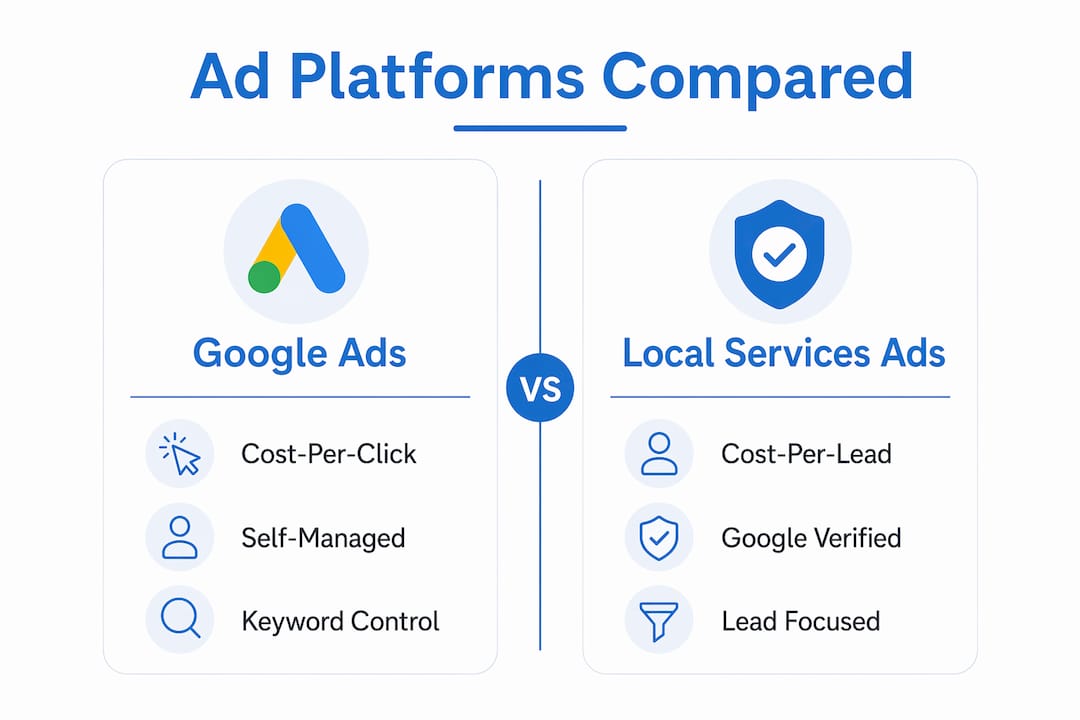
Google Ads (Search, Display, Performance Max) runs on a cost-per-click model. You write the ads, choose the keywords, set the bids, and pay every time someone clicks — whether or not they call you. Setup is more involved, but you control targeting, ad copy, and budget at a granular level.
Local Services Ads (LSAs) run on a cost-per-lead model. Google charges you only when a verified lead contacts you through the ad. LSAs require a background check and license verification, and they display a “Google Guaranteed” or “Google Screened” badge. They’re available for specific categories: home services (HVAC, plumbing, electrical, roofing, locksmiths), legal, financial, and a growing list of others.
| Dimension | Google Ads (Search) | Local Services Ads |
|---|---|---|
| Best for | Any local business with search demand | Home services, legal, financial — verified categories |
| Pricing shape | Cost per click ($2–$50+ depending on industry) | Cost per lead (varies by category and market) |
| Setup complexity | Moderate — keywords, bids, ad copy, extensions | Low — profile, verification, budget cap |
| Time to launch | 1–3 days | 1–2 weeks (verification required) |
| Conversion measurement | Online and offline (call tracking, form fills) | Lead count via LSA dashboard |
| Google Guaranteed badge | No | Yes |
When to use LSAs alone: You’re a plumber, electrician, or locksmith in a competitive Arizona market, you want the Google Guaranteed badge to build trust fast, and you’d rather pay per lead than per click.
When to use Search alone: Your category isn’t LSA-eligible, you sell higher-ticket services, or you need granular control over keywords and ad messaging.
When to run both: You qualify for LSAs and want maximum coverage. A common split for monthly budgets balances spending between LSAs (for lead volume) and Search campaigns (for keyword control and remarketing).
Recommended mixes by business profile:
- Home services business, $1,000/month: 50% LSAs, 50% Search — LSAs capture urgent calls, Search captures comparison shoppers.
- Law firm or financial advisor, $2,500/month: 30% LSAs, 70% Search — higher-ticket services benefit from detailed ad copy and landing pages.
- Retail or restaurant, $800/month: 100% Search or Performance Max — LSAs don’t apply; focus on local intent keywords and Google Maps integration.
What Google Ads actually costs for a small business
There’s no minimum spend — you can start with a small daily budget — but in competitive industries, very low spending can limit data for optimization. That’s the practical floor: spend enough to get at least 50–100 clicks per month, or you won’t have enough signal to optimize.
Sample CPC ranges by industry (U.S. market):
| Industry | Estimated CPC Range | Competition Level |
|---|---|---|
| Locksmith / Emergency services | $8–$20 | High |
| HVAC / Plumbing | $10–$30 | High |
| Legal / Attorney | $30–$50+ | Very high |
| Landscaping / Lawn care | $3–$8 | Medium |
| Dental / Medical | $5–$20 | Medium-high |
| Retail / E-commerce (local) | $1–$5 | Low-medium |
Budget-to-lead estimates at common daily spend levels:
- $10/day ($300/month): At a $5 CPC, you get roughly 60 clicks/month. If 10% convert to a lead, that’s 6 leads. Useful for testing, not for scaling.
- $20/day ($600/month): Around 120 clicks at $5 CPC, 12 leads. A reasonable starting point for low-competition local services.
- $50/day ($1,500/month): 300 clicks, 30 leads — enough volume to feed Smart Bidding and start optimizing.
- $250/day ($7,500/month): For competitive categories like legal or HVAC, this is where you start seeing consistent lead flow and meaningful ROAS data.
For a practical $500 budget allocation, putting roughly half toward Google Ads Search and the remainder toward other channels (social, email, local SEO) is a reasonable starting split for a new advertiser.
Agency pricing models you’ll encounter:
- Flat setup fee: $300–$1,500 one-time to build the account, campaigns, and tracking.
- Monthly retainer: $500–$2,000/month for ongoing management, reporting, and optimization.
- Percentage of ad spend: Typically 10–20% of monthly ad spend, with a minimum floor.
- Hybrid: Setup fee plus a lower monthly retainer, common with smaller agencies.
One thing to plan for: the first 30–60 days are the learning period. Google’s algorithms need conversion data before Smart Bidding can optimize effectively, so early CPAs will often run higher than your steady-state target.
Which Google Ads campaign types should you start with?
Not all campaign types are built for the same goal, and running the wrong one with a small budget is a fast way to waste money. Here’s how to match campaign type to your situation.

| Campaign Type | Best For | When to Add It | Setup Complexity |
|---|---|---|---|
| Search | Phone calls, form fills, local intent | Day 1 — always start here | Moderate |
| Local Services Ads | Verified lead categories (home services, legal) | Day 1 if eligible | Low |
| Performance Max | Leads + awareness across all Google surfaces | After 30+ conversions/month | Moderate-high |
| Display / Remarketing | Re-engaging past site visitors | After Search is profitable | Low-moderate |
| Shopping | Product-based retail | When you have a product feed | Moderate |
| Video (YouTube) | Brand awareness, local reach | After core campaigns are stable | Moderate |
For most small businesses, Search is the only campaign type you need in the first 90 days. It targets people who are actively searching for your service, which means the intent is already there — you’re not creating demand, you’re capturing it.
Starter allocation for a $1,500/month advertiser:
- Search campaigns: $1,200/month (80%) — core lead generation
- Display/Remarketing: $300/month (20%) — re-engage visitors who didn’t convert
Add Performance Max only after you’ve hit consistent conversion volume. Performance Max works best when conversion tracking is set up and the account is generating at least 30 conversions per month. Without that data, the automation has nothing to learn from.
Pro Tip: 62% of advertisers using Smart Bidding pair it with broad match keywords. For small budgets, start with exact and phrase match to control spend, then test broad match once you have conversion data and a solid negative keyword list.
How to launch your first Google Ads campaign: a step-by-step checklist
Follow these steps in order. Skipping conversion tracking is the single most common mistake — without it, you’re flying blind.
- Create your Google Ads account at ads.google.com. Link your Google Business Profile and Google Analytics from the start. Google recommends connecting Analytics and Tag Manager early so the AI can learn from your data signals faster.
- Set your primary conversion goal before you build any campaign. Choose one: phone calls, form submissions, or online bookings. Don’t try to track everything at once.
- Install conversion tracking. For calls, use Google’s call-tracking number or a third-party call-tracking provider. For forms, add the Google tag to your thank-you page. Google’s own guidance stresses that conversion tracking must be live before you launch.
- Research your keywords. Use Google Keyword Planner to find terms with real monthly search volume. For a local service business in Arizona, include city and neighborhood modifiers (“Phoenix HVAC repair,” “Scottsdale emergency plumber”). Check Webtechs’s keyword research tools guide for a deeper walkthrough.
- Build your negative keyword list. Add negatives before launch, not after you’ve wasted spend. Common negatives for local service businesses: “DIY,” “how to,” “free,” “jobs,” “career,” “reviews,” “YouTube.”
- Write 3–5 responsive search ad headlines and 2 descriptions per ad group. Examples for a local plumber:
- Headline: “Scottsdale Plumber — Same Day” | “Licensed & Insured Since 2005” | “Free Estimates — Call Now”
- Description: “Emergency plumbing repairs across the Phoenix metro. No overtime fees. Call for a free quote today.”
- Add ad extensions: call extensions (your phone number), location extensions (linked to your Business Profile), sitelinks (service pages), and callout extensions (“Licensed,” “24/7 Available,” “No Hidden Fees”).
- Set your daily budget and bidding strategy. Start with Maximize Clicks or Manual CPC while you gather data. Switch to Target CPA once you have 30+ conversions.
- Check your landing page. It should match the ad’s promise, load in under 3 seconds, and have one clear call to action above the fold. A slow or generic homepage kills conversion rates. Webtechs’s website hosting guide covers the technical basics.
- Launch and monitor daily for the first two weeks. Check search terms reports every few days and add new negatives as irrelevant queries appear.
Timeline expectations: Plan for 30–60 days before you have enough data to make confident optimization decisions. Early results will be noisy. Don’t pause campaigns after a slow week — that resets the learning period.
How to measure whether your Google Ads are working
The metrics that matter for a small local service business are simple: conversions, cost per conversion, and return on ad spend (ROAS). Everything else is secondary.
The four metrics to watch:
- Conversions: The number of tracked actions (calls, form fills, bookings) your ads generated. This is the only number that connects to revenue.
- Cost per conversion (CPA): Total spend divided by conversions. Compare this to your CLV-to-CPA threshold from the diagnostic above.
- ROAS: Revenue generated divided by ad spend. A ROAS of 3 means you earned $3 for every $1 spent. For service businesses, calculate this using average job value times conversion count.
- Click-through rate (CTR): A low CTR (under 3–5% for Search) usually means your ad copy isn’t resonating or your keywords are too broad.
Offline conversions matter more than most small businesses realize. If your customers call and book over the phone, that conversion never shows up in Google Ads unless you import it. Set up a call-tracking provider, then use Google’s offline conversion import to feed those phone bookings back into the platform. This materially improves Smart Bidding’s ability to optimize toward real revenue, not just clicks.
A simple ROAS example: You spend $1,500/month and generate 25 booked jobs at an average value of $300 each. Revenue = $7,500. ROAS = 5.0. That’s a healthy return. If ROAS drops below 2.0 for two consecutive months, investigate: check search terms for irrelevant traffic, review landing page conversion rate, and audit your negative keyword list before cutting budget.
Optimization cadence for small businesses:
- Weekly: Review search terms, add negatives, check for budget pacing issues.
- Monthly: Review CPA trends, adjust bids or budget, test new ad copy.
- Quarterly: Reassess campaign structure, keyword strategy, and whether to add new campaign types.
DIY vs. hiring an agency: how to decide and what to ask
The honest answer: DIY works if you have 5–10 hours per month to dedicate to it and you’re willing to learn. Most small business owners don’t — and the cost of mismanaged campaigns often exceeds what an agency would charge.
DIY pros and cons:
- Pro: No management fee; full control; you learn the platform.
- Con: Steep learning curve; easy to waste budget on broad keywords or wrong bidding strategies; no time for ongoing optimization.
Agency pros and cons:
- Pro: Faster setup, professional tracking, ongoing optimization without your time.
- Con: Management fees add to your total cost; quality varies widely; you need to vet carefully.
Common agency pricing (U.S. local market):
- Setup fee: $500–$1,500
- Monthly management: $500–$2,000 (or 10–20% of ad spend, whichever is higher)
- Performance-based: Some agencies add a bonus fee tied to lead volume or CPA targets
Questions to ask before you hire any agency:
- How do you set up conversion tracking, and will I own the account?
- What does your monthly reporting look like, and how often do we meet?
- Do you manage my specific industry, and can you share relevant case examples?
- What’s your process for negative keywords and search term audits?
- How do you handle the learning period, and what’s your 90-day plan?
Red flags to walk away from:
- They promise a specific number of leads or guaranteed rankings.
- They won’t give you access to your own Google Ads account.
- Reporting is vague — clicks and impressions only, no conversion data.
- No mention of conversion tracking setup in the onboarding process.
- They push Performance Max immediately without asking about your conversion volume.
Pro Tip: Always insist that the Google Ads account is created under YOUR Google account, not the agency’s. If you part ways, you keep the account history, conversion data, and campaign structure — which has real value.
What Webtechs’s client results show about realistic outcomes
Webtechs has worked with local service businesses and small companies across Arizona since 1997, and the results from their SEO case studies illustrate what focused digital marketing can do for businesses in competitive categories.
Client outcome examples:
- A garage door repair company saw a 1,620% increase in organic performance after a targeted SEO and digital marketing engagement — a category where Google Ads and local search work in tandem.
- A garden nursery achieved a 353% increase, demonstrating that even lower-urgency local businesses can see significant gains with the right targeting and content strategy.
These are SEO-focused case results, not Google Ads-only outcomes. In practice, paid and organic search reinforce each other: a well-ranked business page improves Quality Score, which lowers CPC in Google Ads. Businesses that invest in both channels typically see better returns from each.
A note on variability: Results depend on industry competition, geographic market, budget, landing page quality, and how well conversion tracking is configured. Arizona markets like Phoenix and Scottsdale are competitive for home services and legal categories, which means CPCs run higher than national averages in those verticals.
Key Takeaways
Google Ads is a profitable customer-acquisition channel for most small local businesses when you start with Search campaigns, track conversions from day one, and budget $10–50/day to generate enough data to optimize.
| Point | Details |
|---|---|
| Start with Search campaigns | Search targets active buyers; it’s the right first campaign for any local service business. |
| Budget $10–50/day to start | Most small businesses spend $500–3,000/month; start low, scale once you see what converts. |
| Track conversions before launch | Set up call tracking and form-fill tracking before your first campaign goes live. |
| Allow 30–60 days to learn | Early CPAs run high; don’t pause campaigns during the learning period. |
| Webtechs handles it for you | Webtechs manages Google Ads setup, tracking, and monthly optimization for Arizona small businesses. |
Why Search-first, conservative budgets, and measurement are the right approach
The conventional wisdom in paid search circles is to go big early — load up the budget, run Performance Max, let Google’s AI figure it out. For a Fortune 500 brand with a large conversion history, that’s reasonable advice. For a small business in Scottsdale or Tempe spending $1,000/month, it’s a recipe for burning through budget with nothing to show for it.
The approach that actually works for local service businesses is less exciting but far more reliable: start with a tightly controlled Search campaign, target your highest-intent keywords, and spend the first two months building conversion data rather than chasing volume. Once you know your real CPA and which keywords are driving booked jobs, you can expand.
The pitfalls I see most often aren’t about strategy — they’re about execution. Poor landing pages that don’t match the ad’s promise. No conversion tracking, so the campaign optimizes toward clicks instead of calls. Targeting that’s too broad, pulling in searchers from three states away. And agencies that report on impressions and clicks while the client has no idea whether a single dollar turned into a customer.
The fix is straightforward: own your account, track your conversions, and measure against revenue — not vanity metrics. If your agency can’t show you cost per booked job, find one that can.
Webtechs can run your Google Ads campaigns from day one
Running profitable Google Ads for a small business takes more than clicking “launch.” You need conversion tracking configured correctly, a landing page that actually converts, negative keywords that protect your budget, and someone reviewing search terms every week. Most business owners have the expertise to run their business, not to manage a paid search account on top of it.

Webtechs has been helping small and mid-sized businesses across Arizona get real results from digital marketing since 1997. The team handles Google Ads campaign setup, call-tracking integration, landing-page design, and monthly optimization, so you’re not guessing at what’s working. You can see the kind of work Webtechs delivers in their client portfolio, and if your site needs a stronger landing page before you spend a dollar on ads, their web design services cover that too. Contact Webtechs to get a straight assessment of what Google Ads could realistically do for your business in Arizona.
Authoritative sources and where to read more
- Google Ads official site — Sign-up credits, campaign type overviews, and Google’s own quick-start guidance for new advertisers.
- How to set up your first Google Ads campaign — Google’s step-by-step walkthrough covering conversion goals, bidding, and campaign structure.
- Atmos: Complete Guide to Google Ads for Small Businesses — Detailed budget ranges, CPC benchmarks, Performance Max prerequisites, and Smart Bidding best practices.
- Backlinko: How to advertise with a $500 budget — Practical channel allocation examples for small businesses with limited ad budgets.
- Webtechs garage door repair SEO case study — A 1,620% performance increase for a local home services client; illustrates what focused digital marketing delivers in a competitive category.
- Webtechs garden nursery SEO case study — A 353% increase for a local retail business; useful context for smaller-budget advertisers.
- Webtechs portfolio — Examples of web design and digital marketing work for small and mid-sized businesses across Arizona.