

1,620% Proof: Scottsdale Internal Linking Strategy That Works

An internal linking strategy is a prioritized plan for connecting your site’s pages so search crawlers and link authority reach the pages that matter most to your business. The highest-impact first move isn’t writing more content. It’s mapping your current architecture, finding orphan pages with zero internal links pointing to them, and fixing that gap before you touch anything else.
TL;DR:
- Internal links that are contextual and placed within relevant content carry more SEO value than footer or sidebar links, which are weaker signals.
- Ensuring all important pages are within three clicks from the homepage improves crawlability and indexation, especially for high-value content.
- Conducting a full site crawl quarterly helps identify orphan pages, broken links, and excessive crawl depth that hinder search engine discovery.
- Linking from high-authority pages to target pages distributes ranking power more effectively than relying solely on low-traffic pages.
- For local Scottsdale businesses, creating hub pages and linking location and service pages separately prevents keyword cannibalization and boosts local SEO visibility.
Table of Contents
- What Counts as an Internal Link (And What Doesn’t)
- Why Internal Linking Determines What Gets Indexed
- How Do You Build an Internal Linking Strategy Step by Step?
- How to Audit Your Internal Links (Step by Step)
- Which Tools Actually Help With Internal Linking?
- Internal Linking for Scottsdale Service and Location Pages
- How Long Until Internal Linking Changes Show Up in Rankings?
- Why Local Case Proof Beats Generic Advice
- How Webtechs Builds and Maintains Your Internal Linking Strategy
- Sources
What Counts as an Internal Link (And What Doesn’t)
An internal link is any hyperlink pointing from one page on your domain to another page on that same domain. It does two jobs at once: it helps visitors find related content, and it gives search engines a path to discover and understand your pages. Not every internal link carries the same weight, though, and confusing the types is where a lot of internal linking best practices go sideways.
The main categories you’ll work with:
- Contextual (in-text) links: placed inside body copy, pointing to genuinely related content. These carry the most SEO value.
- Navigational links: main menu items and category links that define site structure.
- Breadcrumbs: the trail showing a page’s location in your hierarchy (Home > Services > SEO).
- Footer and sidebar links: repeated on every page, useful for utility pages but weak signals for topical relevance.
- Related-post widgets: auto-generated suggestions, often based on tags or categories rather than editorial judgment.
The quick tell: a contextual link sits inside a sentence because it earns its place there. A template link shows up on every page regardless of relevance, which is exactly why Google and users treat them differently.
Why Internal Linking Determines What Gets Indexed
Search crawlers discover new pages primarily by following links. A page with no internal links pointing to it, an orphan page, can sit unindexed for months even if the content is excellent. Google’s own Search Central guidance recommends cross-referencing your own content and making sure every important page has at least one internal link pointing to it.
Internal links also distribute authority. When a high-authority page links to a newer or weaker one, some of that ranking power flows through. This is why linking exclusively from your homepage footer does far less than linking from a page that already ranks well and earns backlinks.
Statistic Callout: Keep every important page within three clicks of your homepage. Beyond that depth, crawl frequency drops and users rarely bother navigating that deep. For long-form content, aim for 3 to 5 contextual internal links per article to balance SEO value against a cluttered reading experience.
There’s a user-experience payoff too. Visitors who find a relevant next page stay longer, view more pages per session, and bounce less, all signals that correlate with better rankings even when they aren’t direct ranking factors themselves.
- Crawlers follow links to find new and updated pages
- Authority flows from strong pages to pages you’re trying to rank
- Shallow crawl depth (three clicks or fewer) keeps pages discoverable
- Lower bounce rates and longer sessions often follow good contextual linking
How Do You Build an Internal Linking Strategy Step by Step?
Start with a map, not a list of links to add. You need to know what you have before deciding where authority should flow.
- Map your architecture. Pull a full URL list (a Screaming Frog crawl or your XML sitemap works) and note crawl depth for every page. Anything sitting four or more clicks from your homepage needs attention.
- Identify pillar and cluster pages. A pillar page covers a broad topic; cluster pages cover subtopics underneath it. Organizing content this way and cross-linking between related clusters keeps authority flowing without locking pages into rigid silos.
- Find your power pages. Check which pages attract the most external backlinks or organic traffic, then add links from those pages to the pages you actually want to rank. One link from a page with real backlink equity often outperforms five links from low-traffic pages.
- Write anchor text with intent. Anchor text should be descriptive and varied; never reuse identical anchor text pointing at two different URLs. “Our SEO services” and “local SEO for Scottsdale businesses” pointing to different pages tells both users and Google exactly what each destination covers.
- Place links where they’ll be seen and followed. Favor contextual placement over decorative sidebar widgets, and don’t overload a page past 5 to 6 contextual links unless the content genuinely supports it.
Pro Tip: Search engines and readers tend to weight the first link on a page more heavily than repeat links later on. If you’ve got a cornerstone page you want to push, work its link into the first third of your article instead of burying it near the footer.
Stop adding links once every relevant idea in the piece has a natural connection. Forcing a sixth or seventh link into a paragraph that doesn’t need it dilutes the value of the ones that actually matter.
How to Audit Your Internal Links (Step by Step)
Run this checklist quarterly if your site publishes often, and at minimum twice a year otherwise, a cadence that matches what Semrush recommends for avoiding link rot and orphan pages before they pile up.
- Crawl the full site with Screaming Frog and export the “Inlinks” report to spot orphan pages with zero internal links
- Filter for 3xx and 4xx status codes to catch broken internal links and multi-hop redirect chains
- Check crawl depth column for anything sitting beyond three clicks from the homepage
- Review anchor text distribution to catch duplicate anchors pointing at different URLs
- Confirm links use
rel="dofollow"by default; nofollowed internal links pass no equity - Test mobile templates separately since collapsed menus sometimes drop links that display on desktop
| Audit Check | Tool | What to Fix |
|---|---|---|
| Orphan pages | Screaming Frog crawl | Add contextual links from related pillar/cluster pages |
| Broken internal links | Screaming Frog, Google Search Console | Update or remove dead links |
| Redirect chains | Screaming Frog | Point links directly at the final URL |
| Crawl depth | Screaming Frog site structure view | Add links from shallower pages to pull depth down |
| Anchor duplication | Semrush internal link report | Rewrite anchors to be unique and descriptive |
Which Tools Actually Help With Internal Linking?
Each tool in your stack does a different job, and mixing them up wastes time. Google Search Console tells you what’s indexed and how pages are performing in search, but it won’t show you your link graph. Screaming Frog crawls your site and visualizes structure, revealing orphan pages and crawl depth issues in one export. Semrush’s internal link reports go a step further by flagging which pages have the strongest backlink profiles, so you know exactly where to source new contextual links from.
- Google Search Console: monitor indexing status and coverage errors
- Screaming Frog: crawl, visualize structure, export orphan-page reports
- Semrush: identify high-authority “power pages” for link sourcing
Running a basic Screaming Frog crawl against your XML sitemap takes minutes and immediately surfaces any page with zero inbound internal links. That single report often does more for a website’s SEO internal links than a week of manual link hunting.
Be careful with automation, though. Plugins that auto-insert internal links based on keyword matching can generate repetitive, spammy anchor text and links that serve no real user purpose. Tools like the automation workflows some agencies use work best as suggestion engines, flagging opportunities for a human editor to approve, not as a set-and-forget replacement for editorial judgment. The contextual placement approach that outperforms blind automation still requires someone reading the sentence before the link goes in.
Internal Linking for Scottsdale Service and Location Pages
Multi-location and multi-service businesses in Scottsdale run into a specific trap: service pages and location pages that read almost identically, which confuses both users and Google about which page should rank for what. The fix is a local hub page, one page that clusters your neighborhood or service-area content and funnels links toward booking or contact pages, rather than letting every location page compete for the same keywords.
- Link each service page to its specific location variant instead of a generic “our services” page
- Build one hub page per major service category that links out to individual location pages
- Route links toward pages that support Google Maps visibility and review capture, since local link building and Maps performance are tightly connected
- Avoid linking two pages that target near-identical keywords, since that just splits ranking signals between them
Pro Tip: If you serve multiple Scottsdale neighborhoods with the same service, write one authoritative page per service and link location-specific pages back to it, rather than duplicating the same 800 words across five URLs.
How Long Until Internal Linking Changes Show Up in Rankings?
Indexing changes fast. After adding or fixing internal links, Google Search Console typically shows crawl and indexing shifts within days to a couple of weeks. Ranking movement takes longer, usually somewhere between a few weeks and a few months, depending on competition and how authoritative the linking pages already were.
Track these metrics before and after any linking update:
- Indexed page count in Google Search Console’s coverage report
- Impressions and average position for the specific pages you linked to
- Organic traffic to target pages, measured over a 30 to 60 day window
- Crawl errors and crawl frequency in the Search Console crawl stats report
- Total inbound internal link count per page, tracked through your Screaming Frog exports
Statistic Callout: Because pages within three clicks of the homepage get crawled more efficiently, one of the fastest ways to see a measurable indexing bump is simply pulling a deep, valuable page up the architecture rather than waiting for new backlinks to accumulate. Treat every linking change as a test: make one batch of updates, wait a few weeks, then check the numbers before making the next round.
Why Local Case Proof Beats Generic Advice
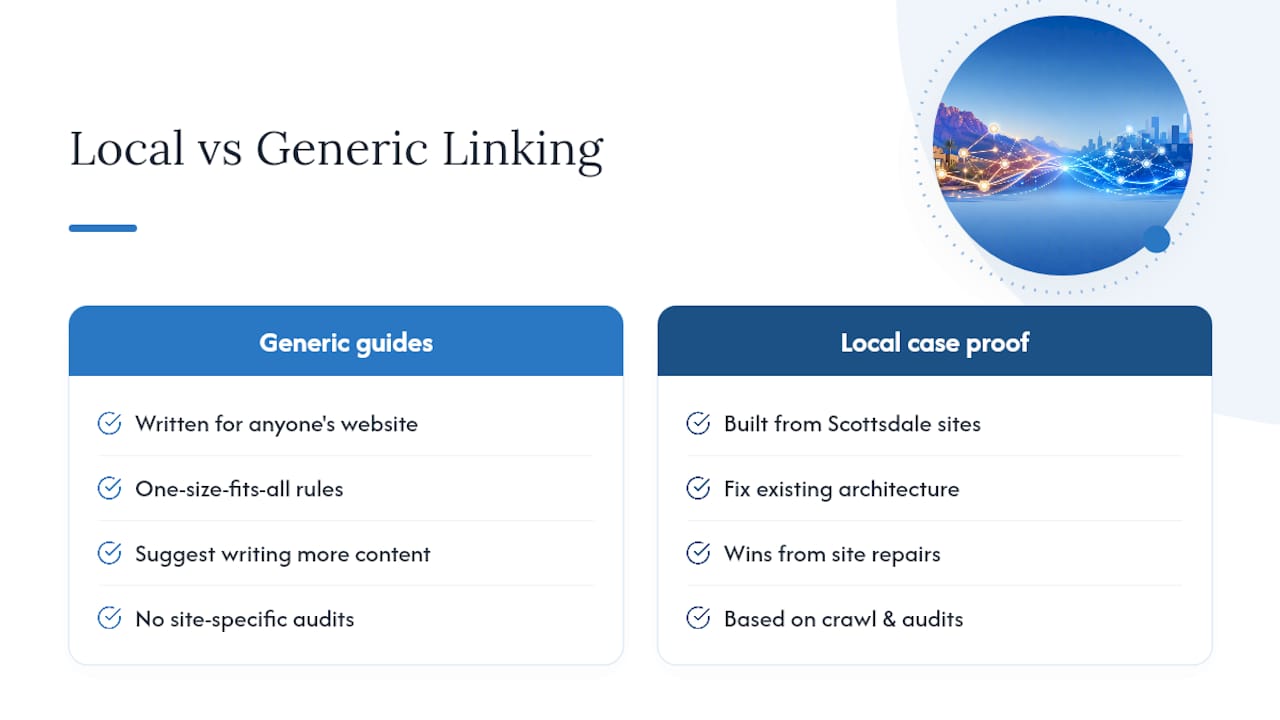
Most internal linking guides read the same because they’re written for anyone’s website, not a specific one. Scottsdale businesses selling landscaping, dental care, or home services don’t have the same architecture problems as a national SaaS blog, and applying identical rules to both usually wastes effort.
Brett has spent years applying this playbook against real Scottsdale sites at Webtechs, and the pattern repeats: the biggest wins rarely come from writing more content. They come from fixing what’s already there, an orphaned service page nobody linked to in two years, a location page competing against its own sibling for the same search term, a cornerstone page buried six clicks deep. Webtechs’ work across local SEO case studies reflects that same principle applied to different industries with different constraints. Read enough of these audits and you stop trusting generic checklists and start trusting the crawl data in front of you.
How Webtechs Builds and Maintains Your Internal Linking Strategy
Webtechs is the alternative to guessing your way through link placement. For Scottsdale businesses, that means a real technical audit, actual crawl data, and a content hub structure built around the service and location pages that drive revenue, not a generic template applied to every client the same way.

The work breaks down into three pieces: a full technical audit that catches orphan pages and broken links before they cost you rankings, content hub creation that groups your service pages under pillar topics instead of letting them compete with each other, and the ongoing fixes that keep crawl depth low as your site grows. Businesses that have gone through this process show up in Webtechs’ client testimonials, including results like the garage door repair case study showing a 1,620% traffic increase after structural fixes like these.
If your site has pages that never show up in search, or you’re not sure how deep your important content sits in your own architecture, start with a look at Webtechs’ portfolio and request an audit to see exactly where your linking structure is losing you rankings.
Sources
- Internal Links for SEO: An Actionable Guide
- Internal Linking for SEO: The Complete Guide
- Internal links: cross-reference your own content — Google Search Central
- The ultimate guide to internal linking for SEO and GEO