

Site Migration SEO: A Local Checklist for Arizona Businesses

Yes, you can migrate a website without losing your search rankings, but only if you treat the redirect map as sacred. The single biggest predictor of a clean migration is a complete one-to-one 301 redirect for every old URL, tested before launch and monitored closely afterward. Google’s own site-move documentation backs this up: permanent, server-side redirects and clean sitemaps are the foundation, and most ranking losses trace back to preventable errors rather than the move itself, according to Semrush’s migration research.
Before you touch anything, do this:
- Snapshot your current traffic, rankings, and backlinks as a baseline.
- Build a full old-to-new URL map, page by page.
- Stand up a staging environment and test every redirect there first.
- Confirm your rollback plan before you ever hit “go live.”
Key Takeaways
A successful site migration SEO strategy depends on complete redirect mapping, staging validation, and disciplined post-launch monitoring for at least 90 days.
| Point | Details |
|---|---|
| Map every URL first | Build a one-to-one old-to-new redirect map before any development begins. |
| Remove staging noindex | This single forgotten step causes the most catastrophic launch-day failures. |
| Keep redirects live long | Maintain 301 redirects for at least 180 days; for domain changes, keeping them live for a year or longer is recommended. |
| Watch the first 90 days | Check daily in week one, then weekly, then monthly through the first year. |
| Consider a local specialist | Webtechs runs audits, URL mapping, staging tests, and 90-day monitoring for Arizona businesses. |
Table of Contents
- Pre-Migration Checklist for Website Redesign SEO
- What Technical Elements Does Google Require for a Site Move?
- Launch-Day Steps to Protect Your Rankings
- How Long Does It Take to Recover Rankings After a Migration?
- Which Migration Type Poses the Biggest SEO Risk?
- Mistakes That Cause Permanent Traffic Loss
- How WebTechs Runs SEO-Safe Migrations for Arizona Businesses
- Should You Handle This Yourself or Call In a Specialist?
- Get a Migration Plan Built for Your Arizona Business
- Frequently Asked Questions
- Sources
Pre-Migration Checklist for Website Redesign SEO
Every site migration SEO project lives or dies in the weeks before launch. Skip this phase and you’re gambling with years of organic equity.
Start with your benchmark data. Export Google Search Console reports for queries, top pages, clicks, and impressions going back at least three months. Pull GA4 sessions and your top landing pages by conversion value. This becomes your recovery yardstick later, and without it, you have no way to prove whether the migration helped or hurt.
Next comes the crawl. Run a full site inventory with a tool like Screaming Frog or CrawlRaven, then build a spreadsheet mapping every existing URL to its future home. Flag your highest-value pages, the ones ranking on page one or pulling in the bulk of your backlinks, and prioritize preserving their exact structure or redirecting them precisely.

Set up staging with noindex tags applied site-wide, verify canonical tags point where they should, and click through every internal link. Back up your current site and database in full before development starts.
Finally, get your team aligned. Someone owns DNS, someone owns development, someone owns SEO validation, and everyone agrees on the cutover date and what triggers a rollback.
Pro Tip: Keep your redirect map in a shared spreadsheet, not a developer’s local file. When something breaks three weeks post-launch, you need that mapping accessible to everyone, not buried in someone’s downloads folder.
A technical SEO audit before migration catches structural issues that would otherwise surface as ranking drops after launch.
What Technical Elements Does Google Require for a Site Move?
Google’s guidance is specific, and ignoring it is where most migrations go wrong. Use server-side permanent redirects, either 301 or 308 status codes, for every single changed URL. Skip redirect chains entirely; a chain of three or four hops before landing on the final page wastes crawl budget and can dilute the signal Google passes through.
Verify ownership of both your old and new domains in Search Console. If you’re changing domains outright, file a Change of Address request, which forwards site signals for 180 days, though it requires you to own both properties and never replaces accurate redirects on its own.
- Submit a fresh XML sitemap listing only your new, live URLs.
- Confirm canonical tags reference the new site, not the old one.
- Remove every noindex tag from staging before launch.
- Make sure robots.txt isn’t blocking crawlers from reaching old URLs during the transition window, since Google needs to crawl them to follow your redirects.
Check your server capacity too. A migration often triggers a temporary spike in crawl activity as Google re-evaluates your entire site.
Launch-Day Steps to Protect Your Rankings
Launch in a low-traffic window, ideally overnight or a weekend morning for most Arizona small businesses. Deploy your redirects all at once if possible; for very large sites, phase the rollout in planned stages instead.
- Spot-check a sample of redirects immediately, confirming they return 301 status codes and land on the correct new page.
- Remove any remaining noindex tags from the live production site.
- Submit your new sitemap in Search Console and confirm robots.txt allows crawling.
- Verify GA4 is tracking sessions correctly, then test every form and checkout flow by hand.
- Run URL Inspection in Search Console on your five to ten most important pages.
Pro Tip: Set up rapid alerts for 404 spikes or sudden impression drops in the first 24 hours. Catching a broken redirect pattern on day one beats discovering it in a monthly report three weeks later.
How Long Does It Take to Recover Rankings After a Migration?
Most clean migrations stabilize within a few weeks, though larger or more complex moves can stretch longer. Check daily during week one, weekly through weeks two to four, then shift to monthly monitoring for up to a year, with extra attention paid to the first 90 days.
Track indexed page counts, impressions and clicks in Search Console, organic sessions in GA4, keyword positions for your top terms, backlink health, and Core Web Vitals scores. Compare each against your pre-migration baseline.
- If traffic hasn’t recovered within four to eight weeks, that’s usually a technical issue, not a normal fluctuation.
- Broken redirects, orphaned pages, or lingering indexation blocks are the most common culprits.
- A full crawl audit at this stage usually surfaces the problem quickly.
Short-term dips are normal even in flawless migrations. What matters is the trend line, not any single week’s numbers.
Which Migration Type Poses the Biggest SEO Risk?
Domain changes carry the highest risk because they touch every URL simultaneously. File Change of Address when it applies, verify www and non-www variants, and plan to keep redirects live for well over a year.
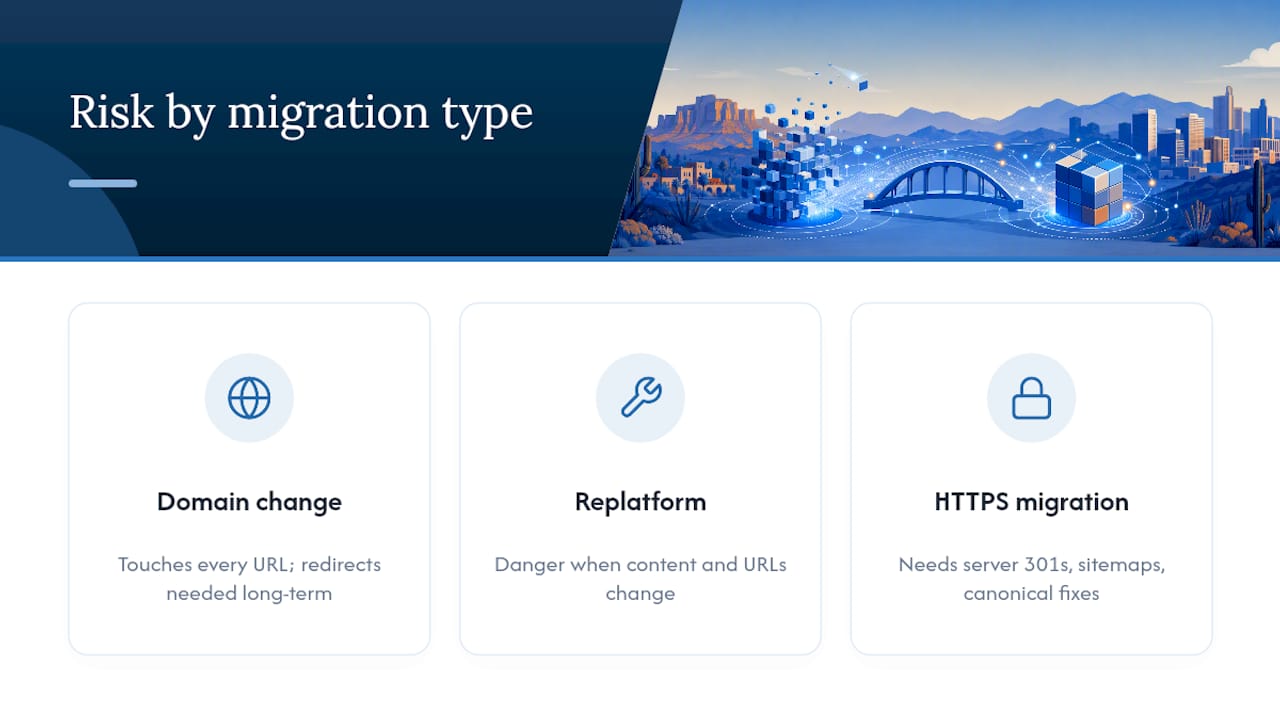
Replatforming and redesigns get dangerous when teams change content and URL structure at the same time. Isolate the scope wherever you can, and if a full overhaul is unavoidable, prioritize exact one-to-one URL mapping over everything else.
HTTPS migrations need the same rigor: server-side 301s, updated sitemaps, canonical tags pointing to secure URLs, and a full mixed-content check. Consolidating multiple domains into one property should happen in phases, migrating one site at a time rather than all at once.
Mistakes That Cause Permanent Traffic Loss
The most catastrophic and common launch-day error is forgetting to remove staging noindex tags, a mistake that’s shown up repeatedly in Semrush’s audit findings as a top failure point. It silently tells Google not to index your entire new site.
- Never mass-redirect everything to your homepage; map each URL individually or return a proper 410 for pages you’re intentionally removing.
- Don’t block your old site with robots.txt after launch, since Google needs continued access to follow those 301s.
- If rankings vanish, check canonical tags first, then confirm crawling isn’t blocked, then request reindexing on your priority pages.
Pro Tip: Bookmark your staging URL’s robots.txt and noindex status before launch, then check both again the moment you flip DNS. It takes thirty seconds and prevents the single most common disaster.
How WebTechs Runs SEO-Safe Migrations for Arizona Businesses
Webtechs handles migrations with a five-stage process: baseline audit, full URL mapping, staging validation, atomic redirect deployment, and 90 days of post-launch monitoring with client reporting.
Local results back it up. A Garden Nursery redesign produced a 353% jump in SEO performance, and a Roofing Company migration delivered a 1,072% increase.
Clients who ask the right questions upfront get better outcomes. Before you sign anything, ask about redirect testing methods, who owns the rollback decision, and what the 90-day monitoring report actually includes.
Should You Handle This Yourself or Call In a Specialist?
DIY works for small sites under 1,000 URLs when you have in-house development and a real rollback plan. Anything involving a domain change, a large site, or a stretched team calls for a specialist.
Ask any prospective agency about their migration history, how they test redirects, and their monitoring cadence. Factor in tool costs, consulting fees, and the revenue risk of even a short outage against the value of protecting your existing traffic.
Get a Migration Plan Built for Your Arizona Business
Webtechs is the practical alternative to gambling your rankings on a DIY migration or a generalist developer who’s never mapped a redirect chain before. Where most agencies hand you a redesign and hope your traffic survives, Webtechs builds the SEO safety net first: full baseline audit, complete URL mapping, staging validation, and 90 days of monitoring after launch, all before a single page goes live.

The service includes redirect implementation, launch-day support, and reporting that shows exactly what changed and why. Local results speak for themselves. A Roofing SEO client and businesses across the Scottsdale SEO portfolio have come through redesigns and migrations with measurable gains, not losses. Browse the full portfolio to see completed projects, then request a scoping call to get a redirect map and migration timeline built around your actual site, not a generic template.
Frequently Asked Questions
How long should I keep 301 redirects after a migration?
Keep them live for at least 180 days, matching the signal-forwarding window Google’s Change of Address tool uses, though many practitioners recommend a full year or longer for domain-level moves.
Will my rankings definitely drop after a website migration?
Not necessarily. Short-term fluctuation is common even in well-executed migrations, but permanent drops usually trace back to preventable technical errors like missing redirects or crawl blocks, not the migration itself.
Do I need to use Google’s Change of Address tool for a redesign?
Only if you’re changing domains. A redesign or replatform on the same domain doesn’t require it, but you still need accurate redirects if URLs change.
What’s the biggest mistake businesses make during a site migration seo project?
Forgetting to remove noindex tags from the staging environment before launch, which can leave your entire new site invisible to search engines.
Sources
- Site Moves and Migrations | Google Search Central | Documentation | Google for Developers
- Change of Address tool – Search Console Help
- The Complete Website Migration Checklist SEO-Friendly