

Offline Conversions in Google Ads: Setup Guide for 2026

Offline conversions in Google Ads let you report back to Google what happened after someone clicked your ad and left your website: a phone call that became a booking, a quote that became a signed contract, a showroom visit that became a sale. You upload those outcomes, Google ties them to the original click, and your campaigns can then optimize for real revenue instead of form fills. This guide covers how it works, how to set it up, and the 2026 changes that break older setups.
TL;DR
- Offline conversion import connects CRM outcomes (qualified lead, closed sale) to the ad click that started them, so bidding learns from revenue rather than from raw leads.
- Since June 15, 2026, uploads are migrating to the Data Manager API and are blocked in the Google Ads API for developer tokens without recent upload activity. Check how your uploads are sent today.
- Capture the Google Click ID (GCLID) on every lead form, or use enhanced conversions for leads, which matches on hashed email or phone.
- Upload daily, within the time window, with a unique transaction ID on every row.
- You do not need a developer for every setup. Direct CRM connections and the Data Manager cover most small businesses.
Table of Contents
- What offline conversions are, in plain terms
- Two ways to match an offline sale to an ad
- The 2026 change that can silently break your uploads
- How to set up offline conversion tracking
- Common mistakes
- Does this work for local service businesses?
- Our perspective
- When to get help
- FAQ
- Sources
What offline conversions are, in plain terms
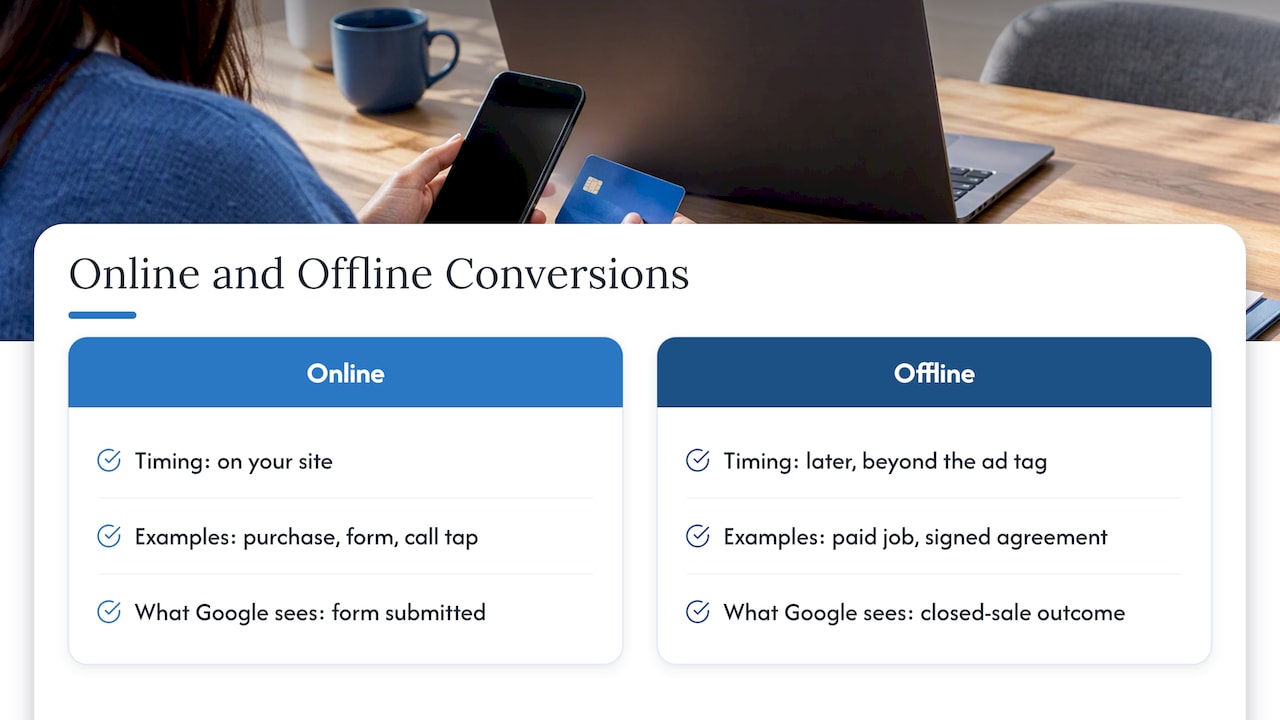
An online conversion happens on your site: a purchase, a form submission, a click-to-call button tap. An offline conversion is what happens later, somewhere your ad tag cannot see. A plumber’s customer calls, books, and pays on the job site. A law firm’s lead fills out a form, then signs an engagement letter two weeks later. A dealership visitor books a test drive online and buys in person.
Google describes offline conversion import as a way to see what happens in the offline world after someone clicks your ads. Enhanced conversions for leads is the upgraded version, which uses user-provided data such as email addresses instead of relying only on a click ID.
Why it matters: if Google only sees “form submitted,” it treats a spam inquiry and a $15,000 job as the same win. Feed it the outcome and Smart Bidding can favor the searches, audiences and ads that produce paying customers.
Two ways to match an offline sale to an ad
GCLID-based import
When someone clicks your ad, Google appends a Google Click ID to the landing page URL. Your site stores it in a hidden form field and passes it to your CRM along with the lead. When the lead becomes a customer, you upload the GCLID, the conversion action name, the conversion time and optionally a value. Google matches it to the click.
This is precise, but it has a weakness: the GCLID has to survive. If your form strips URL parameters, if the visitor calls from a number that is not tracked, or if the browser blocks the parameter, you have no ID to upload.
Enhanced conversions for leads
Here you capture the lead’s email or phone number on the form. When the sale closes, you upload that same data, hashed for privacy, and Google matches it against signed-in Google users who clicked your ad. Google’s help material calls this the upgraded approach, and it helps with cross-device journeys where the click and the sale happen on different devices.
In April 2026 Google combined enhanced conversions for web and for leads into a single on/off setting. Google Ads now accepts user-provided data from website tags, the Data Manager and API connections, so you no longer pick between separate implementations.
Which should you use?
| Situation | Better fit |
|---|---|
| Web forms that reliably pass URL parameters to your CRM | GCLID import works, and enhanced conversions adds a safety net |
| Leads who often switch devices or call after browsing | Enhanced conversions for leads |
| CRM captures email or phone on every lead | Enhanced conversions for leads |
| Heavy privacy blocking, or messy form setups | Enhanced conversions for leads, plus fixing the form |
For most small businesses the sensible answer is to capture both: store the GCLID and collect the email or phone number on every lead.
The 2026 change that can silently break your uploads
This is the part many older tutorials get wrong. Google states that, starting June 15, 2026, offline conversion import and enhanced conversions for leads uploads are migrating to the Data Manager API and are blocked in the Google Ads API. Developer tokens that had not sent a request in a set window before the cutoff are affected. Google’s developer documentation adds that UploadClickConversions requests will fail if the developer token has not previously sent upload requests. Google points those users to the Data Manager API.
What that means for you:
- If you use a direct CRM connection or the Data Manager in the Google Ads interface, you are on the recommended path. Confirm that uploads are still showing as successful.
- If a developer or a past agency wrote a script against the Google Ads API, ask them which API it calls and whether it still works. Google publishes a guide for upgrading from the Google Ads API and a developer guide for sending offline conversions through the Data Manager API.
- If you upload spreadsheets by hand, check the conversions diagnostics for errors, since the process has changed around you.
The symptom to watch for is quiet: conversions that used to appear stop appearing, and bidding slowly drifts back toward whatever you can still measure online.
How to set up offline conversion tracking
Step 1: Decide what counts as a conversion
Pick the moments in your pipeline that signal real value. For a service business that is usually something like “qualified lead,” “estimate sent,” and “job won.” Do not send every stage. Two or three clear events beat ten fuzzy ones.
If you only get a few sales a month, optimize on an earlier stage that happens more often, such as “qualified lead,” so the algorithm has enough data to learn from. Then pass the sale value on the closed-won event.
Step 2: Create the conversion action
In Google Ads, go to Goals, then Conversions, and create a new conversion action using the import option for CRM or other data sources. Follow Google’s setup instructions, which walk through creating one or more offline conversion actions and enabling your website and lead tracking system.
Then wait. Google’s guidance is to leave several hours before the first upload after creating a new action, to avoid errors.
Step 3: Capture the click ID and lead data
On every landing page:
- Read the
gclidparameter from the URL and write it into a hidden form field. - Collect email and/or phone number in standard fields.
- Store both in your CRM against the lead record.
Test this yourself by clicking one of your own ads (or adding a test gclid value) and confirming the value lands in the CRM record. Most failed offline tracking projects fail here, not at the upload. If your landing pages are the weak link, our PPC landing pages playbook covers form and page structure.
Phone leads need extra care. If calls are a major source of your business, set up call tracking for ads or GA4 phone call tracking so a call can be tied to a source before it ever reaches your CRM.
Step 4: Choose the upload method
Google’s implementation checklist lists the methods: the Data Manager (recommended), a direct CRM connection such as HubSpot, or the Google Ads API. In practice:
- Direct CRM connection: best if your CRM supports it. Stages map to conversion actions and uploads run automatically.
- Data Manager: good for scheduled file or data-source uploads without custom code.
- Automation tools: no-code connectors can pass CRM events to Google Ads when a deal stage changes. Verify that the connector uses a currently supported path.
- API: only when you have engineering resources and a real need, and use the Data Manager API for new work.
Step 5: Upload clean data
Each row needs, at minimum, the identifier (GCLID or hashed user data), the conversion action name exactly as it appears in Google Ads, and the conversion time with a time zone. Add a value and currency if you want value-based bidding.
Three habits prevent most errors:
- Use your account’s time zone for every timestamp, so uploaded times line up with report dates.
- Include a unique order or transaction ID on every row when you are not using an automatic CRM integration. It prevents the same sale being counted twice.
- Send all your conversions, not just the ones you think came from ads. Enhanced conversions for leads works by matching against the full set, so a broader feed helps it find attributable sales.
Step 6: Mind the time windows and frequency
Google’s FAQ says you can upload a conversion with a GCLID up to 90 days after the click. For enhanced conversions for leads the window is shorter, about 63 days from the last click, according to Google’s documentation. Anything uploaded after the window is not imported and does not show in reports.
That has a practical consequence for businesses with long sales cycles, such as commercial remodeling, B2B services or financing. If your deals take four months to close, upload an earlier milestone (qualified lead, proposal sent) so the signal arrives inside the window.
Upload daily. Google’s checklist asks whether conversions are being uploaded daily, and fresh data helps bidding react. Expect statistics to take a few hours to appear after a successful upload, and longer for some identifier types.
Step 7: Verify before you scale
Upload a small batch first. Open the diagnostics for the conversion action, look for rejected rows, and compare counts with your CRM. Google has a page on fixing discrepancies and errors in offline conversion imports worth bookmarking. Only after the numbers reconcile should you switch bidding to the new conversion action or raise budgets.
Common mistakes
Optimizing on the wrong action. If both “form submitted” and “job won” are set as primary goals, Google weighs them equally. Make the one that reflects revenue the primary goal, and keep upstream events as secondary for observation.
Losing the GCLID at the form. Multi-step forms, redirects and some site builders drop URL parameters. Test with a real click.
Mismatched conversion names. A trailing space or renamed action causes rejected rows.
Uploading too little. A handful of conversions a month gives bidding little to learn from. Use an earlier funnel stage until volume grows.
Assuming it is purely technical. It is a process problem first: someone must update the CRM stage consistently. If the sales team does not mark deals won, no upload tool will fix that.
Does this work for local service businesses?
Yes, and it is where it often pays off most. A Scottsdale HVAC company might get 40 leads from ads in a month, but only 12 turn into jobs. Without offline data, Google cannot tell which keywords, locations or ads produce the 12. With it, bidding can favor them.
It also changes how you judge your spend. Instead of cost per lead, you can see cost per booked job and return on ad spend. Our guide to Google Ads costs for small businesses and the small business Google Ads budget and strategy guide are useful companions, because a cost-per-click figure means little until you know what a click is worth. If you also run Local Services Ads, keep their lead handling separate from your search campaigns when you reconcile numbers. And if store or office visits matter, see how Google Maps ads track store visits.
Our perspective
We have been building websites and running search marketing for small and mid-sized businesses since 1997, and the pattern is consistent: most advertisers do not have a traffic problem, they have a feedback problem. The ad account is told that a lead is a lead, so it buys more of the cheapest leads, which are rarely the best ones.
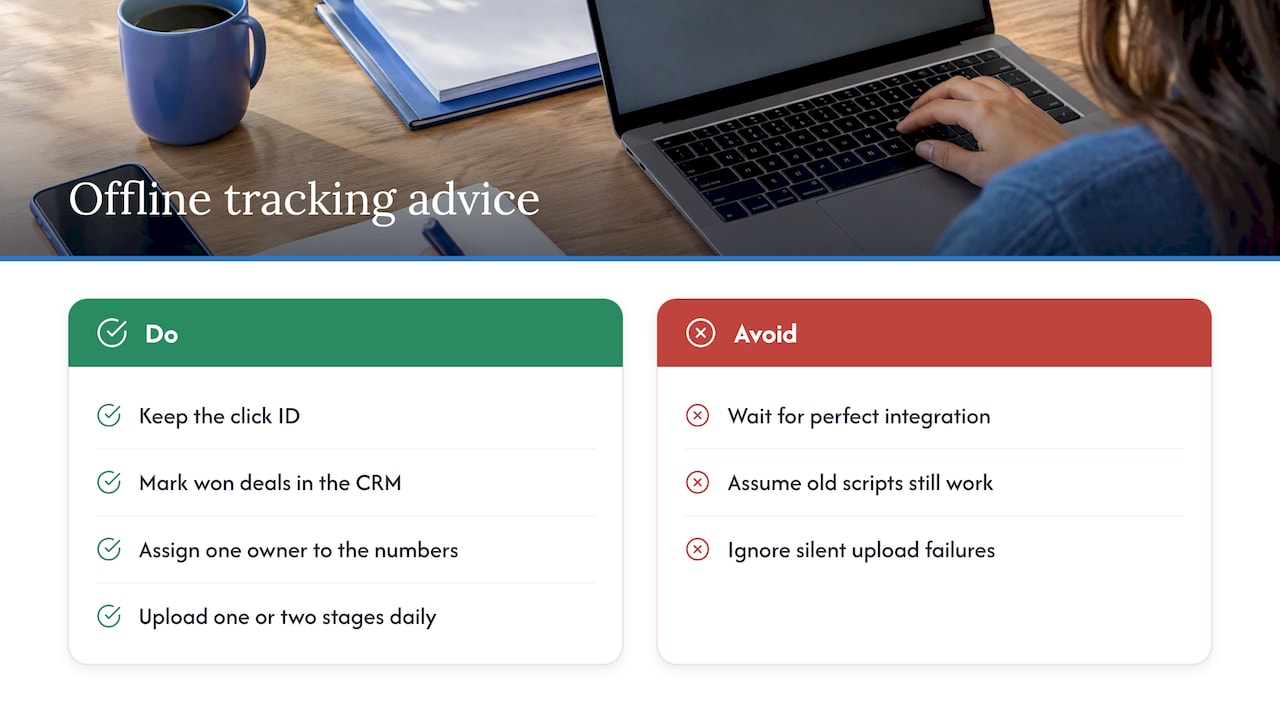
Offline conversion tracking fixes that, and it is less intimidating than it sounds. The hard part is rarely the upload. It is the unglamorous groundwork: a landing page that keeps the click ID, a CRM where someone marks deals won, and one person who owns the numbers. We would rather a client start with a simple daily upload of one or two stages than wait for a perfect integration.
We also push clients to be careful with the 2026 API change. If a past freelancer built your upload script, assume nothing, and have someone check that conversions are still arriving. A silent failure costs far more than the hour it takes to verify.
When to get help
If your website forms, CRM and ad account were built by three different people, the gaps between them are where offline tracking breaks. Webtechs handles custom web design, PPC campaign management and hosting under one roof, which makes it easier to fix a form, a landing page and a conversion setup in one pass. If you would like us to review how your leads are tracked today, start from our main site.
FAQ
What is the difference between enhanced conversions and offline conversion imports?
Offline conversion import traditionally matches a sale to an ad using the Google Click ID stored with the lead. Enhanced conversions for leads matches using hashed email or phone data instead. Google describes the latter as an upgraded version of offline conversion import, and since April 2026 the web and leads settings are combined into one on/off control.
How long after a click can I upload an offline conversion?
For GCLID-based imports the limit is 90 days from the click. Enhanced conversions for leads has a tighter window of about 63 days from the last click. Uploads outside the window are not counted, so long sales cycles call for an earlier milestone.
Do I need a developer to track offline conversions?
Not necessarily. Google recommends the Data Manager and supports direct CRM connections, both of which can be set up without writing code. A developer helps if you have a custom system, or an older script that must move off the Google Ads API after the June 15, 2026 migration.
How often should I upload?
Daily. Regular uploads keep bidding current, and Google’s implementation checklist asks about daily frequency. Wait a few hours after creating a new conversion action before the first upload, then expect reports to update after processing.
Sources
- About offline conversion imports, Google Ads Help
- Set up offline conversions using Google Click ID, Google Ads Help
- Fix discrepancies and errors in offline conversion imports, Google Ads Help
- Guidelines for importing offline conversions, Google Ads Help
- Offline conversion imports FAQs, Google Ads Help
- Enhanced conversions for leads implementation checklist, Google Ads Help
- Manage offline conversions, Google Ads API
- Google Ads offline conversions, Data Manager API
- Upgrade from the Google Ads API, Data Manager API