

Google Maps Ads for Local Businesses: Setup That Tracks Store Visits

Google Maps ads are local ad placements, including promoted pins, map search results, map suggest listings, and placesheet ads, surfaced from broader Google Ads campaigns rather than bought as a standalone product. They give nearby shoppers a visible, clickable reason to tap for directions, call, or visit your website. Before any of it works, you need a verified Google Business Profile linked to Google Ads with location assets turned on.
TL;DR:
- Service area businesses without a public storefront may not qualify for Maps app campaigns; Local Services Ads or location targeted Search can fit better.
- A single location can start with a Smart campaign; businesses with multiple locations and conversion data should consider Performance Max for store goals.
- Google charges for directions, calls, and website clicks, while some Performance Max and Demand Gen campaigns may also use CPM billing for promoted pin impressions.
- Store visit reports estimate visits from location signals, require enough interaction volume, and should be checked against point of sale records or offline conversions.
- For foot traffic, prioritize directions clicks and store visit estimates over impressions, and refresh at least one image and headline in active asset groups monthly.
Table of Contents
- What the Different Google Maps Ad Formats Look Like
- How Campaigns Actually Deliver Ads to Maps
- Are You Even Eligible to Advertise on Maps?
- Setting Up a Campaign That Can Actually Reach Maps
- What You Actually Pay for on Google Maps
- Tracking Whether Maps Ads Actually Drive Store Visits
- Where to Focus First for Better Maps Performance
- Running Maps-Enabled Local Campaigns in Practice
- Hiring an Agency vs Running Maps Ads Yourself
- How We Help You Turn Maps Visibility Into Store Visits
- FAQ
- Sources
What the Different Google Maps Ad Formats Look Like
Four formats make up most of what you will see on Maps, and each one catches a shopper at a different point in their decision.
Promoted pins show up as highlighted markers while someone browses the map itself, often with your logo or a photo attached, nudging a person who is just looking around toward your storefront. Map search ads appear in the list of results when someone searches a category or business name, competing for attention the same way a search ad competes on Google.com. Map suggest ads surface in the autocomplete dropdown as someone starts typing, catching intent before the search is even finished. Placesheet ads live on the detail page that opens when a user taps your pin or listing, giving you a second chance to pitch directions or a call once attention is already on your business.
According to Google’s own guidance on Maps advertising, these formats are not sold individually. They are inventory that gets filled automatically depending on your campaign type, your assets, and how Google’s systems judge relevance at the moment someone is looking.
- Promoted pins catch casual browsers scanning the map for options nearby.
- Map search ads compete for people actively searching a category or brand.
- Map suggest ads appear in autocomplete, before the search is complete.
- Placesheet ads reach people who already clicked through to your listing.
Knowing which format you are likely to land in changes how you build creative. A promoted pin lives or dies on a single strong image since there is little room for text. A placesheet ad gets more real estate and benefits from a clear call to action, like a directions button or a promotional headline. Map search and suggest formats behave more like traditional search ads, where relevance and bid strength decide who shows up first. Treating all four the same way, with one generic asset set, is the most common reason Maps performance underwhelms.
How Campaigns Actually Deliver Ads to Maps
There is no “Google Maps campaign” you can create from a dropdown menu. Maps placements are delivered through four campaign types: Performance Max for store goals, Demand Gen, Smart campaigns, and Search campaigns with location assets enabled. Google Ads Help is explicit on this point: you cannot serve ads exclusively on Google Maps, no matter how you structure a campaign.
Each campaign type tends to surface a different mix of formats. Performance Max for store goals is the most common source of promoted pins and map search ads because it is built around driving foot traffic and uses Google’s full inventory, including Maps, Search, Display, and YouTube, to do it. Demand Gen has recently expanded into this space too. Google’s own announcement on Maps in Demand Gen confirms that promoted pins can now appear during browse, directions, and place-detail moments when location inventory is enabled, letting advertisers reuse existing Demand Gen creative rather than build something new.
What actually feeds that delivery is a combination of data sources:
- Business Profile data, including hours, categories, address, and photos, tells Google what your business is and whether it matches a search.
- Location assets, linked inside Google Ads, make your profile eligible to appear inside ad formats at all.
- Merchant Center or local inventory feeds, where relevant, let product-based businesses show item-level availability near the shopper.
- Images and headlines from your asset groups get pulled directly into promoted pins and placesheet ads, so stale or low-resolution creative shows up exactly as it looks in your account.
Google’s AI picks which format to serve and to whom at auction time, based on signals like distance to the user, time of day, device, and the strength of your bids and assets. You do not get to request “Maps only.” You supply strong assets and a sensible bidding strategy, and the system allocates inventory where it predicts the best outcome.
A recurring industry note worth internalizing: Search Engine Land’s analysis of Google’s channel controls points out that Maps is simply a surface for broader campaigns, and success depends less on trying to “buy” Maps placement and more on building high-quality assets and letting Google’s bidding systems allocate spend where it performs. Chasing Maps as its own channel usually wastes budget that would otherwise improve the whole campaign.
Are You Even Eligible to Advertise on Maps?
Before building anything, confirm you can actually qualify. Google’s eligibility rules eliminate more businesses than people expect, usually because a profile step got skipped months ago and never came up again.
- Verify your Google Business Profile. Unverified profiles are not eligible for most Maps ad formats, and verification can take anywhere from a day to a couple of weeks depending on the method Google offers you.
- Confirm your core details are accurate. Address, phone number, hours, and category all feed directly into whether your listing qualifies for a given search or browse moment.
- Link your Business Profile to Google Ads. This connection is separate from verification and has to be done explicitly inside your Ads account settings.
- Enable location assets. Without this step turned on, Google Ads has no way to pull your profile data into eligible campaign types.
- Check for category or business-model disqualifiers. Google’s support documentation notes that some service-area-only businesses, meaning those without a public storefront address, are not eligible for the Maps app based campaign creation flow, and certain sensitive categories are excluded from location-based ad formats entirely.
Pro Tip: Check your eligibility status inside Google Ads under “Audiences, keywords, and content” then “Locations” before building a single asset group. Finding out you’re ineligible after building creative wastes real time.
A service-area business, like a plumber who drives to customers rather than welcoming them into a storefront, faces real limits here. You can still advertise through Local Services Ads or location-targeted Search campaigns, but the storefront-centric Maps formats, like promoted pins tied to a physical address, generally will not apply the same way. If your business operates this way, our Local Services Ads setup and optimization guide covers a format built specifically for that model.
Setting Up a Campaign That Can Actually Reach Maps
Two paths cover most businesses: a fuller Performance Max setup for store goals, and a lighter Smart campaign or Search-with-location-assets approach for smaller operators who want something running faster.
Before touching either one, get three things in place. Confirm your conversion tracking is live, including store visit tracking if your account qualifies. Decide whether you have a product catalog worth connecting through Merchant Center. And set a realistic daily budget based on what a single store visit or call is worth to your business, not on what competitors seem to be spending.
Performance Max for store goals:
- Create a new campaign and select “Store visits and promotions” as the goal when prompted.
- Add your location groups, which can be a single address, a handful of stores, or a chain-wide set pulled from your Business Profile.
- Build asset groups with multiple headlines, descriptions, and several images per group, since Performance Max tests combinations automatically and pulls from whichever assets perform.
- Layer in audience signals, like past visitors or customer match lists, to help the algorithm find lookalike shoppers faster during the learning phase.
- Choose a bidding strategy built around store visits or local actions rather than a generic conversions goal, so the system optimizes toward the outcome you actually care about.
Smart campaigns or Search with location assets:
- Smart campaigns ask for a handful of business details and a budget, then handle most targeting and bidding automatically, which suits owners without time to manage assets closely.
- Search campaigns with location assets enabled let you keep full control over keywords and bids while still becoming eligible for Maps placements through the location extension.
- Both paths skip Performance Max’s audience signal and asset group complexity, trading some performance ceiling for a much faster setup.
Smart campaigns tend to fit single-location businesses testing the waters with a modest budget. Performance Max for store goals makes more sense once you have multiple locations, real conversion data flowing, and the bandwidth to build out several strong asset groups.
One more distinction worth knowing: the Google Maps app itself has a simplified “Advertise” flow that creates a scaled-down Smart campaign directly from your Business Profile. It is fast but limited. For more control over budget, bidding strategy, and asset variety, the full Google Ads interface is the better entry point. For a broader look at setting sensible budgets before you launch, our guide to Google Ads budgets and strategy for small businesses walks through the planning side in more detail.
What You Actually Pay for on Google Maps
There is no flat fee to “run ads on Maps.” Every placement, whether it is a promoted pin, a map search ad, or a placesheet listing, is billed through the same daily budget and bidding mechanics as the rest of Google Ads.
According to Shopify’s breakdown of Google Maps advertising, you’re charged for qualifying interactions rather than a flat Maps placement fee: opening turn-by-turn navigation, clicking to call, and clicking through to your website are the actions that typically trigger a charge, with daily budgets and Smart Bidding controlling overall delivery.
- Directions taps charge when a user opens navigation to your location from an ad.
- Click-to-call charges when someone taps to dial your business directly from the listing.
- Website clicks charge the same way a standard search or display click would.
- Promoted pin impressions can factor into CPM-based delivery in some Performance Max and Demand Gen setups.
Smart Bidding strategies weigh signals like how far the user is from your location, time of day, device type, and past conversion patterns to decide how aggressively to bid for a given auction. A user ten minutes away at lunchtime on a weekday might be worth a stronger bid than the same search at midnight from across town, and Google’s bidding systems make that call automatically based on your historical data.
Budget planning should start from a cost-per-action target, not a budget ceiling pulled out of thin air. If a store visit is worth $40 to you in average transaction value, a campaign spending $35 per visit is working even if the raw budget number looks high next to a competitor’s. Our guide to Google Ads costs for small businesses breaks down realistic cost ranges by industry if you need a sanity check before setting that target.
Tracking Whether Maps Ads Actually Drive Store Visits
Store visit reporting exists, but it works on aggregated, privacy-conscious signals rather than a hard count of every person who walked through your door.
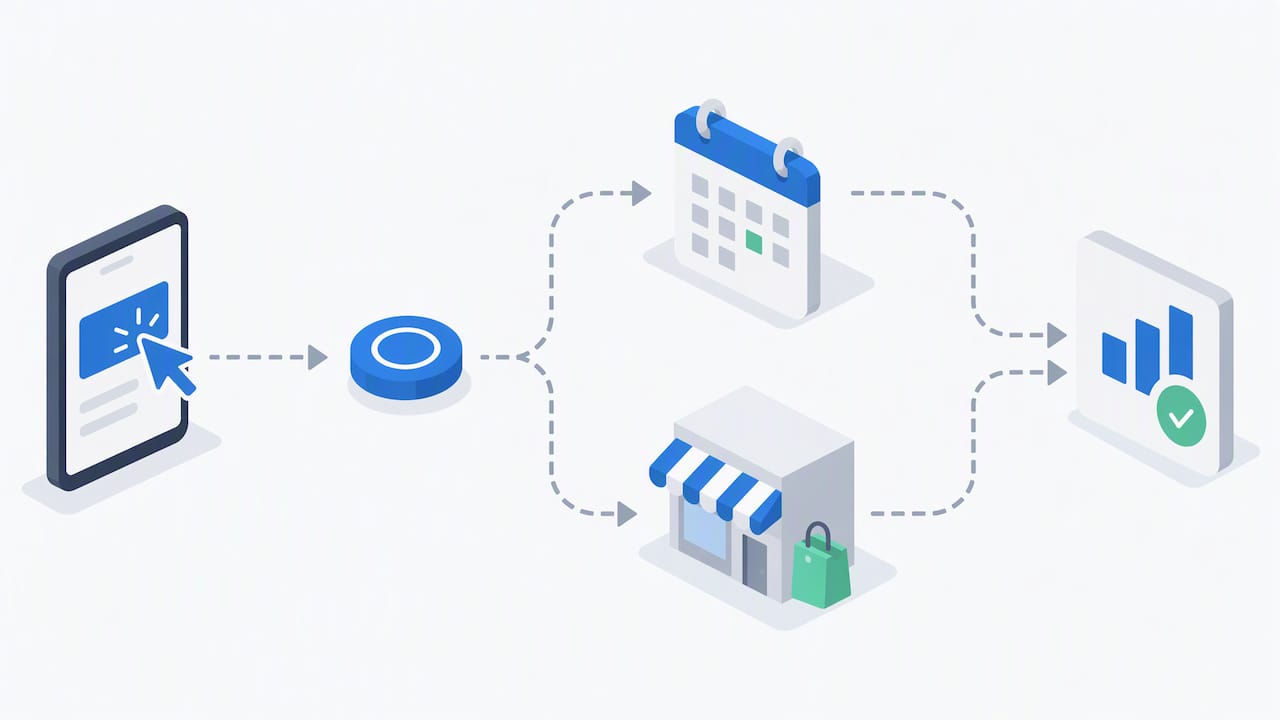
Google estimates visits using anonymized and aggregated location history data from users who have that feature enabled, matched against people who interacted with your ad, as Shopify’s advertising guide explains. Google typically counts a visit when someone who engaged with your ad physically arrives at your location within a set window, commonly around 30 days, though not every account qualifies for store visit reporting at all since it requires a minimum volume of interactions to produce statistically reliable estimates.
Watch these reports regularly once they populate:
- Maps impressions and promoted pin views show how often your listing surfaces in browse moments.
- Clicks-to-directions indicate strong navigational intent, a near-term signal of likely foot traffic.
- Call clicks matter most for service businesses where a phone call, not a visit, is the real conversion.
- Store visit estimates give a directional read on offline impact, not an exact count.
- Local inventory interactions matter for retailers showing item-level stock through Merchant Center.
Pro Tip: Cross-check Google’s store visit estimates against your own point-of-sale counts or a simple “how did you hear about us” log for a month. If the numbers are wildly out of step, the issue is usually attribution volume, not campaign performance.
If your account is too small for Google’s store visit estimates to populate reliably, importing offline conversions, like booked appointments or completed in-store purchases tied back to a click ID, gives you a cleaner signal than waiting on aggregated reporting to catch up. Underreported visits are most often a volume problem: low-traffic accounts, a short reporting window, or users who simply have location history turned off and fall outside what Google can measure at all.
Where to Focus First for Better Maps Performance
Not every fix deserves equal attention. These are ranked roughly in order of impact for most local businesses.
Priority one is profile accuracy and photo quality. A verified Business Profile with several clear, recent, high-resolution photos outperforms a sparse one every time, since photos get pulled directly into promoted pins and placesheet ads.
Priority two is asset group depth inside Performance Max. Multiple headlines, several distinct images, and more than one call to action give Google’s system room to test combinations and find what actually converts, rather than serving one static creative to everyone.
Priority three is connecting local inventory through Merchant Center, which matters most for retail and product-based businesses. Showing real-time stock or pricing near a shopper’s location turns a browsing moment into a far stronger purchase signal than a generic ad ever could.
Beyond those three, a few tactical adjustments compound over time:
- Refresh creative on a regular cadence, roughly every six to eight weeks, since repeated exposure to the same image or headline eventually drags down engagement.
- Test geographic granularity by adjusting radius targeting and location groups rather than leaving a single broad setting untouched for months.
- Watch zoom-level behavior, since promoted pins tend to surface more reliably when users zoom into neighborhood-level views, according to Shopify’s testing guidance on Maps ads, which means localized search queries are a better test case than city-wide searches.
- Reuse strong existing creative rather than building from scratch, since Search Engine Land notes that promoted pins pull from assets already running in your campaigns, so a well-performing image from a Search or Demand Gen campaign is often your fastest win on Maps too.
Pro Tip: Set a recurring calendar reminder to swap at least one image and one headline in every active asset group each month. Stale creative is the single most common reason a Performance Max campaign plateaus after a strong first few weeks.
On cadence and KPIs, weight your reporting toward directions clicks and store visit estimates over raw impressions if foot traffic is the goal. Impressions tell you reach, but directions taps and call clicks are the signals that actually correlate with someone showing up.
Running Maps-Enabled Local Campaigns in Practice
Setting up a Performance Max campaign for store goals is one thing. Keeping it fed with fresh assets, accurate inventory data, and clean conversion tracking month after month is where most in-house efforts quietly stall.
Maps-enabled campaigns fit best as part of a broader local advertising program rather than a one-off project, with Google Business Profile management, Performance Max asset groups, and offline conversion tracking working together instead of competing for budget. A profile that is actively maintained, with fresh photos, accurate hours, and real reviews, feeds better inventory into the same campaigns we are managing, which is why we treat profile upkeep and ad management as one connected job, not two separate line items.
Our Google Maps SEO Marketing and local SEO services cover this intersection directly: profile verification and optimization, location asset management, and the campaign structure needed to make Maps formats eligible in the first place. Experience in working with small and mid-sized businesses since 1997 informs our understanding of how Google’s ad formats evolve, from early map listings to AI-driven Performance Max delivery, and campaigns are built assuming future changes rather than treating current formats as permanent.
For businesses weighing whether call tracking or offline conversion imports are worth the setup effort, our guide to call tracking for ads walks through how that data flows back into Google Ads reporting, which matters directly for the store visit and call click metrics covered above.
Hiring an Agency vs Running Maps Ads Yourself
The honest answer depends on how much complexity your business can absorb without losing focus on everything else you do.
Signals that favor bringing in a specialist: multiple locations that each need separate location groups and asset sets, a need for integrated tracking across calls, store visits, and website conversions, or a desire for creative production that goes beyond a few phone photos.
A solid in-house setup is realistic when you have one location, a modest budget, and the time to verify your Business Profile, build a Smart campaign, and tag conversions correctly from the start. That combination covers a meaningful share of single-location businesses testing the format for the first time.
If you are leaning in-house, run a 30-day test with a fixed budget and watch directions clicks and call clicks before judging results. If you are leaning toward outside help, a short audit of your current profile and account setup is usually enough to tell you whether the complexity justifies a managed engagement. Our PPC management pricing guide lays out what that kind of engagement typically costs so you can compare it against the time you would otherwise spend managing it yourself.
How We Help You Turn Maps Visibility Into Store Visits
We manage the full stack behind Maps-driven foot traffic: Pay Per Click campaign management, Google Maps SEO Marketing, local SEO, and conversion tracking setup, built as one coordinated program rather than separate vendors working from different playbooks.

A typical engagement starts with an audit of your Business Profile, Google Ads account structure, and existing conversion tracking, followed by a test campaign built around store visit or call goals with proper asset groups from day one. From there we move into an ongoing optimization cadence: refreshing creative, adjusting location targeting, and reviewing store visit and call reporting on a schedule rather than waiting for performance to slip before anyone looks at the numbers. Deliverables typically include a verified and optimized Business Profile, a live Performance Max or Smart campaign structured for your goals, and monthly reporting tied to directions, calls, and visits rather than vanity impression counts.
If you want a second set of eyes on your current setup or you are starting from scratch, visit Webtechs to request a consultation and we will walk through what a Maps-enabled campaign would look like for your business.
FAQ
How do you run ads on Google Maps?
You run Maps ads by building a campaign in Performance Max for store goals, Demand Gen, a Smart campaign, or a Search campaign with location assets enabled, since there is no standalone “Maps campaign” type. Your Google Business Profile has to be verified and linked to Google Ads with location assets turned on before any of those campaign types become eligible to surface on Maps, according to Google’s own setup guidance.
Why did Google Ads charge $500?
A charge of that size almost always reflects accumulated billable interactions, like directions taps, click-to-call actions, or website clicks, adding up against your daily budget over a billing cycle rather than a single flat fee. Reviewing your billing summary inside Google Ads will break the total down by campaign and interaction type so you can see exactly which actions drove the spend.
Who is the best at Google Maps marketing?
There is no single, independently verified ranking of Maps marketing providers, since results depend heavily on your industry, location, and existing profile strength. Look for a provider that can show experience with Google Business Profile management, Performance Max for store goals, and offline conversion tracking rather than one claiming exclusive access to Maps placements, since no such access exists.
Where does a Google Maps ad show up?
A Maps ad can appear as a promoted pin while someone browses the map, in the list of map search results, in the autocomplete suggestions as someone types a query, or on the placesheet detail page after a tap, depending on the campaign type and format Google selects. You cannot choose to show up in only one of these spots, since delivery is decided automatically based on your assets and the auction.
How much do Google Maps ads cost?
There is no flat or fixed fee for Maps placements specifically. You are billed through your overall Google Ads daily budget and bidding strategy for qualifying actions like directions taps, calls, and website clicks, the same mechanics that apply across Performance Max and Smart campaigns.
Sources
- How to advertise in Google Maps – Google Ads Help
- Google Maps in Demand Gen
- Google Maps Ads: How to Run Local Search Ads on Google Maps (2026) – Shopify
- Google Promoted Pins come to Maps for Demand Gen campaigns – Search Engine Land