

Does an SSL Certificate Actually Help Your SEO?

Yes, but not the way most Scottsdale business owners think. HTTPS is a confirmed Google ranking signal, but Google itself calls it lightweight, a tiebreaker between two otherwise similar pages, not a boost that outranks a competitor with better content. The bigger win is what HTTPS does around SEO: it stops Chrome from scaring off visitors, protects your conversion rate, and unlocks faster page-loading protocols that do affect rankings indirectly.
If your site is still on HTTP, here’s what to do this week:
- Get a certificate installed (free options work fine)
- Plan a clean, single-hop migration instead of a rushed one
- Update Search Console once the switch is live
Pro Tip: Don’t wait for a slow rankings drop to force your hand. Chrome already flags plain HTTP pages, and that “Not secure” warning costs you visitors before Google ever recalculates your position.
Key Takeaways
A clean HTTPS migration protects your rankings and conversions more than any certificate type or price point ever will.
| Point | Details |
|---|---|
| HTTPS is a tiebreaker | It won’t outrank better content, but it can edge out an equally strong competitor. |
| Certificate type doesn’t matter for SEO | A free Let’s Encrypt DV certificate performs identically to a paid EV certificate in search results. |
| Migration order matters most | Install, redirect, update internal links and Search Console, fix mixed content, then enable HSTS last. |
| Expect a short stabilization window | Rankings typically settle within a few weeks after a clean switch. |
| Get local help when the site is complex | Webtechs handles redirect logic and mixed content cleanup for Scottsdale sites during migration. |
Where to Verify Your HTTPS Setup
- Read Google’s own HTTPS ranking signal announcement for the source policy.
- Test your configuration with Qualys SSL Labs and issue free certificates through Let’s Encrypt.
- Review the local Arizona migration checklist for a step-by-step reference.
Table of Contents
- How HTTPS Affects SEO, Trust, and Site Speed
- Certificate Types, Costs, and Who Provides Them
- How to Migrate to HTTPS Without Losing Rankings
- Common Migration Mistakes and How to Fix Them
- How Webtechs Handles Your SSL Migration
- Sources
How HTTPS Affects SEO, Trust, and Site Speed
Google confirmed HTTPS as a ranking factor back in August 2014, and more than a decade later, the company’s position hasn’t changed much: it’s a lightweight signal, useful as a tiebreaker, not a lever that moves you from page two to page one. If your competitor down the road in Old Town Scottsdale outranks you, it’s their content and backlinks doing the work, not their padlock icon.
Where HTTPS earns its keep is everywhere around the ranking algorithm.
Browser trust hits conversions directly. Chrome has flagged HTTP pages as “Not secure” since 2018, and recent updates push Chrome to attempt HTTPS connections first, meaning unsecured sites face more friction with every visit. A shopper who sees that warning on your contact form doesn’t file a bug report. They just leave.
Performance is the real SEO connection. HTTPS is required to run HTTP/2 and HTTP/3, both of which load pages faster than legacy HTTP/1.1. Faster loading feeds directly into Core Web Vitals, which is a documented ranking factor. So the chain looks like this: HTTPS enables modern protocols, protocols improve speed, speed improves Core Web Vitals scores, and that’s where you get real ranking movement, not from the certificate itself.
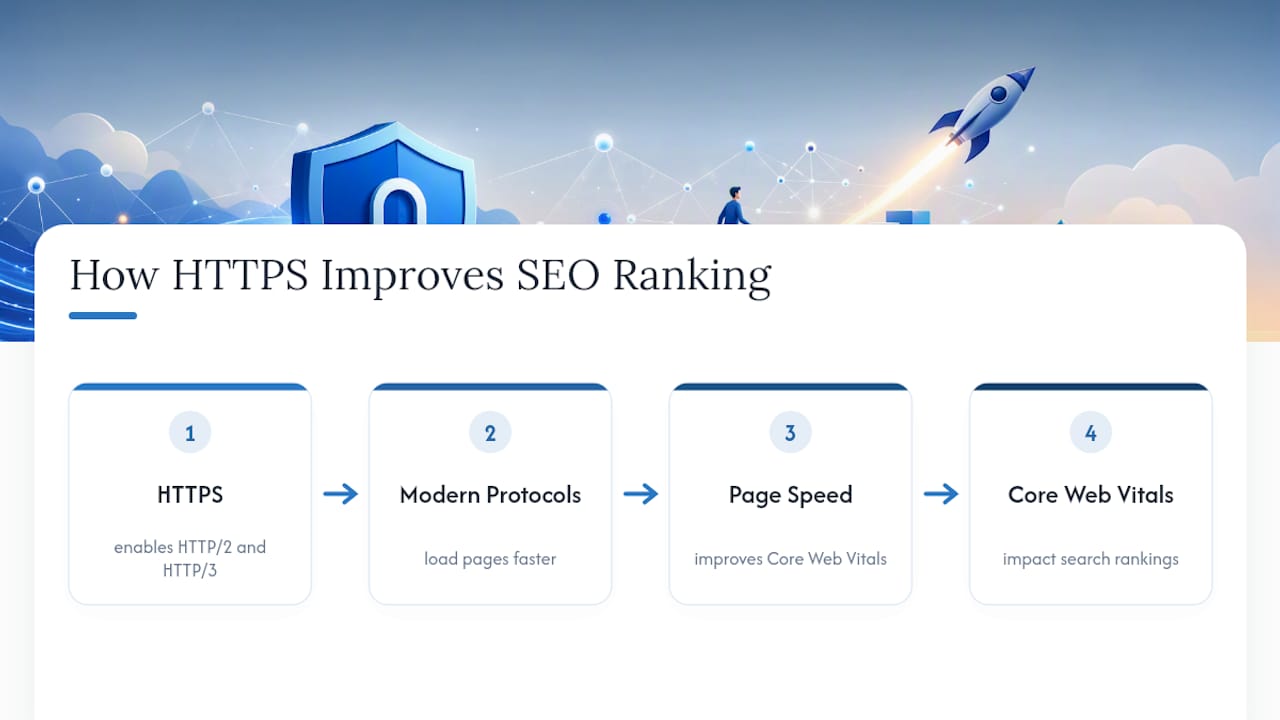
One more practical detail: switching to HTTPS preserves referral data in Google Analytics that gets stripped or misattributed when traffic bounces between insecure protocols. If you’ve ever wondered why your analytics show a mysterious spike in “direct” traffic, a broken HTTP to HTTPS handoff is a common culprit.
Certificate Types, Costs, and Who Provides Them
You don’t need the most expensive certificate on the shelf. For SEO purposes, they’re all equal. Here’s what separates them:
- Domain Validation (DV): Confirms you control the domain. Fast to issue, often automated, and completely sufficient for ranking purposes.
- Organization Validation (OV): Verifies your business is real and registered. Adds a layer of vetting that shows up in certificate details, not in search results.
- Extended Validation (EV): The old “green bar” certificate. More paperwork, more cost, no ranking advantage over DV.
- Wildcard: Covers a domain and all its subdomains (like blog.yoursite.com and shop.yoursite.com) with one certificate.
- SAN (Subject Alternative Name): Covers multiple distinct domains under a single certificate, useful if you run several related sites.
A free Let’s Encrypt DV certificate delivers the same SEO effect as a $200 EV certificate. Paid certificates buy you extended vetting and, in some cases, a little extra visitor confidence, not better rankings. Most hosting providers now auto-issue and auto-renew Let’s Encrypt certificates for free, which is genuinely the easiest path for a small business site with no dedicated IT staff. If you’re picking a host, look at options with built-in SSL automation so you never have to think about renewal dates again. If you do need a wildcard or SAN certificate, expect to configure renewal manually unless your host supports automated wildcard issuance.
How to Migrate to HTTPS Without Losing Rankings
A messy HTTPS switch is where most of the actual SEO damage happens, not the absence of a certificate itself. Follow this order and don’t skip steps to save time.
- Install and test the certificate first. Confirm HTTPS loads correctly on every page before you touch a single redirect.
- Set up single-hop 301 redirects. Every HTTP URL should redirect directly to its exact HTTPS equivalent. No chains through an intermediate URL.
- Update internal links across the site. Every link in your navigation, footer, blog posts, and templates should point to the HTTPS version. This is also the right time to review your internal linking structure since search engines follow those links to understand your site.
- Fix canonical tags and the XML sitemap. Canonicals need to point to HTTPS URLs, and your sitemap should list HTTPS addresses only.
- Add the HTTPS property in Google Search Console and submit the updated sitemap so Google recrawls the new version.
- Hunt down mixed content. Search your templates, theme files, and database for hardcoded HTTP references to images, scripts, and stylesheets.
- Test every page type manually. Homepage, service pages, blog posts, contact forms. Don’t assume one clean test means the whole site is clean.
- Enable HSTS last, and only after monitoring for several days. Turning on HSTS too early before every subdomain responds correctly over HTTPS can lock out visitors and cause real recovery headaches.
Pro Tip: Keep a spreadsheet of every URL on your site before you start. It sounds tedious, but it’s the fastest way to confirm nothing got missed once redirects go live.
Common Migration Mistakes and How to Fix Them
Most HTTPS problems trace back to five recurring issues, and all of them are fixable in an afternoon if you know where to look.
- Mixed content warnings. An image or script still loading over HTTP breaks the padlock. Use your browser’s developer console to spot the exact file causing it.
- Redirect chains. HTTP to an old HTTPS URL to the final HTTPS URL wastes crawl budget and slows page loads. Point every redirect straight to its destination.
- Expired or mismatched certificates. A certificate that doesn’t cover a subdomain (like www versus non www) throws browser errors that tank trust instantly.
- Duplicate indexing. If Google indexes both your HTTP and HTTPS versions, you’re splitting ranking signals between two URLs that should be one.
- Ignoring Search Console after the fact. Crawl errors and indexing issues show up there first, often days before you’d notice a traffic dip elsewhere.
Search engines generally need four to six weeks to fully re-index and stabilize rankings after a clean migration, so don’t panic over a small dip in week one. If problems persist past that window, something on this list is usually the reason.
Tools and Tests to Confirm Your Setup Is Clean
Run your domain through Qualys SSL Labs and aim for a grade of A or A+. The report flags weak cipher suites, certificate chain problems, and expiration dates you’d otherwise miss.
Beyond that:
- Use a site crawler to scan every page for leftover HTTP references and broken redirects.
- Load your site in an incognito browser window to catch first-visit mixed content warnings.
- Test from a second device or network to catch caching issues masking a real problem.
- Set a calendar reminder or automated alert for certificate expiration, even with auto-renewal enabled.
Why We Prioritize HTTPS First for Every Scottsdale Client
Every migration Webtechs handles starts with SSL because it’s the one step that, done wrong, undoes months of SEO work in a weekend. A local retailer moving to HTTPS without fixing internal links usually sees a short traffic dip before recovery, exactly the pattern you’d expect from a rushed job. If your host already auto-manages SSL and your site is simple, you may not need help. If you’re running a multi-page site with a shopping cart or booking system, that’s when a second set of eyes prevents a mistake you won’t spot until rankings already slipped.
How Webtechs Handles Your SSL Migration
Webtechs is the direct alternative to guessing your way through an HTTPS switch alone, we handle the redirect logic, canonical updates, and mixed content cleanup so nothing gets missed between your old site and the new one.

Scottsdale businesses come to us after a DIY migration went sideways almost as often as they come to us before one starts. We run a local SEO audit alongside every migration, checking your Google Business Profile and directory listings so your rankings don’t take a hit from a broken redirect or a forgotten sitemap update. If you’re planning a redesign at the same time as your SSL switch, our website design team coordinates both so you’re not fixing the same links twice. Reach out for a migration review and we’ll tell you exactly what your site needs before you touch a single setting.